Your coupon for will be reflected when you check out!
✖
Your coupon for
✖
Hello!
You're visiting the PartSelect site in U.S.
Would you like to shop on the Canadian site?
Stay on this site
Go to Canadian site
✖
Model Number Locations
1Select Category Type
Select Category Type
2Select Product Type
Select Product Type
3Select {MODEL} Type
Select {MODEL} Type
Sample Model Number Tags
Model numbers can be made up of numbers (1005400, for example) or a combination of letters and numbers (LAT1000AAE). The model number will most likely appear on either a paper sticker or a metal plate. Your appliance's model number tag may look similar to the sample model number tags shown here (model number highlighted in yellow):
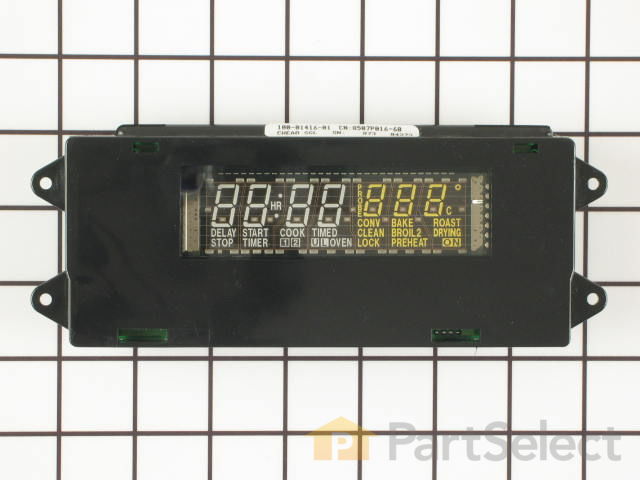
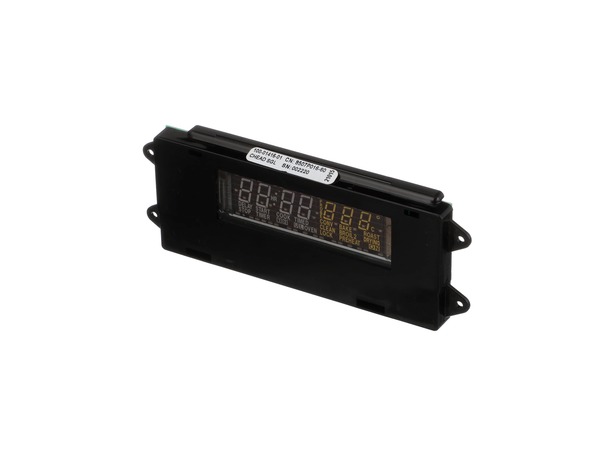
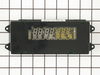
This electronic clock assembly is seven and a half inches long. It is three inches wide and is intended for use with a range's control panel.
How Buying OEM Parts Can Save You Time and Money
Why buy the real thing?
OEM stands for Original Equipment Manufacturer. Simply put, this means that the company who made your appliance is also supplying the replacement part for it.
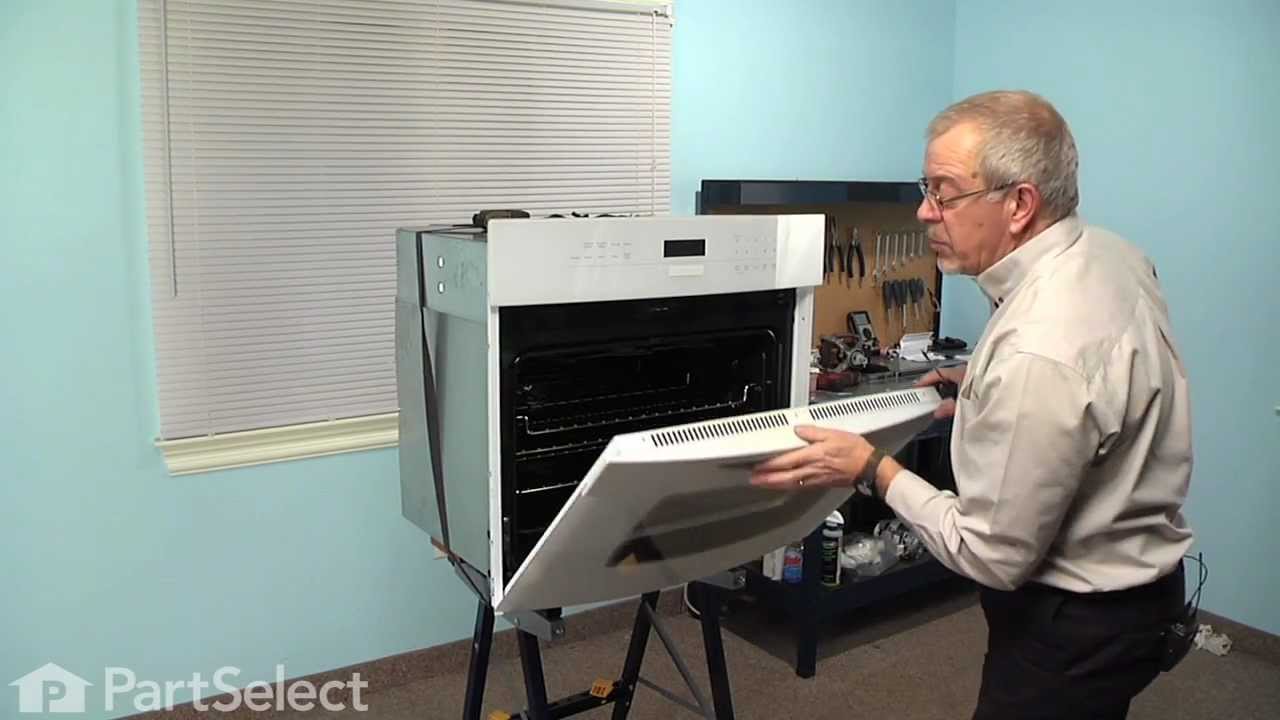
Replacing your Jenn-Air Wall Oven Electronic Clock Control Board
Troubleshooting
This part fixes the following symptoms:
Will not program
Touchpad does not respond
This part works with the following products:
Wall Oven
Microwave Oven Combo
Part# WP71003424 replaces these:
AP6010716, 71003424, 71003424R
Customer Reviews
Average Rating:
★★★★★
★★★★★
1 Review
5.0
Filter By Rating:
5 Stars
1
4 Stars
0
3 Stars
0
2 Stars
0
1 Star
0
Sort by:
< Prev
1
Next >
Search filter:
Clear Filter
Your search term must have 3 or more characters.
Keep searches simple. Use keywords, e.g. "leaking", "pump", "broken" or "fit".
Sorry, we couldn't find any existing reviews that matched. Try using some different or simpler keywords.
★★★★★
★★★★★
James K - April 15, 2018
Verified Purchase
Replace circut board on Whirlpool/JennAir clock
Circuit board arrived on time; followed PartSelect video, and completed repair eaisly. I returned the part for a rebate and rebate was credited to my account within 3 days as advertized.
< Prev
1
Next >
Installation Instructions
Average Repair Rating: 4.3 / 5.0, 51 reviews.
What's this?
Sort by:
< Prev
1
2
3
Next >
Search filter:
Clear Filter
Your search term must have 3 or more characters.
Keep searches simple. Use keywords, e.g. "leaking", "pump", "broken" or "fit".
Sorry, we couldn't find any existing installation instruction that matched.
The LED display failed - for the second time
The display belongs to the convection oven. We still could use the oven because we knew how all the buttons and beeps worked, but we replaced the control module because we couldn't sell the house without it. Here's how to replace the module: - Remove the bezel on the microwave above the oven (4 screws on the sides). - Now you ca
... Read moren remove four up-facing screws on top of the control panel. Don't unwire the panel, just lay it face-down on the topmost oven shelf, as one of the others above advised. - Looking at the back of the clock module, remove the two connectors. The larger one is difficult to pull. Just force each end gently straight up with a flat screwdriver. - Remove the screws holding the clock in place. They're at the two ends. - Swap the clocks and put everything back. I bought this module from PartSelect because of all the customer feedback you see here. It gave me the confidence to do it myself.
Read less
Kenneth from INDIANAPOLIS, IN
Difficulty Level:
Easy
Total Repair Time:
30 - 60 mins
Tools:
Nutdriver, Screw drivers
0 of 1 peoplefound this instruction helpful.
Was this instruction helpful to you?
Thank you for voting!
Clock display stopped working
Followed the very clear instructions written by others who also had a combination microwave/oven. Complication encountered because my oven is built into the cabinetry right next to a built-in refrigerator that protrudes by several inches. No room to get a screwdriver in to loosen the screws for the faceplate of the microwave on one side
... Read more in order to remove the oven's display panel. Luckily had just the tip of a Phillips head and used pliers to carefully turn it just a bit with each turn until screw came out. Also didn't have the right tool to loosen the clock display little hex screws and used pliers for that as well. It was tough to get two of the electrical connections out--had to be careful wiggling them free so as not to break the wires. Finally used a tiny little flathead screwdriver to gently work each side up a bit until the whole connection could be pulled out. Took longer than it needed to.
Read less
Jane from West Chester, PA
Difficulty Level:
A Bit Difficult
Total Repair Time:
30 - 60 mins
Tools:
Pliers, Screw drivers
1 personfound this instruction helpful.
Was this instruction helpful to you?
Thank you for voting!
Burner will not heat, display will not light
Two separate problems. The display gradually dimmed over time and finally went out completely. It was really easy installing the new display module. I analyzed the old one and found an 68uF electrolytic capacitor (<$1) that was bad. Don't know if any other component was bad. In looking at the display module it seems it was way over-priced
... Read more at over $200. The second problem is that one of the small burners had a open heating wire. The installation of the new burner was OK except the new unit did not have any clips to hold it in place. I couldn't transfer the old clips over. So I just placed it under the holding bracket and hoped that it wouldn't move while I was putting the unit back in place and it didn't. So that is working OK now.
Light in the clock started going dim and eventually went dark
I followed the great directions posted by others on the PartSelect website for Part No. PS2078472. This was really easy! Another customer has posted a GREAT suggestion of pulling the top oven shelf out about a foot and using it to lay the control panel faceplate assembl on after its unscrewed and lifted off its support. I used (and sug
... Read moregest others use) a soft cloth to put under the control panel before I laid it on the extended top oven shelf to avoid any scratching. I took great comfort from the prior 9-28-07 posting by customer Cheryl from Mesa, AZ, in which she said that she was a "63 yr. old woman" and that the repair was "very easy" for her -- Let me add that it was also very easy for a slightly younger, but mechanically challenged man! PartSelect got my part right out to me (with a couple of replacement bulbs for the interior oven light, since my oven bulb had also just burned out). Everything was just as represented and I felt I got good value for the money. It's a pleasure to do business with PartSelect! Thanks also for making me a hero with my wife -- now she thinks I can fix things!
LED clock faded then black,oven worked but no clock
First: my problem was with the oven. Turn power off at breaker,should be one of the largest breakers, 30 or 40 amp. type.Then open door look up under LED readout you will see 4 phillip head screws, remove them,then lift LED section upward and off.You may want/need someone to hold this section.Then unplug the wires by pulling firmly upward
... Read more and off of the LED plastic box. The box is held on by 4 hex nut screws, unscrew and remove box,install new LED display in reverse order. turn power back on.Set clock. Your done.Sounds like a long project but I actually had two ovens to do.Total time for the first oven was 12 minutes.
Read less
George from Wilmington, DE
Difficulty Level:
Really Easy
Total Repair Time:
Less than 15 mins
Tools:
Nutdriver, Screw drivers
1 personfound this instruction helpful.
Was this instruction helpful to you?
Thank you for voting!
same as all the others. Display went dim over the last two months.
Same as the others to get to the bad clock. My old part was a circuit board which was made with white material and manufactured by RoberShaw. The new one was on a green material and by another manufacture. The new one felt a little heavier and look like there were more componets on it. However the plug-in connections and the mounting
... Read moremethod was exactly the same. Before reassembly, I used a long handled brush to clean out most of the baking gunk that had accumulated in this area and I used a clean wipeing cloth to clean the inside glass for the display. The best thing about this was the part came on the Thursday before Hollowee, I installed it as soon as I got home from work. My wife started baking cookies and cup cakes for trick or treat and all is well.
Read less
Stan from San Marcos, CA
Difficulty Level:
Easy
Total Repair Time:
15 - 30 mins
Tools:
Screw drivers
2 of 2 peoplefound this instruction helpful.
Was this instruction helpful to you?
Thank you for voting!
Control panel lights out on oven - dishwasher not working properly, seal and ring broken.
Oven light - Removed 4 screws, unpluged wiring harness on circuit board (3 plugs), removed old control panel and put new one in - less than 15 minutes Very easy !
Dishwasher - Removed spray arm and replaced bearing ring and sprayarm seal - 5 minutes. Very easy !
First I had to remove the cover for the oven because my appliance is an oven/microwave combination. Then I just followed the directions of the people on site and it worked like a charm!!!
Carol from Kilgore, TX
Difficulty Level:
Really Easy
Total Repair Time:
15 - 30 mins
Tools:
Screw drivers, Wrench (Adjustable)
1 personfound this instruction helpful.
Was this instruction helpful to you?
Thank you for voting!
clock was dim unable to read
shut power to unit removed front top cover,four screws holding it down.diconnect element and install new one.its that easy.
Kamil from Closter, NJ
Difficulty Level:
Really Easy
Total Repair Time:
15 - 30 mins
Tools:
Nutdriver, Screw drivers
0 of 1 peoplefound this instruction helpful.
Was this instruction helpful to you?
Thank you for voting!
Display was dim
Removed the display panel with 4 screws. Then disconnected the wires and plugged in the new display panel. Turned on the power again and it was brand new.
glen from manchester, NH
Difficulty Level:
Really Easy
Total Repair Time:
Less than 15 mins
Tools:
Nutdriver
2 of 3 peoplefound this instruction helpful.
Was this instruction helpful to you?
Thank you for voting!
< Prev
1
2
3
Next >
Questions and Answers
We're sorry, but our Q&A experts are temporarily unavailable.
Please check back later if you still haven't found the answer you need.
7 questions answered by our experts.
Sort by:
< Prev
1
Next >
Search filter:
Clear Filter
Your search term must have 3 or more characters.
Keep searches simple. Use keywords, e.g. "leaking", "pump", "broken" or "fit".
Sorry, we couldn't find any existing answers that matched.Try using some different or simpler keywords, or submit your new question by using the "Ask a Question" button above!
Connie
October 2, 2017
Unable to adjust temperature in oven going thru the setup steps for over temp adjustment will not help. Do i need a new control panel?
For model number JJW8527008
Hi Connie,
Thank you for your question. It could be your electronic control board that is the issue. I would suggest unplugging your appliance for about 5 minutes and then plugging it back in. If that does not reset the board you may have to replace it. Good luck with your repair.
1 person found this helpful.
Did this question help you?
Thank you for voting!
Ed
September 25, 2017
Oven (bake element) will not turn off (continues to heat after multiple hits of the "cancel" button), and clock light is no longer visible (won't light up). Which part do I need to repair it?
For model number JMW9530AAW
Hi Ed, Thank you for the question. Yes the Electronic Clock Control Board will need to be replaced. The board controls the the oven and when defective can cause the issues you are having. Hope this helps!
Did this question help you?
Thank you for voting!
Kevin
October 10, 2017
Hi - my jenn air wall oven broil element will not turn off even after replacing it and letting it sit with the circuit breaker turned off. Clock appears fine but i cannot cancel the broiler. Is this the clock controller that needs to be replaced?? thanks
For model number JJW8527AAB
Hi Kevin,
Thank you for your question. It does sound like it would be your board that is the issue. That or the wiring between the two parts. I would suggest checking your wiring first to see. Good luck with your repair.
Did this question help you?
Thank you for voting!
Mike
November 9, 2017
I've replaced the bake element and temp sensor and the bake element is still not working. The control panel seems to be working fine, just the bake element will not heat. Is there something else to try before replacing the control panel?
For model number JMW9530CAW
Hi Mike,
Thank you for your question. The only other thing would be to take a look at your wiring and see if anything is showing burn marks or breakage. Other than that it would more than likely be your control board that is the issue. I hope that helps. Good luck with your repair.
Did this question help you?
Thank you for voting!
Susan
April 28, 2018
Random f 3 (and other f messages) with oven bake, often but not always. Oven "may" still be baking at correct temperature despite error message and alarm. This part ps2078136 looks like what i need but no longer available? Whirlpool part coming up as alternate? Thank you in advance.
For model number Jenn-Air SVD48600P
Hi Susan,
Thank you for your question. The F3 error code is referring to a shorted or open oven temperature sensor. If the oven is not heating correctly, then the issue is likely with the oven sensor, sometimes called the oven thermostat, and you will need to check it with a multimeter. When testing the sensor with a multimeter, the sensor should be tested at room temperature. You will need to measure the resistance between the two prongs at the end of the sensor connector. Replace the oven sensor if the reading is less than 900 Ohms or more than 1200 Ohms. I hope this helps. Thank you and have a great day!
Did this question help you?
Thank you for voting!
Thomas
November 28, 2019
Got the f1 error while cooking thanksgiving dinner. Trying to reset it but the error returns. Will replacing the electronic clock control board fix this?
For model number JMW8527AAB
Hello Thomas, Thank you for the question. You can disconnect power to the range . It is very important that the power to the range has been disconnected. Gain access inside the control panel. Disconnect the touch pad ribbon from the Control Board. Make sure there are no lose wires, or anything else that may cause a short when power is turned back on. Assemble the control panel back the way it was. Turn the power back on. Wait for at least one hour to see if the F1 code comes back (usually accompanied by a beeping sound). If F1 comes back, replace the Control Board Part #: PS11743900. If it does not, replace the touch pad PartSelect Number PS2357904. Hope this helps!
Did this question help you?
Thank you for voting!
Robert
March 21, 2022
After running the cleaning cycle, I only get a F2 code and beeping
For model number Model JJW9530AAB
Hello Robert, Thank you for your inquiry. This error code is indicating that control board is detecting that the oven temperature is too hot. We would recommend checking the sensor, the high limit thermostat, the temperature probe and the control board. We also recommend checking the wiring for any loose connections or damage. You can test the parts with a multimeter. If you are unfamiliar with how a multimeter functions, we have videos available to assist you. We hope this helps and if you need help placing an order, customer service is open 7 days a week. Please feel free to give us a call. We look forward to hearing from you!
Item is in stock and is estimated to be delivered in 2-3 business days via Standard Shipping.
On Order
Item is not in stock and usually ships 3-5 business days from the time you place your order.
Special Order
Item is not in stock and usually ships 10-15 business days from the time you place your order.
NLA - No Longer Available
This item is no longer being made by the manufacturer, and cannot be added to your shopping cart.
[{"position":0,"name":"Home","title":"Home","url":"/"},{"position":1,"name":"Circuit Board or Touch Pad","title":"Circuit Board or Touch Pad","url":"/Wall-Oven-Circuit-Boards-and-Touch-Pads.htm"},{"position":2,"name":"WP71003424","title":"WP71003424","url":""}]
You added 1 item to your cart
✖
% OFF
$
$
Qty:
Total item(s) in cart:
Order Subtotal
$
*Taxes and shipping will be applied during checkout