















TES356MS1 Estate Range - Instructions
Keep searches simple. Use keywords, e.g. "leaking", "pump", "broken" or "fit".
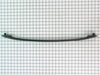
Door handle of stove's oven broke. Had problem finding handle until I contacted Select Parts.
The repair went well. Only took a few minutes. Oven is 21 years old and still working. I figured why throw away if still working. Thank you Select Parts for coming to my rescue. Will keep you in mind.
Parts Used:

-
Martha from EDISON, NJ
-
Difficulty Level:Really Easy
-
Total Repair Time:Less than 15 mins
-
Tools:Screw drivers
1 person
found this instruction helpful.
Was this instruction helpful to you?
Thank you for voting!
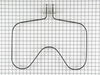
Removing an heating element that burnt into .
Unplugged oven , removed screws ,pulled wires out, removed old element , just hooked wires up , screws .make sure it sits level plugged in. Works great
Parts Used:
-
Jenny from GREENFIELD, IN
-
Difficulty Level:Very Easy
-
Total Repair Time:Less than 15 mins
-
Tools:Pliers, Screw drivers
1 person
found this instruction helpful.
Was this instruction helpful to you?
Thank you for voting!
Oven Elementwas burnt into
-
Fred from APACHE JCT, AZ
-
Difficulty Level:Very Easy
-
Total Repair Time:Less than 15 mins
-
Tools:Screw drivers
1 person
found this instruction helpful.
Was this instruction helpful to you?
Thank you for voting!
baking element non operational
removed two screws to faceplate at rear of oven. Disconntected contact wires, installed bake element reconnected contact wires, attached faceplate turned on oven holy hell it works just saved some money on service call thanks!!!
Parts Used:
-
GARY from JACKSON, WY
-
Difficulty Level:Really Easy
-
Total Repair Time:Less than 15 mins
-
Tools:Screw drivers
1 person
found this instruction helpful.
Was this instruction helpful to you?
Thank you for voting!
THe original knob found its way into my garbage disposal and was broken. I needed to freplace it.
I decided NOT to crawl under my stove top to find the correct model no. of the unit, as recommended in the Help section of the website. Instead I just guessed. It arrived, and of course didn;t fit. So I crawled under the stove top, got the correct model no., and instantly found the correct part to order. Part Select instantly honored my request for a refund on the first part and the correct part is on its way. So I ended up paying two delivery charges instead of one. LESSON LEARNED.
Parts Used:

-
ELAINE from SILVER SPRING, MD
-
Difficulty Level:A Bit Difficult
-
Total Repair Time:Less than 15 mins
1 person
found this instruction helpful.
Was this instruction helpful to you?
Thank you for voting!
Broke drawer bracket
Was super easy even I could do it. Wish I would have done it 2 years ago when my husband broke it. Just used a Phillips screwdriver. Very easy!
Parts Used:

-
Valerie from ROCHESTER, MN
-
Difficulty Level:Very Easy
-
Total Repair Time:Less than 15 mins
-
Tools:Screw drivers
1 person
found this instruction helpful.
Was this instruction helpful to you?
Thank you for voting!
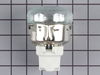
Worn/Bulb Socket
It was alittle difficult at 1st to remove the clips that held in the socket. But once out everything went smoothly.
Parts Used:
-
JOSEPH from COON RAPIDS, MN
-
Difficulty Level:Really Easy
-
Total Repair Time:Less than 15 mins
-
Tools:Screw drivers
2 of 4 people
found this instruction helpful.
Was this instruction helpful to you?
Thank you for voting!
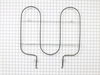
Oven Demon Possession
Our repair was extrodinarily easy. As my husband was taking out the old element and the oven was off, the element heated up and actually burned him. He readjusted it and it refused to heat again. We figured at that point that there must be a short, so we never even opened the box with the new element. A short time later we decided to use the top of the stove for soup and a small fire started in the oven. We turned off the braker at that point and ordered a new oven.
Parts Used:
-
Kevin from Greensboro, NC
-
Difficulty Level:Really Easy
-
Total Repair Time:Less than 15 mins
1 person
found this instruction helpful.
Was this instruction helpful to you?
Thank you for voting!
electrical short from oven light.
I trouble shot and traced out to electrical short in face panel and found burnt wires. I've been a licensed electrician for years and it takes alot of comon sense to trouble shoot and find problem. I found schetch-matic of appliance and searched computor and found partselect.com and tried it. It wasnt no time and the part was at my door. Thank you partselect and i would use them again in the future. billy
Parts Used:
-
William H. from morehead city, NC
-
Difficulty Level:A Bit Difficult
-
Total Repair Time:1- 2 hours
-
Tools:Nutdriver, Pliers, Screw drivers
2 of 4 people
found this instruction helpful.
Was this instruction helpful to you?
Thank you for voting!
Replacing oven light and socket
The old part, including lightbulb and socket, had corroded into place, and the glass light cover was stuck to the socket. I used a dead blow hammer and a dowel just under the diameter of the hole to tap on the back side of the socket to loosen it and get it out. The metal tabs on the old socket were folded back to make it fit better (?), which made it harder to remove. Lots of muscling of the part to get it out. Easy to install new part once old one was out of the way. An experienced person would have removed the old part and installed the new in no time.
Parts Used:
-
Carol from BELLINGHAM, WA
-
Difficulty Level:A Bit Difficult
-
Total Repair Time:1- 2 hours
-
Tools:Pliers, Screw drivers, Wrench (Adjustable)
1 person
found this instruction helpful.
Was this instruction helpful to you?
Thank you for voting!
range would not heat right
-
bobby from HERSCHER, IL
-
Difficulty Level:Really Easy
-
Total Repair Time:30 - 60 mins
-
Tools:Screw drivers
1 person
found this instruction helpful.
Was this instruction helpful to you?
Thank you for voting!
Over heating element.
Just turn off power , remover screws. Remove and plug in new part.
Parts Used:
-
carlos from TRACY, CA
-
Difficulty Level:Easy
-
Total Repair Time:30 - 60 mins
-
Tools:Screw drivers
1 person
found this instruction helpful.
Was this instruction helpful to you?
Thank you for voting!
Bake element died
Followed instructions on urine that you provided. Instructions were great.
Only problem had was the screw was hard to get loose on one due to oven usage from previous people but I got it after a bit and then fairly simple from there. Unplugged and plugged new element in. Works although seems to run a bit hotter than before.
Only problem had was the screw was hard to get loose on one due to oven usage from previous people but I got it after a bit and then fairly simple from there. Unplugged and plugged new element in. Works although seems to run a bit hotter than before.
Parts Used:
-
Jill from LYNNWOOD, WA
-
Difficulty Level:Easy
-
Total Repair Time:30 - 60 mins
-
Tools:Screw drivers
1 person
found this instruction helpful.
Was this instruction helpful to you?
Thank you for voting!
bake element out
use needle nose pliers to disconnect the element from the power supply. After disconnecting it was easy to repair.
Parts Used:
-
Joyce from BALLWIN, MO
-
Difficulty Level:Really Easy
-
Total Repair Time:30 - 60 mins
1 person
found this instruction helpful.
Was this instruction helpful to you?
Thank you for voting!
Oven temperature was 50 degrees off
Unplugged stove.
Pulled stove out.
Unscrewed screws and removed cover.
Removed & replaced sensor.
Reinstalled cover & screws.
Plugged in stove and pushed back in.
Only problem was when I pulled stove out, lid opened and disconnected the gas line to a burner.
Pulled stove out.
Unscrewed screws and removed cover.
Removed & replaced sensor.
Reinstalled cover & screws.
Plugged in stove and pushed back in.
Only problem was when I pulled stove out, lid opened and disconnected the gas line to a burner.
Parts Used:
-
Gregory from BRIDGEBORO, GA
-
Difficulty Level:A Bit Difficult
-
Total Repair Time:30 - 60 mins
-
Tools:Screw drivers
1 of 2 people
found this instruction helpful.
Was this instruction helpful to you?
Thank you for voting!