















PCB980SJ2SS General Electric Range - Instructions
Keep searches simple. Use keywords, e.g. "leaking", "pump", "broken" or "fit".
Oven Temp. went too high and the door locked. Burnt the food
This temperature sensor is very easy to replace. There are two screws inside the oven in the top middle of the back of the oven. Take these off. on the back of the stove there is a metal plate with 5 screws I believe. Take these off with a nut driver. Then you will see a white connector coming from the spot where you took the other screws off. Take the white connector apart and pull out the temperature sensor from the inside of the oven. Then put the new one in.
Parts Used:

-
Nathan from BILLINGS, MT
-
Difficulty Level:Very Easy
-
Total Repair Time:Less than 15 mins
-
Tools:Nutdriver, Screw drivers
4 of 4 people
found this instruction helpful.
Was this instruction helpful to you?
Thank you for voting!
Oven slow to heat.
First I removed the 4 screws that hold the element in place. I then pulled the element out about 3 inches. I removed the sensor and disconnected the connector.
Parts Used:
-
Scott from Burleson, TX
-
Difficulty Level:Really Easy
-
Total Repair Time:Less than 15 mins
-
Tools:Nutdriver, Pliers, Screw drivers
6 of 10 people
found this instruction helpful.
Was this instruction helpful to you?
Thank you for voting!
Burnt Smell
Unplugged the Range and removed the two screws holding down the cook top. You do not need to remove the vent chamber at the rear of the range since the top lifts up about 4 inches. This should be enough room to get your hand onto the plug going to the door switch. Pull off the plug and remove the swich. Pop in the new one, put on the plug, reinstall the two screws and you are done!
Read the thread on "burnt smell" and DO NOT assume it is a burned out element. Follow your nose!!
Read the thread on "burnt smell" and DO NOT assume it is a burned out element. Follow your nose!!
Parts Used:

-
Eugene from Hilton Head, SC
-
Difficulty Level:Really Easy
-
Total Repair Time:Less than 15 mins
-
Tools:Nutdriver
8 of 17 people
found this instruction helpful.
Was this instruction helpful to you?
Thank you for voting!
The right side Large/Small burner control failed.
The burner remained on high regardless of the position of the control. 1. Unplug the range. 2. From the back of the range control panel, remove the top-plate that covers the controls. (4 screws) 3. Remove the two screws that hold the control knob in place. 4. Move ONE WIRE AT A TIME from the old control knob to the new gripping the connector only (do NOT pull the wire). 5. Remount the controller and reassemble the back cover with four screws. 6. reconnect the range and test.
Parts Used:
-
JAMES from ORMOND BEACH, FL
-
Difficulty Level:Really Easy
-
Total Repair Time:30 - 60 mins
-
Tools:Screw drivers
3 of 3 people
found this instruction helpful.
Was this instruction helpful to you?
Thank you for voting!
Switch was not turning off range indicator light
Pulled stove out and unplugged. At the rear of the range there were 4 faster. Used a nutdriver piece in an electric drill. Pulled off the cover and located the switch. At the front of the stove, I removed the knob and unscrewed two screws releasing the switch. I undid and replaced each wire connector one-by-one to avoid any wrong connections. Replaced and secured the switch and replace the back panel. All secured, power on and fixed! Easy repair, but something that had been put off for a year!
Also follow the installation videos from PartSelect - very helpful!
Also follow the installation videos from PartSelect - very helpful!
Parts Used:
-
Charles from PORTLAND, OR
-
Difficulty Level:Really Easy
-
Total Repair Time:Less than 15 mins
-
Tools:Nutdriver, Screw drivers
3 of 3 people
found this instruction helpful.
Was this instruction helpful to you?
Thank you for voting!
Incorrect oven temperature due to defective temperature sensor.
-
Anthony from FARMINGVILLE, NY
-
Difficulty Level:Really Easy
-
Total Repair Time:Less than 15 mins
-
Tools:Nutdriver
3 of 3 people
found this instruction helpful.
Was this instruction helpful to you?
Thank you for voting!
F2 Warning - Oven overheating
I checked various sites on the net and decided that the temperature sensor was the problem. The GE price for the replacement part was about $105, most of the other sites offered the sensor in the $70 range. PartSelect $12.95 When the part arrived, I removed a small self taping screw, pulled the high temperature wire connector into the oven space, disconnected the quick disconnect fitting, attached the new temperature sensor, pushed the connecting wire into its hole, replaced the screw and that was it. I probably saved about $200 in parts and labor over what a local repairman would have charged. Oh yes!! I first disconnected the power at the breaker box. Very important.
Parts Used:
-
john from bend, OR
-
Difficulty Level:Really Easy
-
Total Repair Time:Less than 15 mins
-
Tools:Socket set
3 of 3 people
found this instruction helpful.
Was this instruction helpful to you?
Thank you for voting!
Oven Light Assembly damaged
I have a double oven and coincidently I had to replace the two Oven Light Assemblies.
I am really glad about your web site because once I got the number from my oven model you guys were the first ones that came up. Thanks to your prompt and reliable service my oven is back to its original state.
Jose Figueroa
I am really glad about your web site because once I got the number from my oven model you guys were the first ones that came up. Thanks to your prompt and reliable service my oven is back to its original state.
Jose Figueroa
Parts Used:
-
Jose from Frederick, MD
-
Difficulty Level:Really Easy
-
Total Repair Time:15 - 30 mins
-
Tools:Nutdriver, Pliers
5 of 10 people
found this instruction helpful.
Was this instruction helpful to you?
Thank you for voting!
burner not work
Fue muy facil desconectar primero la estufa despues quite los tornillos de la parte superior detras de la estufa, desconecte un cable del switch y lo conecte en el nuevo despues el siguiente hasta conectar todos los cables en el nuevo switch. Lo mejor es desconectar uno por uno para mo mesclar los cables , despues removi el switch de la estufa y puse el nuevo , puse las partes de regreso y listo conecte la estufa t revise si funcionava el quemador y listo sin ningun problema.
Parts Used:
-
SILVIA from Midlothian, TX
-
Difficulty Level:Really Easy
-
Total Repair Time:15 - 30 mins
-
Tools:Screw drivers
3 of 4 people
found this instruction helpful.
Was this instruction helpful to you?
Thank you for voting!
Stove was not getting enough power.
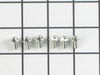
My stove didn't seem to be getting enough power for the oven to heat up and the burners to get hot enough. When I checked the connection of the electric cord I found that one of the 3 terminals that the plug connects to was broken off. When the new part came I removed the old part by first disconnecting the 3 wires [black,white(ground),red] and then using a small but long 1/4 socket (that I found at Lowes)I removed the 2 screws that held the old part to the stove and the green screw under it holding the flat copper piece that also connects under the white ground wire of the part. I mounted the new piece on with the 2 1/4 screws. The new part comes with a piece of copper that is for grounding the part to the stove. When I compared it to the old part it was a little different. I first screwed the copper piece onto the stove (under the part) with the green screw then I screwed the white wire over the copper piece to the center terminal(you have to make the hole of the copper piece line up to the screw hole). I connected the other 2 wires and then connected the electric cord to the new terminal block and then put the back cover back on the stove and plugged it in. The clock came on I turned on the four burners they all got hot and red. I turned on the oven the element on the bottom got red I then turned on the broiler the top element got red. My stove is fixed.
Parts Used:
-
Nathan from Wells, ME
-
Difficulty Level:A Bit Difficult
-
Total Repair Time:15 - 30 mins
-
Tools:Nutdriver, Pliers, Screw drivers, Socket set
2 of 2 people
found this instruction helpful.
Was this instruction helpful to you?
Thank you for voting!
Defective switch
Replaced element control switches
Parts Used:
-
Mary from EDENTON, NC
-
Difficulty Level:Easy
-
Total Repair Time:15 - 30 mins
-
Tools:Screw drivers, Socket set
2 of 2 people
found this instruction helpful.
Was this instruction helpful to you?
Thank you for voting!
Did not function
It’s easy to replace and you can found out the video from YouTube to follow the instructions
Parts Used:

-
Lung from PINEVILLE, NC
-
Difficulty Level:Really Easy
-
Total Repair Time:15 - 30 mins
-
Tools:Screw drivers
2 of 2 people
found this instruction helpful.
Was this instruction helpful to you?
Thank you for voting!
Oven tempeture off by 50 degrees
Sensor is in rear and on top ov oven. What could be a 10" job took 45". My problem was the oven door was diffinately in the way. Also I wear bifocals which makes me tilt head to see nuts. I felt like a contortionist. HINT: remove door and give yourself some room to work.
Parts Used:
-
James from CHESTER SPRGS, PA
-
Difficulty Level:A Bit Difficult
-
Total Repair Time:30 - 60 mins
-
Tools:Nutdriver
4 of 8 people
found this instruction helpful.
Was this instruction helpful to you?
Thank you for voting!
Replaced Oven Thermostat Sensor in oven
1) Shut off power to oven
2) Removed oven door using snap down hinges on door
3) Removed 4-phillips head screws holding the oven frame to cabinets
4) Pulled oven out of cabinet and set it on stool in front of opening
5) Remove 2-hex screws holding metal shield covering the electrical wiring on back of oven
6) Unplugged bad thermostat connector
7) Removed the single hex screw holding thermostat inside the oven
8) Pulled the thermostat and lead wire from oven
9) Fed the new thermostat wire into inside back of oven
10) Reverse steps 1-7
2) Removed oven door using snap down hinges on door
3) Removed 4-phillips head screws holding the oven frame to cabinets
4) Pulled oven out of cabinet and set it on stool in front of opening
5) Remove 2-hex screws holding metal shield covering the electrical wiring on back of oven
6) Unplugged bad thermostat connector
7) Removed the single hex screw holding thermostat inside the oven
8) Pulled the thermostat and lead wire from oven
9) Fed the new thermostat wire into inside back of oven
10) Reverse steps 1-7
Parts Used:
-
C Thomas from SAN MARCOS, CA
-
Difficulty Level:Very Easy
-
Total Repair Time:15 - 30 mins
-
Tools:Screw drivers, Socket set
2 of 2 people
found this instruction helpful.
Was this instruction helpful to you?
Thank you for voting!
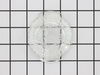
broken light cover
-
Francis from LAKE ELSINORE, CA
-
Difficulty Level:Very Easy
-
Total Repair Time:Less than 15 mins
2 of 2 people
found this instruction helpful.
Was this instruction helpful to you?
Thank you for voting!