















KSRP22KFWH00 KitchenAid Refrigerator - Instructions
Keep searches simple. Use keywords, e.g. "leaking", "pump", "broken" or "fit".
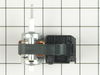
Excessive noise was coming from the freezer section of my side be side refrigerator
Cleaning out the freezer took the longest time. Once the freezer was clean I turned off the freezer which did not deactivate the light in the freezer. This is a tight area to work in and not having to hold a flashlight made the job much easier. I then removed the shelf slider brackets for the 3 lower pullout drawers. The next step was to remove the interior aluminum back panel (6 screws) which covers the evaporator motor and the coil. Before removing the 3 electric wires that are attached to the evaporator motor make sure the power is off to the motor. The removal of the motor was fairly straightforward and I would suggest removing the plastic fan blade first and then the connector wires. It helped knowing in advance that the plastic fan blade would come off with a little prying. Be careful when prying the fan off so that you don’t damage the plastic motor mount bracket. Once you have installed the motor I would suggest turning the freezer back on to make sure that the evaporator motor works before reinstalling the aluminum back panel and slider brackets.
Parts Used:
-
Jon from Houston, TX
-
Difficulty Level:Easy
-
Total Repair Time:15 - 30 mins
-
Tools:Pliers, Screw drivers
43 of 45 people
found this instruction helpful.
Was this instruction helpful to you?
Thank you for voting!
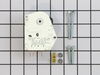
Timer "clicking", indicating worn gears
1. Unplug refrigerator to remove power!
2. The timer is inside the control housing located at the top of the refrigerator compartment.
3. Remove two control knobs (the pull off).
4. Remove the front panel escutcheon. The panel is not held in place with screws, but can be gently pried off.
5. Remove two screws from the back that hold the housing in place.
6. Remove screws from the front that hold the housing in place.
7. Drop housing down (still attached by wires - do not detach). Timer is inside housing, located on right.
8. Follow the instructions provided to identify your particular wiring setup. You'll find the wiring diagram (on my model) at the bottom of the refrigerator, alongside the defrost catch pan, behind the airflow grille.
9. Remove connector from timer terminals (4).
10. Remove two screws/nuts that hold the timer in place.
11. Install replacement timer following included directions. Read and follow ALL instructions applicable to your particular model and wiring setup.
12. Reassemble by reversing the steps above.
13. Note: You may need to "jog" the replacement timer when you first plug the refrigerator back in, if the timer happens to be in a "defrost cycle" (the compressor won't start). This can be done by inserting a wide bladed screwdriver into the hole below the timer, aligning it with the timer shaft, and slightly turning the shaft CW. Don't force it, and don't turn it very far.
2. The timer is inside the control housing located at the top of the refrigerator compartment.
3. Remove two control knobs (the pull off).
4. Remove the front panel escutcheon. The panel is not held in place with screws, but can be gently pried off.
5. Remove two screws from the back that hold the housing in place.
6. Remove screws from the front that hold the housing in place.
7. Drop housing down (still attached by wires - do not detach). Timer is inside housing, located on right.
8. Follow the instructions provided to identify your particular wiring setup. You'll find the wiring diagram (on my model) at the bottom of the refrigerator, alongside the defrost catch pan, behind the airflow grille.
9. Remove connector from timer terminals (4).
10. Remove two screws/nuts that hold the timer in place.
11. Install replacement timer following included directions. Read and follow ALL instructions applicable to your particular model and wiring setup.
12. Reassemble by reversing the steps above.
13. Note: You may need to "jog" the replacement timer when you first plug the refrigerator back in, if the timer happens to be in a "defrost cycle" (the compressor won't start). This can be done by inserting a wide bladed screwdriver into the hole below the timer, aligning it with the timer shaft, and slightly turning the shaft CW. Don't force it, and don't turn it very far.
Parts Used:
-
John from Plano, TX
-
Difficulty Level:Easy
-
Total Repair Time:15 - 30 mins
-
Tools:Nutdriver, Pliers, Screw drivers
38 of 43 people
found this instruction helpful.
Was this instruction helpful to you?
Thank you for voting!
Noisy and the Fan wasn't blowing like it should
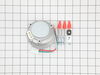
I saved my Whirlpool Refrigerator (Model ET21GKXHN00) and learned a lesson. Don’t put off cleaning the refrigerant coils underneath the refrigerator. I replaced the refrigerator about 10 years ago and began to notice that the sound of this one running had changed slightly. I remembered that’s what happened to the first one just before it died. I removed the panel on the bottom front and saw that the refrigerant coils were covered with dust. It was really bad. I vacuumed them with the “radiator attachment” on the vacuum cleaner and plugged the refrigerator back in. It still didn’t sound right and I couldn’t feel the air blowing out like it should. So I rolled the refrigerator out and removed the back lower cover to see the compressor and the cooling fan. The fan was clogged with dust so I vacuumed that as well. But the fan wouldn’t spin freely by hand. The fan motor only had 3 screws holding it onto the plastic fan bezel and was easily removed by unsnapping the electrical connector on the motor. I removed the fan motor and tried to clean it with a few drops of WD40 on the shaft. But when I put it all back and plugged it in the fan just barely started turning. I unplugged the refrigerator and ordered the fan motor from PartSelect.Com (Item Number PS371043). The picture looked exactly like the motor that was in my refrigerator. I threw everything away in the refrigerator, cleaned it out and left it unplugged until the motor came. The motor arrived in a few days and it looked exactly like the one I had removed. It had the same electrical specifications stamped on the back and the electrical connector was the same and in the same location on the motor. I put the fan blade on the new motor and installed it exactly like the old one was. It only took 15 minutes or so and was very easy to install. When I plugged the refrigerator in the compressor started right away and so did the fan. It ran like a champ. In a few hours the refrigerator got cold and began to cycle on and off like normal and the fan blows like new. The sound is normal and the total running sound is quiet again like a new refrigerator. So for $84.67 I saved my $1300 refrigerator and learned not to neglect checking the build up of dust in the compressor fan section. I’m sure that’s what happens to most of the refrigerators people put out for trash pickup in front of their houses. The cause of the problem is when air flow is restricted across the refrigerant coils too much heat returns to the compressor and eventually causes the compressor to fail. I appreciate that we live in a time when you can order exactly what you need on the internet and make home repairs when you need to. Thanks Part Select for sending me the correct part. It’s nice to have milk and cold drinks again.
Parts Used:
-
William from Centreville, VA
-
Difficulty Level:Really Easy
-
Total Repair Time:15 - 30 mins
-
Tools:Nutdriver, Screw drivers, Socket set
35 of 36 people
found this instruction helpful.
Was this instruction helpful to you?
Thank you for voting!
Light Switch broke
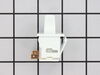
An easy job for smaller hands. Removed the two bolts holding the light cover. Removed two electrical connections from the old switch by pinching the retaining clip,removed the switch, snapped in the new one and re-attached the connectors. Your online illustrations helped me to know that the plastic housing for the light switch would only swing down so far and was not intended to be removed. Saved me from breaking that plastic cover's tabs. This home repair saved me more than 5 times the cost of hiring a professional to do it. Very happy homeowner.
Parts Used:
-
James Richard from St. Cloud, MN
-
Difficulty Level:Easy
-
Total Repair Time:Less than 15 mins
-
Tools:Socket set
48 of 76 people
found this instruction helpful.
Was this instruction helpful to you?
Thank you for voting!
Auto Defrost Freezer keeps defrosting SIDE BY SIDE KITCHENAID
DISCONNECT POWER. Removed all shelves/baskets.Popped upper panel off (just clips in) Removed 6 screws in lower back panel ( 3 each side) slid panel in place but down. You can then easily see the defrost thermostat/defrost termination switch. Cut the wire connectors (pink n brown wire) stripped back wire, attached new defrost thermostat. Thermostat clips on. New thermostat ohm's at 5.5, old one was "open". Slid cover back up meeting the upper cover grooves. Screwed lower panel in. Put shelves etc back in. Plugged in. Turns on, put a bottle of water in freezer. Checked a while later, frozen. has been frozen for a week.
-James
-James
Parts Used:

-
James from Ringoes, NJ
-
Difficulty Level:Easy
-
Total Repair Time:15 - 30 mins
-
Tools:Nutdriver, Screw drivers
38 of 48 people
found this instruction helpful.
Was this instruction helpful to you?
Thank you for voting!
Refrigerator Wasn't Cooling,Evaporater Coil Freezing Up
I have a side by side so in order to access the bi-metal switch I first had to empty out the freezer. The switch is clipped on to the top of the evaporator coil. I had to remove 8 screws to remove the back panel of the freezer compartment. The bi-metal switch was right there in plain view. There are two colored wires that come out of the switch. I tried pulling them out of the socket they were plugged into but gave up for fear of breaking something. I ended up cutting the wires and splicing them together. I used the plastic twist caps. I made sure when I closed everything back up that the open end of the caps were pointing down so no water can accumulate in them. It has been 3 days now and so far so good
Parts Used:
-
Robert from Doral, FL
-
Difficulty Level:Easy
-
Total Repair Time:30 - 60 mins
-
Tools:Pliers, Screw drivers
38 of 50 people
found this instruction helpful.
Was this instruction helpful to you?
Thank you for voting!
Defrost timer was faulty. It would not restart on it's own.
Just removed the old timer and attached the wires to the new one and replaced the old. That simple!
Parts Used:
-
Ed from Frankfort, IN
-
Difficulty Level:Really Easy
-
Total Repair Time:15 - 30 mins
-
Tools:Screw drivers
33 of 47 people
found this instruction helpful.
Was this instruction helpful to you?
Thank you for voting!
The light switch on the refridgerator broke - no light.
Once I saw the replacement part I understood how to pry out the switch with a small screwdriver. Then just unplug the old one, plug in the new one and pop it into place.
The PartSelect site made it easy to correctly identify the correct part, it was inexpensive, and the shipping was fast.
I'm very pleased!
The PartSelect site made it easy to correctly identify the correct part, it was inexpensive, and the shipping was fast.
I'm very pleased!
Parts Used:
-
David from Albany, OR
-
Difficulty Level:Really Easy
-
Total Repair Time:Less than 15 mins
-
Tools:Screw drivers
36 of 56 people
found this instruction helpful.
Was this instruction helpful to you?
Thank you for voting!
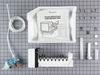
REplaced ice maker
Replacement was very easy as new ice maker was identical to the old one. Took about 10 minutes.
Parts Used:
-
M from Lafayette, IN
-
Difficulty Level:Really Easy
-
Total Repair Time:Less than 15 mins
-
Tools:Nutdriver
30 of 42 people
found this instruction helpful.
Was this instruction helpful to you?
Thank you for voting!
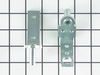
refrigerator door wouldn't remain closed
The plastic lower door closing cam was worn down. Replacing it was very simple: remove the top door hinge by unscrewing three nuts; lift the door off the lower hinge; unscrew and remove the lower door hinge; screw the new plastic lower door closing cam on to the new door hinge; screw the new lower door hinge; lift the door back on to the lower door hinge; screw the top door hinge.
Parts Used:

-
Thomas from Fairfax, VA
-
Difficulty Level:Really Easy
-
Total Repair Time:15 - 30 mins
-
Tools:Nutdriver, Screw drivers
27 of 34 people
found this instruction helpful.
Was this instruction helpful to you?
Thank you for voting!
Shelf support stub for crisper broke
I had read here from someone that fixed there shelf support stub and it was very loose, so I was trying to advoid that problem. It took me less then 5 minutes and my only tool was a pair of pliers. A short turn clock wise from the 9 on a clock to the 12 ( which is the top left corner ). then pull the broke shelf stub straight out. Put the new shelf support in the same way you took the old one out and turn counter clock wise 1/4 or from 12 back to 9 and you should have a tight fit. I hope this helped.
Parts Used:
-
edna from las vegas, NV
-
Difficulty Level:Really Easy
-
Total Repair Time:Less than 15 mins
-
Tools:Pliers
24 of 26 people
found this instruction helpful.
Was this instruction helpful to you?
Thank you for voting!
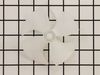
The fan wasvery noisy.
Removed six screws from cover in the back of the freezer. Removed old fan . Removed power wires from old motor. Unclipped old motor from the mounting bracket. Replaced old motor and reversed the rest of the parts. Done
Parts Used:
-
Tracy from Coppers City Bottom, WV
-
Difficulty Level:Easy
-
Total Repair Time:15 - 30 mins
-
Tools:Screw drivers
23 of 26 people
found this instruction helpful.
Was this instruction helpful to you?
Thank you for voting!
Noticed fridge not cooling as it should
Removed the lower back panel (10 small screws)Found the condenser motor froze up and not moving air across the cooling coils.So I got a small table fan and set it behind the fridge and it kept the fridge cooling for 3 days till the new fan motor arrived. Removed 3 small screws holding the fan motor in the bracket and unpluged the wiring harness.Removed the fan from old motor and used it on the new motor.Replaced the fan in the bracket and plugged the wiring harness back in. Worked great. Very easy.Did not have to empty fridge because table fan kept coils cool. Ordering part was easy and shipping fast.Great job guys!!
Parts Used:
-
Robert from Franklin, TX
-
Difficulty Level:Really Easy
-
Total Repair Time:Less than 15 mins
-
Tools:Nutdriver
21 of 21 people
found this instruction helpful.
Was this instruction helpful to you?
Thank you for voting!
Refrigeator would not drfrost...
I just removed a few screews and took the cover out of the ice box. Put my voltage meter to the refrigeator and realized the the unit was not defrosting...I then got the part number and entered it in on your web site. A few days later my part arrived. I put the part on and in just about 20 minutes I was up an running again...Thank you Part Select for fast and great service. I own 35 rental properties and having a online appliance parts store really saves me a lot of time and money.
Thank you
Curtis Hall
Thank you
Curtis Hall
Parts Used:
-
Curtis from Pikeville, KY
-
Difficulty Level:A Bit Difficult
-
Total Repair Time:1- 2 hours
-
Tools:Pliers, Screw drivers, Socket set, Wrench set
27 of 44 people
found this instruction helpful.
Was this instruction helpful to you?
Thank you for voting!
Refrigerator/Freezer not cooling
Disconnect power to refrigerator. Removed all food from Freezer. Removed all Shelves and shelf clips. Used phillips screwdriver and removed 6 screws from lower rear panel covering evaporator coil. Removed panel. Pulled plastic fan blade off top of motor shaft. Unclip top front of black motor retainer clip which then allowed the rear clip to unhook. Removed clip. Then removed 3 wires from fan motor, noting proper location for replacement. Slide the fan motor out to the left. Installed new motor. Reinstalled clip, hooking rear side first. Then rehooked the 3 wires. Slide fan blade back on top until secure. Tested everything at this point before reassembling rear panel. Then replace rear panel, replace the 6 screws, replace shelf clips and shelves and replace food. Very easy to do and saved about $150 over a service call to troubleshoot and re-visit to install after getting part
Parts Used:
-
Walter from Cairo, GA
-
Difficulty Level:Easy
-
Total Repair Time:Less than 15 mins
-
Tools:Screw drivers
21 of 27 people
found this instruction helpful.
Was this instruction helpful to you?
Thank you for voting!