















KCMS1555SWH2 KitchenAid Microwave - Instructions
Keep searches simple. Use keywords, e.g. "leaking", "pump", "broken" or "fit".
microwave not heating
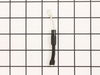
removed a dozen screws-discarded large cap-replaced diode-replaced a dozen screws(took longer to replace them than remove for some unknown reason). Microwave now works(wife happy).
Parts Used:
-
Mark from GREENSBURG, PA
-
Difficulty Level:Easy
-
Total Repair Time:30 - 60 mins
-
Tools:Pliers, Screw drivers
2 of 2 people
found this instruction helpful.
Was this instruction helpful to you?
Thank you for voting!
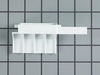
Microwave door would not open. Plastic part inside push button cracked.
Remove outside cover of microwave.Note that there are 3 unique security screws that you will need a special screwdriver to remove. There is a YouTube video that shows how to install new part. Although this was a lot cheaper than buying a new microwave the cost of $57.00 plus shipping for this 3 inch plastic part was ridiculously expensive.
Parts Used:
-
Alan from NORCO, LA
-
Difficulty Level:Easy
-
Total Repair Time:30 - 60 mins
-
Tools:Screw drivers
2 of 2 people
found this instruction helpful.
Was this instruction helpful to you?
Thank you for voting!
No heat when the microwave was in use
The instructions on the website were incredibly easy and I saved myself a lot of headache by using this site.
-it was built in unit - so I needed to pull the decorative grill from around the outside to remove it from the wall
- removing the back of the case involved removing phillips head screws from along the side and back of the unit. the only issue I encountered on removing screws was the fact that the "torx / star" screws could not be fit with the wrench that I had (they had a pin in the center that would not allow the wrench to fit into the star). However, a pair of pliers was handy and they were removed just easily.
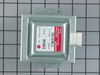
- I had ordered both the high voltage diode and magnetron because I didn't know which item was the problem. I grounded the diode with two screwdrivers while wearing rubber gloves to be safe. the warnings on this did the trick as it was the only scary part of the operation.
- the diode was a little hard to spot looking at the schematics, but is is found on the lower right corner of the right side of the panel and easily pulled out and replaced. I tried the microwave again to see if it worked...and it did not. So I confirmed that the magnetron was the issue.
- removing the screws for the magnetron and putting in the replacement was a dead easy and I tried the microwave again before putting cover back on. Worked like a charm. Super easy!
-it was built in unit - so I needed to pull the decorative grill from around the outside to remove it from the wall
- removing the back of the case involved removing phillips head screws from along the side and back of the unit. the only issue I encountered on removing screws was the fact that the "torx / star" screws could not be fit with the wrench that I had (they had a pin in the center that would not allow the wrench to fit into the star). However, a pair of pliers was handy and they were removed just easily.
- I had ordered both the high voltage diode and magnetron because I didn't know which item was the problem. I grounded the diode with two screwdrivers while wearing rubber gloves to be safe. the warnings on this did the trick as it was the only scary part of the operation.
- the diode was a little hard to spot looking at the schematics, but is is found on the lower right corner of the right side of the panel and easily pulled out and replaced. I tried the microwave again to see if it worked...and it did not. So I confirmed that the magnetron was the issue.
- removing the screws for the magnetron and putting in the replacement was a dead easy and I tried the microwave again before putting cover back on. Worked like a charm. Super easy!
Parts Used:
-
Stuart from STUART, FL
-
Difficulty Level:Really Easy
-
Total Repair Time:30 - 60 mins
-
Tools:Pliers, Screw drivers
2 of 2 people
found this instruction helpful.
Was this instruction helpful to you?
Thank you for voting!
Microwave oven ran but stopped heating
I had to unmount the over-the-range microwave oven to be able to gain access to the interior of the oven. Complicating removal (and re-installation) was the fact that there is a "pot-filler" faucet installed directly underneath the oven. In retrospect, I should've removed the faucet before doing the repair, but "c'est la vie."
After I got the microwave down, removing the case was also "interesting." I get bonus points for the fact that the previous owner must've had to replace the same diode before - and then re-assembled the microwave case incorrectly - thereby adding to the confusion (BTW, the service manual that I found online said nothing about how to remove the oven's case).
To remove the case, undo all the screws holding it on, and then rotate the case upwards from the back while also pulling the case backwards. There are crimped folds on the inside of the case that mate with the back edges of the front of the oven's chassis, and these folds have to be unclipped from the chassis in order to remove the case.
Replacing the diode itself was the easiest part of the job. The two connectors on the diode are of different types, making it impossible to install the diode with the wrong polarity.
BTW, the diode that had failed was not an OEM diode; I suspect it was a generic component that had been installed by a repairman sometime between 2004-2008 (when our home's original owners still owned the home). On the other hand, the new diode from PartSelect is an OEM part (it came packaged in a sealed Whirlpool bag).
The fact that the oven had stopped heating indicated that it was either the high-voltage diode or the magnetron that had failed. Since a replacement diode costs ~ 1/10th as much as a replacement magnetron, I figured it made sense to replace the cheaper part first. Fortunately, this fixed the problem.
One last thing: I tried testing both the old and new diodes for conductivity and polarity using my volt-ohm meter (VOM), but I was unable to get either diode to "turn on," even though my VOM is powered by a 9-v battery, and I used the 2-Mohm range setting. I guess the test voltage of my el-cheapo VOM isn't high enough to exceed the diode's threshold voltage, (even though I have successfully used this same VOM to test low-voltage diodes).
After I got the microwave down, removing the case was also "interesting." I get bonus points for the fact that the previous owner must've had to replace the same diode before - and then re-assembled the microwave case incorrectly - thereby adding to the confusion (BTW, the service manual that I found online said nothing about how to remove the oven's case).
To remove the case, undo all the screws holding it on, and then rotate the case upwards from the back while also pulling the case backwards. There are crimped folds on the inside of the case that mate with the back edges of the front of the oven's chassis, and these folds have to be unclipped from the chassis in order to remove the case.
Replacing the diode itself was the easiest part of the job. The two connectors on the diode are of different types, making it impossible to install the diode with the wrong polarity.
BTW, the diode that had failed was not an OEM diode; I suspect it was a generic component that had been installed by a repairman sometime between 2004-2008 (when our home's original owners still owned the home). On the other hand, the new diode from PartSelect is an OEM part (it came packaged in a sealed Whirlpool bag).
The fact that the oven had stopped heating indicated that it was either the high-voltage diode or the magnetron that had failed. Since a replacement diode costs ~ 1/10th as much as a replacement magnetron, I figured it made sense to replace the cheaper part first. Fortunately, this fixed the problem.
One last thing: I tried testing both the old and new diodes for conductivity and polarity using my volt-ohm meter (VOM), but I was unable to get either diode to "turn on," even though my VOM is powered by a 9-v battery, and I used the 2-Mohm range setting. I guess the test voltage of my el-cheapo VOM isn't high enough to exceed the diode's threshold voltage, (even though I have successfully used this same VOM to test low-voltage diodes).
Parts Used:
-
Forrest from Eugene, OR
-
Difficulty Level:Difficult
-
Total Repair Time:1- 2 hours
-
Tools:Screw drivers
2 of 2 people
found this instruction helpful.
Was this instruction helpful to you?
Thank you for voting!
Would not start
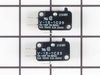
Watched a you tube video prior to installing new switch. Followed the video which gave me confidence i was up to the task. After removing the touch pad I found my design was not exactly like the you tube model but I found the defective switch, replaced it and put the microwave back together. Works great. Again watch the videos
Parts Used:
-
LENNARD from BURNSVILLE, MN
-
Difficulty Level:Easy
-
Total Repair Time:30 - 60 mins
-
Tools:Pliers, Screw drivers
2 of 3 people
found this instruction helpful.
Was this instruction helpful to you?
Thank you for voting!
Door does not open
Replaced Door latch Bracket.
Filed a bit off the bracket connection fingers so to fit into the slot.
Filed a bit off the bracket connection fingers so to fit into the slot.
Parts Used:
-
james from DEERFIELD BCH, FL
-
Difficulty Level:A Bit Difficult
-
Total Repair Time:30 - 60 mins
-
Tools:Screw drivers
1 person
found this instruction helpful.
Was this instruction helpful to you?
Thank you for voting!
Microwave light, turntable, and heat were not working
Remove from cabinetry, take cover off and had a very difficult time removing the plastic form that has the switched in. Replace the lowest of all the switches, and then again very difficult time getting the plastic form back in. Some of the plastic even broke during the process but not any that could prevent it from working as it did before. I had ordered a fuse, 2 packs of 2 switches as there are 3 switches but only had to use 1 to get it working again. Tested after switch install, put the cover back on and reinstalled in the cabinet.
Parts Used:

-
John from PEORIA, AZ
-
Difficulty Level:Difficult
-
Total Repair Time:30 - 60 mins
-
Tools:Pliers, Screw drivers
1 person
found this instruction helpful.
Was this instruction helpful to you?
Thank you for voting!
Door latch actuator hinge broke
Removed M/W oven case/cover. Identified part needed. Found part online with in 2 minutes, ordered new door latch actuator, installed with part arrived within two minutes, reattached case/cover, reinstalled M/W.
Parts Used:
-
Leory from Birmingham, AL
-
Difficulty Level:Really Easy
-
Total Repair Time:Less than 15 mins
-
Tools:Screw drivers, Socket set
2 of 4 people
found this instruction helpful.
Was this instruction helpful to you?
Thank you for voting!
turtable not turnng
discovered upon further inspection the the plastic shaft coming out of the turning motor was melted. Had to stop repair and order that part
Parts Used:

-
Stuart from STEVENSON RNH, CA
-
Difficulty Level:A Bit Difficult
-
Total Repair Time:30 - 60 mins
1 person
found this instruction helpful.
Was this instruction helpful to you?
Thank you for voting!
No Heating.
Information provided on the web site by Part Select, were helpful and encouraging to select and buy the part needed to repair the appliance. No doubt, a skilled person having background in the repair of appliances should attend such repair job.
Parts Used:
-
Muhammad from Jersey City, NJ
-
Difficulty Level:Easy
-
Total Repair Time:15 - 30 mins
-
Tools:Pliers, Screw drivers
Was this instruction helpful to you?
Thank you for voting!
Door would not open
Took off the outside metal cover determined what the problem was immediately saw the broken latch ordered the new one received in 2 days snapped it into place the door opened then replaced the outside metal cover good as new.
Parts Used:
-
DONALD from BRENHAM, TX
-
Difficulty Level:Really Easy
-
Total Repair Time:15 - 30 mins
-
Tools:Screw drivers
Was this instruction helpful to you?
Thank you for voting!
Door would not open
Had to remove 3 screws that held the case in place,it removed easily. The control panel that the door latch was locked into required removing two screws and then lifting up slightly while pulling forward. This allowed enough room to put the new door latch bracket into place. Then re-assemble in reverse order. Total time about 30 minutes.
Parts Used:
-
charles from morrison, TN
-
Difficulty Level:Easy
-
Total Repair Time:15 - 30 mins
-
Tools:Screw drivers
Was this instruction helpful to you?
Thank you for voting!
The plastic part (door latch bracket) that releases the door broke so that the press plate would not open the door.
This plastic door latch bracket controls the door opening. Ours broke after 7 years of use. Probably just the plastic fracturing after years of use. Hardest part is finding the special driver to unscrew the housing around the microwave so that you can get to the control panel. Ask for something that looks like an allen wrench with a hole in the middle. I took a picture of the screw in the microwave and brought it to a big box store and asked for the correct driver. I have a feeling that a "real" hardware store (like Ace or TrueValue) may have been able to just direct me to the correct screw driver but I'm cheap so I though a big box store would be less expensive for a tool that I may never use again. Once you get the correct screw driver, opening the microwave is pretty easy. MAKE SURE THE MICROWAVE IS UNPLUGGED BEFORE YOU GO ANY FURTHER. There are a number of these "special" screws (4 to 6) and some regular screws to remove. Once you pull the housing off the microwave look at the release latch inside (behind the release press plate). You should be able to jiggle it out especially since it is probably broken on one side. Be sure to find and remove all the broken pieces. Mine had just the main latch and a small piece that broke off. Pull it out and you are ready to put the new one in. It is a little difficult putting the new latch bracket in. Try inserting one side into the holder hole and very gently pressing the other side in. Be patient; with a little pressure it will snap in. Then you simply put the housing back on, put the screws in and every thing should work. $20 bucks for the part and a half hour of work (after you find that special screw driver) is much better than buying a new microwave. Good luck!
Parts Used:
-
Richard from Deer Park, NJ
-
Difficulty Level:A Bit Difficult
-
Total Repair Time:15 - 30 mins
-
Tools:Screw drivers
Was this instruction helpful to you?
Thank you for voting!
Door latch bracket broken
Followed the instructions that others with a similar problem had written about. Their experience was very helpful. My experience with Part Select was the best! Part recived in less than 24 hours. Happy household, wife thinks I'm worth keeping!
Parts Used:
-
Henry Bert from Charlotte Court House, VA
-
Difficulty Level:Easy
-
Total Repair Time:15 - 30 mins
-
Tools:Screw drivers
Was this instruction helpful to you?
Thank you for voting!
Microwave was running, but would not heat
I started by calling a reputable service company to diagnose my problem. The repair tech told me it was the magnetron and it was a "very difficult" repair that required two people because the over-the-range unit needed to be taken down. I asked for a detailed estimate. He quoted $550 including parts and labor. After he left, I researched the part costs on this site and realized his costs were very inflated. I purchased the magnetron for $220. It arrived at my door two days later. Installation was very easy. First, I unplugged the unit. Then, while my wife was making sure it did not fall off the wall bracket, I unscrewed the two mounting screws from the top of the cabinet. I lifted the unit down from the wall and set it on the kitchen counter. The shell needed removed from the microwave which involved about 20 screws. This provided access to the magnetron on top. The magnetron is secured by five screws and a plug. I unplugged it, unscrewed it, and removed the old part. Then, I installed the new magnetron, and tested the microwave to make sure this did the trick. It worked. I put the outer shell back on the microwave and cleaned the microwave. (This is a great opportunity to clean the areas you do not typically see!). I then remounted the unit and plugged it back in. Saved myself a bit of money so I took the family out to dinner and a movie to celebrate. Microwave was in working order for heating up left overs the next day! Thank you!!!
Parts Used:
-
Keith from oakdale, PA
-
Difficulty Level:Easy
-
Total Repair Time:15 - 30 mins
-
Tools:Pliers, Screw drivers
Was this instruction helpful to you?
Thank you for voting!