















JVM1850B General Electric Microwave - Instructions
Keep searches simple. Use keywords, e.g. "leaking", "pump", "broken" or "fit".
Not working as far as heating or cooking
Replaced High Voltage Diode. Very carfully due to the extream danger of a electrical shock.
Parts Used:
-
Theodore from Medical Lake, WA
-
Difficulty Level:Really Easy
-
Total Repair Time:Less than 15 mins
-
Tools:Screw drivers
151 of 361 people
found this instruction helpful.
Was this instruction helpful to you?
Thank you for voting!
Microwave Fan Turned on When Door Was Opened
To get to the switches you need to remove the metal cover/housing of the microwave, by first removing several screws that hold it in place, and then sliding the cover towards the back of the unit. You'll find the switches in some plastic holders above the door-open button, and it's its easy to see how the mechanism engages/disengages the switches when the door is opened and closed.
If it is not obvious which switch is bad, in our case the bad switch felt "soft" when we pressed the switch button with our fingers. A good switch has a firm "click" when pressed.
The switches are easy to replace - pop out the old switch (no tools required) and pull off the electrical connectors. Then pop in the new switch and reattach the connectors.
If it is not obvious which switch is bad, in our case the bad switch felt "soft" when we pressed the switch button with our fingers. A good switch has a firm "click" when pressed.
The switches are easy to replace - pop out the old switch (no tools required) and pull off the electrical connectors. Then pop in the new switch and reattach the connectors.
Parts Used:
-
Bishop from Coupland, TX
-
Difficulty Level:Easy
-
Total Repair Time:30 - 60 mins
-
Tools:Screw drivers
51 of 64 people
found this instruction helpful.
Was this instruction helpful to you?
Thank you for voting!
Replace Grese Filters (2)
Inserted new greese filters by unscrewing fan and light holder over range. The new filters were 1/4 inch shorter than older filters and are loser than the original filters, but they will work. Not sure if I inserted them correctly, and would like to see instructions on how to insert filters of that type. Thank you for your fast and curtious service.
Parts Used:
-
D. Lynette from Ogden, UT
-
Difficulty Level:Really Easy
-
Total Repair Time:Less than 15 mins
-
Tools:Screw drivers
76 of 142 people
found this instruction helpful.
Was this instruction helpful to you?
Thank you for voting!
All electircal functions worked except the heating mechanism
A great place to start is to reveiw the posting from "Marla From Arlington TX" posted on 8-3-09. It provides an excellent description of the process that you will need to follow. The only additional thing that I would add is to check the contacts on the switches. In my case I found that all three of the switches had a small build-up of corrosion. I used sandpaper to clean the contacts. Because none of the switches had a "soft" click to them, it was hard to identify the bad one. I basically picked the worse looking one and then cleaned the contacts of the other two. I'm not sure if I actually even had a bad switch or if they all just needed cleaning. Whatever the case, it worked. I would suggest checking the contacts first. You may get away with not having to replace any of the switches. And in my case what makes me think that it may have just simply been dirty contacts is that the heating mechanism would engage every now and then. It wasn't dead 100 percent of the time. It's worth a try anyway.
Parts Used:
-
Chad from Firestone, CO
-
Difficulty Level:Easy
-
Total Repair Time:15 - 30 mins
-
Tools:Screw drivers
48 of 63 people
found this instruction helpful.
Was this instruction helpful to you?
Thank you for voting!
Microwave wouldn't turn on
I found the thermostat & one connection burnt... replaced the thermostat and replaced a wire terminal. I checked the door switches and found the one with burnt connections faulty... the switch was constantly closed, even when it was supposed to be switched open. Replaced the switch and the thermostat, and the microwave now works like new. If the thermostat goes bad again, I'll replace the magnetron next time.
Parts Used:
-
Gary from West Mifflin, PA
-
Difficulty Level:Easy
-
Total Repair Time:30 - 60 mins
-
Tools:Screw drivers
51 of 77 people
found this instruction helpful.
Was this instruction helpful to you?
Thank you for voting!
Oven would not power up
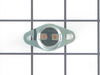
There are 4 thermostats (aka TCO = Thermal Cut Out) in the GE JVM1440BH04
The schematic is under the cover in a black envelope to the top left of the unit if you face the door.
Check the fuse first. You can remove the front grate, then the numpad on the right. The fuse is right behind it. It's a 250V 20A Class F fuse.
There are four (4) TCOs or Thermal Cut Out thermostats in this puppy:
1) There is a thermostat behind the button panel to the left, facing down. If blown, it breaks the power coming into the unit and will cause a no power situation.
2) There is another TCO or thermostat near the top lamp, to the left, in a small cavity. That one also breaks power to the unit and will cause a no power situation. It's a 100 C / 0 C thermostat. This was the one that blew on me after I left the stove running (for heating in a black-out) under the microwave.
"Cavity TCO" or "Thermostat" part number 61 on the schematics, part number PS239319
3) There is yet another power-breaking TCO or thermostat in the cavity behind the fan that cools the microwave coils. You have to remove the sheet metal on the right of the microwave to access it. This one also breaks power and will cause a no power situation.
1), 2) and 3) should test out to be 0 Ohms with a resistance meter (Digital Multimeter) if working correctly.
4) There is a thermostat which normally does not let current through it. It is mounted in a vertical position to the back wall behind the front panel on the right. This one is used for the sensor reheat function apparently and will close when the temperature in the microwave reaches approx. 60 C.
4) should have infinite resistance with a resistance meter under normal circumstances.
The schematic is under the cover in a black envelope to the top left of the unit if you face the door.
Check the fuse first. You can remove the front grate, then the numpad on the right. The fuse is right behind it. It's a 250V 20A Class F fuse.
There are four (4) TCOs or Thermal Cut Out thermostats in this puppy:
1) There is a thermostat behind the button panel to the left, facing down. If blown, it breaks the power coming into the unit and will cause a no power situation.
2) There is another TCO or thermostat near the top lamp, to the left, in a small cavity. That one also breaks power to the unit and will cause a no power situation. It's a 100 C / 0 C thermostat. This was the one that blew on me after I left the stove running (for heating in a black-out) under the microwave.
"Cavity TCO" or "Thermostat" part number 61 on the schematics, part number PS239319
3) There is yet another power-breaking TCO or thermostat in the cavity behind the fan that cools the microwave coils. You have to remove the sheet metal on the right of the microwave to access it. This one also breaks power and will cause a no power situation.
1), 2) and 3) should test out to be 0 Ohms with a resistance meter (Digital Multimeter) if working correctly.
4) There is a thermostat which normally does not let current through it. It is mounted in a vertical position to the back wall behind the front panel on the right. This one is used for the sensor reheat function apparently and will close when the temperature in the microwave reaches approx. 60 C.
4) should have infinite resistance with a resistance meter under normal circumstances.
Parts Used:
-
Andras from Lexington, MA
-
Difficulty Level:A Bit Difficult
-
Total Repair Time:1- 2 hours
-
Tools:Screw drivers
44 of 59 people
found this instruction helpful.
Was this instruction helpful to you?
Thank you for voting!
Oven wouldn't heat
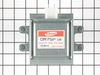
Over the range microwave. Replaced magnetron. Completely disassemble the case top and bottom.
Remove screws from bottom of HV transformer. Magnetron will not clear without this removal.
Remove nuts with socket from top of Magnetron. Remove thermo unit from old magnetron and attach it to new. Replace and bolt down Mag. Replace and screw in HV transformer. Make sure all wires are reconnected.
Put it back up on the wall. Took about three hours from taking it down from wall and putting it back up.
Remove screws from bottom of HV transformer. Magnetron will not clear without this removal.
Remove nuts with socket from top of Magnetron. Remove thermo unit from old magnetron and attach it to new. Replace and bolt down Mag. Replace and screw in HV transformer. Make sure all wires are reconnected.
Put it back up on the wall. Took about three hours from taking it down from wall and putting it back up.
Parts Used:
-
CARTER from OXNARD, CA
-
Difficulty Level:Difficult
-
Total Repair Time:More than 2 hours
-
Tools:Nutdriver, Screw drivers, Socket set
37 of 39 people
found this instruction helpful.
Was this instruction helpful to you?
Thank you for voting!
oven wouldn't heat
1. remove microwave from wall
2. remove cover (many screws)
3. remove nuts holding magnetron in place (4)
4. remove magnetron (this is a pain due to the plastic molding used to direct cooling air through the magnetron
5. get new magnetron in place (this was even more fun to find the right angles to tilt to get the magnetron to fit
6. re-tighten the 4 nuts on the magentron
7. put the cover back on
8. put the unit back on the wall.
bonus repair: the display flickered while the magnetron was on (cooking ) prior to the magnetron dying. found a ribbon cable on the control board to the display with an aluminum foil shield that had peeled off (adhesive failure). re-installing the aluminum shield with packaging tape, and the display no longer flickers
2. remove cover (many screws)
3. remove nuts holding magnetron in place (4)
4. remove magnetron (this is a pain due to the plastic molding used to direct cooling air through the magnetron
5. get new magnetron in place (this was even more fun to find the right angles to tilt to get the magnetron to fit
6. re-tighten the 4 nuts on the magentron
7. put the cover back on
8. put the unit back on the wall.
bonus repair: the display flickered while the magnetron was on (cooking ) prior to the magnetron dying. found a ribbon cable on the control board to the display with an aluminum foil shield that had peeled off (adhesive failure). re-installing the aluminum shield with packaging tape, and the display no longer flickers
Parts Used:
-
david from elmira, NY
-
Difficulty Level:A Bit Difficult
-
Total Repair Time:1- 2 hours
-
Tools:Screw drivers, Wrench set
44 of 60 people
found this instruction helpful.
Was this instruction helpful to you?
Thank you for voting!
Turntable won't move, no heat -but light and fan ok.
Remove the 2 Torx-15 screws at left of control panel. Work the control panel out by pulling slightly to the left first - it is engaged to the slotted holes to the right.
Remove the door's upper switch by lifting the tab and pulling out the switch carefully. To install the new switch, you may have to remove 2 philips screws holding the plastic assembly where the switches are mounted to the metal frame.
Diagrams on the website are misleading b/c the switch shown up on top of the other 2 switches is the switch w/ the NC (upper) terminal while you'll need the NO (lower) terminal for this repair (symptoms are: turntable won't move, no heat -but light and fan ok). I should have called before ordering the part (had to pay shipping twice)...
Once I got the right part, it works just like before.
Remove the door's upper switch by lifting the tab and pulling out the switch carefully. To install the new switch, you may have to remove 2 philips screws holding the plastic assembly where the switches are mounted to the metal frame.
Diagrams on the website are misleading b/c the switch shown up on top of the other 2 switches is the switch w/ the NC (upper) terminal while you'll need the NO (lower) terminal for this repair (symptoms are: turntable won't move, no heat -but light and fan ok). I should have called before ordering the part (had to pay shipping twice)...
Once I got the right part, it works just like before.
Parts Used:
-
Sean from San Jose, CA
-
Difficulty Level:A Bit Difficult
-
Total Repair Time:15 - 30 mins
-
Tools:Screw drivers
41 of 51 people
found this instruction helpful.
Was this instruction helpful to you?
Thank you for voting!
Greasey Filters
Just took the old filters out replace the new set without any tools. Was easy to install.
Parts Used:
-
YOLANDA from SKOKIE, IL
-
Difficulty Level:Really Easy
-
Total Repair Time:Less than 15 mins
64 of 128 people
found this instruction helpful.
Was this instruction helpful to you?
Thank you for voting!
I diagnosed the problem incorrectly: based on a previous repair.

-
Ralph from Brandon, FL
-
Difficulty Level:Easy
-
Total Repair Time:Less than 15 mins
-
Tools:Pliers, Screw drivers
66 of 139 people
found this instruction helpful.
Was this instruction helpful to you?
Thank you for voting!
both lights burned out
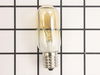
After reading some of the comments that others wrote, I decided to order the light sockets along with the replacement bulbs. As predicted, the old light bulbs broke when I tried to remove them - the bulb separated from the base which was still screwed in the socket. After removing the screws that held the bottom panel, I was able to remove the socket assemblies with ease. After inspection of the old sockets, I was glad I ordered new sockets - the old sockets were burned in some spots and very brittle. The parts arrived within a day and a half after I ordered them, but when the parts arrived, one of the bulbs was broken (happened during shipping). I called the office phone number and talked to a really pleasant technician who refunded me the price of the broken bulb and placed an order for a replacement. That was the Wednesday evening before Thanksgiving Day. I got the replacement bulb yesterday (Tuesday) morning - still really quick considering the Thanksgiving holiday. All of the parts are installed and are working excellent. I am definately going to keep their WEBsite for future use, and I'll be letting my friends know about them. Thanks PartSelect, you've earned my business.
Parts Used:
-
Rick from Federal Way, WA
-
Difficulty Level:Easy
-
Total Repair Time:15 - 30 mins
-
Tools:Screw drivers
31 of 36 people
found this instruction helpful.
Was this instruction helpful to you?
Thank you for voting!
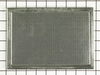
The Microwave does not vent outside so it takes a chrcoal filter
Take 2 screws off on top of the microwave, remove the small grill, remove the old charcoal filter, replace it with the new one put the grill back on, that is it, very easy. I change the filter every 6 months.
Parts Used:
-
Carlos from Cape Coral, FL
-
Difficulty Level:Really Easy
-
Total Repair Time:Less than 15 mins
-
Tools:Screw drivers
40 of 64 people
found this instruction helpful.
Was this instruction helpful to you?
Thank you for voting!
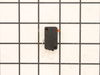
Microwave would turn on and count down, but not heating and not rotate turntable. Pressing door up would occasionally start heat.
First I disconnected the power and opened the door. Then I removed the top screws holding the top vent louvers, then removed the screw at the top of the touch pad. The touch pad removes by sliding up slightly then tilting top out. I unscrewed two screws holding the door latch assembly. Press the tab to remove and replace switch. Reconnect wires, reseat latch mount by placing top bracket tab in place first, allign and secure with screws. Reseat touch pad by placing bottom tabs in first, tilt forward and press up to seat top tabs, secure with top screw. Secure vent louver screws, plug in and watch your microwave work again.
Parts Used:
-
Michael from Ridgefield, CT
-
Difficulty Level:Really Easy
-
Total Repair Time:Less than 15 mins
-
Tools:Screw drivers
40 of 67 people
found this instruction helpful.
Was this instruction helpful to you?
Thank you for voting!
Microwave runs with the door open
Remove microwave outer cover. Turn on side & locate the upper & lower door switches. Better to replace in pairs even if one is ok. Remove the wire harness to each switch. Then replace switch and re connect the wire harness. Re attach outer cover
and test to see if that solved the problem. If so then well done!!
and test to see if that solved the problem. If so then well done!!
Parts Used:
-
Thomas from Andover, NJ
-
Difficulty Level:Really Easy
-
Total Repair Time:15 - 30 mins
-
Tools:Pliers, Screw drivers
37 of 58 people
found this instruction helpful.
Was this instruction helpful to you?
Thank you for voting!