















JNM1541DM3CC General Electric Microwave - Instructions
Keep searches simple. Use keywords, e.g. "leaking", "pump", "broken" or "fit".
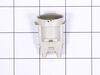
Bulbs were burnt out tried to remove them and the bulb broke from the socket
Moved the stove from underneath the microwave. Took the microwave down and turned it over. this need not be done. took the screws out to remove the bottom panel. there is a quick disconnect that need to be opened up. used pliers to remove the bad sockets and installed new one, used pliers to seat them. put bottom panel on, hooked up the quick connect. put the screws in and tightened them. installed bulbs and hooked up the electric and turned the lights on, they worked. installed the microwave, slid the stove back in place.
Parts Used:
-
William from Vero Beach, FL
-
Difficulty Level:Easy
-
Total Repair Time:30 - 60 mins
-
Tools:Pliers, Screw drivers
7 of 12 people
found this instruction helpful.
Was this instruction helpful to you?
Thank you for voting!
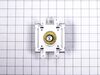
Microwave stopped heating
Using some help, removed the above the range microwave. Took apart parts of the microwave to get to the magnetron. Removed existing magnetron, inserted the new magnetron. Put the microwave back together. Tested the microwave to insure the magnetron was working before reinstalling. It did heat. Then reinstalled it back above the range.
Parts Used:
-
Mary from CORRIGAN, TX
-
Difficulty Level:Really Easy
-
Total Repair Time:1- 2 hours
-
Tools:Screw drivers
5 of 6 people
found this instruction helpful.
Was this instruction helpful to you?
Thank you for voting!
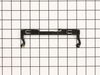
Latch was broken you put spring on
Took off plastic around inside the door , took broken latch off and put spring on new latch on plactic on and it works . ????
Parts Used:
-
Lenoma from NORTHGLENN, CO
-
Difficulty Level:Really Easy
-
Total Repair Time:15 - 30 mins
4 of 4 people
found this instruction helpful.
Was this instruction helpful to you?
Thank you for voting!
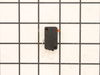
Opened door to get food put more food in closed door it wouldnt work
Everything worked on the display light inside worked but when you closed the door and set time it would start counting down but not heating nor would the turntable turn. Started reading troubleshooting chart and first thing I did was removed the cover and checked door switches and found primary door switch wasn't working so I ordered a new one installed it and it worked. Anyone doing this has to be very careful because of the stored energy in the capacitor is strong enough to kill.
My micro is only 2 years old so I was hoping it wasn't anything major.
My micro is only 2 years old so I was hoping it wasn't anything major.
Parts Used:
-
Henry Totten from GROVES, TX
-
Difficulty Level:Really Easy
-
Total Repair Time:30 - 60 mins
-
Tools:Screw drivers
4 of 4 people
found this instruction helpful.
Was this instruction helpful to you?
Thank you for voting!
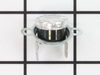
No Power
Check with Digital meter all connections.Find a Thermostat open loop.This thermostat is near the Megatron .
Parts Used:
-
Florentino from West Palm Beach, FL
-
Difficulty Level:A Bit Difficult
-
Total Repair Time:15 - 30 mins
-
Tools:Screw drivers
7 of 14 people
found this instruction helpful.
Was this instruction helpful to you?
Thank you for voting!
mICROWAVE WOULD NOT HEAT
I REMOVED THE TOP PANEL OF THE MICR0WAVE AND THEN REMOVED ONE SCREW TO REMOVE THE CONTROL PANEL. rEMOVED OLD SWITCH. SNAPPED IN NEW SWITCH AND CONNECTED WIRE. REPLACED CONTROL PANEL AND UPPER PANEL.
Parts Used:
-
Peter from Bessemer, MI
-
Difficulty Level:Really Easy
-
Total Repair Time:15 - 30 mins
-
Tools:Screw drivers
5 of 8 people
found this instruction helpful.
Was this instruction helpful to you?
Thank you for voting!
MICROWAVE WAS NOT HEATING THE FOOD
So my microwave was turning on and operating but nothing would get hot or even Luke warm. After watching several online videos on the problem I replaced the line fuse, diode, and the magnetron. I figured why waste time and just do all 3 while I have the thing apart. I discharged the capacitor with a light bulb first before doing anything. Also had to pop the safety pins on the outside screws to take the metal housing off the microwave. Then Wallah! Everything is working and the food or liquid is hotter than it ever was. The only think that bothers me a little bit is that after the microwave shuts off, I can hear a few crackles or faint pops for about 5 seconds. I wonder if this is anything to worry about. Comments appreciated.
Parts Used:


-
Daryl from Salado, TX
-
Difficulty Level:Easy
-
Total Repair Time:1- 2 hours
-
Tools:Screw drivers, Wrench (Adjustable)
4 of 5 people
found this instruction helpful.
Was this instruction helpful to you?
Thank you for voting!
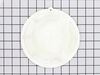
The fan cover in the top of the microwave had a melted spot.
I used a flat screwdriver blade to push out the rivet. Then used the screwdriver to loosen the fan cover and gave it a little twist. It came out with no problem. There was some grease build up on the aluminum fan, so I cleaned it. I placed the clean fan into the new fan cover and put it back in place in the microwave. There are several notches to match up, and then I gave it a slight twist to secure the notches. Then, the new rivet was put into the hole and pushed to make it secure. Finished!
Parts Used:
-
Deborah from SOUTHSIDE, AL
-
Difficulty Level:Really Easy
-
Total Repair Time:Less than 15 mins
-
Tools:Screw drivers
3 of 3 people
found this instruction helpful.
Was this instruction helpful to you?
Thank you for voting!
Installing New Microwave
Required removing the old unit and disconnecting the exhaust ductwork and drilling new holes for attachment to the cabinet
Parts Used:
-
Tom from Carrollton, TX
-
Difficulty Level:Really Easy
-
Total Repair Time:1- 2 hours
-
Tools:Screw drivers
5 of 9 people
found this instruction helpful.
Was this instruction helpful to you?
Thank you for voting!
Stirrer fan cover had hole melted in it.
Gently remove plastic rivet holding cover in place.Rotate cover slightly and pull down. Remove stirrer fan from old cover and place on new cover. Place cover back in microwave and rotate till rivet hole lines up and replace rivet. Done.
Parts Used:
-
Michael from NAVARRE, FL
-
Difficulty Level:Really Easy
-
Total Repair Time:Less than 15 mins
-
Tools:Screw drivers
3 of 3 people
found this instruction helpful.
Was this instruction helpful to you?
Thank you for voting!
Melted hole in plate
Remove pin and shift old cover plate clockwise to release cover. Remove and insert fan into new cover and replace cover by inserting cover plate tabs and turning counter clockwise. Insert new pin to connect new cover plate.
Parts Used:
-
Juli from Melbourne, FL
-
Difficulty Level:Very Easy
-
Total Repair Time:Less than 15 mins
3 of 3 people
found this instruction helpful.
Was this instruction helpful to you?
Thank you for voting!
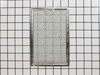
Too dirty to clean, bought new parts.
I had already removed the old grease filters. Unwrapped the new grease filters and popped into place. No tools were necessary.
Parts Used:
-
Debora from Saugus, MA
-
Difficulty Level:Really Easy
-
Total Repair Time:Less than 15 mins
3 of 4 people
found this instruction helpful.
Was this instruction helpful to you?
Thank you for voting!
Turntable not rotating
Replaced the dead motor with new motor . I used YouTube video to install.
Parts Used:

-
Ransford from LAUREL, MD
-
Difficulty Level:Really Easy
-
Total Repair Time:15 - 30 mins
-
Tools:Screw drivers
4 of 7 people
found this instruction helpful.
Was this instruction helpful to you?
Thank you for voting!
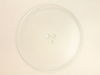
Glass tray somehow got a nick in the edge, a few days later it split while in use.
Another company said the new plate would arrive in mid-March, this company seemed to be faster so ordered the tray here, and it came in less than a week. I put the turn button back in the center hole, set the wheeled ring on the bottom of the oven, fitted the new glass tray onto the turn button.
Parts Used:
-
Delores from Portland, OR
-
Difficulty Level:Very Easy
-
Total Repair Time:Less than 15 mins
3 of 4 people
found this instruction helpful.
Was this instruction helpful to you?
Thank you for voting!
Microwave not turning on. All other functions operate
DISCONNECT THE POWER CORD and discharge the capacitor
Leave unplugged overnight
Remove vent grille by removing the 2 philips screws
Remove the LED panel by removing 1 phillips screw
Disconnect all connectors that plug into back of the LED board completely
Remove the wires from the switches (3) at the inside edge of the microwave door
Gently remove each switch housing and test all three switches for continuity
Carefully replace non-functioning switches and reassemble the panel
GOOD LUCK
Leave unplugged overnight
Remove vent grille by removing the 2 philips screws
Remove the LED panel by removing 1 phillips screw
Disconnect all connectors that plug into back of the LED board completely
Remove the wires from the switches (3) at the inside edge of the microwave door
Gently remove each switch housing and test all three switches for continuity
Carefully replace non-functioning switches and reassemble the panel
GOOD LUCK
Parts Used:
-
Tom from DENVER, CO
-
Difficulty Level:A Bit Difficult
-
Total Repair Time:1- 2 hours
-
Tools:Screw drivers
2 of 2 people
found this instruction helpful.
Was this instruction helpful to you?
Thank you for voting!