















JCBS660SF2SS General Electric Refrigerator - Instructions
Keep searches simple. Use keywords, e.g. "leaking", "pump", "broken" or "fit".
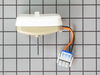
we had a power surge that killed the fan motor
I removed the fan housing , this was the hardest part , this took loosining two screws and snapping the housing loose , and there it was , settin there Idle and the coils were all ice , I let the coils thaw while I unscrewed the fan mount from the back wall of the freezer , then pulled the fan and mount out far enough to snap the wire connector loose, then I removed the two screws that hold the motor to the mount , the new fan motor comes without the blade so the blade is removed by pulling fairly had on the center off the shaft , the old motor is taken out of the mount , the new one replaces it perfectly , then the screws are replaced and tightenen , then the blade is pushed back on the shaft , the motor and mount are placed back on the back wall of the freezer department and screwed in place , the wires connected , then the housing is snapped back in place and the screws tightened , turn the dial to cool or number 2 or 3 and " bingo " it,s just like new , I can thank part select for speedy service and delivery
Parts Used:
-
Richard from Wellsboro, PA
-
Difficulty Level:Really Easy
-
Total Repair Time:Less than 15 mins
-
Tools:Screw drivers
13 of 14 people
found this instruction helpful.
Was this instruction helpful to you?
Thank you for voting!
Refrigerator fan motor died
It has been my experience that these motors sometimes die when the refrigerator is overfilled and motor strains to keep refrigerator cold. And this motor is used in several models of refrigerators. That said, sometimes the hook-up is slightly different between other units. The available video is good, but like I said, circumstances will be slightly different between various models.
After cleaning out freezer (plug disconnected first), start to remove outer plastic covers. If you want to keep track of the different steps, you can take pictures with your cellphone. And if there are any connecting wire attachments you think you might not remember, again, you can take a picture, or label with tape (colored tape, or by writing on the tape). And for keeping track of the different-size screws, I place them in a muffin tin, keeping an order of left to right and top to bottom in the tin. When removing Styrofoam blocks in bottom center, make sure you remove any remaining ice underneath in the hole so refrigerator can "breathe". Freezer air is moved below to refrigerator compartment, so a blocked vent hole will strain refrigerator as it tries to maintain its temperature setting and can be the cause of your failed motor.
After replacing motor onto bracket with grommets and blade, don't completely tighten. Position plastic cover with hole opening over motor and blade assembly. Twirl motor blade to see if there is any interference with cover. If not, take away cover and tighten motor on bracket. If there is any rubbing, adjust motor/blade assembly accordingly before tightening in place. Putting everything back together is in reverse order.
After cleaning out freezer (plug disconnected first), start to remove outer plastic covers. If you want to keep track of the different steps, you can take pictures with your cellphone. And if there are any connecting wire attachments you think you might not remember, again, you can take a picture, or label with tape (colored tape, or by writing on the tape). And for keeping track of the different-size screws, I place them in a muffin tin, keeping an order of left to right and top to bottom in the tin. When removing Styrofoam blocks in bottom center, make sure you remove any remaining ice underneath in the hole so refrigerator can "breathe". Freezer air is moved below to refrigerator compartment, so a blocked vent hole will strain refrigerator as it tries to maintain its temperature setting and can be the cause of your failed motor.
After replacing motor onto bracket with grommets and blade, don't completely tighten. Position plastic cover with hole opening over motor and blade assembly. Twirl motor blade to see if there is any interference with cover. If not, take away cover and tighten motor on bracket. If there is any rubbing, adjust motor/blade assembly accordingly before tightening in place. Putting everything back together is in reverse order.
Parts Used:

-
Kevin A. from CONCORD, NH
-
Difficulty Level:A Bit Difficult
-
Total Repair Time:15 - 30 mins
-
Tools:Screw drivers, Socket set
13 of 15 people
found this instruction helpful.
Was this instruction helpful to you?
Thank you for voting!
Fan Motor stopped working
Not only was finding the part rediculously easy for a person who has never done this type of thing...the repair was a sinch!! I will always return to this company for help with home equipment repairs. I saved so much money doing it this way. :) thanks guys!
Parts Used:
-
connie from omaha, AR
-
Difficulty Level:Really Easy
-
Total Repair Time:Less than 15 mins
-
Tools:Screw drivers
12 of 13 people
found this instruction helpful.
Was this instruction helpful to you?
Thank you for voting!
Internal light switch was sticking
Two tabs hold the switch in place. I used a plastic wedge to remove the switch. Removed and replaced the two connectors held in by friction. Painless.
Parts Used:

-
John from Vallejo, CA
-
Difficulty Level:Really Easy
-
Total Repair Time:Less than 15 mins
-
Tools:Screw drivers
13 of 16 people
found this instruction helpful.
Was this instruction helpful to you?
Thank you for voting!
Broken Switch
Just pop the old one out, careful not to lose the wiring inside the ref wall & popped the new one in.
Parts Used:
-
ron from hermitage, TN
-
Difficulty Level:Really Easy
-
Total Repair Time:Less than 15 mins
12 of 14 people
found this instruction helpful.
Was this instruction helpful to you?
Thank you for voting!
Light in the refrigerator went out
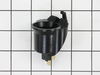
After I bought what I thought I needed for the repair. I asked a friend to come over and look at it. He changed the
the light socket and put the same light bulb in and it works great. I am returning the light switch but decided to keep the light bulb.
Getting on the internet was so easy. This was really very simple. Thank you for making what I thought would be a big ordeal into something very simple.
Paulette Johnson
the light socket and put the same light bulb in and it works great. I am returning the light switch but decided to keep the light bulb.
Getting on the internet was so easy. This was really very simple. Thank you for making what I thought would be a big ordeal into something very simple.
Paulette Johnson
Parts Used:
-
Paulette B. from Santa Ana, CA
-
Difficulty Level:Really Easy
-
Total Repair Time:15 - 30 mins
13 of 18 people
found this instruction helpful.
Was this instruction helpful to you?
Thank you for voting!
botton half of refrigerator not cooling
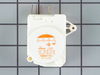
easy as 1.2.3 remove and replace before even thinking. just to let you know i also do this for a living but it is one of the most difficult thing when you have to stop and fix your own
Parts Used:
-
HANCEL from ELMONT, NY
-
Difficulty Level:Really Easy
-
Total Repair Time:15 - 30 mins
-
Tools:Nutdriver, Screw drivers
25 of 55 people
found this instruction helpful.
Was this instruction helpful to you?
Thank you for voting!
Evap Motor - loud noise
The evap fan, based on research, appears to be built to only last a few years. Pay attention to your order of removal for all pieces and it will go back rather easily in reverse.Remove items from freezer. UNPLUG FREEZER. Pop out the shelf. Use screwdriver to remove plastic piece in back. Pop out styrofoam piece. Use screwdriver to remove back metal section of freezer. Use nutdriver to remove screws holding the fan to the back. Unplug the motor. Pop off the fan. Pay attention to location of all these pieces. Put them on the new motor. Reassemble in reverse. Piece of cake.
Parts Used:

-
James from Floral Park, NY
-
Difficulty Level:Easy
-
Total Repair Time:Less than 15 mins
-
Tools:Nutdriver, Screw drivers
9 of 11 people
found this instruction helpful.
Was this instruction helpful to you?
Thank you for voting!
Fresh food section lights were all out, but the bulbs tested good elsewhere.
I popped the switch out using the blade of a small screwdriver and noticed that it connected with two wires via a slide on connector for each one. I noted the info on the old switch to identify which wire went to which terminal. I held each wire with a pair of pliers while I pulled the wire connector off the terminal on the old switch. I connected the two wires to the correct terminals on the new swith, and popped the switch back into the door frame. Easy, easy, easy and saved the $40 service call + parts cost!
Parts Used:
-
EDWARD from INDIAN WELLS, CA
-
Difficulty Level:Really Easy
-
Total Repair Time:Less than 15 mins
-
Tools:Pliers, Screw drivers
8 of 8 people
found this instruction helpful.
Was this instruction helpful to you?
Thank you for voting!
Bearing chatter and slow running fan motor
assembled ordered parts then replaced defective fan and blade and bracket as a group
Parts Used:

-
Michael from Kalamazoo, MI
-
Difficulty Level:Really Easy
-
Total Repair Time:15 - 30 mins
-
Tools:Nutdriver, Screw drivers, Socket set
10 of 15 people
found this instruction helpful.
Was this instruction helpful to you?
Thank you for voting!
Ice in freezer running down sides
This is a built-in unit. Remove the external bezel at the top of the unit. Reach through the unit and unplug the frig. On the compressor unit, you'll see a vertical metal panel. Remove the metal panel and the timer is right behind it. Remove one wire at a time and switch it to the new timer. Remove timer and replace with new one.
Just an added comment, GE Service wanted to put an "ice kit" into my unit. The full repairs would have cost $1,000. While I described how to replace the defrost timer, the problem was the tray heater. But that's another story.
Just an added comment, GE Service wanted to put an "ice kit" into my unit. The full repairs would have cost $1,000. While I described how to replace the defrost timer, the problem was the tray heater. But that's another story.
Parts Used:
-
P. Michael from Tustin, CA
-
Difficulty Level:Easy
-
Total Repair Time:15 - 30 mins
-
Tools:Nutdriver, Screw drivers
8 of 9 people
found this instruction helpful.
Was this instruction helpful to you?
Thank you for voting!
defrost system kept freezing up
took out 4 screws - lowered timer cover - replaced timer- put it back together
Parts Used:
-
Robert from Williamstown, NY
-
Difficulty Level:Easy
-
Total Repair Time:15 - 30 mins
-
Tools:Screw drivers
8 of 10 people
found this instruction helpful.
Was this instruction helpful to you?
Thank you for voting!
Fan noise
Removed freezer cover, removed fan and fan motor, and bracket holding the fan moter. Installed fan, installed motor and wa-laugh, done.
Parts Used:
-
Robert from GALVESTON, TX
-
Difficulty Level:Easy
-
Total Repair Time:30 - 60 mins
-
Tools:Nutdriver, Screw drivers
7 of 7 people
found this instruction helpful.
Was this instruction helpful to you?
Thank you for voting!
Evaporating fan not working
I did folllow the instructions on the video step by step.
Parts Used:
-
flor from glen cove, NY
-
Difficulty Level:Really Easy
-
Total Repair Time:30 - 60 mins
-
Tools:Nutdriver, Pliers, Screw drivers, Socket set, Wrench (Adjustable)
7 of 8 people
found this instruction helpful.
Was this instruction helpful to you?
Thank you for voting!
Refridgerator wouldn't cycle into defrost mode without doing it manually.
I removed the shield over the timer and the part that supported the timer. Just unpluged it and pluged in new timer and put back shield. I had already replaced the defrost heaters which had totally burned up. I also replaced the thermostat while I was making the repairs although the old one was still o.k. All the information that I needed to make the repairs I obtained through your website. After looking at several websites to compare prices-etc, I found yours to be the best overall. Thanks-a-million your website is worth it's weight in Cold Food !
Parts Used:
-
Ben from Warrior, AL
-
Difficulty Level:Easy
-
Total Repair Time:15 - 30 mins
-
Tools:Screw drivers, Socket set
9 of 14 people
found this instruction helpful.
Was this instruction helpful to you?
Thank you for voting!