















JBP35DMB General Electric Range - Instructions
Keep searches simple. Use keywords, e.g. "leaking", "pump", "broken" or "fit".
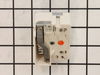
Switch started arcing in the dial range of 2 to 8 in about a year.
Pulled the range out and unplugged it. Removed the back panel. Removed one wire at a time and plugging it in on the new switch. unscrewed the existing switch from the front panel (Two screws). Screwed the new one in, replaced the panel, plugged in the range and tested it. The new switch was a perfect OEM replacement and worked perfectly.
Parts Used:
-
Brian from HONEA PATH, SC
-
Difficulty Level:Very Easy
-
Total Repair Time:Less than 15 mins
-
Tools:Screw drivers
3 of 3 people
found this instruction helpful.
Was this instruction helpful to you?
Thank you for voting!
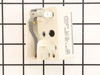
Switch was not turning off range indicator light
Pulled stove out and unplugged. At the rear of the range there were 4 faster. Used a nutdriver piece in an electric drill. Pulled off the cover and located the switch. At the front of the stove, I removed the knob and unscrewed two screws releasing the switch. I undid and replaced each wire connector one-by-one to avoid any wrong connections. Replaced and secured the switch and replace the back panel. All secured, power on and fixed! Easy repair, but something that had been put off for a year!
Also follow the installation videos from PartSelect - very helpful!
Also follow the installation videos from PartSelect - very helpful!
Parts Used:
-
Charles from PORTLAND, OR
-
Difficulty Level:Really Easy
-
Total Repair Time:Less than 15 mins
-
Tools:Nutdriver, Screw drivers
3 of 3 people
found this instruction helpful.
Was this instruction helpful to you?
Thank you for voting!
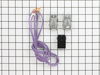
Two sockets for electric elements and their end terminals were badly burned.
0) Take the back cover of the range off.
1) Carefully noted how the wires and the sockets were connected.
2) Visually checked that the new parts were practically identical old ones.
3) Put together the new sockets from the parts in the kit.
4) disconnect the old sockets and put the new sockets in place.
5) For each unit disconnect one old wire at the time and connect the new wire. Repeat the same for second wire.
6) Neatly bunch together the rest of the wires with electrical tape. Do not cut the wires!
That's it! It took about 20-30 minutes.
1) Carefully noted how the wires and the sockets were connected.
2) Visually checked that the new parts were practically identical old ones.
3) Put together the new sockets from the parts in the kit.
4) disconnect the old sockets and put the new sockets in place.
5) For each unit disconnect one old wire at the time and connect the new wire. Repeat the same for second wire.
6) Neatly bunch together the rest of the wires with electrical tape. Do not cut the wires!
That's it! It took about 20-30 minutes.
Parts Used:
-
Marco from Santa Barbara, CA
-
Difficulty Level:Really Easy
-
Total Repair Time:15 - 30 mins
-
Tools:Nutdriver, Screw drivers
4 of 6 people
found this instruction helpful.
Was this instruction helpful to you?
Thank you for voting!
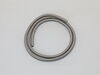
Needed to replace oven door gasket
-
Jayne from EAST PEORIA, IL
-
Difficulty Level:Very Easy
-
Total Repair Time:15 - 30 mins
-
Tools:Screw drivers
3 of 3 people
found this instruction helpful.
Was this instruction helpful to you?
Thank you for voting!
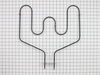
Baking element cut on fire
In this case I had to pull the range out to disconnect the power and also to remove the plate covering the electrical connectors. This was the only way to reconnect the elements terminals since the wires were too short to do it inside the oven. Undo the 2 screws holding the element in place from inside the oven to remove and install the new one before connecting the terminals from the back. Put back the rear cover and reconnect the power.
Parts Used:
-
Hedayat from LONGWOOD, FL
-
Difficulty Level:Easy
-
Total Repair Time:15 - 30 mins
-
Tools:Nutdriver, Pliers
3 of 3 people
found this instruction helpful.
Was this instruction helpful to you?
Thank you for voting!
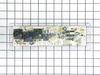
OVEN CLOCK CONTROL MALFUNCTIONED
I turned off the circuit breaker and unplugged the stove. I removed the back panel and marked the location of the wires on the new oven clock control. I detached the wires and removed the old card. I installed the new one and reconnected the wires. I plugged the stove and turned on the circuit breaker. All the lights came on and the oven worked fine. I reinstalled the back panel and it took me less than thirty minutes to complete the job.
Parts Used:
-
Gregoire from N CHESTERFLD, VA
-
Difficulty Level:Really Easy
-
Total Repair Time:15 - 30 mins
-
Tools:Pliers, Screw drivers, Wrench set
3 of 3 people
found this instruction helpful.
Was this instruction helpful to you?
Thank you for voting!
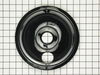
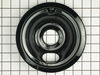
old drip pans rusted
I unplugged the burner, lifted the old drip pan out, put new drip pan in, plugged burner in. The stove looks brand new and it took less than 2 minutes.
Parts Used:
-
noreen from torrington, CT
-
Difficulty Level:Really Easy
-
Total Repair Time:Less than 15 mins
3 of 4 people
found this instruction helpful.
Was this instruction helpful to you?
Thank you for voting!
drwer slide under stove broke off.
recieved part the next day. looked different but I followed instructions and the part worked perfect.
Parts Used:
-
paul from sewell, NJ
-
Difficulty Level:Really Easy
-
Total Repair Time:Less than 15 mins
-
Tools:Screw drivers
3 of 4 people
found this instruction helpful.
Was this instruction helpful to you?
Thank you for voting!
burner not work
Fue muy facil desconectar primero la estufa despues quite los tornillos de la parte superior detras de la estufa, desconecte un cable del switch y lo conecte en el nuevo despues el siguiente hasta conectar todos los cables en el nuevo switch. Lo mejor es desconectar uno por uno para mo mesclar los cables , despues removi el switch de la estufa y puse el nuevo , puse las partes de regreso y listo conecte la estufa t revise si funcionava el quemador y listo sin ningun problema.
Parts Used:
-
SILVIA from Midlothian, TX
-
Difficulty Level:Really Easy
-
Total Repair Time:15 - 30 mins
-
Tools:Screw drivers
3 of 4 people
found this instruction helpful.
Was this instruction helpful to you?
Thank you for voting!
aged burner bowls
I just removed the range elements and old bowls, placed the new bowls into the range top, and inserted the heating elements. What surprised me was the quickness in filling the order. I had the new parts the next day! Great!
Parts Used:
-
Louis from Sandwich, MA
-
Difficulty Level:Really Easy
-
Total Repair Time:Less than 15 mins
3 of 4 people
found this instruction helpful.
Was this instruction helpful to you?
Thank you for voting!
Oven temp wouldn't regulate.
-
Ronald from Crumpler, NC
-
Difficulty Level:Very Easy
-
Total Repair Time:15 - 30 mins
-
Tools:Nutdriver, Pliers, Screw drivers
2 of 2 people
found this instruction helpful.
Was this instruction helpful to you?
Thank you for voting!
Stove overheated with an F2 error
Removed screws holding temp sensor, pulled wire out from behind wall until found connector, disconnected old sensor.
Measured resistance of old sensor and compared with new sensor, they measured nearly the same. Installed the new sensor and tested the stove. Came up to temp ok. No problem since, about 2 weeks.
Measured resistance of old sensor and compared with new sensor, they measured nearly the same. Installed the new sensor and tested the stove. Came up to temp ok. No problem since, about 2 weeks.
Parts Used:

-
Richard from PHOENIX, AZ
-
Difficulty Level:Easy
-
Total Repair Time:15 - 30 mins
-
Tools:Nutdriver
2 of 2 people
found this instruction helpful.
Was this instruction helpful to you?
Thank you for voting!
Defective switch
Replaced element control switches
Parts Used:
-
Mary from EDENTON, NC
-
Difficulty Level:Easy
-
Total Repair Time:15 - 30 mins
-
Tools:Screw drivers, Socket set
2 of 2 people
found this instruction helpful.
Was this instruction helpful to you?
Thank you for voting!
Just didn't work no pwr to it
Killed braker first, removed four screws from back, then unplugged all the wiring, then removed four screw that hold the unit on stove, pealed off the face decal, put that on the new on and just reversed the take off press.
Parts Used:
-
Jerry from HOPEWELL, VA
-
Difficulty Level:Really Easy
-
Total Repair Time:15 - 30 mins
-
Tools:Nutdriver, Screw drivers
2 of 2 people
found this instruction helpful.
Was this instruction helpful to you?
Thank you for voting!
Oven could not be turned off once settings were turned on except by unplugging hookup.
Took back cover panel off (upper) and removed the 4 1/4 inch nut screws. Used nut driver and removed the 4 screws holding control panel in place. Put new panel in place and unhooked electrical connections and installed on new panel. Plugged stove back in and checked operation. All OK, so then put back cover on and everybody is happy.
Parts Used:
-
Charles from BENNETTSVILLE, SC
-
Difficulty Level:Really Easy
-
Total Repair Time:30 - 60 mins
-
Tools:Nutdriver
2 of 2 people
found this instruction helpful.
Was this instruction helpful to you?
Thank you for voting!