















WM2780B Jenn-Air Microwave Oven Combo - Instructions
Keep searches simple. Use keywords, e.g. "leaking", "pump", "broken" or "fit".
Oven Over Heating
Removed the oven from the wall. Removed back cover and unplugged sensor from the harness. Remove and replace sensor from inside the oven. Reconnect harness and reinstall back cover. Secure oven back into the wall.
Parts Used:
-
Steve from New Albany, OH
-
Difficulty Level:Easy
-
Total Repair Time:15 - 30 mins
-
Tools:Nutdriver, Screw drivers
1 of 2 people
found this instruction helpful.
Was this instruction helpful to you?
Thank you for voting!
Top oven element works, but bottom element works only intermittently
Replaced the long Oven Sensor but have not resolved the root problem. Oven still will not reach required temperature. Bottom element becomes red hot, but turns off and will not start again.
Parts Used:
-
Bruce from Glencoe, MN
-
Difficulty Level:Really Easy
-
Total Repair Time:15 - 30 mins
-
Tools:Screw drivers
2 of 5 people
found this instruction helpful.
Was this instruction helpful to you?
Thank you for voting!
F1-1 and F3-1 error code
Very easy to repair, but you have to be able to pull your stove out. Two screws in the oven and then remove part of back cover of oven and one plug from there. Simple to do, but did not fix our problem. We are waiting repair now from service company as it looks like it needs a control panel. Worth trying yourself to fix the problem. Inexpensive part and easy to install. Also be sure to turn power off your oven to reset the control panel as this may fix the problem - try this first and also after installing new part - like rebooting a computer...
Parts Used:
-
Barbara from Lakeville, MA
-
Difficulty Level:Really Easy
-
Total Repair Time:15 - 30 mins
-
Tools:Screw drivers
2 of 5 people
found this instruction helpful.
Was this instruction helpful to you?
Thank you for voting!
Replaced the heating element
It would have been a very easy job if the one wire had not fallen inot the back. I could not reach it and fried to figure out how to get in the back to no avail. Finally I took a piece of wire coat hangerm and bent it and then fished it out. The packing around the hole compressed while I was trying to get the wire and I thought I wpuld have to replace it, but overnight it resumed its original size. It should have probably taken less than thirty minutes.
Parts Used:
-
Paul from Newark, DE
-
Difficulty Level:A Bit Difficult
-
Total Repair Time:More than 2 hours
-
Tools:Screw drivers
1 of 2 people
found this instruction helpful.
Was this instruction helpful to you?
Thank you for voting!
Oven failed to heat
First, I tripped the oven circuit breaker. Then I removed the two screws that hold the element in place. Then I pulled the element out about 5 inches and disconnected the two wires. At first, I had to figure out how the wires would disconnect. Once I removed the heating element, I reversed the procedure, tightened the screws, reset the circuit breaker, and set the oven to bake. The element began to function, and I knew Imy efforts were successful.
Parts Used:
-
Dale from Huntington Beach, CA
-
Difficulty Level:Easy
-
Total Repair Time:Less than 15 mins
-
Tools:Screw drivers
1 of 2 people
found this instruction helpful.
Was this instruction helpful to you?
Thank you for voting!
Oven not heating to desired temp
Had to remove oven from mounting cabinet to get to the back since the wire lenght to the conector was to short to come through the mounting hole.
Other than that the repair was straight forward. 4 screws to dismount the Oven from cabinet, 2 screws to remove Sensor and 3 srews to open the back of the oven once out in the open. New cable adapter that came with the new sensor was needed in my case.
Other than that the repair was straight forward. 4 screws to dismount the Oven from cabinet, 2 screws to remove Sensor and 3 srews to open the back of the oven once out in the open. New cable adapter that came with the new sensor was needed in my case.
Parts Used:
-
Raymond from Ridgecrest, CA
-
Difficulty Level:A Bit Difficult
-
Total Repair Time:1- 2 hours
-
Tools:Nutdriver, Screw drivers
2 of 5 people
found this instruction helpful.
Was this instruction helpful to you?
Thank you for voting!
Oven would not heat
Flipped off breaker and removed oven door and pulled built in stove out so the back panel could be removed. Unplugged the sensor then removed the two screws securing the old sensor inside the oven and installed new sensor. Put stove back together and installed back into counter top, re-installed oven door, flipped on the breaker and oven works like new.
Parts Used:
-
Ralph from Nicholasville, KY
-
Difficulty Level:Easy
-
Total Repair Time:30 - 60 mins
-
Tools:Screw drivers
1 of 2 people
found this instruction helpful.
Was this instruction helpful to you?
Thank you for voting!
burned oven bulb
The hardest part was taking out original light bulb because screws on shield where hard to unscrew after all this years . The old bulb vent out leaving neck in socket. It took narrow electrical pliers to get neck out .The generic appliance bulb did not fit and had aluminum neck ,not recommended for brass sockets in ovens.Putting new light bulb in was not the problem.
Parts Used:
-
Ivanka from Atlantra, GA
-
Difficulty Level:Really Easy
-
Total Repair Time:30 - 60 mins
-
Tools:Pliers, Screw drivers
3 of 9 people
found this instruction helpful.
Was this instruction helpful to you?
Thank you for voting!
worn door seal on oven
takes two people to put the oven door back in place but otherwise very simple as long as you keep all your screws and pads in place
Parts Used:
-
Sarah from Albany, GA
-
Difficulty Level:Really Easy
-
Total Repair Time:15 - 30 mins
-
Tools:Screw drivers
1 of 3 people
found this instruction helpful.
Was this instruction helpful to you?
Thank you for voting!
Getting codes and beeping
Control panel was responsive however oven would not heat up. I Replaced sensor with one of the adapters and oven is now working again.
Parts Used:
-
Arthur from Dallas, TX
-
Difficulty Level:Really Easy
-
Total Repair Time:15 - 30 mins
-
Tools:Pliers, Screw drivers
1 of 4 people
found this instruction helpful.
Was this instruction helpful to you?
Thank you for voting!
Oven temperature lagging set temperature by almost 100F
Removed frame to cabinet lag screws
Slid oven out of cabinet (required because wire harness could not be pulled through inside of oven)
Removed two screws holding attaching sensor inside oven
Uncoupled wire harness
Installed new sensor in reverse order
Unfortunately, neither the new bake element or sensor fixed the problem, so I just ordered the more expensive control board -- hope that does it.
Slid oven out of cabinet (required because wire harness could not be pulled through inside of oven)
Removed two screws holding attaching sensor inside oven
Uncoupled wire harness
Installed new sensor in reverse order
Unfortunately, neither the new bake element or sensor fixed the problem, so I just ordered the more expensive control board -- hope that does it.
Parts Used:
-
William from Edgewood, WA
-
Difficulty Level:Easy
-
Total Repair Time:30 - 60 mins
-
Tools:Pliers, Screw drivers
0 of 1 people
found this instruction helpful.
Was this instruction helpful to you?
Thank you for voting!
The oven door seal was frayed, due to using oven cleaner.
First I removed 7 screws, using a Philips head screwdriver, to allow access to the inside of the oven door. I then removed several more screws to separate the panel holding the seal so that I could remove it and replace it with the new seal. Once the seal was in place I re-inserted all the screws to the panel and door to complete the repair. The knobs just slipped on to replace the ones that broke and fell off.
Parts Used:
-
Robert from Decatur, GA
-
Difficulty Level:A Bit Difficult
-
Total Repair Time:15 - 30 mins
-
Tools:Screw drivers
8 of 25 people
found this instruction helpful.
Was this instruction helpful to you?
Thank you for voting!
50 year old oven racks in bad shape
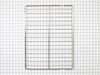
Parts no longer available so we went to several appliance stores and measured racks. We found a jenair model had racks that measured correctly got the model number and ordered the racks. There working great and now the oven looks like new. Our kitchen is a restored 1956 GE metal kitchen in Cadilac pink. Thanks guys for the fast service and very resonsble price. Was also very happy to find the racks were made in USA.
Parts Used:
-
GREG from PETALUMA, CA
-
Difficulty Level:Really Easy
-
Total Repair Time:Less than 15 mins
0 of 1 people
found this instruction helpful.
Was this instruction helpful to you?
Thank you for voting!
Oven temp would not get above 200
downloaded instructions from your website on how the part went in the oven, ordered part, and installed when it got here. shut off the breaker (found out it was mis-marked in my breaker box!) undid two screws, pulled off two clamps reinstalled and we were baking by dinner!
thank you!
thank you!
Parts Used:
-
eleanor from baton rouge, LA
-
Difficulty Level:Really Easy
-
Total Repair Time:Less than 15 mins
-
Tools:Screw drivers
0 of 1 people
found this instruction helpful.
Was this instruction helpful to you?
Thank you for voting!
would not heat up
my wife removed two screws and removed clips with pliers. We ordered part (2 days) it was fast. Installed in less than 5 min. and I only have one arm. We tried to find part locally but with no model # the parts houses could not find it. We found it on your site in less than 10 min. Your graphs and photos made it super easy. Will pass along your site to others. Thanks for being so helpful.
Parts Used:
-
gerard from bentonville, AR
-
Difficulty Level:Really Easy
-
Total Repair Time:Less than 15 mins
-
Tools:Pliers, Screw drivers
0 of 1 people
found this instruction helpful.
Was this instruction helpful to you?
Thank you for voting!