















WM2780B Jenn-Air Microwave Oven Combo - Instructions
Keep searches simple. Use keywords, e.g. "leaking", "pump", "broken" or "fit".
"F3" error message and no oven heat
Unplugged the range, removed screws holding the old sensor. When I pulled it out, the wire connecting to the sensor was completely broken through,therefore I could not just pull the wire to get to the connector. Unscrewed one side of back panel to access the connector. Pushed the connector and wire of the new sensor through the hole ( and behind the insulation), disconnected the old sensor and connected the new one. Re screwed the new connector in place plus rescrewed the back panel. Plugged the range in and - Viola! Everything now works like a charm and I have my oven back. Easy-Peasy. Oh - I am an older female with very limited DYI experience. I just saved myself $650.00!
Parts Used:
-
Pat from PAYSON, AZ
-
Difficulty Level:Very Easy
-
Total Repair Time:15 - 30 mins
-
Tools:Screw drivers
1 person
found this instruction helpful.
Was this instruction helpful to you?
Thank you for voting!
Door Glass Broken inside
Removed the door removed 2 inner panels Installed and reassembled A Cake Walk NOTE be careful not to strip threads
Parts Used:
-
William from IDAHO FALLS, ID
-
Difficulty Level:Very Easy
-
Total Repair Time:30 - 60 mins
-
Tools:Screw drivers, Socket set
1 person
found this instruction helpful.
Was this instruction helpful to you?
Thank you for voting!
Replace worn oven door seal
Removing the oven door and several layers of metal to get to the seal, is a fairly easy process. Our door had three different fasteners, torx head screws to remove the door, a very small flat head screwdriver to remove the chrome door trim screws, and a nut driver to remove the inner panels and glass. The replacement seal is over-large and must be trimmed. Care should be taken when fitting the integrated wire. Bending at the corners only, makes assembly much easier. Reassembly is the reverse of diassembly. Care must be taken that the seal wire hasn't popped out of it's seat when the cover is installed. This is the most time-consuming and frustrating part of the repair. Patience is paramount to get a good fit. Because I had made an odd bend in it, about one inch of wire was not properly seated after the cover was seated and tightened down. I was able to gently squeeze it into the seat with a flat tip screwdriver without removing any screws. The final problem area is reinstalling the door. Although two people would be helpful to accomplish this Task, I was able to accomplish it with the aid of a three foot piece of 2x4. By wedging the piece of lumber behind both hinges, they were held open under tension to allow slipping the door on. Once partially installed, the 2x4 can be removed and the door seated. Hope this helps.
Parts Used:
-
Al from Chassell, MI
-
Difficulty Level:Easy
-
Total Repair Time:30 - 60 mins
-
Tools:Nutdriver, Screw drivers
1 person
found this instruction helpful.
Was this instruction helpful to you?
Thank you for voting!
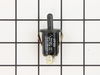
Oven switch not working
Had to remove the glass top and the control panel and the panel bracket then use angled needle nosed pliers to compress the retainers then pull the switch from the inside of the oven
Parts Used:
-
Terry from DIAMOND BAR, CA
-
Difficulty Level:Easy
-
Total Repair Time:30 - 60 mins
-
Tools:Nutdriver, Pliers
1 person
found this instruction helpful.
Was this instruction helpful to you?
Thank you for voting!
Oven door was locked, couldn't set oven temps
Got a bent metal coathook to temporarily release the oven door, removed the screws from the old probe, inserted the new one, and hooked it up, using the one of the plug adapters provided. Problem solved! The oven door latch was now disengaged, the oven would now accept temperature inputs, and the rear cooling fan (which wouldn't shut off) now turned off. That's a lot of things working better for less than $50!
Parts Used:
-
William from Nashville, TN
-
Difficulty Level:Easy
-
Total Repair Time:15 - 30 mins
-
Tools:Screw drivers
1 person
found this instruction helpful.
Was this instruction helpful to you?
Thank you for voting!
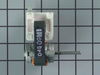
the fan started making noises like it was shaking
I pulled off the facia from the microwave/oven. Unscrewed the plate holding the microwave and slid out the microwave. The microwave and oven are a unit. I unscrewed the oven from the hole it sits in and slid out the oven and set it on a sturdy chair. Then I unscrewed (6 screws) the bracket that holds the microwave to the oven. After that I unscrewed (14 screws) the top sheetmetal plate on the oven and slid that around behind the oven. Then I unscrewed the grounding strap inside. Did the 2 screws on each side of the oven holding the fan unit and slid that out. Undid the 2 wires plugged into the motor and the 2 screws holding the fan motor. Then I slid off the fan from the old motor and slid it onto the new motor and reversed the whole process.
Parts Used:
-
Jerry from Rocklin, CA
-
Difficulty Level:Really Easy
-
Total Repair Time:Less than 15 mins
-
Tools:Screw drivers
1 person
found this instruction helpful.
Was this instruction helpful to you?
Thank you for voting!
Oven would not hold temperature, not turn on, and would shut off during use.
Extremely simple repair to make. Move stove away from wall and disconnect power. Remove the oven racks. Remove the rear sheet metal panel covering the wiring harnesses. Caution: Sharp edges and corners on sheet metal.Sensor is located in upper left corner on rear oven wall. Using a long-shafted #2 Philips screwdriver, remove the two Philips head screws and gently pull the sensor 1" away from the oven wall. At this point, it will help to have an assist from someone while you are behind the range. Have the assistant gently tug on the sensor while you watch for wires moving on the rear of the range. After locating the sensor wires, gently disconnect the plastic connector clip. Note: plastic connectors become brittle with age and exposure to heat Move to front of range and gently remove sensor from rear wall by pulling the wiring through the oven wall. Before inserting the new sensor wire through the oven wall, "dry fit" the wiring connectors to see that the new sensor is a correct connection. Make connection, and secure the sensor to the rear oven wall with the two screws. Install racks, reinstall rear sheet metal panel, and connect the power. Set the oven baking temperature to a moderately low temp, 300 - 350 deg. to test the new sensor.
Parts Used:
-
John from Arvada, CO
-
Difficulty Level:Very Easy
-
Total Repair Time:Less than 15 mins
-
Tools:Nutdriver, Screw drivers
1 person
found this instruction helpful.
Was this instruction helpful to you?
Thank you for voting!
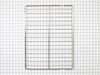
Needed replacement oven rack.
-
Bobby K. from Huntsville, TX
-
Difficulty Level:Very Easy
-
Total Repair Time:Less than 15 mins
1 person
found this instruction helpful.
Was this instruction helpful to you?
Thank you for voting!
Range oven door switch need replaced
I raised the top of my Whirlpool Continuous Cleaning Canning Oven, then had to unscrew 3 screws and a lock nut, then raise top about 4 inches, so I could put my hand inside to unplug the wires to the switch, and push it through the hole in front, of oven. Then put the new switch through hole and plug in new switch. Then screw down top; and close lid. Part #866294
Parts Used:
-
Ruth from Gastonia, NC
-
Difficulty Level:A Bit Difficult
-
Total Repair Time:15 - 30 mins
-
Tools:Nutdriver, Screw drivers
1 person
found this instruction helpful.
Was this instruction helpful to you?
Thank you for voting!
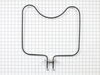
Element quit working
Removed the original element with a screwdriver and disconnected the 2 wires, it took about 2 minutes. Got online with PartSelect and easily matched a replacement part. Ordered the part and received it within a couple of days. Very impressed with the ease and quickness of the order processing and shipping. Took the new element and connected the wires, screwed the 2 screws back in, it took about 2 minutes. Turned on the oven to check and everything worked perfectly. Very happy with the overall experience with PartSelect. Thanks!
Parts Used:
-
Kimberly from Cameron, OK
-
Difficulty Level:Really Easy
-
Total Repair Time:Less than 15 mins
-
Tools:Screw drivers
1 of 2 people
found this instruction helpful.
Was this instruction helpful to you?
Thank you for voting!
burner out
-
gary from California, MO
-
Difficulty Level:Easy
-
Total Repair Time:Less than 15 mins
-
Tools:Screw drivers
1 of 2 people
found this instruction helpful.
Was this instruction helpful to you?
Thank you for voting!
oven would not heat
Checked the element to see if it was open or no
resistance, it was open
e.g. First I removed the two screws that hold the element in place. I then pulled the element out about 3 inches and disconnected the two wires...)
resistance, it was open
e.g. First I removed the two screws that hold the element in place. I then pulled the element out about 3 inches and disconnected the two wires...)
Parts Used:
-
Dane from Evansville, WI
-
Difficulty Level:Really Easy
-
Total Repair Time:Less than 15 mins
-
Tools:Screw drivers
1 of 2 people
found this instruction helpful.
Was this instruction helpful to you?
Thank you for voting!
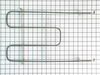
The broiler would not heat. I saw a bad place in the element. Ordered a new one.
Received the new one. Installed it in 15 minutes. Thanks for the fast service.I will buy from you guys the next time I need a part ! Thank You, Henry
Parts Used:
-
Henry from Smithfield, VA
-
Difficulty Level:Really Easy
-
Total Repair Time:Less than 15 mins
-
Tools:Screw drivers
3 of 8 people
found this instruction helpful.
Was this instruction helpful to you?
Thank you for voting!
After doing an oven self clean cycle, oven temp couldnt be set correctly, heat element was warm,not hot
After trying to set the bake temp after the self cleaning, it would not heat up. I Googled the model number,selected your link because it mentioned my symptom,and said usually it is the temp sensor in the oven that gets damaged by the high self cleaning heat. Your site had a place to enter my model number. You provided a great exploded view of the parts, showing me my sensor,then you provided the part number of the kit i needed,and filled out the order form with payment method. Less than a week later I got my part with instructions. Your video showed me the two screws I remove from the front ,and I pulled the old part out and uplugged it's connector. Replacement was easy, and oven was fixed! Thank you for a great site! You held my hand through it all!
Parts Used:
-
Philip from Winter Haven, FL
-
Difficulty Level:Really Easy
-
Total Repair Time:Less than 15 mins
-
Tools:Screw drivers
1 of 2 people
found this instruction helpful.
Was this instruction helpful to you?
Thank you for voting!
broiler pan missing
-
RAYMOND from JACKSONVILLE, FL
-
Difficulty Level:Really Easy
-
Total Repair Time:Less than 15 mins
1 of 2 people
found this instruction helpful.
Was this instruction helpful to you?
Thank you for voting!