















WM277W Jenn-Air Microwave Oven Combo - Instructions
Keep searches simple. Use keywords, e.g. "leaking", "pump", "broken" or "fit".
Oven switch not working
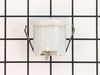
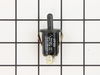
Had to remove the glass top and the control panel and the panel bracket then use angled needle nosed pliers to compress the retainers then pull the switch from the inside of the oven
Parts Used:
-
Terry from DIAMOND BAR, CA
-
Difficulty Level:Easy
-
Total Repair Time:30 - 60 mins
-
Tools:Nutdriver, Pliers
1 person
found this instruction helpful.
Was this instruction helpful to you?
Thank you for voting!
the fan started making noises like it was shaking
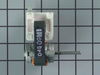
I pulled off the facia from the microwave/oven. Unscrewed the plate holding the microwave and slid out the microwave. The microwave and oven are a unit. I unscrewed the oven from the hole it sits in and slid out the oven and set it on a sturdy chair. Then I unscrewed (6 screws) the bracket that holds the microwave to the oven. After that I unscrewed (14 screws) the top sheetmetal plate on the oven and slid that around behind the oven. Then I unscrewed the grounding strap inside. Did the 2 screws on each side of the oven holding the fan unit and slid that out. Undid the 2 wires plugged into the motor and the 2 screws holding the fan motor. Then I slid off the fan from the old motor and slid it onto the new motor and reversed the whole process.
Parts Used:
-
Jerry from Rocklin, CA
-
Difficulty Level:Really Easy
-
Total Repair Time:Less than 15 mins
-
Tools:Screw drivers
1 person
found this instruction helpful.
Was this instruction helpful to you?
Thank you for voting!
Oven door was locked, couldn't set oven temps
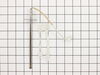
Got a bent metal coathook to temporarily release the oven door, removed the screws from the old probe, inserted the new one, and hooked it up, using the one of the plug adapters provided. Problem solved! The oven door latch was now disengaged, the oven would now accept temperature inputs, and the rear cooling fan (which wouldn't shut off) now turned off. That's a lot of things working better for less than $50!
Parts Used:
-
William from Nashville, TN
-
Difficulty Level:Easy
-
Total Repair Time:15 - 30 mins
-
Tools:Screw drivers
1 person
found this instruction helpful.
Was this instruction helpful to you?
Thank you for voting!
No problem installing the sensor
I removed the two mounting screws and pulled the harness through the opening unsnapped the sensor from the harness and installed the new sensor i didn't have to used the adapters the new sensor fitted
Parts Used:
-
tommy from FAYETTEVILLE, NC
-
Difficulty Level:Very Easy
-
Total Repair Time:Less than 15 mins
-
Tools:Screw drivers
1 person
found this instruction helpful.
Was this instruction helpful to you?
Thank you for voting!
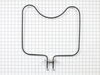
Bake element burned out/arced
Removed old element, 2 screws, cleaned oven , 60 minutes, replaced with new element, working like new, wife thoroughly impressed...
Parts Used:
-
William from GAINESVILLE, FL
-
Difficulty Level:Very Easy
-
Total Repair Time:Less than 15 mins
-
Tools:Screw drivers
1 person
found this instruction helpful.
Was this instruction helpful to you?
Thank you for voting!
Oven would not hold temperature, not turn on, and would shut off during use.
Extremely simple repair to make. Move stove away from wall and disconnect power. Remove the oven racks. Remove the rear sheet metal panel covering the wiring harnesses. Caution: Sharp edges and corners on sheet metal.Sensor is located in upper left corner on rear oven wall. Using a long-shafted #2 Philips screwdriver, remove the two Philips head screws and gently pull the sensor 1" away from the oven wall. At this point, it will help to have an assist from someone while you are behind the range. Have the assistant gently tug on the sensor while you watch for wires moving on the rear of the range. After locating the sensor wires, gently disconnect the plastic connector clip. Note: plastic connectors become brittle with age and exposure to heat Move to front of range and gently remove sensor from rear wall by pulling the wiring through the oven wall. Before inserting the new sensor wire through the oven wall, "dry fit" the wiring connectors to see that the new sensor is a correct connection. Make connection, and secure the sensor to the rear oven wall with the two screws. Install racks, reinstall rear sheet metal panel, and connect the power. Set the oven baking temperature to a moderately low temp, 300 - 350 deg. to test the new sensor.
Parts Used:
-
John from Arvada, CO
-
Difficulty Level:Very Easy
-
Total Repair Time:Less than 15 mins
-
Tools:Nutdriver, Screw drivers
1 person
found this instruction helpful.
Was this instruction helpful to you?
Thank you for voting!
oven not heating to set temp. 100 degrees too cold
installed part,turned unit on-temp still cold. reset digital control, up 35 degrees, still cold. un-plugged unit,re-connect after 10 min. still cold.
Parts Used:
-
Robert from Funston, GA
-
Difficulty Level:Really Easy
-
Total Repair Time:Less than 15 mins
-
Tools:Screw drivers
2 of 4 people
found this instruction helpful.
Was this instruction helpful to you?
Thank you for voting!
Oven temperature fluctuates
Replaced the thermostat according to existing videos and had to adjust the thermostat using instuctions in the user manual for model CWE4800ACB.
Parts Used:
-
Larry from SOLON, IA
-
Difficulty Level:Easy
-
Total Repair Time:30 - 60 mins
-
Tools:Screw drivers
1 person
found this instruction helpful.
Was this instruction helpful to you?
Thank you for voting!
F5 fault code kept appearing
I installed the new oven sensor but the problem continued. So I ordered a new relay board and installed it. Still no luck. So I pulled the new board back out and started trouble shooting it using my electronic background. I discovered the new board was using a pin for L2 that had no exit on the backplane, so I removed it and installed it where I believed it should go. Reinstalled the power relay board and presto. My oven is working lie a champ. Louis
Parts Used:
-
Louis Rodriguez from Granbury, TX
-
Difficulty Level:Very Difficult
-
Total Repair Time:More than 2 hours
-
Tools:Nutdriver, Screw drivers
1 person
found this instruction helpful.
Was this instruction helpful to you?
Thank you for voting!
Oven failed to heat
First, I tripped the oven circuit breaker. Then I removed the two screws that hold the element in place. Then I pulled the element out about 5 inches and disconnected the two wires. At first, I had to figure out how the wires would disconnect. Once I removed the heating element, I reversed the procedure, tightened the screws, reset the circuit breaker, and set the oven to bake. The element began to function, and I knew Imy efforts were successful.
Parts Used:
-
Dale from Huntington Beach, CA
-
Difficulty Level:Easy
-
Total Repair Time:Less than 15 mins
-
Tools:Screw drivers
1 of 2 people
found this instruction helpful.
Was this instruction helpful to you?
Thank you for voting!
Oven not heating to desired temp
Had to remove oven from mounting cabinet to get to the back since the wire lenght to the conector was to short to come through the mounting hole.
Other than that the repair was straight forward. 4 screws to dismount the Oven from cabinet, 2 screws to remove Sensor and 3 srews to open the back of the oven once out in the open. New cable adapter that came with the new sensor was needed in my case.
Other than that the repair was straight forward. 4 screws to dismount the Oven from cabinet, 2 screws to remove Sensor and 3 srews to open the back of the oven once out in the open. New cable adapter that came with the new sensor was needed in my case.
Parts Used:
-
Raymond from Ridgecrest, CA
-
Difficulty Level:A Bit Difficult
-
Total Repair Time:1- 2 hours
-
Tools:Nutdriver, Screw drivers
2 of 5 people
found this instruction helpful.
Was this instruction helpful to you?
Thank you for voting!
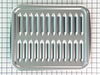
broiler pan missing
-
RAYMOND from JACKSONVILLE, FL
-
Difficulty Level:Really Easy
-
Total Repair Time:Less than 15 mins
1 of 2 people
found this instruction helpful.
Was this instruction helpful to you?
Thank you for voting!
Top oven element works, but bottom element works only intermittently
Replaced the long Oven Sensor but have not resolved the root problem. Oven still will not reach required temperature. Bottom element becomes red hot, but turns off and will not start again.
Parts Used:
-
Bruce from Glencoe, MN
-
Difficulty Level:Really Easy
-
Total Repair Time:15 - 30 mins
-
Tools:Screw drivers
2 of 5 people
found this instruction helpful.
Was this instruction helpful to you?
Thank you for voting!
F1-1 and F3-1 error code
Very easy to repair, but you have to be able to pull your stove out. Two screws in the oven and then remove part of back cover of oven and one plug from there. Simple to do, but did not fix our problem. We are waiting repair now from service company as it looks like it needs a control panel. Worth trying yourself to fix the problem. Inexpensive part and easy to install. Also be sure to turn power off your oven to reset the control panel as this may fix the problem - try this first and also after installing new part - like rebooting a computer...
Parts Used:
-
Barbara from Lakeville, MA
-
Difficulty Level:Really Easy
-
Total Repair Time:15 - 30 mins
-
Tools:Screw drivers
2 of 5 people
found this instruction helpful.
Was this instruction helpful to you?
Thank you for voting!
Oven Over Heating
Removed the oven from the wall. Removed back cover and unplugged sensor from the harness. Remove and replace sensor from inside the oven. Reconnect harness and reinstall back cover. Secure oven back into the wall.
Parts Used:
-
Steve from New Albany, OH
-
Difficulty Level:Easy
-
Total Repair Time:15 - 30 mins
-
Tools:Nutdriver, Screw drivers
1 of 2 people
found this instruction helpful.
Was this instruction helpful to you?
Thank you for voting!