















RF724GP2WHM Hotpoint Range - Instructions
Keep searches simple. Use keywords, e.g. "leaking", "pump", "broken" or "fit".
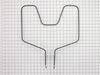
Heating element had shorted out and broken.
Unscrewed the heating element from the inside back of the oven and removed the housing cover from the back of the stove to access the terminals. (The unit had arked and fused the terminal to the connector.) Installed the new unit and replaced the housing cover on the back and screwed the unit into the back of the oven. Works like a charm.
Parts Used:
-
Lisa from Lexington, KY
-
Difficulty Level:Easy
-
Total Repair Time:30 - 60 mins
-
Tools:Screw drivers, Socket set
4 of 5 people
found this instruction helpful.
Was this instruction helpful to you?
Thank you for voting!
heating element clap broke off
All I had to do was pop the clamp on the top part of the heating element and push the clamp into the hole.
Parts Used:
-
James from Hedgesville, WV
-
Difficulty Level:Really Easy
-
Total Repair Time:Less than 15 mins
4 of 5 people
found this instruction helpful.
Was this instruction helpful to you?
Thank you for voting!
Large burner didn't work
Switching out the part was reasonably easy. The hard part twas that over 15 years some of the other parts have dried out. The oven indicator light came loose and the tabs on the clock were broken. With the help of some glue & some Z bracket it is back together minus the oven indicator light. Not perfect but cheaper than buying a new one.
Parts Used:
-
Mell from San Antonio, TX
-
Difficulty Level:Easy
-
Total Repair Time:1- 2 hours
-
Tools:Screw drivers
4 of 5 people
found this instruction helpful.
Was this instruction helpful to you?
Thank you for voting!
Element control stopped working
First I unplugged the stove. I then removed the control panel using a flat head screw driver. Then I removed the two screws (phillips head) holding the element in. Five wires had to be disconnected from the old element and placed on the new one. As I removed each wire from the burned out element, I placed it in the same place on the new one. I then replacedd the element on the stove and put the control panel back in placed. I plugged the stove into the wall outlet and tested the element control. This whole procedure took no longer than about fifteen minutes.
Parts Used:
-
Robert from Covesville, VA
-
Difficulty Level:Easy
-
Total Repair Time:15 - 30 mins
-
Tools:Pliers, Screw drivers
4 of 5 people
found this instruction helpful.
Was this instruction helpful to you?
Thank you for voting!
Lower heating element cracked
Followed the video directions on your website - GREAT INFORMATION. Everything went very smoothly It took me longer to find my work light (after turning off the electric to the oven) out in the garage than it did to complete the repair!! SUPER PLEASED - WOULD NOT HESITATE TO RECOMMEND THIS COMPANY TO ANY DIY ADVENTURER!!
Parts Used:
-
Craig from Dayton, OH
-
Difficulty Level:Very Easy
-
Total Repair Time:Less than 15 mins
-
Tools:Pliers, Socket set
3 of 3 people
found this instruction helpful.
Was this instruction helpful to you?
Thank you for voting!
Replace the light bulb socket.
Alls well that ends well. General Electric changed the configuration of our Light bulb socket on our 1996 oven. It did not have a flange with two screws as the original. The new one, you will just connect it and twist it into place. It worked and we are very happy. Such wonderful people to deal with at this site. Our sincere thanks,
Richard and Shirley
Richard and Shirley
Parts Used:
-
RICHARD from SOUTHBRIDGE, MA
-
Difficulty Level:Really Easy
-
Total Repair Time:Less than 15 mins
-
Tools:Screw drivers
3 of 3 people
found this instruction helpful.
Was this instruction helpful to you?
Thank you for voting!
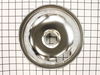
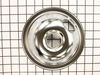
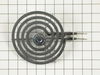
6" burner out, 4 horrible looking drip pans.
Remove burners and drip pans, replace with new drip pans and new 6" burner. Reinsert functional burners.
Parts Used:
-
Jeanette from NATCHITOCHES, LA
-
Difficulty Level:Really Easy
-
Total Repair Time:Less than 15 mins
3 of 4 people
found this instruction helpful.
Was this instruction helpful to you?
Thank you for voting!
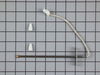
F2 error code when oven was set at a higher temperature.
I pretty much followed the youtube video posted under the part that I needed. Turned off electricity to that area of the house. Unplugged stove. Took out the old sensor, pushed new sensor cord through the back hole. I did put a small amount of tape,so I could pull it through from the back better. It was impossible to get the clip disconnected in the back and the new clip didn't match up correctly anyway. Ended up having to cut the wires and strip them. I twisted them together and put on the ceramic wire nuts on. Reversed ever thing I did and F3 appeared. Looked that code up on internet. It was from an open or shorted oven. Suggested I check the connections. Pulled stove out again, unscrewed caps on wires and noticed the sensor's wire had another cloth type coating on it. I gentle cut that off, twisted and capped wires again. Plugged in oven, turn on electricity, and tried out stove. Everything is working just fine. Everything took a little longer because this was first time doing this type of repair.
Parts Used:
-
Rachele from OCEANSIDE, CA
-
Difficulty Level:A Bit Difficult
-
Total Repair Time:30 - 60 mins
-
Tools:Socket set
3 of 4 people
found this instruction helpful.
Was this instruction helpful to you?
Thank you for voting!
burner wouldn't heat up
pulled out the stove,,unhooked the power cord from outlet. I then pulled the control knob off and removed the the six screws from the back panel. I then removed the two screws the were under the knob and removed switch from panel..I unhooked the wires one at a time and rehooked them to the new switch,,pushed the switch back in the panel and installed the two screws. The knob was different from the shaft on the new switch so I took my dremel and contoured the shaft to fit my switch. I plugged the stove back into the outlet and it worked perfect..
Parts Used:
-
James from Saratoga Springs, NY
-
Difficulty Level:Really Easy
-
Total Repair Time:15 - 30 mins
-
Tools:Nutdriver, Screw drivers
3 of 4 people
found this instruction helpful.
Was this instruction helpful to you?
Thank you for voting!
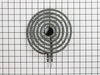
burner would not stay heated had to wiggle the burner to make heat
Replaced with the new burner works like new. Thanks a bunch!
Parts Used:
-
Marjorie from Swanton, MD
-
Difficulty Level:Really Easy
-
Total Repair Time:Less than 15 mins
3 of 4 people
found this instruction helpful.
Was this instruction helpful to you?
Thank you for voting!
Burners weren't heating
Unplugged old burner elements. Popped in new burners. Turned on the burners to test.
Parts Used:
-
james from killingworth, CT
-
Difficulty Level:Really Easy
-
Total Repair Time:Less than 15 mins
3 of 4 people
found this instruction helpful.
Was this instruction helpful to you?
Thank you for voting!
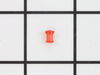
The temperature indicator light on the oven was broken.
I removed the control panel by removing 7 screws and replaced the light indicator and lens.
Parts Used:
-
Jewel from Nacogdoches, TX
-
Difficulty Level:Really Easy
-
Total Repair Time:Less than 15 mins
-
Tools:Screw drivers
3 of 4 people
found this instruction helpful.
Was this instruction helpful to you?
Thank you for voting!
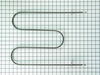
Element burnt out
First I removed the two screws that hold the element in place. I then pulled the element out about 3 inches and disconnected the two wires. Ordered new part on-line for less than 1/2 of local price...including shipping. Local shop would have taken 10 days for part at twice the price. Mine arrived in 72 hours...and Sunday dinner was saved!
Parts Used:
-
Jean from Rayville, LA
-
Difficulty Level:Really Easy
-
Total Repair Time:Less than 15 mins
-
Tools:Nutdriver
3 of 4 people
found this instruction helpful.
Was this instruction helpful to you?
Thank you for voting!
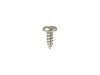
key pad shot an F-3 fault code bad oven sensor
ordered parts WB21X5301 oven sensor and 2 WB1X681 screws mine were bad highly recommended slid my stove out also a good time to clean all the years of junk behind it removed screws mine were bad unplug the connector slide the sensor cable through the hole and u are good after cleaning be hind stove slide back into spot reinstall power and code went away tested different temps with temp gauge and keypad and we were good
Parts Used:
-
WILLIAM from ORANGE PARK, FL
-
Difficulty Level:Really Easy
-
Total Repair Time:1- 2 hours
-
Tools:Pliers, Screw drivers
2 of 2 people
found this instruction helpful.
Was this instruction helpful to you?
Thank you for voting!
The indicator light stopped working
I knew the lens (which also holds the light) was broken. I also ordered the light. I flipped the circuit breaker, raised the stove top and removed the 6 nut-head screws holding the cover plate. A nut driver would have been helpful, but I got by with a 6" crescent wrench. I removed the cover. I unplugged the two wires from the old light and plugged in the new one. I inserted the new lens and slipped the light over it. I flipped the circuit breaker on to make sure it worked. After flipping the circuit breaker off, I replaced the cover plates and the screws and lowered the stove top. I flipped the circuit breaker on. It worked!
Parts Used:
-
Charles from Damascus, MD
-
Difficulty Level:Easy
-
Total Repair Time:15 - 30 mins
-
Tools:Wrench (Adjustable)
3 of 5 people
found this instruction helpful.
Was this instruction helpful to you?
Thank you for voting!