















PVM2070DM4BB General Electric Microwave - Instructions
Keep searches simple. Use keywords, e.g. "leaking", "pump", "broken" or "fit".
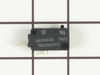
Unit would not come on.
removed access panal, found soft switch as discribed on your web site. removed and replaced.
Parts Used:
-
Phillip from Umatilla, FL
-
Difficulty Level:Really Easy
-
Total Repair Time:Less than 15 mins
-
Tools:Screw drivers
Was this instruction helpful to you?
Thank you for voting!
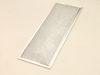
replace bottom grease filters
Just pull down on "O" ring tab and filter will release. Install new filter in same position. you may have to pull on "O" ring to complete fit.
Parts Used:
-
Edwin from Easton, PA
-
Difficulty Level:Really Easy
-
Total Repair Time:Less than 15 mins
Was this instruction helpful to you?
Thank you for voting!
Glass cover for Light Bulb was cracked..
-
Donna from Denver, CO
-
Difficulty Level:Really Easy
-
Total Repair Time:Less than 15 mins
-
Tools:Screw drivers
Was this instruction helpful to you?
Thank you for voting!
All power to the microwave went out.
PartSelect had helpful repair instructions on-line which made the repair easier and faster. Unfortunately, there were other problems with the oven that immediately blew the new fuse I had just installed. It was then determined that additional repair would most likely cost almost as much as a new microwave.
Parts Used:

-
Michael from East China Township, MI
-
Difficulty Level:Easy
-
Total Repair Time:Less than 15 mins
-
Tools:Screw drivers
Was this instruction helpful to you?
Thank you for voting!
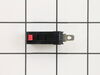
would not turn on - plug in and would shut off right away
-
Vita from Flagstaff, AZ
-
Difficulty Level:Easy
-
Total Repair Time:Less than 15 mins
-
Tools:Screw drivers
Was this instruction helpful to you?
Thank you for voting!
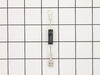
Not heating
Removed the above stove microhood. Removed the side panels & the top panel. Diode located on right hand side of microwave. Removed with screwdriver & replaced new diode. It's best to get the microwave schematic online to pinpoint location of the part.
Parts Used:
-
Debra from Concord, CA
-
Difficulty Level:Easy
-
Total Repair Time:Less than 15 mins
-
Tools:Nutdriver, Screw drivers
Was this instruction helpful to you?
Thank you for voting!
keyboard swap out

-
David from Plymouth, MN
-
Difficulty Level:Really Easy
-
Total Repair Time:Less than 15 mins
Was this instruction helpful to you?
Thank you for voting!
replace grease filter
-
Anthony from San Jose, CA
-
Difficulty Level:Really Easy
-
Total Repair Time:Less than 15 mins
Was this instruction helpful to you?
Thank you for voting!
Air/Grease Filters Were Worn Out
Rec'd the parts within a day or two after ordering and simply placed them where the old ones were removed and wala my stove is back filtering. Only problem, the oven won't ignite while the broiler and stove top burners are fine. Go figure.
Parts Used:
-
peter e from far hills, NJ
-
Difficulty Level:Really Easy
-
Total Repair Time:Less than 15 mins
Was this instruction helpful to you?
Thank you for voting!
Quit working
-
William from Socorro, NM
-
Difficulty Level:Really Easy
-
Total Repair Time:Less than 15 mins
-
Tools:Pliers, Screw drivers
Was this instruction helpful to you?
Thank you for voting!
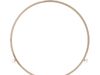
The ring had broken/cracked.
-
Thomas from Arlington, VA
-
Difficulty Level:Really Easy
-
Total Repair Time:Less than 15 mins
Was this instruction helpful to you?
Thank you for voting!
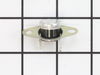
miccrowave would not run.
removed housing. saw t-stat was burnt. replaced t-stat by removing mounting screw and installing new t-stat. reinstalled mounting screw. reinstalled oven housing. 15 minute job.
Parts Used:
-
Mary from Nashville, NC
-
Difficulty Level:Really Easy
-
Total Repair Time:Less than 15 mins
-
Tools:Screw drivers
Was this instruction helpful to you?
Thank you for voting!
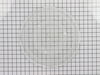
glass cooking tray broke
I laid the new tray in the microwave. There was nothing to really install....but, the woman I spoke to in order to order the tray was terrific and I had the part in two days!! I would recommend this company every time!!!!!!
Parts Used:
-
Patricia from Dublin, OH
-
Difficulty Level:Really Easy
-
Total Repair Time:Less than 15 mins
Was this instruction helpful to you?
Thank you for voting!
change microwave fan discharge from front to top
damper plate was a snap-in part. rotated fan discharge to top of microwave. installed ducting to discharge food odors outside.
Parts Used:
-
James from Newbern, NC
-
Difficulty Level:Really Easy
-
Total Repair Time:Less than 15 mins
Was this instruction helpful to you?
Thank you for voting!
No power to the microwave
Trouble shot first by removing the digital read out face plate panel, lifting it up and out. Found the thermostat housed on the bottom section (found a picture of what I was looking for). It had two connectors. Removed the connectors and noticed that the one looked burnt/melted that was on the thermostat. Took paper clip, connected it with the wires to bypass the thermostat. Plugged in the microwave and power returned. Yes! Ordered thermostat part and changed it out. The new part didn't have a piece that fit exactly into the floor of the microwave so I just made sure it was secure to the bottom. It is only attached by 1 small screw. Fixed!
Parts Used:
-
Juli from San Diego, CA
-
Difficulty Level:Easy
-
Total Repair Time:Less than 15 mins
-
Tools:Screw drivers
Was this instruction helpful to you?
Thank you for voting!