















PVM1870DM2CC General Electric Microwave - Instructions
Keep searches simple. Use keywords, e.g. "leaking", "pump", "broken" or "fit".
Turntable no longer would turn
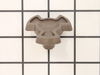
This is the second time this happened for me. The shaft for the Coupler breaks and will no longer let the plate turn. I looked at the instructions of letting the bottom of the microwave down, etc. and all I could think of is I don't think so. I used the tweezers to try to get the broken piece of the coupler but neither time was it intact. Could not locate the broken part so took the liberty of just putting the new part on the shaft, pushed down and viola I now have a turning table again. I am an 83 age female who likes to try being a do-it-your selfer. Of course there are times I am not successful but. . .By thinking back of why this part keeps breaking I think it may be my fault. I always turn the glass plate around manually when the handle of the cup or mug is out of reach. May be my fault and maybe not. Anyway this time I ordered 2 of the same parts just for future repair hopefully not needed. V.J.
Parts Used:
-
V. J. from Peoria, AZ
-
Difficulty Level:Really Easy
-
Total Repair Time:Less than 15 mins
Was this instruction helpful to you?
Thank you for voting!
The turntable coupler broke off the shaft
Once we noticed the turntable not working I removed the piece and noticed it was broken at the base of the coupler, took a vacuum and removed the broken piece and installed the new part. Thanks for the help!
Parts Used:
-
Steven from Mt. Vernon, IN
-
Difficulty Level:Easy
-
Total Repair Time:Less than 15 mins
Was this instruction helpful to you?
Thank you for voting!
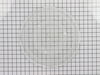
glass cooking tray broke
I laid the new tray in the microwave. There was nothing to really install....but, the woman I spoke to in order to order the tray was terrific and I had the part in two days!! I would recommend this company every time!!!!!!
Parts Used:
-
Patricia from Dublin, OH
-
Difficulty Level:Really Easy
-
Total Repair Time:Less than 15 mins
Was this instruction helpful to you?
Thank you for voting!
broken coupler
simply remove broken coupler and install new coupler. no tools required.
Parts Used:
-
Albert from Smithfield, RI
-
Difficulty Level:Really Easy
-
Total Repair Time:Less than 15 mins
Was this instruction helpful to you?
Thank you for voting!
Glass broke
We put the new glass lens in the metal frame and screwed the frame in under the microwave. Easy, breezy! Like new condition!
Parts Used:

-
Lisa from Fairland, IN
-
Difficulty Level:Really Easy
-
Total Repair Time:Less than 15 mins
-
Tools:Screw drivers
Was this instruction helpful to you?
Thank you for voting!
The turntable wouldn't turn.JVM1730Dm1cc
-
Mary from Yuma, AZ
-
Difficulty Level:Really Easy
-
Total Repair Time:Less than 15 mins
-
Tools:Screw drivers
Was this instruction helpful to you?
Thank you for voting!
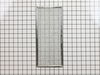
Grease filter not cleaned for 7 years !
Threw the old filter away and slide the new one in without any tools ! Filter should be cleaned every month - who knew ?
Parts Used:
-
Paula from Camp Hill, PA
-
Difficulty Level:Really Easy
-
Total Repair Time:Less than 15 mins
Was this instruction helpful to you?
Thank you for voting!
Plastic turntable coupler broke
1. Unplug the microwave or switch off the breaker to the microwave. 2. Unscrew 5 screws on the bottom plate of the microwave. The plate swings down by the hinges on the back. 3. Unplug the wires leading to the turntable motor and make note of which color wire goes on which side of the motor plug. 4. The initial instructions said unscrew the screw holding the motor but my model has two screws. Remove the screws and lower the motor. 5. Insert the plastic coupler from inside the microwave through the hole in the center of the base. The coupler has a half moon shaped female shaft that connects to the male shaft that extends up from the motor. Slide the motor shaft into the plastic coupler. 6. Replace the screws that hold the motor onto the base of the microwave. 7. Plug the power wires back into the motor with the wires in the correct position as noted above. 8. Plug in the microwave and turn it on to check if the turntable now turns. Mine did not at first so I unplugged the microwave and the motor wires. It turns out you can plug the motor wires in and they don't connect correctly. I reconnected the motor plug and plugged the microwave back in and turned it on. This time the turntable was working. 8. Replace the five screws on the bottom plate of the microwave. Done.
Parts Used:
-
Paul from Spring, TX
-
Difficulty Level:Easy
-
Total Repair Time:Less than 15 mins
-
Tools:Screw drivers
Was this instruction helpful to you?
Thank you for voting!
Glass cover for Light Bulb was cracked..
-
Donna from Denver, CO
-
Difficulty Level:Really Easy
-
Total Repair Time:Less than 15 mins
-
Tools:Screw drivers
Was this instruction helpful to you?
Thank you for voting!
coupler broke
removed the bottom of the microwave and removed the motor and replaced the coupler and reassembled. Easy repair.
Parts Used:
-
Donald from Otsego, MN
-
Difficulty Level:Easy
-
Total Repair Time:Less than 15 mins
-
Tools:Screw drivers
Was this instruction helpful to you?
Thank you for voting!
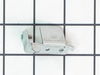
Metal flap would not close.
-
Cathy from San Diego, CA
-
Difficulty Level:Really Easy
-
Total Repair Time:Less than 15 mins
-
Tools:Screw drivers
Was this instruction helpful to you?
Thank you for voting!
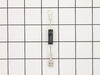
Oven failed to heat food.
Remove the microwave cover. Requires a phillips screwdriver and a torx security bit/nut driver (there are two security type screws on the back...guess they don't want you to do this at home!). I had to buy the a security bit set (about $7). The diode is easily accessible on the right side under the fan. Requires removing on small phillips screw and unplugging on electrical connection. GE provides some instructions in an envelope on top (after cover removed). There is a warning/instruction to discharge the capacitor before service. This was not a problem for me. Actual diode replacement took 30 seconds. Whole job = 15 minutes.
Parts Used:
-
Jeffrey from Gaithersburg, MD
-
Difficulty Level:Easy
-
Total Repair Time:15 - 30 mins
-
Tools:Nutdriver, Pliers, Screw drivers
Was this instruction helpful to you?
Thank you for voting!
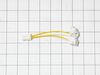
Broken Halogen light socket
There are five Philips screws on the bottom outside cover .one at each corner and one at the front center. Remove all four at the corners .leaving the front center for last. When the last screw is removed ,the cover will hinge down, it is attached to clips at the back that allow it fold down. The wire attached to the light socket is connected by a pull apart plug. Grasp at each end of the hard plastic connector and pull outward ,DO NOT PULL ON THE Wires ! Lift the cover from the back of the microwave place it on a flat surface on a towel keep it from sliding around. Remove the screws holding the porcelain sockets. Reverse procedure to reinstall .Installing new Halogen lamps is suggested. Use a clean tissue or cloth to handle the lamps, finger prints on the lamp will shorten the life .
Parts Used:
-
KENNETH from MEDFORD, MA
-
Difficulty Level:Really Easy
-
Total Repair Time:15 - 30 mins
-
Tools:Screw drivers
Was this instruction helpful to you?
Thank you for voting!
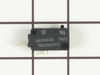
When opening door the microwave would turn on.
Watched How to repair a Microwave that turns on when the door is opened Video on the web. From this took a shot at the switch was the problem. When I removed the switch it was defective. The small button was in and when you turned the switch upside down the button would drop back into position. Ordered a switch for $25.oo , installed it and the microwave is working fine.
Parts Used:
-
Clarence from Rocky Ridge, OH
-
Difficulty Level:Really Easy
-
Total Repair Time:15 - 30 mins
-
Tools:Screw drivers
Was this instruction helpful to you?
Thank you for voting!
Motor and fan turned on when door was opened.
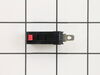
Loosen the two long anchor bolts that screw into the top of the microwave cabinet. These are usually in a shelf or cabinet directly above the microwave. Tilt the microwave forward enough to remove the 2 Phillips head screws from the top of the microwave cabinet. They are near the front. When these two screws are out, remove the fan vent. Once the fan vent is off, remove one screw that holds the control pad in place. Let it hang down. Just to the left of the control pad, you will see wires leading to three switches that close when the door is closed. Use a torx driver to remove the two screws that hold the switch bracket in place. With the bracket out, unplug the wire harnesses. On the opposite side of the wiring connected, a tab holds each switch in place. Lift the tab and slide the switches out. Usually, the bad switch will be identified by a loose or broken spring. Test them by pressing down on the switch. If you notice the bad switch spring, this is usually the bad one. When you have the new one, simply push it back into the appropriate slot and be sure that the holding tab snaps back in place. Plug the wires back in and re-attach the bracket. Put the control pad back on, then the fan vent. When down with those, push on the bottom of the microwave to lift it back into place and tighten the two anchor bolts in the top.
Parts Used:
-
Neal from White House, TN
-
Difficulty Level:Easy
-
Total Repair Time:15 - 30 mins
-
Tools:Screw drivers
Was this instruction helpful to you?
Thank you for voting!