















KBSD608ESS01 KitchenAid Refrigerator - Instructions
Keep searches simple. Use keywords, e.g. "leaking", "pump", "broken" or "fit".
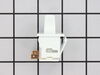
light did not work on the refrigerator side
bulbs were not burnt out. received the new switch in a few days. watch the short video, was good to see how it comes out. used a putty knife to release the defective switch, removed wires put them on the new one and posed the new switch back in. Not bad Part cost $11.00 7 dollars shipping so for 17 bucks it works great. nice to see what is inside the refer!
Parts Used:
-
David from GROVESPRING, MO
-
Difficulty Level:Easy
-
Total Repair Time:Less than 15 mins
1 of 2 people
found this instruction helpful.
Was this instruction helpful to you?
Thank you for voting!
Filter replacement
Easily removed old filter and inserted the new one
Parts Used:
-
Thomas from BOTHELL, WA
-
Difficulty Level:Very Easy
-
Total Repair Time:Less than 15 mins
1 of 2 people
found this instruction helpful.
Was this instruction helpful to you?
Thank you for voting!
Light in my refrigerator didn't work.
At first I went to a local part supplier and they didn't have it in stock but could order it for me for $55.00 plus $10.00 to ship it. I told them I would have to think about it. I went home and got on the computer and found your web site and was I shocked when I saw the same part listed for $6.98 and $7.00 to ship it. You guys saved me $50.00. The part arrived in two day and took 5 min. to install. I now have light in my refrigerator. Thank you.
Parts Used:
-
Joseph from Byron Center, MI
-
Difficulty Level:Really Easy
-
Total Repair Time:Less than 15 mins
-
Tools:Screw drivers
1 of 3 people
found this instruction helpful.
Was this instruction helpful to you?
Thank you for voting!
dirty filter
pulled oil filter out put new one in maybe 10 minutes
Parts Used:
-
Sherman from DSRT HOT SPGS, CA
-
Difficulty Level:Very Easy
-
Total Repair Time:Less than 15 mins
1 of 3 people
found this instruction helpful.
Was this instruction helpful to you?
Thank you for voting!
icemaker not working
Did not have elec. schematics or instructions, thought the problem may be the emitter/receiver. Ordered these parts, and included in the package were instructions for testing the e/m bd. Followed instructions for testing the e/m and determined the e/m was OK. Did not remove the boards from the box. Checked the internet and found schematic for the ice maker, tested and determined the ice maker was faulty. Problem solved.
Parts Used:

-
j from mc gaheysville, VA
-
Difficulty Level:A Bit Difficult
-
Total Repair Time:1- 2 hours
-
Tools:Nutdriver
1 of 3 people
found this instruction helpful.
Was this instruction helpful to you?
Thank you for voting!
Ice maker not refilling
1) unplug the refrigerator
2) remove the cover plate for the sensor board on your left facing the refrigerator
3) unplug the sensor board then remove the board from the cover plate.
4) install the new board onto the cover plate and
reinstall the board in to left side of the freezer compartment.
5) repeat this proces for the right side of the freezer compartment.
The two boards are very different and you will have no problem telling the difference between them.
6)Plug the refigerator back in and observe the red indicator light on the right hand side of the freezer compartment (it should be blinking) . Then hold down the flap on the left hand side and the blinking red light should go solid on. If it hasn't you have another problem with the ice maker.
2) remove the cover plate for the sensor board on your left facing the refrigerator
3) unplug the sensor board then remove the board from the cover plate.
4) install the new board onto the cover plate and
reinstall the board in to left side of the freezer compartment.
5) repeat this proces for the right side of the freezer compartment.
The two boards are very different and you will have no problem telling the difference between them.
6)Plug the refigerator back in and observe the red indicator light on the right hand side of the freezer compartment (it should be blinking) . Then hold down the flap on the left hand side and the blinking red light should go solid on. If it hasn't you have another problem with the ice maker.
Parts Used:
-
Kenneth from Scott, LA
-
Difficulty Level:Really Easy
-
Total Repair Time:15 - 30 mins
-
Tools:Screw drivers, Socket set
1 of 3 people
found this instruction helpful.
Was this instruction helpful to you?
Thank you for voting!
light staying on
A very cold and brittle switch in a 17 year old fridge. Used screwdrivers to pry out with some resistance Had to cut the molded plug in half and split wires, because replacement contacts were farther apart than the original. End result, works great.
Parts Used:
-
Cecelia from Beaver Dam, WI
-
Difficulty Level:Easy
-
Total Repair Time:15 - 30 mins
-
Tools:Screw drivers
0 of 1 people
found this instruction helpful.
Was this instruction helpful to you?
Thank you for voting!
ice maker wouldn't stop making Ice then quit 1.5 days later
removed 3 screws on each side of freezer where the ice maker controls are unplugged the circuit boards. un screwed the boards from the plastic and put the new ones in, reinstalled. now, Ice and not over flowing! :)
Parts Used:
-
Juan from Tomball, TX
-
Difficulty Level:Really Easy
-
Total Repair Time:15 - 30 mins
-
Tools:Screw drivers
0 of 1 people
found this instruction helpful.
Was this instruction helpful to you?
Thank you for voting!
Ice maker stopped working
I first ordered the electronic control boards. However, they arrived with an Instruction Sheet. The diagnostic procedures listed on that sheet identified that the optics were working properly, so did not use the electronics. That left the motor assembly as the culprit. Ordered that. The motor assembly arrived promptly and installed easily - just like the video. Ice maker began making ice immediately. Thank you PartSelect.
Parts Used:
-
Ernest from Reno, NV
-
Difficulty Level:Easy
-
Total Repair Time:15 - 30 mins
-
Tools:Nutdriver, Wrench set
0 of 1 people
found this instruction helpful.
Was this instruction helpful to you?
Thank you for voting!
no ice no movement in Ice maker
Being 50 miles from the Sears with a 7 year old unit, I actually changed out both board (a kit) which was 9 screws. 3 screws in the outside panels, and 2 in the larger board, and 1 on the smaller board. Both both boards plug in. I also changed the actual ice maker which unplugs and slides out on my unit. Remove a single screw (1/4") on bottom to remove a plastic shield that covers/protects the plug in. A plastic arm lock is in the bottom guide tray, push it up first. Then unplug the unit. Three more 1/4" screws in bottom to remove the custom plastic mount. Then reverses the process to install the new ice maker. Total $175 plus 1 hour labor. In 6 months the unit will have paid for the repairs. I hope to get 5 years of service from the job
Parts Used:
-
David from Ennis, TX
-
Difficulty Level:Easy
-
Total Repair Time:30 - 60 mins
-
Tools:Screw drivers, Socket set
0 of 1 people
found this instruction helpful.
Was this instruction helpful to you?
Thank you for voting!
Sensor board on icemaker
First I removed the icemaker and the sensor boards by removing 6/7 screws. Next, I placed the new sensors into the emitter and receiver and re-installed the components...reset the icemaker and was all done!
Last time my icemaker broke I paid a contractor $225! This time I did it myself in 30 minutes and saved $150. And it was so easy my wife could'a done it......
Last time my icemaker broke I paid a contractor $225! This time I did it myself in 30 minutes and saved $150. And it was so easy my wife could'a done it......
Parts Used:
-
William from Margate, FL
-
Difficulty Level:Easy
-
Total Repair Time:30 - 60 mins
-
Tools:Nutdriver, Screw drivers
0 of 1 people
found this instruction helpful.
Was this instruction helpful to you?
Thank you for voting!
Ice Maker Stopped Working
After calling Sears and setting up an appointment and waiting 7 hours for them not to show.. without any phone call..even after the dispatcher said I was "Next on the List" I figured thilure was the Emitter boards.. I ordered theere had to be a better way.. I researched this site and determined that the most likely cause of fa parts and received them within 3 days with standard shipping. I followed the optical diagnostic instructions that were included and replaced the boards. Within a few hours the ice maker was singing again.
Parts Used:
-
David from Davis, CA
-
Difficulty Level:Easy
-
Total Repair Time:15 - 30 mins
-
Tools:Screw drivers
0 of 1 people
found this instruction helpful.
Was this instruction helpful to you?
Thank you for voting!
icemaker kept on making ice
i replaced the electronic control board of emitter and receiver
Parts Used:
-
Douglas from Mansfield, TX
-
Difficulty Level:Really Easy
-
Total Repair Time:15 - 30 mins
-
Tools:Screw drivers
0 of 1 people
found this instruction helpful.
Was this instruction helpful to you?
Thank you for voting!
Ice maker would not release ice cubes
My Ice maker would not release ice cubes, it thought the ice bin was full. So I got on You Tube and looked up how to videos. Partselect videos were the best that I found and the prices were low also. The whole repair took about 15 minutes.
Parts Used:
-
Harry from Lafayette, IN
-
Difficulty Level:Really Easy
-
Total Repair Time:15 - 30 mins
-
Tools:Screw drivers
0 of 1 people
found this instruction helpful.
Was this instruction helpful to you?
Thank you for voting!
Ice maker stopped working
A snap! The part arrived the day after I ordered it. (How, I don't know). The video showed exactly what to do. I did it. Ice maker now works like a charm. Thanks.
Parts Used:
-
Ronald from Ekins Park, PA
-
Difficulty Level:Easy
-
Total Repair Time:Less than 15 mins
-
Tools:Screw drivers
0 of 1 people
found this instruction helpful.
Was this instruction helpful to you?
Thank you for voting!