















JVM3160RFSS - Instructions
Keep searches simple. Use keywords, e.g. "leaking", "pump", "broken" or "fit".
Microwave would not rotate or heat up food.
After watching a few youtube videos, I used a phillips SD to take controll pannel off to access the switches that sense when microwave door is closed. Swapped out all 3 switched and mocrowave works like new. $20 fix (shipping included)
Parts Used:


-
Joshua from WHITE LAKE, MI
-
Difficulty Level:Very Easy
-
Total Repair Time:15 - 30 mins
-
Tools:Screw drivers
51 of 74 people
found this instruction helpful.
Was this instruction helpful to you?
Thank you for voting!
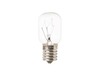
bulb burned out under the microwave that lights the cooktop underneath
got a screwdriver and opened the glass door over the light bulb - changed the bulb and put the glass door back with the screwdriver.
Parts Used:
-
Margaret from TOANO, VA
-
Difficulty Level:Easy
-
Total Repair Time:Less than 15 mins
-
Tools:Screw drivers
32 of 61 people
found this instruction helpful.
Was this instruction helpful to you?
Thank you for voting!
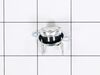
Original part was fried
Had to remove microwave from the wall. Then disassemble entire top assembly to get to the part. Easy enough to replace after that. Then just reassemble and reinstall. About 2hrs. total
Parts Used:
-
michelle from virginia beach, VA
-
Difficulty Level:Difficult
-
Total Repair Time:1- 2 hours
-
Tools:Screw drivers
20 of 34 people
found this instruction helpful.
Was this instruction helpful to you?
Thank you for voting!
All power out. No display, not operational
Remove microwave and set on flat surface. Remove all screws on top. Remove all screws around back edge holding top on. Finally remove the screws on botton holding top on and remove top. On left side on top, remove 6 screws holding black channel in place. Also remove 3 screws holding metal top in place. Now lift black channel up and unplug 2 wires on cutout. Replace cutout and reinstall everything in reverse order. Worst part is taking microwave down and reinstalling.
Parts Used:
-
Steven from Gardiner, ME
-
Difficulty Level:A Bit Difficult
-
Total Repair Time:1- 2 hours
-
Tools:Screw drivers
15 of 22 people
found this instruction helpful.
Was this instruction helpful to you?
Thank you for voting!
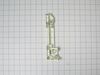
Tripping circuit breaker, broken micro switch locking pin
1. Unplug unit
2. Open door, remove two screws above the top trim piece, slide and remove trim.
3. Remove screw behind control board and top left corner, then release from position.
3b. Unplug all wire terminations and set control panel aside.
4. Remove two screws securing latch board, lift and rotate board out of position, remove three micro switches, xfer monitor switch actuator from lower pin in old board and insert in new. Install new door switches and reverse procedure to complete repair.
Note 1. Take care to located new latch board so holding tabs line up, pass through frame, and openings for door tangs line up with openings in frame before securing with screws.
Note 2. A long magnetic screwdriver is helpful.
2. Open door, remove two screws above the top trim piece, slide and remove trim.
3. Remove screw behind control board and top left corner, then release from position.
3b. Unplug all wire terminations and set control panel aside.
4. Remove two screws securing latch board, lift and rotate board out of position, remove three micro switches, xfer monitor switch actuator from lower pin in old board and insert in new. Install new door switches and reverse procedure to complete repair.
Note 1. Take care to located new latch board so holding tabs line up, pass through frame, and openings for door tangs line up with openings in frame before securing with screws.
Note 2. A long magnetic screwdriver is helpful.
Parts Used:
-
Charles from CLAYTON, NJ
-
Difficulty Level:Really Easy
-
Total Repair Time:30 - 60 mins
-
Tools:Screw drivers
16 of 25 people
found this instruction helpful.
Was this instruction helpful to you?
Thank you for voting!
needed grease filters for a used over range microwave
ordered on the part select web site, came quickly, order was correct
Parts Used:

-
tony from kewanna, IN
-
Difficulty Level:Really Easy
-
Total Repair Time:Less than 15 mins
26 of 55 people
found this instruction helpful.
Was this instruction helpful to you?
Thank you for voting!
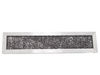
Had to replace charcoal filter
Open the front cover by pushing it at the top (where it says “Push”), lifting up and pushing back on top edge of the old filter. Pull it out. Installing the new one is basically just the reverse of those steps! That simple.
Old filter did seem to be a little thicker (filter material), but the new one was the exact same dimensions, so it went in properly. Wish the filter material was white, so you knew just how dirty it was actually getting. But... :-D
Old filter did seem to be a little thicker (filter material), but the new one was the exact same dimensions, so it went in properly. Wish the filter material was white, so you knew just how dirty it was actually getting. But... :-D
Parts Used:
-
Jared from SIERRA VISTA, AZ
-
Difficulty Level:Easy
-
Total Repair Time:15 - 30 mins
15 of 23 people
found this instruction helpful.
Was this instruction helpful to you?
Thank you for voting!
Oven shut down when TCO (thermostat) detected overheat. Once cutoff, it has to be replaced not reset.
The spacesaver is mounted over the stovetop. I removed the oven, then removed all the screws from the cover. Removed the cover and located the TCO and removed the wiring and the TCO. Ordered the part VIA internet and replaced it . It helps a little that I was Radar tec. and taught Electronics for 10 years and repaired lots of Microwaves. However anyone could do it just watch what you remove and replace in reverse order.
Parts Used:
-
R C from Eglin Air Force Base, FL
-
Difficulty Level:A Bit Difficult
-
Total Repair Time:1- 2 hours
-
Tools:Pliers, Screw drivers, Wrench (Adjustable)
11 of 14 people
found this instruction helpful.
Was this instruction helpful to you?
Thank you for voting!
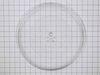
Broke the round glass tray
-
Eileen from DETROIT LAKES, MN
-
Difficulty Level:Very Easy
-
Total Repair Time:Less than 15 mins
10 of 13 people
found this instruction helpful.
Was this instruction helpful to you?
Thank you for voting!
Lack of power to unit
This is the second time replacing this fuse, last time was exactly one year ago. The first time I replaced it, I removed the oven from the wall & disassembled a number of things to reach the culprit. This time I left the oven mounted & was able to access the 2 grille mounting screws on the top of the grille & remove it. Next comes the black plastic air deflector held by two screws & is mounted in front & on the right, it is shown on the parts list just above part #1434. After removing it, remove the two silver cover screws in the front, this cover also doesn't have a part # but is shown to the right of part #1410. At this point you can lift this cover enough to access the fuse which is on the left & held in place by one tiny screw through the clamp at the top, (careful not to drop it when removing). PS: Don't forget to cut the power to the microwave before starting!
Parts Used:
-
Neil from Williston, VT
-
Difficulty Level:Easy
-
Total Repair Time:15 - 30 mins
-
Tools:Screw drivers
11 of 16 people
found this instruction helpful.
Was this instruction helpful to you?
Thank you for voting!
after 3-4 minutes microwave display would blink and unit would just cut out.
This was the second time I've had to open up the microwave. 1st time display would blank out but system would continue to operate. Found solder connections on board to LED display were defective. Resoldered and unit was fine. This time I found the connection to the oven cavity temp cut-off was bad, plastic connection cover melted. When unit operated bottom lead and wire would heat up. Couldn't measure a Discernable distance so either wire or connector connection surface was not sufficient to carry the current. 1st replaced sensor still wire heated up. Replaced connector and there was no sign how heat from resistances.
Parts Used:
-
Larry from Brookfield, CT
-
Difficulty Level:A Bit Difficult
-
Total Repair Time:30 - 60 mins
-
Tools:Wrench set
12 of 20 people
found this instruction helpful.
Was this instruction helpful to you?
Thank you for voting!
Microwave would not power up.
Fun and easy fix for my kids.
The countdown timer was working but no "cooking" happening. Did not hear the familiar sound of the heating part working.
Determined it might be some simple switches for under $15 dollars. Bought one of each. They allow the microwave to turn on/activate by signaling that the door is properly latched. My wife noticed that it was failing and then failed over the course of about a day. Several times where it worked, then did not work. The timer was counting down one time and then when she opened the door the microwave heating component turned on. Guess it had activated the switch as she was opening the door.
Procedure to repair
- Unplug
- Remove two screws on front top - allows you to remove the vent. Realized there was a charcoal filter there that I had never replaced so ordered that after the fix.
- Remove two screws to pull off the front right panel (area where your microwave buttons are) One at the top under the before mentioned vent and one under the microwave on the far right corner.
- Have someone hold the panel because wiring is to short to place it on a ledge while connected or take a picture and remove connections. I simply held it while my daughter undid the micro switches.
- Carefully remove micro switches. There were two "orange" button ones so I chose the top one to replace along with the green button one that I had ordered, so I simply pulled an orange from the bottom and a green from the top latch area. You may have remove the part that holds the switches since it was a little tough with the wires in the way and not knowing how the switches stay put.
- plug in new switches and place in the brackets that hold them in place
- reverse everything you did.
Viola - a working microwave vs purchasing a brand new for several hundred dollars or having to call in a technician.I love that my young kids did this project with me and we actually got it running. Don't like to have to throw away more items at the landfill.
Semi-Handy Man
The countdown timer was working but no "cooking" happening. Did not hear the familiar sound of the heating part working.
Determined it might be some simple switches for under $15 dollars. Bought one of each. They allow the microwave to turn on/activate by signaling that the door is properly latched. My wife noticed that it was failing and then failed over the course of about a day. Several times where it worked, then did not work. The timer was counting down one time and then when she opened the door the microwave heating component turned on. Guess it had activated the switch as she was opening the door.
Procedure to repair
- Unplug
- Remove two screws on front top - allows you to remove the vent. Realized there was a charcoal filter there that I had never replaced so ordered that after the fix.
- Remove two screws to pull off the front right panel (area where your microwave buttons are) One at the top under the before mentioned vent and one under the microwave on the far right corner.
- Have someone hold the panel because wiring is to short to place it on a ledge while connected or take a picture and remove connections. I simply held it while my daughter undid the micro switches.
- Carefully remove micro switches. There were two "orange" button ones so I chose the top one to replace along with the green button one that I had ordered, so I simply pulled an orange from the bottom and a green from the top latch area. You may have remove the part that holds the switches since it was a little tough with the wires in the way and not knowing how the switches stay put.
- plug in new switches and place in the brackets that hold them in place
- reverse everything you did.
Viola - a working microwave vs purchasing a brand new for several hundred dollars or having to call in a technician.I love that my young kids did this project with me and we actually got it running. Don't like to have to throw away more items at the landfill.
Semi-Handy Man
Parts Used:
-
Dusty from SNOWMASS VLG, CO
-
Difficulty Level:Easy
-
Total Repair Time:15 - 30 mins
-
Tools:Screw drivers
13 of 24 people
found this instruction helpful.
Was this instruction helpful to you?
Thank you for voting!
everything worked except it wouldnt cook
tested all 3 of the door switche for continuity, the top switch was faulty, replaced it,for approx $4.00 and saved a $350 dollar microwave.
Parts Used:
-
Joseph from N VERSAILLES, PA
-
Difficulty Level:Very Easy
-
Total Repair Time:30 - 60 mins
-
Tools:Screw drivers
11 of 21 people
found this instruction helpful.
Was this instruction helpful to you?
Thank you for voting!
Microwave would not heat anything and turntable no longer turned.
I decided the door switch was the problem because 2 problems happened at the same time. I removed the 4 screws for the top outside cover and the 1 screw that held the control board. After removing the control board screw, I lifted it up and removed it. This gave me access to the 3 door switches. I then removed the 2 screws that held the plastic piece that holds the switches. This made it easier then to replace the switches.
Parts Used:
-
Jon from DANA, IN
-
Difficulty Level:A Bit Difficult
-
Total Repair Time:30 - 60 mins
-
Tools:Pliers, Screw drivers
7 of 9 people
found this instruction helpful.
Was this instruction helpful to you?
Thank you for voting!
Blown Fuse
Turned power off, removed screws from outer cover, opened door, slide cover off, removed screws, lifted panel open, removed electrical connections, then removed keypad panel. Removed screws for fan cover then removed cover. Saw blown fuse replaced fuse also used ohm meter to measure resistance of the thermostat it was shorted. removed screw holding it in place removed 2 connectors took out thermostat inserted new thermostat screwed in place put connectors back on. Put fan cover on put screws in, put key panel on reconnect all connections to key panel put screws in put cover on, screw in, turn power on.
Parts Used:

-
Mike from West Deptford, NJ
-
Difficulty Level:Easy
-
Total Repair Time:30 - 60 mins
-
Tools:Screw drivers
11 of 22 people
found this instruction helpful.
Was this instruction helpful to you?
Thank you for voting!