















JVM1190WY004 General Electric Microwave - Instructions
Keep searches simple. Use keywords, e.g. "leaking", "pump", "broken" or "fit".
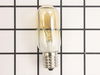
bulb had broken off in base that was still screwed into socket
At first I tried to use pliers to unscrew the base,very uncomfortable working position,upside down and backwards(the microwave is installed over the range top)very limited space for your body and arms to manuver and you really cant see the base,all of this took place after the breaker was turned off ofcourse,finally figured out that you can drop the entire bottom housing of the microwave by unscrewing 6 screws and the light sockets are easily accessable once you lower it,take out 1 retaining screw ,remove the entire socket and unscrewed the broken base and replaced the bulbs,I said bulbs,there is no sense in having to replace another bulb in who knows how long since only one had burned out but they were both the same age
Parts Used:
-
william from san antonio, TX
-
Difficulty Level:A Bit Difficult
-
Total Repair Time:15 - 30 mins
-
Tools:Pliers, Screw drivers
93 of 109 people
found this instruction helpful.
Was this instruction helpful to you?
Thank you for voting!
Not working as far as heating or cooking
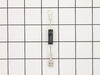
Replaced High Voltage Diode. Very carfully due to the extream danger of a electrical shock.
Parts Used:
-
Theodore from Medical Lake, WA
-
Difficulty Level:Really Easy
-
Total Repair Time:Less than 15 mins
-
Tools:Screw drivers
151 of 361 people
found this instruction helpful.
Was this instruction helpful to you?
Thank you for voting!
Oven would not power up
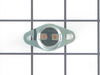
There are 4 thermostats (aka TCO = Thermal Cut Out) in the GE JVM1440BH04
The schematic is under the cover in a black envelope to the top left of the unit if you face the door.
Check the fuse first. You can remove the front grate, then the numpad on the right. The fuse is right behind it. It's a 250V 20A Class F fuse.
There are four (4) TCOs or Thermal Cut Out thermostats in this puppy:
1) There is a thermostat behind the button panel to the left, facing down. If blown, it breaks the power coming into the unit and will cause a no power situation.
2) There is another TCO or thermostat near the top lamp, to the left, in a small cavity. That one also breaks power to the unit and will cause a no power situation. It's a 100 C / 0 C thermostat. This was the one that blew on me after I left the stove running (for heating in a black-out) under the microwave.
"Cavity TCO" or "Thermostat" part number 61 on the schematics, part number PS239319
3) There is yet another power-breaking TCO or thermostat in the cavity behind the fan that cools the microwave coils. You have to remove the sheet metal on the right of the microwave to access it. This one also breaks power and will cause a no power situation.
1), 2) and 3) should test out to be 0 Ohms with a resistance meter (Digital Multimeter) if working correctly.
4) There is a thermostat which normally does not let current through it. It is mounted in a vertical position to the back wall behind the front panel on the right. This one is used for the sensor reheat function apparently and will close when the temperature in the microwave reaches approx. 60 C.
4) should have infinite resistance with a resistance meter under normal circumstances.
The schematic is under the cover in a black envelope to the top left of the unit if you face the door.
Check the fuse first. You can remove the front grate, then the numpad on the right. The fuse is right behind it. It's a 250V 20A Class F fuse.
There are four (4) TCOs or Thermal Cut Out thermostats in this puppy:
1) There is a thermostat behind the button panel to the left, facing down. If blown, it breaks the power coming into the unit and will cause a no power situation.
2) There is another TCO or thermostat near the top lamp, to the left, in a small cavity. That one also breaks power to the unit and will cause a no power situation. It's a 100 C / 0 C thermostat. This was the one that blew on me after I left the stove running (for heating in a black-out) under the microwave.
"Cavity TCO" or "Thermostat" part number 61 on the schematics, part number PS239319
3) There is yet another power-breaking TCO or thermostat in the cavity behind the fan that cools the microwave coils. You have to remove the sheet metal on the right of the microwave to access it. This one also breaks power and will cause a no power situation.
1), 2) and 3) should test out to be 0 Ohms with a resistance meter (Digital Multimeter) if working correctly.
4) There is a thermostat which normally does not let current through it. It is mounted in a vertical position to the back wall behind the front panel on the right. This one is used for the sensor reheat function apparently and will close when the temperature in the microwave reaches approx. 60 C.
4) should have infinite resistance with a resistance meter under normal circumstances.
Parts Used:
-
Andras from Lexington, MA
-
Difficulty Level:A Bit Difficult
-
Total Repair Time:1- 2 hours
-
Tools:Screw drivers
44 of 59 people
found this instruction helpful.
Was this instruction helpful to you?
Thank you for voting!
Broken plastic door handle...
Broken plastic door handle... Getting to the two screws for the handle was tricky. Once you remove the four star screws on the inside of the door, identify the plastic frame around the microwave shield (this is on the inside of the door). Place putty knife between the protective screen and the plastic frame and pry frame away from the screen.
The frame will start releasing as you go around. No need to completely remove the entire frame, only top, bottom and handle side.
As you are prying the frame away, pay attention to the four plastic seals behind the screen. One or more may come lose but you only need to be put them back in place before reattaching.
Unscrew the two screws that secure the handle, replace handle and put the screws back in. Make sure the seals are all in place and snap in the plastic frame. You should be good to go...
New door handle $49.00, finding out how to get to the two fastening screws, a pain, money saved by doing this my-self, $150.00…..
The frame will start releasing as you go around. No need to completely remove the entire frame, only top, bottom and handle side.
As you are prying the frame away, pay attention to the four plastic seals behind the screen. One or more may come lose but you only need to be put them back in place before reattaching.
Unscrew the two screws that secure the handle, replace handle and put the screws back in. Make sure the seals are all in place and snap in the plastic frame. You should be good to go...
New door handle $49.00, finding out how to get to the two fastening screws, a pain, money saved by doing this my-self, $150.00…..
Parts Used:

-
mike from Haymarket, VA
-
Difficulty Level:A Bit Difficult
-
Total Repair Time:15 - 30 mins
-
Tools:Screw drivers
19 of 20 people
found this instruction helpful.
Was this instruction helpful to you?
Thank you for voting!
Changing the bulb that illuminates the cooktop
Loosen screw holding glass cover plate in place over bulb. Glass cover plate will swing down. Unscrew bad bulb, replace with good bulb, reset glass cover and tighten screw.
Parts Used:
-
LUCY from BALLWIN, MO
-
Difficulty Level:Really Easy
-
Total Repair Time:Less than 15 mins
-
Tools:Screw drivers
21 of 33 people
found this instruction helpful.
Was this instruction helpful to you?
Thank you for voting!
No power to microwave
Had trouble isolating the problem, so I had a repairman identify the problem, then I ordered the part and replaced it myself.
Removed screws holding the grill in place. Removed air filter, removed screw holding plate under the filter in place. Reached in under fan cowling to find the thermostat cut-out. Disconnected the two wires. Put the new thermostat in place. Replaced screws plates and filter in reverse order.
Removed screws holding the grill in place. Removed air filter, removed screw holding plate under the filter in place. Reached in under fan cowling to find the thermostat cut-out. Disconnected the two wires. Put the new thermostat in place. Replaced screws plates and filter in reverse order.
Parts Used:
-
James from Highland, UT
-
Difficulty Level:A Bit Difficult
-
Total Repair Time:15 - 30 mins
-
Tools:Screw drivers
16 of 23 people
found this instruction helpful.
Was this instruction helpful to you?
Thank you for voting!
Door Plastic Handle broke off
The hardest part was locating the part. GE told me that I had to change the entire door because they don't sell just the handle. Cost to replace door unit $189.00 plus labor. I finally located just the handle on PartsSelect.com for a cost of $49.00 plus shipping. I ordered the part on a Monday and it was at my door on Tuesday. They ship out of Jacksonville, FL and I only live 2.5 hours away so it was quick for them to deliver. To re-install the handle I removed the four screws inside each corner of the inside door. Next I used the putty knife to loosen the inside black plastic cover around the door (place putty knife between the white outside plastic and inside black plastic.) Make sure you do not break the plastic retaining tabs around the black lining. Once this cover is loose bend it back carefully just enough to gain access to the screws that are left behind by the old handle. (SAVE THOSE SCREWS!! The new handle comes without screws and if you throw away the old ones it is extremely difficult to find the exact size. Place the new plastic handle outside the door and line up the holes with the screw mount. Screw the old screws back into the handle one at a time until they are tight and won't turn anymore. They are self tapping screws so they will feel tight as you screw them in but keep screwing until they stop. Now to replace the inner lining be sure you replace the rubber along the edge of the door first. Then carefully snap all the plastic holders back around the entire door. Replace the four screws on the inside of the door and Presto you are done.! Good Luck
Parts Used:
-
Agustin from Dunnellon, FL
-
Difficulty Level:Really Easy
-
Total Repair Time:15 - 30 mins
-
Tools:Screw drivers
10 of 11 people
found this instruction helpful.
Was this instruction helpful to you?
Thank you for voting!
broken filter
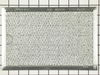
Repair, not the problem. It was getting the correct filter. Under filter is "grease" not "air" filter. So first time an air filter came. Returned to GE. Found out GE doesn't make the size needed for 2001 model any longer --just bigger. Then connected to PartsSelect, they had right filter for the right model. Came and didn't fit. Returned. While getting return OK, very helpful individual kept checking and realized larger size was sent and did find the correct size. It was sent and fit. Your customer service was extremely helpful.
Parts Used:
-
Israel from New York, NY
-
Difficulty Level:A Bit Difficult
-
Total Repair Time:More than 2 hours
12 of 21 people
found this instruction helpful.
Was this instruction helpful to you?
Thank you for voting!
microwave dead
First, potatoe burned up in microwave. Microwave
was dead. Took off cover and found maintaince repair pamphlet in envelope. Schematic showed one shot thermostat for fire. Ordered thermostat from you and installed it. Works fine.
was dead. Took off cover and found maintaince repair pamphlet in envelope. Schematic showed one shot thermostat for fire. Ordered thermostat from you and installed it. Works fine.
Parts Used:
-
Jerry from Lillian, AL
-
Difficulty Level:Really Easy
-
Total Repair Time:15 - 30 mins
-
Tools:Pliers, Screw drivers
10 of 17 people
found this instruction helpful.
Was this instruction helpful to you?
Thank you for voting!
under microwave (above stove) light
The replacement of the light no problem, the reason the light broke; problem. The original was glued in (for transport i think) and simply trying to unscrew it out (in a very tight slot) it broke; be careful or you’ll be buying a new $20 bulb (with shipping and handling).
Parts Used:
-
Bruce from Cleveland, OH
-
Difficulty Level:Easy
-
Total Repair Time:Less than 15 mins
6 of 6 people
found this instruction helpful.
Was this instruction helpful to you?
Thank you for voting!
Bulb burned ot
Un screwed the cover but when i tried to remove the bulb it was broken at the base. I disconnected the power and used neddle nosed pliers to remove the base
Parts Used:
-
John from Fort Smith, AR
-
Difficulty Level:Easy
-
Total Repair Time:Less than 15 mins
-
Tools:Pliers, Screw drivers
5 of 5 people
found this instruction helpful.
Was this instruction helpful to you?
Thank you for voting!
Microwave wasn't heating up foods
Per instructions on part select.com website. But needs further repair because still doesn't heat food and pad is partially disabled.
Parts Used:
-
William from LAKE ELSINORE, CA
-
Difficulty Level:Really Easy
-
Total Repair Time:30 - 60 mins
-
Tools:Pliers, Screw drivers
6 of 9 people
found this instruction helpful.
Was this instruction helpful to you?
Thank you for voting!
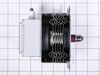
loud hum & the microwave quit working
-
Richard from Yorktown Heights, NY
-
Difficulty Level:Easy
-
Total Repair Time:30 - 60 mins
-
Tools:Screw drivers
5 of 7 people
found this instruction helpful.
Was this instruction helpful to you?
Thank you for voting!
Inside Bulb went out.
Remove top air grate via 2-screws. Remove metal top panel behind grate that's above bulb via 1-screw. Bulb is exposed and can be un-screwed. DONE
Parts Used:
-
Richard from Austin, TX
-
Difficulty Level:Really Easy
-
Total Repair Time:Less than 15 mins
-
Tools:Screw drivers
4 of 4 people
found this instruction helpful.
Was this instruction helpful to you?
Thank you for voting!
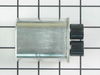
chattering noise/ burning smell
Removed control panel disconnected old capacitor installed new and returned the leads back on to the new. replaced control cover and tested
Parts Used:
-
James from Enfield, CT
-
Difficulty Level:Easy
-
Total Repair Time:15 - 30 mins
4 of 7 people
found this instruction helpful.
Was this instruction helpful to you?
Thank you for voting!