















JS48CXDUDB00 Jenn-Air Refrigerator - Instructions
Keep searches simple. Use keywords, e.g. "leaking", "pump", "broken" or "fit".
Following a brief power outage, it stopped producing ice. Harvester was at 6:00 with fingers frozen in ice cubes. Would make a batch if I freed the harvester and jumped the t-stat, but would quit again.
Unplugged refrigerator. Used nut driver to remove small bolt retaining wire cover on right side of ice maker. Removed wire cover, used flat head screw driver to depress side-rail clips. Ice maker slid out, unplugged. Timer module cover pops off easily. Three screws removed the timer module. Installation was reverse of removal. Had ice in less than an hour, bin was full by next morning. If you have a screw driver and know what it's for, this job should come easily.
Parts Used:
-
Joe from Pryor, OK
-
Difficulty Level:Really Easy
-
Total Repair Time:Less than 15 mins
-
Tools:Nutdriver, Screw drivers
18 of 26 people
found this instruction helpful.
Was this instruction helpful to you?
Thank you for voting!
Ice stuck in mold. mold coating was peeling off.
Turn off water supply too ice maker and unplug the fridge power. using a nut driver remove one bottom screw from the bottom, near the front. The other two from the side atop the ice mold. (loosen screws and ice maker will lift up and off.)
I set the ice maker on the counter, snapped of the front cover by hand. using a phillips driver, remove two screws near the bottom corners.(they go through the circuit board into the ice mold)
circuit board in one hand, other end of ice mold in the other, slowly pull apart about 1 inch. remove the silver colored "on, off" bar at the end by snapping the retainer out of the ice mold. (the silver bar stays with the circuit board end)
Watch how the ice guide(white fingers stationary on side of ice mold) hooks too the ice mold on each end. swap ice guide to new ice mold, insert three guide pins on end into holes on the circuit board, while holding ice guide onto ice mold, watch rotation bar while inserting into motor.(it only splines one way.) when each piece is lined up, simply push together and reinstall two screws. snap circuit board cover into place. reinstall ice maker into freezer in reverse order.
I set the ice maker on the counter, snapped of the front cover by hand. using a phillips driver, remove two screws near the bottom corners.(they go through the circuit board into the ice mold)
circuit board in one hand, other end of ice mold in the other, slowly pull apart about 1 inch. remove the silver colored "on, off" bar at the end by snapping the retainer out of the ice mold. (the silver bar stays with the circuit board end)
Watch how the ice guide(white fingers stationary on side of ice mold) hooks too the ice mold on each end. swap ice guide to new ice mold, insert three guide pins on end into holes on the circuit board, while holding ice guide onto ice mold, watch rotation bar while inserting into motor.(it only splines one way.) when each piece is lined up, simply push together and reinstall two screws. snap circuit board cover into place. reinstall ice maker into freezer in reverse order.
Parts Used:
-
Martin from Shakopee, MN
-
Difficulty Level:Really Easy
-
Total Repair Time:15 - 30 mins
-
Tools:Nutdriver, Screw drivers
14 of 16 people
found this instruction helpful.
Was this instruction helpful to you?
Thank you for voting!
icemaker quit working
removed screws that held the ice maker in place, then removed the cover (popped off) The drive element was easy to remove, three screws and it was out. I put in the new part and reinstalled the icemaker with the three screws that hold it in place. I never call Sears for any repair. They use contract help and I have heard horror stories about those guys!
Parts Used:
-
Kenneth from Aledo, TX
-
Difficulty Level:Really Easy
-
Total Repair Time:30 - 60 mins
-
Tools:Pliers, Screw drivers
16 of 22 people
found this instruction helpful.
Was this instruction helpful to you?
Thank you for voting!
Ice Maker stripper arm cracked
This was a pretty easy repair...I removed the retaining screws and slid the assembly off its tracks. Disconneting the wiring hardness was a pain but after a few minutes I had that off (use gloves, it gets cold in the freezer after a minute)
Once I had the unit completely out of the freezer the replacement part took only minutes to replace.
Reversed the process putting the ice maker back in - a few hours later my ice buck was full again.
Simple repair - well worth the effort.
Once I had the unit completely out of the freezer the replacement part took only minutes to replace.
Reversed the process putting the ice maker back in - a few hours later my ice buck was full again.
Simple repair - well worth the effort.
Parts Used:
-
Mark from Newtown, PA
-
Difficulty Level:Easy
-
Total Repair Time:15 - 30 mins
-
Tools:Screw drivers, Socket set
14 of 16 people
found this instruction helpful.
Was this instruction helpful to you?
Thank you for voting!
light inside fridge was flickering and clicking
tested bulb good ,replaced door switch first(least expensive)then ordered light socket and circuitboard.If clicking sound is heard replace circuitboard first to save on return shipping because the switch and socket where ok
Parts Used:
-
bill from escondido, CA
-
Difficulty Level:Easy
-
Total Repair Time:15 - 30 mins
-
Tools:Nutdriver
20 of 35 people
found this instruction helpful.
Was this instruction helpful to you?
Thank you for voting!
ice dispenser broken
ridiculous how a tiny plastic broken part required a full motor assembly replacement. that being said, i went online, found this website and easily identified the part i needed to order. i was impressed when it arrived within a couple of days. removing the old motor and replacing the new was a piece of cake...and i am NOT mechanically inclined,
Parts Used:
-
sandra from mechanicsville, VA
-
Difficulty Level:Really Easy
-
Total Repair Time:Less than 15 mins
-
Tools:Pliers, Screw drivers
17 of 26 people
found this instruction helpful.
Was this instruction helpful to you?
Thank you for voting!
Broken cup water fill on ice maker
I called the local Amana repair man, wanted $150 for a new ice maker because they could not get the part I needed. Found Partsselect.com and the part cost $17 with shipping. They saved me over $100. The repair was very easy too, just removed a couple of screws.
Thanks,
Matt
Thanks,
Matt
Parts Used:

-
Matthew from Aurora, CO
-
Difficulty Level:Easy
-
Total Repair Time:15 - 30 mins
-
Tools:Nutdriver, Screw drivers
13 of 15 people
found this instruction helpful.
Was this instruction helpful to you?
Thank you for voting!
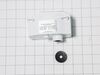
The ice maker in the door wouldn't dispense ice.
i took the cover plate off the inside of the freezer under the ice bin[two screws] then I disconnected the wiring harness, then removed the four screws to remove the motor and then put the new motor in and the ice dispenser dispensed ice. Less than 1/2 hour with only needing a nut driver,and a flashlight.
Parts Used:

-
Thomas from Shippensburg, PA
-
Difficulty Level:Really Easy
-
Total Repair Time:15 - 30 mins
-
Tools:Nutdriver
16 of 25 people
found this instruction helpful.
Was this instruction helpful to you?
Thank you for voting!
It was just time to replace the water filter.
We took out the old filter and put in the new one. Ran out a few gallons of water then it was ready to use.
Parts Used:
-
Denise from Hoschton, GA
-
Difficulty Level:Really Easy
-
Total Repair Time:Less than 15 mins
15 of 25 people
found this instruction helpful.
Was this instruction helpful to you?
Thank you for voting!
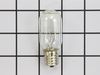
burnt out bulb
took cover off, installed bulb.
lost the owners manual,
part select's schematics were very helpful
thanks
lost the owners manual,
part select's schematics were very helpful
thanks
Parts Used:
-
THOMAS from STOW, OH
-
Difficulty Level:Really Easy
-
Total Repair Time:Less than 15 mins
27 of 62 people
found this instruction helpful.
Was this instruction helpful to you?
Thank you for voting!
Ice maker had stopped making ice.
Ordered the parts from Parts Select and had them within two days (lightning fast shipment--and with just standard shipping). Disconnected the power to refrigerator, removed three screws from each cover panel, pulled the panels loose from the freezer wall, disconnected the wiring harness on each, removed the screws holding the two boards, replaced the boards with the new ones, attached boards to cover panel with screw, reconnected wiring harnesses, replaced the three screws on each side, restored power, and made ice! Whole job took about 15 minutes.
Parts Used:

-
David from Hermitage, TN
-
Difficulty Level:Really Easy
-
Total Repair Time:Less than 15 mins
-
Tools:Screw drivers
9 of 9 people
found this instruction helpful.
Was this instruction helpful to you?
Thank you for voting!
Ice Maker Stopped Working
After receiving the replacement emitter and receiver boards from PartSelect.com, I following the troubleshooting paperwork that came with my order to ensure the parts I ordered where the problem. After which, it was very straight forward: unplug the frig, unscrew the 3 screws on the covers for each board, unplug the push-pin connection, remove the board screw, set the new board in, and plug back into the connection. It took approximately 20min.
Parts Used:
-
Kyle from Severna Park, MD
-
Difficulty Level:Easy
-
Total Repair Time:15 - 30 mins
-
Tools:Screw drivers
9 of 9 people
found this instruction helpful.
Was this instruction helpful to you?
Thank you for voting!
The ice maker was not making ice.
I unplugged the refrigerator
Opened the freezer door
Opened the ice maker door so that I could easily get to the emitter and receiver
I used a phillips head screw driver to remove 3 screws from the emitter plate and 3 screws from the receiver plate
I unplugged the faulty circuit boards--this took some tugging
I firmly plugged in the new circuit boards and replaced the screws
I waited about 30 minutes and the ice maker began making ice again
Opened the freezer door
Opened the ice maker door so that I could easily get to the emitter and receiver
I used a phillips head screw driver to remove 3 screws from the emitter plate and 3 screws from the receiver plate
I unplugged the faulty circuit boards--this took some tugging
I firmly plugged in the new circuit boards and replaced the screws
I waited about 30 minutes and the ice maker began making ice again
Parts Used:
-
Katherine from Pittsboro, NC
-
Difficulty Level:Really Easy
-
Total Repair Time:15 - 30 mins
-
Tools:Screw drivers
9 of 9 people
found this instruction helpful.
Was this instruction helpful to you?
Thank you for voting!
Switch went bad
Our unit is a built-in unit so first had to remove the decorative cover panel to expose the internal on/off switch. Turned off the circuit breaker. Disconnected the wires (simple pull-off/push-on). Removed the old switch which meant clipping the plastic tabs holding the switch in position. Inserted the new switch by simply pushing it through the opening being sure to have it in the same alignment ('off' to the back of the unit.) Reconnected the wires making sure to have a white ground wires on the left and the black 'hot' wires on the right. Turned the circuit breaker back on. Turned the switch on. Now it runs.
Parts Used:

-
Roy from Ann Arbor, MI
-
Difficulty Level:Easy
-
Total Repair Time:15 - 30 mins
-
Tools:Nutdriver, Pliers
12 of 18 people
found this instruction helpful.
Was this instruction helpful to you?
Thank you for voting!
Ice maker would not dispense ice
Light was blinking on the Electronic Control Boards. Ordered replacement (emitter and receiver)and installed, and now it's working.
Some note: 1 year ago, the board started to blinks (meaning it's bad) but it was still making ice. This gave me a false error when it really failed, took the risk and ordered the replacement parts and all is well now.
One more thing to pay attention to , and it may only be on my model of refrigerator, but the wires harness that connect to the receiver board (big board) have large and stiff wire. With limited space where the board and the wire are seat at, it put lots of pressure on the pressure on the board's connector. This pressure, over time, will cause the right angle connector's solders to crack and may be a contributor to the failure. If you're installing the new board, try to re-inforce the connector with some rubber heat glue and also relieve pressure from the connector's end, which I hope will prolong your board.
Some note: 1 year ago, the board started to blinks (meaning it's bad) but it was still making ice. This gave me a false error when it really failed, took the risk and ordered the replacement parts and all is well now.
One more thing to pay attention to , and it may only be on my model of refrigerator, but the wires harness that connect to the receiver board (big board) have large and stiff wire. With limited space where the board and the wire are seat at, it put lots of pressure on the pressure on the board's connector. This pressure, over time, will cause the right angle connector's solders to crack and may be a contributor to the failure. If you're installing the new board, try to re-inforce the connector with some rubber heat glue and also relieve pressure from the connector's end, which I hope will prolong your board.
Parts Used:
-
Johnathanh from Portland, OR
-
Difficulty Level:Easy
-
Total Repair Time:15 - 30 mins
-
Tools:Screw drivers
10 of 13 people
found this instruction helpful.
Was this instruction helpful to you?
Thank you for voting!