















JNM1541LP2CS General Electric Microwave - Instructions
Keep searches simple. Use keywords, e.g. "leaking", "pump", "broken" or "fit".
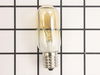
One of the lenses was broken and a light bulb was burned out.
Using a #2 Phillips screwdriver and removed the screw that retains the lens frame around the broken lens. I also did the same to the opposite side (whose lens was fine but the bulb had been burned out for some time). With my fingers I pryed up the frame clips that secure the lens in place, removed the pieces of the broken lens, and replace the lens with one of the new lenses I had ordered. Although the bulb on this side was still burning, I replaced it with one of the two I ordered anyway. When I removed the bulb that was burned out, the glass separated from the bulb's base. However, I simply put on a set of tight fitting leather gloves and used my ring finger to apply pressure inside the base and it soon began to twist and then came out. This takes a little manual dexterity, but is very doable. If it were too tight, you could take a large "easy-out" tool (like the one to fit a 3/8" - 1/2" hole) and it would remove the broken base in short order. I had also ordered a second lens, but the lens on the burned side was simply dirty, so I cleaned it, put it back in place and saved the new one for a rainy day. By the way, BE ABSOLUTELY CERTAIN THE LIGHTS ARE SWITCHED TO THE "OFF" POSITION BEFORE DOING ANY OF THE ABOVE. Also take care to clean the glass on the bulbs with denatured alcohol and handle them with clean cloth gloves or a tissue so as not to allow any oils to be on the surface when they are switched on. Body oil will immediately create a hot spot which will shorten the life of the bulb by at least 50% if not more.
Parts Used:
-
Michael from Grand Prairie, TX
-
Difficulty Level:Really Easy
-
Total Repair Time:Less than 15 mins
-
Tools:Screw drivers
Was this instruction helpful to you?
Thank you for voting!
light bulb below the over burned out
Getting the old bulb out of the socket was not an easy job as the factory seals the base of the bulb to the socket and for what reason I do not know. The seal has to be broken away to remove the bulb. I broke the seal with a knife and then proceeded to unscrew the bulb. The bulb at that point shattered in my hand and I was left with just the base of the bulb stuck in the socket. it took much effort to be able to work loose the base with a needle nose pliers and much sweat. The installation however went very smooth and Part Select did a fine job of sending me the right part in a very short period of time. They are a great source for any appliance part needed.
Parts Used:
-
Raymond from Walnut Creek, CA
-
Difficulty Level:Really Easy
-
Total Repair Time:Less than 15 mins
-
Tools:Screw drivers
Was this instruction helpful to you?
Thank you for voting!
lights under microwave (that we use as a kitchen night light went out.
undid plate exposing bulbs. Bulbs were blown to the extent that I could not see the size or wattage. Went to website, got the data ... including how to find the model and serial number plate, entered the info, looked at the exploded drawing, ordered 2 new bulbs and 3 days later they showed up at our door FedEX.
Parts Used:
-
JOHN from RIVERSIDE, IA
-
Difficulty Level:Really Easy
-
Total Repair Time:Less than 15 mins
-
Tools:Screw drivers
Was this instruction helpful to you?
Thank you for voting!
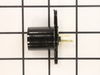
Microwave light bulb glass broke in socket and could not be removed from socket.
Simply unscrew the bottom panel of the microwave device (it swings downward when opening - there are hinges on the back to protect it from falling down). Remove the old light socket (which is modular and is screwed in place)from the connectors and then replace it with the new light socket. That's it
Parts Used:
-
Juan from Los Angeles, CA
-
Difficulty Level:Really Easy
-
Total Repair Time:Less than 15 mins
-
Tools:Screw drivers
Was this instruction helpful to you?
Thank you for voting!
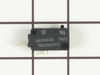
Unit would not come on.
removed access panal, found soft switch as discribed on your web site. removed and replaced.
Parts Used:
-
Phillip from Umatilla, FL
-
Difficulty Level:Really Easy
-
Total Repair Time:Less than 15 mins
-
Tools:Screw drivers
Was this instruction helpful to you?
Thank you for voting!
would not turn on - plug in and would shut off right away
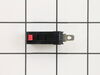
-
Vita from Flagstaff, AZ
-
Difficulty Level:Easy
-
Total Repair Time:Less than 15 mins
-
Tools:Screw drivers
Was this instruction helpful to you?
Thank you for voting!
Light worked, timer and control pad worked, but no turntable, no heat, no noises of any sort, just didn't start up
It was a snap using the instructions given. The key is getting into the unit. I did have to use a multimeter to find the failed switch since there are two of that type.
Parts Used:
-
Timothy from Middletown, NJ
-
Difficulty Level:Really Easy
-
Total Repair Time:Less than 15 mins
-
Tools:Screw drivers, Wrench set
Was this instruction helpful to you?
Thank you for voting!
no lights
Remove light cover. Replace bulbs Note. Light bulbs are 40W,Too much heat for bulbs & sockets
Parts Used:
-
DON from CHEHALIS, WA
-
Difficulty Level:Really Easy
-
Total Repair Time:Less than 15 mins
Was this instruction helpful to you?
Thank you for voting!
glass broken
-
jerry from gulfport, MS
-
Difficulty Level:Really Easy
-
Total Repair Time:Less than 15 mins
-
Tools:Screw drivers
Was this instruction helpful to you?
Thank you for voting!
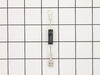
Not heating
Removed the above stove microhood. Removed the side panels & the top panel. Diode located on right hand side of microwave. Removed with screwdriver & replaced new diode. It's best to get the microwave schematic online to pinpoint location of the part.
Parts Used:
-
Debra from Concord, CA
-
Difficulty Level:Easy
-
Total Repair Time:Less than 15 mins
-
Tools:Nutdriver, Screw drivers
Was this instruction helpful to you?
Thank you for voting!
burn ed out bulbs
I removed light bulb cover shield,took out defective bulbs and replaced with new ones. 5minute repair
Parts Used:
-
DAVID from SUGAR HILL, GA
-
Difficulty Level:Easy
-
Total Repair Time:Less than 15 mins
-
Tools:Screw drivers
Was this instruction helpful to you?
Thank you for voting!
Oven failed to heat food.
Remove the microwave cover. Requires a phillips screwdriver and a torx security bit/nut driver (there are two security type screws on the back...guess they don't want you to do this at home!). I had to buy the a security bit set (about $7). The diode is easily accessible on the right side under the fan. Requires removing on small phillips screw and unplugging on electrical connection. GE provides some instructions in an envelope on top (after cover removed). There is a warning/instruction to discharge the capacitor before service. This was not a problem for me. Actual diode replacement took 30 seconds. Whole job = 15 minutes.
Parts Used:
-
Jeffrey from Gaithersburg, MD
-
Difficulty Level:Easy
-
Total Repair Time:15 - 30 mins
-
Tools:Nutdriver, Pliers, Screw drivers
Was this instruction helpful to you?
Thank you for voting!
Motor and fan turned on when door was opened.
Loosen the two long anchor bolts that screw into the top of the microwave cabinet. These are usually in a shelf or cabinet directly above the microwave. Tilt the microwave forward enough to remove the 2 Phillips head screws from the top of the microwave cabinet. They are near the front. When these two screws are out, remove the fan vent. Once the fan vent is off, remove one screw that holds the control pad in place. Let it hang down. Just to the left of the control pad, you will see wires leading to three switches that close when the door is closed. Use a torx driver to remove the two screws that hold the switch bracket in place. With the bracket out, unplug the wire harnesses. On the opposite side of the wiring connected, a tab holds each switch in place. Lift the tab and slide the switches out. Usually, the bad switch will be identified by a loose or broken spring. Test them by pressing down on the switch. If you notice the bad switch spring, this is usually the bad one. When you have the new one, simply push it back into the appropriate slot and be sure that the holding tab snaps back in place. Plug the wires back in and re-attach the bracket. Put the control pad back on, then the fan vent. When down with those, push on the bottom of the microwave to lift it back into place and tighten the two anchor bolts in the top.
Parts Used:
-
Neal from White House, TN
-
Difficulty Level:Easy
-
Total Repair Time:15 - 30 mins
-
Tools:Screw drivers
Was this instruction helpful to you?
Thank you for voting!
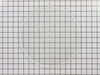
cooking tray was lost or broken
Opened the microwave door, installed the new tray, making sure the turn table drive notches meshed. Closed the door started the device to be certain the turntable functioned as intended. It operated as intended.
Parts Used:
-
William from Warner Robins, GA
-
Difficulty Level:Really Easy
-
Total Repair Time:Less than 15 mins
Was this instruction helpful to you?
Thank you for voting!
over range top light bulbs burned out
My son had to replace the bulbs because the screw that holds the bulb shield was so tight that I couldn't remove it. It was too difficult for me to do it myself.
Parts Used:
-
Elaine from Pittsburgh, PA
-
Difficulty Level:A Bit Difficult
-
Total Repair Time:Less than 15 mins
-
Tools:Screw drivers
Was this instruction helpful to you?
Thank you for voting!