















JMV9196CB2 Whirlpool Microwave Oven Combo - Instructions
Keep searches simple. Use keywords, e.g. "leaking", "pump", "broken" or "fit".
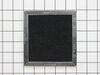
Charcoal Filter clogged
Remove top grill screws [2] remove grill replace filter put back together.
Parts Used:
-
james from SHERRARD, IL
-
Difficulty Level:Really Easy
-
Total Repair Time:Less than 15 mins
-
Tools:Screw drivers
7 of 13 people
found this instruction helpful.
Was this instruction helpful to you?
Thank you for voting!
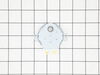
Turntable would click, pop, and jerk while running.
Unplug the microwave. Removed the glass tray, the roller ring, and plastic piece that sits on the motor shaft from the inside of the microwave. Remove the 12 Phillips head screws from the bottom of microwave, let the bottom hang down on the mounting hooks at the rear of the microwave. Remove the 2 torx screws from the mounting bracket under the microwave lower the turntable motor remove the two leads. Transfer the rubber washer from the old motor to the new and reassemble and test. It took longer to write these instructions than it did to do the job.
Hint: if the microwave is over a stove lay a towel across the stove to catch any screws that may fall.
Good luck and enjoy your fully functional microwave!
Hint: if the microwave is over a stove lay a towel across the stove to catch any screws that may fall.
Good luck and enjoy your fully functional microwave!
Parts Used:
-
Bryan from LAKEVILLE, MN
-
Difficulty Level:Very Easy
-
Total Repair Time:Less than 15 mins
-
Tools:Screw drivers
5 of 7 people
found this instruction helpful.
Was this instruction helpful to you?
Thank you for voting!
Maintenence
I first unplugged the microwave. I then unscrewed the 2 screws from the top grill. I had to be careful because the grill was cracked close to each screw. It was a little tricky to remove the grill. Had to tilt it down as I removed it, and make sure the microwave door was opened as wide as possible. Filters were placed as the old ones, with the metal part up I believe. A little tricky to get one of the filters to fit. Grill was replaced with care so as not to further Crack it. Kind of maneuvered grill back in place, getting right side in place first. I noticed there were several tabs on the grill that needed to be placed inside of the microwave body while reinstalling the grill. Once the grill was in place, the 2 screws were put in to hold the grill in place.
Parts Used:
-
Debra from IRVINE, CA
-
Difficulty Level:Really Easy
-
Total Repair Time:30 - 60 mins
-
Tools:Screw drivers
4 of 5 people
found this instruction helpful.
Was this instruction helpful to you?
Thank you for voting!
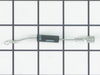
Not heating up
Remove “over the stove” unit. Remove unit shell case. Unscrew and disconnect diode. Replace diode. Re-assemble. Put unit back in place.
Parts Used:
-
Michael from GLENDALE, CA
-
Difficulty Level:Really Easy
-
Total Repair Time:15 - 30 mins
-
Tools:Screw drivers, Socket set
4 of 6 people
found this instruction helpful.
Was this instruction helpful to you?
Thank you for voting!
Microwave turns on but did not heat
Loosened but did not remove screws that held up microwave over range,removed grill on top by loosening screws that held grill in place.removed small mesh grill on right side of microwave, this gave me access to capacitor ,diode is connected from one lead of capacitor to a metal plate ground,Disccarged capacitor to ground by shorting terminals to ground using a thick insulated screwdriver.Since the diode was screwed to the top of the metal plate I cut it out with a pair of side cutters .I then connected the new diode to the capacitor with my long nose pliers and groonded the other end to a more accessible part of the metal grounding plate.I then replaced all parts in reverse order.Works like a charm.
Parts Used:
-
John from Port Saint Lucie, FL
-
Difficulty Level:A Bit Difficult
-
Total Repair Time:15 - 30 mins
-
Tools:Pliers, Screw drivers
4 of 6 people
found this instruction helpful.
Was this instruction helpful to you?
Thank you for voting!
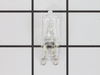
Lights burned out
-
Pat from GRAND ISLAND, NY
-
Difficulty Level:Really Easy
-
Total Repair Time:Less than 15 mins
-
Tools:Screw drivers
5 of 9 people
found this instruction helpful.
Was this instruction helpful to you?
Thank you for voting!
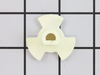
Sparks from drive coupling
remove 6 lower screws, removed lower panel,2 screws holding drive motor,lower motor, remove old coupling from inside microwave and replace with new coupling, re install motor,install lower panel and screws.no more sparks
Parts Used:
-
Tanya from LAS VEGAS, NV
-
Difficulty Level:Very Easy
-
Total Repair Time:Less than 15 mins
-
Tools:Screw drivers
3 of 3 people
found this instruction helpful.
Was this instruction helpful to you?
Thank you for voting!
needed microwave mounting bracket
-
Patrick from MAYS LANDING, NJ
-
Difficulty Level:Very Easy
-
Total Repair Time:Less than 15 mins
-
Tools:Nutdriver, Screw drivers
3 of 3 people
found this instruction helpful.
Was this instruction helpful to you?
Thank you for voting!
Wrong mounting plate
Two Mounting plates # PS12074431 were sent to me and both do not fit.
Model number MMV1175JZ-0
Serial number TRX-17. 24546
Manufactured April 2020
Contacted Maytag and even sent pictures to show the problem with alignment of the mounting plate not fit in the back of the microwave.
Model number MMV1175JZ-0
Serial number TRX-17. 24546
Manufactured April 2020
Contacted Maytag and even sent pictures to show the problem with alignment of the mounting plate not fit in the back of the microwave.
Parts Used:
-
Theodore from SEBRING, FL
-
Difficulty Level:Very Difficult
-
Total Repair Time:More than 2 hours
3 of 4 people
found this instruction helpful.
Was this instruction helpful to you?
Thank you for voting!
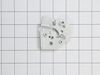
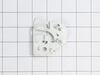
Top support for door switch broke.
Part of the support was missing. I had to remove the two switches and put them in the new bracket
Had the switches reversed and started blowing fuses. Reversed them and changed the fuse and it started working.
Had the switches reversed and started blowing fuses. Reversed them and changed the fuse and it started working.
Parts Used:
-
William from Hudson, MI
-
Difficulty Level:A Bit Difficult
-
Total Repair Time:More than 2 hours
-
Tools:Pliers, Screw drivers
3 of 4 people
found this instruction helpful.
Was this instruction helpful to you?
Thank you for voting!
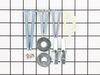
I had a cabinet person install new kitchen cabinets and counter top. After the demolition of the the old cabinets, I had to buy new parts for the new instal
I had the help of a handyman, I'm 75 years young but not handy with tools
Parts Used:
-
George from SANFORD, FL
-
Difficulty Level:Easy
-
Total Repair Time:30 - 60 mins
2 of 2 people
found this instruction helpful.
Was this instruction helpful to you?
Thank you for voting!
Plastic piece that spins turntable failed because of prolonged heat, I suppose.
-
Bill from CARBON HILL, AL
-
Difficulty Level:Really Easy
-
Total Repair Time:Less than 15 mins
2 of 2 people
found this instruction helpful.
Was this instruction helpful to you?
Thank you for voting!
Light bulb under the microwave burned out
Used a philips head screwdriver to remove one screw holding the light cover. Pulled out the old bulb and inserted the new one. Replaced the cover.
Parts Used:
-
Elizabeth from SUFFERN, NY
-
Difficulty Level:Very Easy
-
Total Repair Time:Less than 15 mins
-
Tools:Screw drivers
3 of 5 people
found this instruction helpful.
Was this instruction helpful to you?
Thank you for voting!
Both lights failed. Replaced with new bulbs.
Unscrew lens and direct access to surface light cavity. Removed old light bulbs and replaced with new bulbs. Reassembled lens cover and turned lights on successfully. Took less than ten minutes.
Parts Used:
-
CARMELO from LOVETTSVILLE, VA
-
Difficulty Level:Very Easy
-
Total Repair Time:Less than 15 mins
-
Tools:Screw drivers
3 of 6 people
found this instruction helpful.
Was this instruction helpful to you?
Thank you for voting!
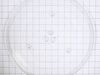
broke thw carosel plate
took it out of box wooolaaa fixed thanks fast shipping too...
Parts Used:
-
Mike from BURNSVILLE, NC
-
Difficulty Level:Very Easy
-
Total Repair Time:Less than 15 mins
1 person
found this instruction helpful.
Was this instruction helpful to you?
Thank you for voting!