















JIM158XBCX0 Jenn-Air Ice Maker - Instructions
Keep searches simple. Use keywords, e.g. "leaking", "pump", "broken" or "fit".
Condenser Fan was making noise
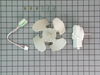
Having read a few of the user reports like this one gave me the confidence to do this repair. The space was really tight, but one of the write ups suggested removing the frame and then replacing the motor on the frame. That was an excellent suggestion. The only difficulty I had was when I used the motor screws from the old motor to install the new motor. They were slightly longer and didn't tighten down all the way. So the first "test" resulted in still having a noisy fan motor because it was shaking around a bit. But, taking it back out and using the screws that came with the new motor did the trick. The refrigerator is now whisper quiet all the time. I also appreciated the conversion wiring harness in the kit that was simply plug and play for this new motor to my old refrigerator.
Parts Used:
-
Kerry from Franklin, TN
-
Difficulty Level:Easy
-
Total Repair Time:15 - 30 mins
-
Tools:Nutdriver, Socket set
Was this instruction helpful to you?
Thank you for voting!
Condenser fan vibrated loudly while turning
I pulled the back panel covering the fan and condenser off the refrigerator (just a few screws) and disconnected the fan which was a simple plug. The fan was held in place with three screws which I took out. I pulled out the old fan and replaced it with the new one, three screws to secure it in place and reconnect the fan plug. Then simply replace the back panel and plug the frig in. the fan silently started right up. Good as new and no service call! :)
Parts Used:
-
Robert from Aurora, IL
-
Difficulty Level:Easy
-
Total Repair Time:30 - 60 mins
-
Tools:Nutdriver, Pliers, Screw drivers
Was this instruction helpful to you?
Thank you for voting!
fridge started making an awful noise...still worked but noise occurred when fan kicked on
My husband watched the video on the repair and followed it step by step...works like a charm! The repair shop wanted 299.55 to fix it - the part was 79.00....big savings by doing it ourselves.
Parts Used:
-
Diane from Rocky Mount, NC
-
Difficulty Level:A Bit Difficult
-
Total Repair Time:30 - 60 mins
-
Tools:Screw drivers, Socket set
Was this instruction helpful to you?
Thank you for voting!
Noisy/Failing Condenser Fan
Unplugged the refridgerator and pulled the rear cover. Had to take the fan blade off in order to get at the screws holding the existing motor in place. Removed the old fan. Pressing the new plastic fan onto the new motor shaft was a little more effort than expected, but I guess it won't come off. I have large hands so mounting the new unit was a little bit of a challenge getting the small screws started. Once the three screws were tightened all I had to do is plug the electrical connector in and replace the rear cover. I was happy that the existing electrical connector was the right one for the new motor too, and that I didn't have to use the provided wire harness. All in all the repair went pretty well.
Parts Used:
-
Craig from Tomah, WI
-
Difficulty Level:Easy
-
Total Repair Time:30 - 60 mins
-
Tools:Nutdriver, Pliers, Screw drivers
Was this instruction helpful to you?
Thank you for voting!
Condenser Fan quite
I tried WD40, it worked for a day. Got a new part from PartSelect.com and was a good brand. Panasonic. Easy fix and works great. Saved a bundle. I priced a new fridge, no way, this was better. Thank you Partselect.
Parts Used:
-
Jennifer from San Antonio, TX
-
Difficulty Level:Easy
-
Total Repair Time:30 - 60 mins
-
Tools:Nutdriver, Screw drivers, Socket set
Was this instruction helpful to you?
Thank you for voting!
Kit did not match up to existing bracket
fan motor housing had to be drilled through both sides of housing to attach to existing bracket. Possible damage to wiring inside the unit may disable condensor fan motor when motherboard is replaced. (Motherboard on order.)
Parts Used:
-
John from Severna Park, MD
-
Difficulty Level:Difficult
-
Total Repair Time:30 - 60 mins
-
Tools:Nutdriver, Socket set, Wrench (Adjustable)
Was this instruction helpful to you?
Thank you for voting!
No problem
The repair went just fine. Your instruction regarding using the wiring harness were clear. Most of all I am happy to not have to listen to a noisy motor all night.
Parts Used:
-
Ordean from Minot, ND
-
Difficulty Level:Really Easy
-
Total Repair Time:30 - 60 mins
-
Tools:Nutdriver, Socket set
Was this instruction helpful to you?
Thank you for voting!
No ice, the cabinet was warm, but most annoying it broke every 6 mos since I got it
I replaced the thermometer first and it started working again. I was convinced that the reason that it continued to break every 6mos was because no one had ever replaced the fan. The difficult part was getting to it. After trying to get in from the front and from the back I finally figured out that I had to take the bottom off and tilt it on its side. I was then able to get out the pin in the condenser and move it to the side. I could then reach the screws that held in the fan. I then decided to put the fan on the motor and when I was tapping it on with a hammer the back cracked. I attempted to fix it by taking apart the old motor and salvaging the parts but that didn't work. I had to buy another $85 part and take the whole thing apart again. It was easier the second time because I knew which screws and pins I had to remove and how to get to them. I very, very carefully tapped the fan onto the motor and now it is working fine. I will let you know if it is still working at Easter. If it is I will have done a better job than the 7or 8 repairmen who have fixed it in the past
Parts Used:
-
Cynthia from Wilmington, DE
-
Difficulty Level:Very Difficult
-
Total Repair Time:1- 2 hours
-
Tools:Nutdriver, Screw drivers, Socket set
Was this instruction helpful to you?
Thank you for voting!
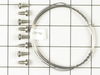
cutting grid wire broke
Bought new wire, strung it end to end and fastened it at each end.
Parts Used:
-
Dean from Anchorage, KY
-
Difficulty Level:Really Easy
-
Total Repair Time:30 - 60 mins
-
Tools:Nutdriver, Socket set
Was this instruction helpful to you?
Thank you for voting!
Water bucket had cracked and leak
Remove pump and hoses from bad bucket, removed bucket and install new bucket . To remove pump, remove screw holding pump and turn pump 1/4 turn. Be careful Putting new bucket back, can break hose if not careful. Good luck
Parts Used:

-
Mitchell from Danville, KY
-
Difficulty Level:Easy
-
Total Repair Time:30 - 60 mins
-
Tools:Nutdriver, Pliers, Screw drivers
Was this instruction helpful to you?
Thank you for voting!
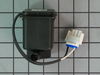
Recirculating pump stopped working
Remove ice tray and guard over moter. Un plug the 3 plugs and pull the entire motor assembly out. Use a screw driver to gently pry motor out. Snap in the new motor(the wiring was on the wrong side and the power cord coloring backwards on the replacement motor, but I snapped it in with the colors criss crossed and it worked). Re plug in the 3 plugs. Re mount mounting assembly, tray and then guard. Had a little trouble getting the tray back in. There is a little flap in the back that goes inside the tray. Other than that, a pretty easy fix.
Parts Used:
-
Gene from Battle creek, MI
-
Difficulty Level:Easy
-
Total Repair Time:30 - 60 mins
-
Tools:Nutdriver
Was this instruction helpful to you?
Thank you for voting!