















JES1855PCH - Instructions
Keep searches simple. Use keywords, e.g. "leaking", "pump", "broken" or "fit".
Motor Burned Out On Turntable
My 8 year old daughter cleaned the inside of the microwave with enough water to rival a tsunami. Resulted in a clean microwave with a fried out motor that no longer revolved. Part came quickly. Took cover and bottom off to get to the part. One screw held it on and a plug. Removed those, put on new part and she was good to go. No trip to home depot today.
Parts Used:

-
Steven from Oak Forest, IL
-
Difficulty Level:Really Easy
-
Total Repair Time:15 - 30 mins
-
Tools:Screw drivers
37 of 49 people
found this instruction helpful.
Was this instruction helpful to you?
Thank you for voting!
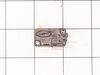
Broken door micro switch. (unit does not start heating)
Unplug the unit before servicing. Need phillips screwdriver. Open door. Use step ladder to access and remove 2 small screws from top of the room air diffuser at top of unit. Slide diffuser slightly to the left to align the diffuser's plastic tab on the left side to rotate toward you. (The wires for the front control panel are at the far left side of this difuser, but difuser is slotted for easy removal). Once the difuser is removed you will see 1 screw at the top that secures the pannel cover on the left side of the unit. Remove screw and slide this panel slightly up and out. This exposes the plastic frame that holds the upper and lower door switches. To locate the door switches and observe how they work, close and open the door and watch the door (bayonets) open and close the micro switches. Do the (red) buttons on top of the switches move up and down when the door bayonets push and release? If the buttons do not "pop" up when opened the switch is defective. The switch frame is secured with 2 screws. Remove screws and rotate the unit out for easy access to the micro switch(s). The internal (spring?) on my unit that is suposed to allow the red (visible) button on top of the switch to "pop" up when the door is opened was broken. Carefully pry the switch outward while being careful to lift the plastic holder-piece that holds the switch in place. Be careful, there is a small pin on the frame, so rotate the switch OUT toward you while lifting (carefully) the plastic holder-piece (you will see it on top of the switch). You can use an ohm meter to test the continuity of the switches. But if the buttons don't "pop" they are defective. Replace switch and reassemble.
Parts Used:
-
JAMES from BILLINGS, MT
-
Difficulty Level:Very Easy
-
Total Repair Time:30 - 60 mins
-
Tools:Screw drivers
37 of 68 people
found this instruction helpful.
Was this instruction helpful to you?
Thank you for voting!
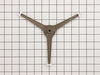
microwave turntable stopped turning
This was probably the easist repair ever. Turns out the shaft of rotating ring assembly that fits over the turntable motor was cracked, so the motor was unable to enage the ring assembly to move it around.
1. lift off (remove) the round glass tray
2. remove the old rotating ring assembly. There was a cracked plastic piece of it still on the motor shaft that I removed with a pair of pliers.
3. slide on the new rotating ring assembly - be careful of the orientation.
4. replace glass tray
1. lift off (remove) the round glass tray
2. remove the old rotating ring assembly. There was a cracked plastic piece of it still on the motor shaft that I removed with a pair of pliers.
3. slide on the new rotating ring assembly - be careful of the orientation.
4. replace glass tray
Parts Used:
-
David from Sunnyvale, CA
-
Difficulty Level:Really Easy
-
Total Repair Time:15 - 30 mins
-
Tools:Pliers
9 of 11 people
found this instruction helpful.
Was this instruction helpful to you?
Thank you for voting!
Door sensor switch went bad. Microwave would not operate.
Watched a couple of repair videos on Youtube by searching for the model number. Found out what to do in order not to get shocked by the powerful capacitor.
Ordered the two switches (To be sure, I could have ordered a third switch as suggested in the videos.)
Bought a tamper-proof star bit to get the cover off. Followed the directions to replace the switches. - I broke the harness and had to use some super glue, but it's all good. I should have removed the harness instead of trying to get a switch out while it was still in place.
It's all back together, and the wife is happy!!
Ordered the two switches (To be sure, I could have ordered a third switch as suggested in the videos.)
Bought a tamper-proof star bit to get the cover off. Followed the directions to replace the switches. - I broke the harness and had to use some super glue, but it's all good. I should have removed the harness instead of trying to get a switch out while it was still in place.
It's all back together, and the wife is happy!!
Parts Used:
-
Randall from ARCADIA, CA
-
Difficulty Level:A Bit Difficult
-
Total Repair Time:1- 2 hours
-
Tools:Pliers, Screw drivers
15 of 29 people
found this instruction helpful.
Was this instruction helpful to you?
Thank you for voting!
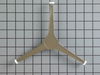
my original turntable roller guide broke (plastic center piece that fits down onto the rotating part)
The replacement part that I ordered must have been a "generic" part, although, it works fine, the rollers are slightly larger than my original, making my plate sit higher than it had. Not a problem, if you are CAREFUL when taking food in/out/cleaning. Plate is easier to get off track with this replacement roller guide!
Parts Used:
-
Debbie from Cohasset, AL
-
Difficulty Level:Really Easy
-
Total Repair Time:Less than 15 mins
6 of 7 people
found this instruction helpful.
Was this instruction helpful to you?
Thank you for voting!
Magnitron failed
Over the stove microwave installed in top cabinet row.
1. Unplug device.
2. Two people to remove from wall/cabinet (remove two, large, top mounting screws and rotate entire microwave down and off the wall mount). Should be some wood spacers between top of device and bottom of cabinet.
3. Remove screws from sheet metal cover.
4. Remove one screw holding blowers in place and rotate out of the way, in order to gain access to 2 of 5 screws that hold the magnetron in place.
5. Unplug magnetron and remove the 5 screws.
6. Drop in new magnetron and re-assemble microwave in reverse order (steps 5-3).
7. Two people restore micro to wall/cabinet. Replace wood spacers, re-install two, large mounting screws (finger-tight). Test device. Secure the two large screws.
1. Unplug device.
2. Two people to remove from wall/cabinet (remove two, large, top mounting screws and rotate entire microwave down and off the wall mount). Should be some wood spacers between top of device and bottom of cabinet.
3. Remove screws from sheet metal cover.
4. Remove one screw holding blowers in place and rotate out of the way, in order to gain access to 2 of 5 screws that hold the magnetron in place.
5. Unplug magnetron and remove the 5 screws.
6. Drop in new magnetron and re-assemble microwave in reverse order (steps 5-3).
7. Two people restore micro to wall/cabinet. Replace wood spacers, re-install two, large mounting screws (finger-tight). Test device. Secure the two large screws.
Parts Used:
-
Joseph from WILTON, NH
-
Difficulty Level:A Bit Difficult
-
Total Repair Time:1- 2 hours
-
Tools:Screw drivers
8 of 13 people
found this instruction helpful.
Was this instruction helpful to you?
Thank you for voting!
I broke the glass to the inside of the micro
My box arrived within 2 days of ordering.thank you so much. obviously it was very easy to install.
Rachelle
Rachelle
Parts Used:

-
Rachelle from Ventura, CA
-
Difficulty Level:Really Easy
-
Total Repair Time:Less than 15 mins
6 of 8 people
found this instruction helpful.
Was this instruction helpful to you?
Thank you for voting!
The carousel stopped rotating on my microwave
The carousel stopped rotating on my microwave oven because the plastic assembly that rotated underneath the platter had split at the point where it fit on to the rotating shaft underneath the floor of the microwave. I ordered a new plastic assembly and popped it on to the shaft. Problem solved in less than a minute.
Parts Used:
-
William from Washington, DC
-
Difficulty Level:Really Easy
-
Total Repair Time:Less than 15 mins
11 of 24 people
found this instruction helpful.
Was this instruction helpful to you?
Thank you for voting!
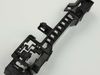
Defective door interlock switches
Removed each switch (3) and checked them with multi-meter; got intermittent readings on two of the three. Also broke of a piece of the frame that holds the switches trying to remove them (old, exposed to heat and moisture over the years caused the plastic to become brittle and the wiring connectors were also hard to disconnect probably because of heat and moisture over the years).
Went to PartSelect web site and discovered the three switches and frame were bundled in to one part number, 43501A. So, I called and spoke with a very knowledgeable technician and she explained why plus helped me order the part over the phone. When I received the part, the switches were already mounted in the frame and the frame was modified compared to the OEM frame. As I began to remove the old frame, I discovered why the new frame was modified. It was as if PartSelect had done many of these door interlock repairs and they knew exactly where and how to modify the frame and communicated this with the manufacturer, because the new frame installation was very easy, there was nothing hard about installing the new frame with the switches already in place. I then reconnected the wiring to the switches and tested the microwave and it works fine now, Problem solved, Thanks PartSelect.com
Went to PartSelect web site and discovered the three switches and frame were bundled in to one part number, 43501A. So, I called and spoke with a very knowledgeable technician and she explained why plus helped me order the part over the phone. When I received the part, the switches were already mounted in the frame and the frame was modified compared to the OEM frame. As I began to remove the old frame, I discovered why the new frame was modified. It was as if PartSelect had done many of these door interlock repairs and they knew exactly where and how to modify the frame and communicated this with the manufacturer, because the new frame installation was very easy, there was nothing hard about installing the new frame with the switches already in place. I then reconnected the wiring to the switches and tested the microwave and it works fine now, Problem solved, Thanks PartSelect.com
Parts Used:
-
James from DELTA, CO
-
Difficulty Level:Very Easy
-
Total Repair Time:15 - 30 mins
-
Tools:Pliers
6 of 9 people
found this instruction helpful.
Was this instruction helpful to you?
Thank you for voting!
Arcing had caused burned turntable and melted connection to sec. motor.
Note: also had to replace turntable. Removed top cover using secure driver set. Placed microwave on it's front, using a soft towel. Removed edge screws from bottom plate (leaving 4 screws in center attached to heavy transformer). Separated bottom plate from body of microwave (leaving transformer wires still attached) exposing Synchronous motor. Removed two screws holding motor and electrical plug. Swapped new motor in its place. Re-attached bottom plate with its screws. Placed microwave onto it normal position. Re-attached top cover with its secure screws. Installed new turntable inside.
Parts Used:
-
John from MOUNTAIN VIEW, CA
-
Difficulty Level:Easy
-
Total Repair Time:15 - 30 mins
-
Tools:Screw drivers
5 of 6 people
found this instruction helpful.
Was this instruction helpful to you?
Thank you for voting!
Turntable stopped turning
Removed micro bottom - 5 screws. One screw on the motor and a clip. Reversed the sequence, turned it on and watched it turn.
Parts Used:
-
Ed from MILLS RIVER, NC
-
Difficulty Level:Very Easy
-
Total Repair Time:15 - 30 mins
-
Tools:Screw drivers
4 of 4 people
found this instruction helpful.
Was this instruction helpful to you?
Thank you for voting!
broken microwave tray
I'm very impressed with the quailty of the product and the shipping speed. I had the new microwave plate in 2 business days. No difficulties with installation, obviously.
Parts Used:
-
Kirsten from Menifee, CA
-
Difficulty Level:Really Easy
-
Total Repair Time:Less than 15 mins
5 of 7 people
found this instruction helpful.
Was this instruction helpful to you?
Thank you for voting!
Plate stopped rotating - discovered plastic piece that spinner fit into was broken
Remove 2 Philips Head screws on left side of microwave. Remove 3 Philips Head screws from bottom rear of microwave. Remove 4 security screws from back of microwave (holding the cover to frame). These are the security type tips that are like a Torx bit, but need to be hollow in middle to accommodate pin in center of screw. Then back plate of microwave with heavy transformer still attached slides up and away. The wires aren't long enough to allow it to rest flat on the bench, but weight is low so it's easy to hold it upright while removing the motor unit. Separate connector from motor (simple) Remove motor by unscrewing 1 phillips head screw and rotating counter-clockwise a tiny bit. Remove Motor. Reverse steps to re-assemble. Note that there are a series of tabs at the bottom of the back cover that fit into holes in the baseplate of microwave. It can be a little tricky to line them up with the weight of the transformer, but it's not too bad. Once lined up, it drops in nicely and all the various screw holes line up. The microwave is a bad cooker when the plate doesn't spin. This simple and inexpensive fix saved me from having to buy a whole new oven.
Parts Used:
-
Charles from STAMFORD, CT
-
Difficulty Level:Easy
-
Total Repair Time:15 - 30 mins
-
Tools:Screw drivers
5 of 8 people
found this instruction helpful.
Was this instruction helpful to you?
Thank you for voting!
No longer rotated item that was being heated.
Removed the old rotating ring guide that was broken on the bottom and replaced with the new part I ordered. Only suggestion is if it doesn't rotate check how you inserted the new part - it has to be a certain way. Works just fine.
Parts Used:
-
Janet from BENNINGTON, VT
-
Difficulty Level:Very Easy
-
Total Repair Time:Less than 15 mins
4 of 6 people
found this instruction helpful.
Was this instruction helpful to you?
Thank you for voting!
Would not heat and made a buzzing or popping sound
Unplug the microwave. Remove the Philips head and safety Torx head screws along the bottom of the sides and rear of the microwave which hold the black cover on. Lift the cover up at the rear and slide it backwards to disengage the tabs on the front top. Remove the cover. Discharge the capacitor by shorting the terminals to each other and then ground. Do this with a well insulated object and be aware there may be a pop when you do this. Keep hands, etc. on the insulated part of the object (screwdriver handle, etc). There's a lot of stored energy in that capacitor. I'd advise first checking the diode to make sure its not bad. Replace it if it is. The Magnatron is held in with a couple of screws on the top and sides. Unplug the connector and remove the screws. Remove the Magnatron. Installation is the reverse of removal.
Parts Used:
-
Thomas from NEWARK, DE
-
Difficulty Level:Easy
-
Total Repair Time:15 - 30 mins
-
Tools:Screw drivers
4 of 7 people
found this instruction helpful.
Was this instruction helpful to you?
Thank you for voting!