















JCSP39WW1WW General Electric Range - Instructions
Keep searches simple. Use keywords, e.g. "leaking", "pump", "broken" or "fit".
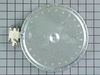
Left rear element would not get hot.
FIRST TURN OFF THE CIRCUIT BREAKERS THAT POWER THE COOKTOP!! Remove the cooktop from the counter by removing the screws from the mounting straps under the counter. Then remove the screws that hold the glass cooktop to the frame and lift off the glass top. Next lift up the bad element and unplug one wire from the bad element and plug it into the new element. Make sure to put it on the exact same terminal of the new element. Do this for all the wires. Remove the two mounting tabs from the old element and put them on the new element. Turn on circuit breakers and your done.
Parts Used:
-
John from Hopewell Junction, NY
-
Difficulty Level:Easy
-
Total Repair Time:15 - 30 mins
-
Tools:Nutdriver, Screw drivers
19 of 25 people
found this instruction helpful.
Was this instruction helpful to you?
Thank you for voting!
Convection oven fan and door light not working
The first step was to determine whether the problem was with the fan itself or the switch. I did this by opening the back cover and using a Volt meter to verify that the fan was not getting power. (I could have skipped this step.)
Next, I unplugged the range, closed up the back cover and lifted the range hood by removing two hex head screws that are just inside and on either side of the top of the opening in the range door. Propping the hood open, I removed the connector leading to the switch, then pushed the switch out the front. Inspection showed that the switch was damaged so I closed up the range and ordered the part from Part Select. Once the part arrived, it was a 15 minute job to unplug the range, lift the top, install the new switch, and close up the unit.
Caution. On starting to install the switch, I failed to unplug the range and my finger brushed one of the hot contacts leading to the switch. Thankfully, I was not injured. Do not repeat my mistake on this issue. Unplug the range even if you're only installing this simple switch.
Next, I unplugged the range, closed up the back cover and lifted the range hood by removing two hex head screws that are just inside and on either side of the top of the opening in the range door. Propping the hood open, I removed the connector leading to the switch, then pushed the switch out the front. Inspection showed that the switch was damaged so I closed up the range and ordered the part from Part Select. Once the part arrived, it was a 15 minute job to unplug the range, lift the top, install the new switch, and close up the unit.
Caution. On starting to install the switch, I failed to unplug the range and my finger brushed one of the hot contacts leading to the switch. Thankfully, I was not injured. Do not repeat my mistake on this issue. Unplug the range even if you're only installing this simple switch.
Parts Used:

-
Michael from Albuquerque, NM
-
Difficulty Level:Really Easy
-
Total Repair Time:30 - 60 mins
-
Tools:Nutdriver
18 of 22 people
found this instruction helpful.
Was this instruction helpful to you?
Thank you for voting!
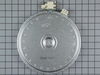
Center of large burner stopped working.
First and foremost, I am a 63 year old cooky baking GRANDMOTHER. I don't know anything about fixing appliances. I read the other repair stories pertaining to my burner and I thought, "why not."
It was a snap!
My part arrived the very next day, bless you Parts Select! I just did what the others (see above) did: I removed 2 screws to release the stove top, then I took a few digital photos to be sure I would know where the wires went. I released the old burner, pulled out the thingamajigs that held the wires in the old burner, then pushed the new ones in their place, replaced the stove top, plugged it back in, turned it on and jumped for joy! If I can do this, anyone can.
It was a snap!
My part arrived the very next day, bless you Parts Select! I just did what the others (see above) did: I removed 2 screws to release the stove top, then I took a few digital photos to be sure I would know where the wires went. I released the old burner, pulled out the thingamajigs that held the wires in the old burner, then pushed the new ones in their place, replaced the stove top, plugged it back in, turned it on and jumped for joy! If I can do this, anyone can.
Parts Used:
-
paula from East Grand Rapids, MI
-
Difficulty Level:Really Easy
-
Total Repair Time:15 - 30 mins
-
Tools:Pliers, Screw drivers, Wrench (Adjustable)
15 of 16 people
found this instruction helpful.
Was this instruction helpful to you?
Thank you for voting!
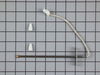
oven shut down code F3
As has been said shut down unit,Breaker fuse.If you do not have install info.Get a copy on line. If you have another set of hands it would not hurt.! this has been stated before. Remove door, Remove 4 screws , to slide unit out,I used a saw horse with some cribing secured to the horse to get height, Pull the oven out so that the two front supports are on the saw horse,and the back two are up to the edge runner.I used about a 1 ft stool for working height. Remove the top elec. cover sheet metal 2 screws. You will see were the wireing runs down the back. Get a small mirror,and flash light. Look down the wire opening in the back, you see the sensor connection ,I made a hook out of a coat hanger to grab it with. Pull it up before you disconnect it ,tie a piece of string to the sensor side of the connector , use 2 Ft. then disconnect remove two screws from inside the oven. And remove,sensor tie string on to new sensor connector pull through and connect.on top.Then replace everything cck every thing Twice!Doing this i didn"t have to pull the unit all the way out! LATER GOOD LUCK!
Parts Used:
-
Richard from Jupiter, FL
-
Difficulty Level:A Bit Difficult
-
Total Repair Time:1- 2 hours
-
Tools:Nutdriver, Screw drivers
17 of 24 people
found this instruction helpful.
Was this instruction helpful to you?
Thank you for voting!
oven would not cook over 325 degrees and sometimes would burn your food.
I removed the unit from the wall,removed the back panel to access the wires to the sensor,cut the plug off of the new sensor and strip the wires back,used the wire nuts to attach the new sensor,put all back together and slid back into the wall and works excellent.
Parts Used:
-
phil from forney, TX
-
Difficulty Level:Really Easy
-
Total Repair Time:15 - 30 mins
-
Tools:Nutdriver, Screw drivers
15 of 19 people
found this instruction helpful.
Was this instruction helpful to you?
Thank you for voting!
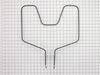
Lower Heating Element Out
First I removed the two screws that hold the element in place. I then pulled the element out about 3 inches and disconnected the two wires...) discovering a burnt spot in the element sent me searching for a new one. I couldn't find any locally, so I continued my search to the internet. This is when I came in contact with PartsSelect.com .
They made identifing the part and ordering so easy it was unbelievable. Super fast deliverey astounded me as well. The installation of the new element was reverse of the old. All of the dimensions and info for the part were right there on this site. Thanks
They made identifing the part and ordering so easy it was unbelievable. Super fast deliverey astounded me as well. The installation of the new element was reverse of the old. All of the dimensions and info for the part were right there on this site. Thanks
Parts Used:
-
Steve from Clarksville, OH
-
Difficulty Level:Really Easy
-
Total Repair Time:Less than 15 mins
-
Tools:Nutdriver, Pliers
12 of 13 people
found this instruction helpful.
Was this instruction helpful to you?
Thank you for voting!
Interior light needed replaced
Unplugged the appliance for safety. Removed two 1/4" screws that held the assembly in place. Carefully removed the wire guard that retains the glass shield. Unscrewed old light bulb and replaced with new part. Reversed the steps after cleaning glass cover.
Parts Used:

-
Leo from TWIN FALLS, ID
-
Difficulty Level:Really Easy
-
Total Repair Time:Less than 15 mins
-
Tools:Nutdriver
22 of 43 people
found this instruction helpful.
Was this instruction helpful to you?
Thank you for voting!
Oven would not preheat - took over 1 hr to get to 350 degrees
Turned the range/oven off at the breaker box. Pulled all the racks out. Unscrewed two screws holding lower heating element in. Pulled the heating element out to expose connections. Unhooked connections, plugged in new element. Replaced the screws. Turned breaker back one. Pretty simple!
Parts Used:
-
Tim from Mt Juliet, TN
-
Difficulty Level:Really Easy
-
Total Repair Time:Less than 15 mins
-
Tools:Screw drivers
11 of 12 people
found this instruction helpful.
Was this instruction helpful to you?
Thank you for voting!
Oven not heating
It was very easy I removed two screws unpluged the sensor and wire spliced it together and also replaced the modual on the top of the stove and it was that easy.
Parts Used:
-
Joseph from Stuart, FL
-
Difficulty Level:Really Easy
-
Total Repair Time:15 - 30 mins
-
Tools:Screw drivers
14 of 21 people
found this instruction helpful.
Was this instruction helpful to you?
Thank you for voting!
Broken oven element.
DO NOT ATTEMPT THIS REPAIR UNTIL THE RANGE IS UNPLUGGED AND THE CIRCUIT BREAKER IS OFF!!!!!!
Very easy repair, but, either there is a minor amount of current flowing through the element at all times, or the off switch wasn't working when I started. didn't turn the breaker off, after I removed the nuts, as I was pulling the element to reveal the terminals, the terminals arc'd on the oven wall. BIG SPARKS!
After I turned the breaker off and started again. No problems.
Very easy repair, but, either there is a minor amount of current flowing through the element at all times, or the off switch wasn't working when I started. didn't turn the breaker off, after I removed the nuts, as I was pulling the element to reveal the terminals, the terminals arc'd on the oven wall. BIG SPARKS!
After I turned the breaker off and started again. No problems.
Parts Used:
-
NICHOLAS from BALTIMORE, MD
-
Difficulty Level:Really Easy
-
Total Repair Time:Less than 15 mins
-
Tools:Nutdriver
10 of 11 people
found this instruction helpful.
Was this instruction helpful to you?
Thank you for voting!
Oven would not maintain set temperature
No problem installing oven sensor, but I diagnose the problem wrong, I need to change(ERC-11)control p/n wb27k5140
Parts Used:
-
Leonel from Biddeford, ME
-
Difficulty Level:Easy
-
Total Repair Time:30 - 60 mins
-
Tools:Screw drivers
11 of 16 people
found this instruction helpful.
Was this instruction helpful to you?
Thank you for voting!
Burner "burned out" so we replaced the one and replaced the other that seemed to be cooling down.
Basically removed the screws holding the op on and removed the vent from back. Just "figured it out" and now it works. Wish I could be more helpful. Recommend moderate experience and confidence.
Parts Used:
-
Cheryl from Sequim, WA
-
Difficulty Level:A Bit Difficult
-
Total Repair Time:30 - 60 mins
-
Tools:Nutdriver, Pliers, Screw drivers
13 of 23 people
found this instruction helpful.
Was this instruction helpful to you?
Thank you for voting!
Bake element did not get hot.
I was able to remove the heating element but in the process one of the wires fell behind the back wall of the oven so I needed a little help getting it out. It was my first time working with electricity. If this didn't happen the repair would have been quit easy. The instructions were great.
Parts Used:
-
Jeanette from Vergennes, VT
-
Difficulty Level:Really Easy
-
Total Repair Time:15 - 30 mins
-
Tools:Nutdriver, Screw drivers, Wrench set
8 of 9 people
found this instruction helpful.
Was this instruction helpful to you?
Thank you for voting!
The Bake Element Split
This was so easy I should be a repairman! Turned off power at the breaker, used socket to unscrew two hex head screws, pulled out element slowly from the back of oven wall - enough to expose the wires about 3". Used pliers to remove clips from terminals, put new element in, pushed on new terminal clips, fed wires and terminals back through the two holes, replaced the hex head screws, turned breaker on and wallah! My wife was happy! That's a good thing.
Parts Used:
-
Steve from Surprise, AZ
-
Difficulty Level:Really Easy
-
Total Repair Time:Less than 15 mins
-
Tools:Pliers, Socket set
8 of 9 people
found this instruction helpful.
Was this instruction helpful to you?
Thank you for voting!
Twice I ordered the oven light bulb & each time the light bulb was defected
I had to call for a appointment for repair with GE Appliance because I thought then it . .was something electrical. The technician came out & checked everything out, turned out it was not electrical, The technician went out to his truck got a light bulb from his truck, put it in & it worked. It cost me $121.00 for trip charge from GE appliance for a light bulb that worked, your light bulbs were defective twice. Very disappointed with your products, cost me alot of money for a good light bulb thru GE appliance
Parts Used:
-
Barbara from BELLEVUE, WA
-
Difficulty Level:Very Difficult
-
Total Repair Time:Less than 15 mins
15 of 32 people
found this instruction helpful.
Was this instruction helpful to you?
Thank you for voting!