















JBP22BKW General Electric Range - Instructions
Keep searches simple. Use keywords, e.g. "leaking", "pump", "broken" or "fit".
Oven wouldn't preheat above 300 degrees
Unplugged appliance and removed 5 screws on back of stove/oven and removed plate. Disconnected the sensor and unscrewed it on the inside of the oven. Pulled the cord through and replaced with new sensor. Replaced all parts and plugged in the appliance and tested. Worked great.
Parts Used:

-
Gerald from Cape Canaveral, FL
-
Difficulty Level:Really Easy
-
Total Repair Time:15 - 30 mins
-
Tools:Nutdriver
54 of 95 people
found this instruction helpful.
Was this instruction helpful to you?
Thank you for voting!
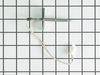
Oven sensor was not holding temperature range.
-
CHARLA from NEW BRAUNFELS, TX
-
Difficulty Level:Really Easy
-
Total Repair Time:Less than 15 mins
-
Tools:Nutdriver
48 of 81 people
found this instruction helpful.
Was this instruction helpful to you?
Thank you for voting!
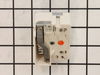
when cooking on the 8" burner it would randomly go high heat.
first slide out range from wall and unplug it. then remove the rear panel, it is about 6 or 8 1/4" screws. remove the selector knob on the front of range and then remove the two philips head screws. this is how you remove the burner controller. hold the new controller next to the od one and one by one take the wires off the old one and put them on the new one. re-assemble and you are good to go.
Parts Used:
-
kevin from crossroads, TX
-
Difficulty Level:Really Easy
-
Total Repair Time:15 - 30 mins
-
Tools:Nutdriver, Screw drivers
30 of 33 people
found this instruction helpful.
Was this instruction helpful to you?
Thank you for voting!
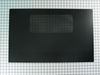
the glass oven door broke after being accidently hit
Removing all the shattered glass was endless it seemed. hovever the repair was very easy. Even for a very busy stay at home mom with limited handy man skills.I did it and it only took about 15 to 20 mins. once i got all the glass out of the way.I untightened the 4 sm.bolts under the door just enough to fit the glass in and when in place retightened the bolts and done !!
Parts Used:
-
Jennifer from Pottstown, PA
-
Difficulty Level:Really Easy
-
Total Repair Time:15 - 30 mins
-
Tools:Wrench (Adjustable)
27 of 30 people
found this instruction helpful.
Was this instruction helpful to you?
Thank you for voting!
I kept getting An F2 error and the temperature did not seem accurate
1) pull out the stove
2) remove the 7 sheet metal screws holding the back panel on. (the panel that also covers where the cord splits and connects to the oven.
3) Find the small plastic connector located in the middle of the back of the range and unplug it.
4) open the front of the oven and remove the one screw holding in the oven temp sensor.
5) replace the sensor and make sure to "feed" the new cord through as best you can.
6) I had to dig through the insulation a little bit to find the new wiring harness
7) connect the wiring harness and put the back of the range back on
note: this was very simple to do if you think this might be the problem don't hesitate to handle this one yourself.
2) remove the 7 sheet metal screws holding the back panel on. (the panel that also covers where the cord splits and connects to the oven.
3) Find the small plastic connector located in the middle of the back of the range and unplug it.
4) open the front of the oven and remove the one screw holding in the oven temp sensor.
5) replace the sensor and make sure to "feed" the new cord through as best you can.
6) I had to dig through the insulation a little bit to find the new wiring harness
7) connect the wiring harness and put the back of the range back on
note: this was very simple to do if you think this might be the problem don't hesitate to handle this one yourself.
Parts Used:
-
Chad from Bloomington, IN
-
Difficulty Level:Really Easy
-
Total Repair Time:Less than 15 mins
-
Tools:Screw drivers, Socket set, Wrench (Adjustable), Wrench set
29 of 38 people
found this instruction helpful.
Was this instruction helpful to you?
Thank you for voting!
Surface element indicator remained on.
The known problem: a short occured between the surface element and the INF switch. After replacing the wire between the surface element and INF switch. The surface indicator light remained on - indicating a power surge/spike. Prior to removing the old INF switch I disconnected the wires from the old switch one at a time and plugged each into the new switch terminals. Then I removed the knob from the front of the control panel and the 2 screws holding the old INF switch in place. Removed the old switch and replaced it with the new switch. Reinstalling the 2 screws and the knob. Surface indicator light was no longer illuminated and surface element works fine.
Parts Used:
-
Ed from Plymouth, MA
-
Difficulty Level:Really Easy
-
Total Repair Time:30 - 60 mins
-
Tools:Screw drivers
25 of 29 people
found this instruction helpful.
Was this instruction helpful to you?
Thank you for voting!
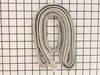
Door gasket broken up
It took considerable time to remove the door and take it completely apart so the gasket could be inserted, and time again to reassemble properly. The gasket (though the no. was confirmed before ordering) was 3" too short so I had to cut some off the old gasket to make do (not entirely effectively).
Parts Used:
-
Robert from New York, NY
-
Difficulty Level:A Bit Difficult
-
Total Repair Time:1- 2 hours
-
Tools:Nutdriver, Screw drivers
50 of 105 people
found this instruction helpful.
Was this instruction helpful to you?
Thank you for voting!
Broiler burnt out.
Removed screws using nut driver. Pulled element way forward until wires came through. Pondered how to detach burned out element from wires. Chickened out, call neighbor who grasped things firmly with two hands and pulled. Old element came loose. Popped in new element. Cursed the screws that wouldn't align with holes to support element; finally did it. Screwed element plate in place. Put oven door back on, plugged it in and turned it on hoping that we hadn't reversed the wires. Job accomplished.
Parts Used:

-
ellen from centennial, CO
-
Difficulty Level:Easy
-
Total Repair Time:15 - 30 mins
-
Tools:Nutdriver
20 of 24 people
found this instruction helpful.
Was this instruction helpful to you?
Thank you for voting!
Oven Overheating upto 200 degrees!!
Replaced temperature sensor in the oven first ($10 part, always start with least expensive possibility!), but that didn't solve the problem. 5-10 minute repair, not counting moving the range in and out of it's home between cabinets. Next replaced the control board ($90 part) which solved the overheating problem. 15 to 30 minute repair, don't be intimidated by all the wires. Remember to turn off power at the breaker (duh). Order the faceplate graphic ($37 part) because chances are the old one won't peel off cleanly (ours didn't, "I was really careful Honey!!) and the otherwise excellent PartSelect.com website doesn't suggest the part might be needed. Anyway, I saved a minimum of $80 plus Labor by doing it myself. I had the advantage of living about 100 miles from their warehouse and got NEXT DAY delivery from FedEx instead of 3-5 business days. Suggest you order before noon.
Parts Used:
-
Lee from Greenfield, IN
-
Difficulty Level:A Bit Difficult
-
Total Repair Time:15 - 30 mins
-
Tools:Nutdriver
20 of 25 people
found this instruction helpful.
Was this instruction helpful to you?
Thank you for voting!
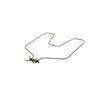
Oven Element had burned out
My husband did it, we unplugged the stove first then he removed the damaged element replaced it with the new plugged it back in and we were in buisness. I like that this was an acutual part for my stove(not some universal thing) and it arrived very quickly.
Parts Used:
-
Jeanette from Salem, IA
-
Difficulty Level:Easy
-
Total Repair Time:Less than 15 mins
-
Tools:Screw drivers, Socket set
18 of 20 people
found this instruction helpful.
Was this instruction helpful to you?
Thank you for voting!
oven would not heat; temperature sensor failed; needed replacement
Replacing the sensor was a snap and not as involved as I feared. 1) open the oven door; 2) remove the one hex screw holding the old sensor to the back of the oven; 3) gently pull the sensor, pulling the wiring out to access the plastic wire connector (carefully guide the plastic wire connector through the opening); 4) loop a small piece of wire (stiff enough to form a hook) around the base of the wire connector to keep the wire from falling into the back wall of the oven; 5) unclip the connector and remove the bad sensor; 6) clip in the new sensor; 7) remove your catch wire; 8) thread the wiring back through the opening; 9)position the new sensor and secure with the hex screw; and 10) turn on the oven and prove to your wife you do know what you are doing!
Parts Used:
-
Roger from MARIETTA, GA
-
Difficulty Level:Easy
-
Total Repair Time:Less than 15 mins
-
Tools:Socket set
18 of 21 people
found this instruction helpful.
Was this instruction helpful to you?
Thank you for voting!
defective temp. sensor
Removed oven from cabinet. unblug old sensor pluged in new and reinstalled oven. Esay repair though wish oven was designed so did not have to pull itout of cabinet which requires disconect electric cabel
Parts Used:
-
Armand from COVENTRY, CT
-
Difficulty Level:Easy
-
Total Repair Time:30 - 60 mins
-
Tools:Screw drivers
20 of 30 people
found this instruction helpful.
Was this instruction helpful to you?
Thank you for voting!
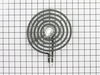
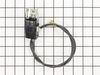
Burner was not working and the local appliance store could not locate a part so I decided to repair it myself
I easily removed the element, then the socket I followed the wiring down beneath the drip pan to where it plugged into the control knob. I simply unplugged the old part and plugged in the new socket, rerouted the wires and assembled the stove top with a new burner in place.
Parts Used:
-
Michael from Lutsen, MN
-
Difficulty Level:A Bit Difficult
-
Total Repair Time:30 - 60 mins
-
Tools:Nutdriver, Pliers, Screw drivers
20 of 30 people
found this instruction helpful.
Was this instruction helpful to you?
Thank you for voting!
When baking at temps > 400 the oven would beep with an error code F5 and shut off
I downloaded the installaion manual from the web for this model. First htings first, I located the circuit breaker for the oven and turned it off. Removed the lower trim piece from the bottom, next lifted the oven door off its hinges and set it to the side. I then wrapped a couple of small towels around the hinges for the door as per the manual (the hinges can pinch a finger). I then removed the four screws which secured the oven into the cabinet. Next I slid the oven forward allowing me access to the rear. I removed the pieces from the rear to gain access to the sensors connector, and unpl;ugged the sensor. Went around to the front and unscrewed the 2 screws securing the sensor and removed it. I then installed the new sensor, replaced the rear covers, slid the oven back into the cabinet, secured the four screws, snapped on the lower trim, remounted the oven door, and turned the breaker on. Oven working fine now.
Parts Used:
-
Jack from Cypress, TX
-
Difficulty Level:Easy
-
Total Repair Time:30 - 60 mins
-
Tools:Nutdriver, Screw drivers
16 of 20 people
found this instruction helpful.
Was this instruction helpful to you?
Thank you for voting!
inner glass on door broken
my husband who is very handy took it a part, replaced the glass and put it back together - he did remove the door from the oven first and put it on the counter to work on it.
I had the schematic picture of the door ready in case he needed it. He didn't really.
I had the schematic picture of the door ready in case he needed it. He didn't really.
Parts Used:

-
Christy from Mountain Center, CA
-
Difficulty Level:A Bit Difficult
-
Total Repair Time:15 - 30 mins
-
Tools:Screw drivers, Socket set
17 of 23 people
found this instruction helpful.
Was this instruction helpful to you?
Thank you for voting!