















JB850DF2WW General Electric Range - Instructions
Keep searches simple. Use keywords, e.g. "leaking", "pump", "broken" or "fit".
Light burnt out.
Turned the wire protector to the side. Turned out the old bulb and replaced it with the new. Turned the wire protector back in place and I'm like new.
Parts Used:

-
Roscoe G from ROCHESTER, NY
-
Difficulty Level:Very Easy
-
Total Repair Time:Less than 15 mins
2 of 6 people
found this instruction helpful.
Was this instruction helpful to you?
Thank you for voting!
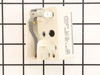
Water dumped over in in my overhead microwave, which dripped down on, & shorted out a burner switch.
My husband had already removed the back plate form the stove and detached the wires from the old burner switch because it was keeping the burner on. He unscrewed the old switch and removed it. He then popped in the new switch, attached the wires to the correct contacts, and put the back plate back on. We plugged in the stove, and that burner works good as new.
Parts Used:
-
Deanna from Buckeye, AZ
-
Difficulty Level:Really Easy
-
Total Repair Time:Less than 15 mins
-
Tools:Pliers, Screw drivers
1 of 3 people
found this instruction helpful.
Was this instruction helpful to you?
Thank you for voting!
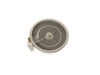
Heating element burned out
-
William from CONCORD, MA
-
Difficulty Level:Very Easy
-
Total Repair Time:30 - 60 mins
-
Tools:Pliers, Screw drivers
1 of 3 people
found this instruction helpful.
Was this instruction helpful to you?
Thank you for voting!
oven was not getting up to temp
Once I opened up the back of the range, the sensor wires where there and burnt just like your info said. One nut to take off in the oven and the sensor came right out and the new one went right in. The oven works great, cooked the turkey today. The worst part of the repare was the cleaning behind and under the range, it hasn't moved since it was put in 6 years ago. Very pleased with PS.
Parts Used:

-
walter from townshend, VT
-
Difficulty Level:Really Easy
-
Total Repair Time:Less than 15 mins
-
Tools:Nutdriver
0 of 1 people
found this instruction helpful.
Was this instruction helpful to you?
Thank you for voting!
F2 error when oven was heating up, along with a beeping noise and then it shut off
Unplugged oven, turned off breaker, took cover off back of oven, removed old sensor by disconnecting in back of oven and undoing screw inside oven. Pulled old one out replaced with new took 15min. Cost me less than $20. Parts Select rocks! Even received part in two days with standard shipping!
Parts Used:
-
Lori from Paris, TN
-
Difficulty Level:Really Easy
-
Total Repair Time:15 - 30 mins
-
Tools:Screw drivers, Socket set
0 of 1 people
found this instruction helpful.
Was this instruction helpful to you?
Thank you for voting!
burner was inoperative
verified switch operation , checked continuity of burner element found open ordered new part and installed next day
after extremely fast
service from partselect thank you
after extremely fast
service from partselect thank you
Parts Used:
-
bryan from cocoa, FL
-
Difficulty Level:Really Easy
-
Total Repair Time:15 - 30 mins
-
Tools:Nutdriver, Pliers, Screw drivers
0 of 2 people
found this instruction helpful.
Was this instruction helpful to you?
Thank you for voting!
Burner not heating.
Isolated to control switch.
Replaced
Replaced
Parts Used:
-
Jack from Greensboro, GA
-
Difficulty Level:Really Easy
-
Total Repair Time:30 - 60 mins
-
Tools:Screw drivers
1 of 5 people
found this instruction helpful.
Was this instruction helpful to you?
Thank you for voting!
eye wouldnt come on
removed the top section on stove and removed the wires off swtitch and put on new one then put new switch in
Parts Used:
-
daniel from valentines, VA
-
Difficulty Level:Really Easy
-
Total Repair Time:15 - 30 mins
-
Tools:Nutdriver
0 of 2 people
found this instruction helpful.
Was this instruction helpful to you?
Thank you for voting!
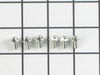
one leg of the terminal block was loose and overheated under load.the terminal block melted and could have caused a fire.
I took a picture of the setup and damage . I then disconnected the burnt wires and replaced the wires . Then I installed the new terminal block and connected the wires to the proper positions. The reason for the failure was that the delivery people didn't tighten the cord when they installed the stove . I would check the connections periodically as to avoid another situation like this .
Parts Used:
-
brendan from lebanon, NH
-
Difficulty Level:Easy
-
Total Repair Time:30 - 60 mins
-
Tools:Pliers, Screw drivers, Socket set, Wrench set
Was this instruction helpful to you?
Thank you for voting!
Burner Would Not Turn Off
-
BILLY from WEBSTER, FL
-
Difficulty Level:Really Easy
-
Total Repair Time:30 - 60 mins
-
Tools:Nutdriver
Was this instruction helpful to you?
Thank you for voting!
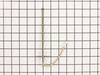
oven temp. was not what setting called for
turned oven off, pulled oven out from wall, removed back of oven, unscrewed sensor from oven replaced with new sensor, put back on, turned power to oven on, tried oven at 425, my temp. gage and the oven temp matched. a very easy fix.
Parts Used:
-
John from Acme, WA
-
Difficulty Level:Easy
-
Total Repair Time:1- 2 hours
-
Tools:Nutdriver
Was this instruction helpful to you?
Thank you for voting!
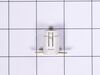
Pilot light out
Removed the power plug from the wall, screwdriver and small socket allowed me to remove the front control panel. Once I located the pilot light I pulled off the holding clips and placed a new light into the holding clips...problem solved.
Parts Used:
-
Henry from Sonoita, AZ
-
Difficulty Level:Really Easy
-
Total Repair Time:15 - 30 mins
-
Tools:Screw drivers, Socket set
Was this instruction helpful to you?
Thank you for voting!
f-2 or f-3
remove two bolts in on sensor and slip thru back un plug and reverse to put in
Parts Used:
-
daniel from gap, PA
-
Difficulty Level:Easy
-
Total Repair Time:15 - 30 mins
-
Tools:Nutdriver, Screw drivers
Was this instruction helpful to you?
Thank you for voting!
one burner not working
Removed two screws to access burner. Removed three power clips from burner, reattached the clips to new burner, removed brace clips and attach to new burner, close lid and reattach stove cover.
Parts Used:
-
Edwin from HIGHLANDS RANCH, CO
-
Difficulty Level:Really Easy
-
Total Repair Time:15 - 30 mins
-
Tools:Socket set
Was this instruction helpful to you?
Thank you for voting!
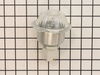
Oven lights were burning out regularly
Replaced the Oven light housing. Unscrewed the two screws that hold the housing in place. Pulled out the housing and disconnected the wire tabs from the light housing tabs. Slid the wire tabs onto the tabs of the new light housing fixture. (Each tab is fitted to the tab in goes on so they can not be mixed up) Pushed the housing fixture back into place and screwed the housing into place.
Parts Used:
-
Douglas from Thornton, CO
-
Difficulty Level:Really Easy
-
Total Repair Time:15 - 30 mins
-
Tools:Socket set
Was this instruction helpful to you?
Thank you for voting!