















JB620RF4SS General Electric Range - Instructions
Keep searches simple. Use keywords, e.g. "leaking", "pump", "broken" or "fit".
F2 fault code kept appearing on oven
Removed the oven door and shelves. Moved the oven out from wall, so that I could access the rear panel. Unplugged the oven. Removed the five (5) screws holding the rear panel in place and removed the panel. Disconnected the sensor at the connector. Removed the screw holding the sensor in place inside the oven and removed the sensor. Theaded the sensor wire through the rear of the oven wall. Installed the sensor and screw to hold it in place. Snapped the connector from the sensor to the mating connector at the rear of the oven. Installed the rear panel. Installed the five (5) screws to hold the panel. Plugged the oven back in and slide the oven back to the wall. Installed the oven shelves and the oven door.
Parts Used:

-
emmett from rocky mount, NC
-
Difficulty Level:Easy
-
Total Repair Time:15 - 30 mins
-
Tools:Nutdriver
5 of 7 people
found this instruction helpful.
Was this instruction helpful to you?
Thank you for voting!
Oven Temp. went too high and the door locked. Burnt the food
This temperature sensor is very easy to replace. There are two screws inside the oven in the top middle of the back of the oven. Take these off. on the back of the stove there is a metal plate with 5 screws I believe. Take these off with a nut driver. Then you will see a white connector coming from the spot where you took the other screws off. Take the white connector apart and pull out the temperature sensor from the inside of the oven. Then put the new one in.
Parts Used:
-
Nathan from BILLINGS, MT
-
Difficulty Level:Very Easy
-
Total Repair Time:Less than 15 mins
-
Tools:Nutdriver, Screw drivers
4 of 4 people
found this instruction helpful.
Was this instruction helpful to you?
Thank you for voting!
Burner at full red hot power despite setting
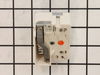
After removing power from the range, I pulled the unit out for better access to the rear. I carefully pulled all four knobs off the front of the control panel. Next, using a short phillips screwdriver, I removed two screws from the front bottom of the control panel. On the rear of the control panel, there are four screws to loosen, now the whole panel is free to remove toward the front of the unit. The burner switches are held onto the panel with two screws that are located on the front under where the knob had been. The wires are all connected to the switch with crimp type connectors. These are on tight, but can be removed carefully with pliers. Before doing so, I took a picture on my phone to ensure I replaced the wires in the correct order. Everything goes back together in reverse order. This is a good time to clean behind and under the whole stove. The whole process took around 20 minutes.
Parts Used:
-
Matt from TAZEWELL, VA
-
Difficulty Level:Easy
-
Total Repair Time:Less than 15 mins
-
Tools:Nutdriver, Pliers, Screw drivers
4 of 4 people
found this instruction helpful.
Was this instruction helpful to you?
Thank you for voting!
One of the drawer supports broke off
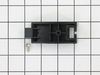
I pulled out the drawer and inserted the new support. This one inserts into the back of the drawer as opposed to the sides. I had ordered two of the replacements even though I only needed one and decided to replace both. I think it was a good move as the drawer works better than when we first got it. Just one simple screw made it complete.
Parts Used:
-
John from Sandy Hook, CT
-
Difficulty Level:Really Easy
-
Total Repair Time:Less than 15 mins
-
Tools:Nutdriver
5 of 7 people
found this instruction helpful.
Was this instruction helpful to you?
Thank you for voting!
Bake element broke into pieces
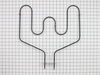
Disconnect electric at panel box. Pull oven out. Remove 5 screws from rear panel. Pull off the 2 clips at the tips of the old element which is located about 2/3 down the back side of the oven. Remove broken element from inside the oven and slide new element in place. Push 2 clips firmly on the ends of the new element. Replace back cover. Turn power on. Test oven. Slide oven back in place.
Parts Used:
-
Rita from LYMAN, SC
-
Difficulty Level:Very Easy
-
Total Repair Time:Less than 15 mins
-
Tools:Nutdriver
4 of 4 people
found this instruction helpful.
Was this instruction helpful to you?
Thank you for voting!
F2 Error on Display
The repair was very easy to do. Our oven was showing the F2 error code, which is associated with an over-temperature fault. Upon inspection, the oven was warm, but definitely not beyond the temperature threshold. I researched the issue and found this temperature sensor.
Swapping the sensor was extremely easy. You take off the back panel of the oven, unhook a single wiring harness, and undo some bolts inside the oven, which allows you to pull off the old sensor. Simply hook up the new sensor to the harness, pull everything back through, replace the fasteners, and you're good to go.
Swapping the sensor was extremely easy. You take off the back panel of the oven, unhook a single wiring harness, and undo some bolts inside the oven, which allows you to pull off the old sensor. Simply hook up the new sensor to the harness, pull everything back through, replace the fasteners, and you're good to go.
Parts Used:
-
Tom from FORNEY, TX
-
Difficulty Level:Very Easy
-
Total Repair Time:Less than 15 mins
-
Tools:Nutdriver, Screw drivers
4 of 4 people
found this instruction helpful.
Was this instruction helpful to you?
Thank you for voting!
Oven Wouldn't Heat
-
Russell from Yuma, AZ
-
Difficulty Level:Really Easy
-
Total Repair Time:30 - 60 mins
-
Tools:Pliers, Screw drivers, Socket set
7 of 13 people
found this instruction helpful.
Was this instruction helpful to you?
Thank you for voting!
oven would not heat
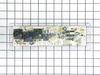
I removed the 4 hex head screws holding the control panel , then the other 4 slotted screws. Disconnected all wires being careful to keep track of the color coding. Had a little trouble with the adhesive holding the face plate( I don't know why they even used it). Put the new panel in and reconnected it. Re set circuit breaker and tried the oven. It still wouldn't heat. it wasn't the control panel, but a burned out wire connecting the element in the back of the oven. Well, anyway I learned how to do the job and the the new panel activates better, so all was not lost.
Parts Used:
-
Jim from Williamsburg, VA
-
Difficulty Level:Easy
-
Total Repair Time:1- 2 hours
-
Tools:Nutdriver, Pliers, Screw drivers
5 of 8 people
found this instruction helpful.
Was this instruction helpful to you?
Thank you for voting!
Element broket
1.- going online to orden part 2 disconnect the power from the aplaince shoot Dow the power 3 tear down the appliance and disconnect the four terminals from the damage part reconnect the terminals to th new part reensamble the appliance and ready to go save $275 bucks in handy man labor
Parts Used:

-
Marco Antonio from CORP CHRISTI, TX
-
Difficulty Level:Really Easy
-
Total Repair Time:Less than 15 mins
-
Tools:Nutdriver
4 of 5 people
found this instruction helpful.
Was this instruction helpful to you?
Thank you for voting!
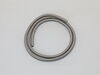
Needed to replace oven door gasket
-
Jayne from EAST PEORIA, IL
-
Difficulty Level:Very Easy
-
Total Repair Time:15 - 30 mins
-
Tools:Screw drivers
3 of 3 people
found this instruction helpful.
Was this instruction helpful to you?
Thank you for voting!
When you touched any button on the controls LOC on appeared.
Talked to parts select tech after ordering the control board. Tech advised me that he felt the range could be repaired without installing any parts. Advised me to contact manufacture tech support and explain the problem. I did to find that the child safety lock was on, probably from cleaning and touching too many buttons at once while whipping surface. Told me to hold down + and - at the same time for three seconds and it was fixed.
Parts select tech had told me don’t worry the parts are guaranteed so I called for a RMA and returned the parts for a refund. Thanks Parts Select, y’all are real professionals and that is greatly appreciated.
Thank you all.
Parts select tech had told me don’t worry the parts are guaranteed so I called for a RMA and returned the parts for a refund. Thanks Parts Select, y’all are real professionals and that is greatly appreciated.
Thank you all.
Parts Used:
-
Roger from HUNTSVILLE, AL
-
Difficulty Level:Very Easy
-
Total Repair Time:Less than 15 mins
3 of 3 people
found this instruction helpful.
Was this instruction helpful to you?
Thank you for voting!
Hole in gasket
I took the oven door off. Laid it down on a blanket on the floor. I pulled up on end going into the door, then went around with fingers to feel where the clip were and grab the clip with my fingers and gently pulled up. Then grabbed the new gasket, found the center clip that goes at top of door and started pushing the clips in. The last was feeding the ends back into the slot in the door.
Parts Used:
-
Cynthia from Kidder, MO
-
Difficulty Level:Very Easy
-
Total Repair Time:Less than 15 mins
3 of 3 people
found this instruction helpful.
Was this instruction helpful to you?
Thank you for voting!
Incorrect oven temperature due to defective temperature sensor.
-
Anthony from FARMINGVILLE, NY
-
Difficulty Level:Really Easy
-
Total Repair Time:Less than 15 mins
-
Tools:Nutdriver
3 of 3 people
found this instruction helpful.
Was this instruction helpful to you?
Thank you for voting!
Switch started arcing in the dial range of 2 to 8 in about a year.
Pulled the range out and unplugged it. Removed the back panel. Removed one wire at a time and plugging it in on the new switch. unscrewed the existing switch from the front panel (Two screws). Screwed the new one in, replaced the panel, plugged in the range and tested it. The new switch was a perfect OEM replacement and worked perfectly.
Parts Used:
-
Brian from HONEA PATH, SC
-
Difficulty Level:Very Easy
-
Total Repair Time:Less than 15 mins
-
Tools:Screw drivers
3 of 3 people
found this instruction helpful.
Was this instruction helpful to you?
Thank you for voting!
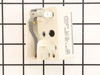
Switch was not turning off range indicator light
Pulled stove out and unplugged. At the rear of the range there were 4 faster. Used a nutdriver piece in an electric drill. Pulled off the cover and located the switch. At the front of the stove, I removed the knob and unscrewed two screws releasing the switch. I undid and replaced each wire connector one-by-one to avoid any wrong connections. Replaced and secured the switch and replace the back panel. All secured, power on and fixed! Easy repair, but something that had been put off for a year!
Also follow the installation videos from PartSelect - very helpful!
Also follow the installation videos from PartSelect - very helpful!
Parts Used:
-
Charles from PORTLAND, OR
-
Difficulty Level:Really Easy
-
Total Repair Time:Less than 15 mins
-
Tools:Nutdriver, Screw drivers
3 of 3 people
found this instruction helpful.
Was this instruction helpful to you?
Thank you for voting!