















JB500G2D4 General Electric Range - Instructions
Keep searches simple. Use keywords, e.g. "leaking", "pump", "broken" or "fit".
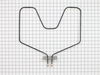
Bake element burned out
Flip the circuit breaker going to oven off, then used a 1/4 inch socket on the mounting flange bolts and the bolt head screws attaching the wires. Then used a flat head screwdriver to reattach the wires with the supplied screws and bolted the new element in place. Back to the circuit breaker flipped the switch and turned the oven on to test it, and now works fine. *be sure to remove the sticker before installation, use rubbing alcohol to remove any residue.*
Parts Used:
-
Lavona from JACKSONVILLE, FL
-
Difficulty Level:Very Easy
-
Total Repair Time:Less than 15 mins
-
Tools:Screw drivers, Socket set
1 person
found this instruction helpful.
Was this instruction helpful to you?
Thank you for voting!
Bottom oven heating element was out
Very easy repair. 2 hex head screws to take the heating element out. Then 2 more slot head screws for the wire connections. Perfect fit and operation of the new heating element.
Parts Used:
-
John from FALL RIVER, MA
-
Difficulty Level:Easy
-
Total Repair Time:Less than 15 mins
-
Tools:Nutdriver, Screw drivers
1 person
found this instruction helpful.
Was this instruction helpful to you?
Thank you for voting!
Old Reliable
This range is about 30 years old and I was thrilled to still be able to get the bake element, which burned out about a month ago. I was doing research to buy a new stove when a cousin, from out of town, called to say they were going to visit the following week. No time now to get a new one installed. "partselect.com" was the fastest way. THANK YOU!
First off, I want you to know I'm an obese 56-year female without tools. But, I knew where to borrow those.
I first shut the power off to the range. I then disconnected the 2 screws that hold the element and pulled it out to reveal the 2 screws which connected the wires. I unscrewed those and removed the bake element. I double checked the stove model and bake element part # at the GE website and ordered it from "Partselect.com". It came in about 3 days. I then reversed the order of the above and it was done.
Here are some challenges I encountered..
1) The oven door was in the way making it uncomfortabe to get to the back of the stove.
2) Those $#%& screws are so short I kept dropping them.
3) The wires in the back bend easily. Be careful.
That's about it. It was a pill but not a real problem. It sure beat buying a new range before I've decided on which one to buy.
First off, I want you to know I'm an obese 56-year female without tools. But, I knew where to borrow those.
I first shut the power off to the range. I then disconnected the 2 screws that hold the element and pulled it out to reveal the 2 screws which connected the wires. I unscrewed those and removed the bake element. I double checked the stove model and bake element part # at the GE website and ordered it from "Partselect.com". It came in about 3 days. I then reversed the order of the above and it was done.
Here are some challenges I encountered..
1) The oven door was in the way making it uncomfortabe to get to the back of the stove.
2) Those $#%& screws are so short I kept dropping them.
3) The wires in the back bend easily. Be careful.
That's about it. It was a pill but not a real problem. It sure beat buying a new range before I've decided on which one to buy.
Parts Used:
-
Laura from Crofton, MD
-
Difficulty Level:A Bit Difficult
-
Total Repair Time:15 - 30 mins
-
Tools:Wrench set
1 person
found this instruction helpful.
Was this instruction helpful to you?
Thank you for voting!
bake element burned out
took cover off back of stove. Removed two screws and wires that were attached to the element. Removed old element and installed new element. An easy repair.
Parts Used:
-
Dave from Maryville, OH
-
Difficulty Level:Easy
-
Total Repair Time:15 - 30 mins
-
Tools:Nutdriver, Screw drivers
1 person
found this instruction helpful.
Was this instruction helpful to you?
Thank you for voting!
bake element disintegrated
At 76 I no longer do my repairs so I asked my daughter's friend to do it for me.
Parts Used:
-
Susan from New Lebanon, NY
-
Difficulty Level:Really Easy
-
Total Repair Time:15 - 30 mins
1 person
found this instruction helpful.
Was this instruction helpful to you?
Thank you for voting!
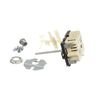
Knob/switch would not turn right front burner on at all!
Pulled range out from the wall. Unplugged cord from outlet. Removed old knob, removed two phillips screws a very top of chrome trim, removed six nut-head screws from back to reveal the switches...removed two set screws from the front at knob base. Visually checked to make sure wiring post of new switch matched the old one. There was enough slack in the wiring to remove one wire at a time and connect it to the new switch in its appropriate place. Put new switch in the panel and secured with the two set screws. Select the bushing that would take up the slack for the old knob to fit on the new switch stem. Held new stem at its base with pliers and used another pair of pliers to snap the stem at appropriate length. (The new stem could not be broken off short enough to have the knob as flush to the panel as the other knobs...this was the only negative factor in the repair) Replaced nut-head screws and phillips screws. I was especially pleased with the quick delivery of the part...even without special shipping rates I received the part in less than 18 hours from the time I ordered it online!
Parts Used:
-
William from West Liberty, KY
-
Difficulty Level:Easy
-
Total Repair Time:15 - 30 mins
-
Tools:Nutdriver, Pliers, Screw drivers
3 of 7 people
found this instruction helpful.
Was this instruction helpful to you?
Thank you for voting!
Baking element no longer worked.
Removed 4 screw nuts and replaced with new baking element using same 4 screw nuts. Real easy job.
Parts Used:
-
Stanley from Cave Creek, AZ
-
Difficulty Level:Really Easy
-
Total Repair Time:15 - 30 mins
-
Tools:Nutdriver
1 person
found this instruction helpful.
Was this instruction helpful to you?
Thank you for voting!
The bake element burned in half.
First I turned the power off to the oven/stove at the breaker box in the basement. Then I took the back plate off. Then I removed the two screws holding the wires onto the damaged element. Then I removed the two screws holding the element to the inside rear of the oven. Then I pulled the old element out and replaced it with the new element. I replaced the two screws that hold the element to the inside of the oven. Then I replaced the wires on the element where it protruded at the back of the oven. I put the back plate back on, slide the oven back in place and turned the power back on at the breaker and everything worked.
Parts Used:
-
RICHARD from BETHLEHEM, PA
-
Difficulty Level:Really Easy
-
Total Repair Time:15 - 30 mins
-
Tools:Nutdriver, Screw drivers
1 person
found this instruction helpful.
Was this instruction helpful to you?
Thank you for voting!
Bottom element in oven caught on fire and broke in two
The element was 25 years old and I was concerned about changing it. But is was so easy. I turned off power and removed 2 screws and then unscrewed the wiring from the old element. I had the new one installed in minutes. I was so glad to have my oven working again. Who needs a man.
Parts Used:
-
SHERYL from VERO BEACH, FL
-
Difficulty Level:Easy
-
Total Repair Time:15 - 30 mins
-
Tools:Nutdriver
1 person
found this instruction helpful.
Was this instruction helpful to you?
Thank you for voting!
Oven heating element failed
Identify oven breaker and turn off power before starting. Opened oven door. Removed oven racks. Use 1/4" socket or nut driver to remove the 2 bolts holding heating element mounting bracket at rear base of oven. Carefully pull element out of installation mount to remove the 2 machine screws that attach electrical wires to the heating element. Reattach wires in same order as original element. Then reinstall new element in reverse order of removal. Took all of maybe 15 minutes! Excellent OEM Parts!
Parts Used:
-
megrew, from COLORADO SPGS, CO
-
Difficulty Level:Really Easy
-
Total Repair Time:Less than 15 mins
-
Tools:Nutdriver, Screw drivers
1 person
found this instruction helpful.
Was this instruction helpful to you?
Thank you for voting!
Element burned out
My husband first turned the main breaker off to the stove. Pulled the stove away from wall, took off the back plate, unhooked the element and out the new one in!!
Parts Used:
-
Wendy from CHESHIRE, CT
-
Difficulty Level:Really Easy
-
Total Repair Time:15 - 30 mins
-
Tools:Socket set
1 person
found this instruction helpful.
Was this instruction helpful to you?
Thank you for voting!
No heat on bake.
The first thing I did wrong was order the wrong part. Then later I did find the Model number on the side of the bottom drawer. I reordered the right part and turned off the electrical breaker. Removed the old element. I then installed the element in the oven with 2 screw nuts and pulled out the stove, took off the back panel and slipped the wire nuts onto the element. Very simple. I am really thankful there is a place to order the part and it came the next day after I ordered it. WHOW!
Parts Used:
-
Marian from Inglis, FL
-
Difficulty Level:Really Easy
-
Total Repair Time:Less than 15 mins
-
Tools:Nutdriver
1 person
found this instruction helpful.
Was this instruction helpful to you?
Thank you for voting!
Took forever to preheat
When I told my husband I ordered the part and was going to fix it myself, he laughed and said I might not have ordered the right part for the problem and I should just buy a new stove.
The part was delivered the day before Christmas, just 3 days after I placed the order! I had read the stories of others fixing theirs and gave it a shot. It took me longer to find the tools then it did to replace the element!
I took the screws out , pulled the element toward me and disconnected the wires. Put it back the way I found it. Oven heated up in less then 5 minutes!
The part was delivered the day before Christmas, just 3 days after I placed the order! I had read the stories of others fixing theirs and gave it a shot. It took me longer to find the tools then it did to replace the element!
I took the screws out , pulled the element toward me and disconnected the wires. Put it back the way I found it. Oven heated up in less then 5 minutes!
Parts Used:
-
Terri from Edgewater, FL
-
Difficulty Level:Really Easy
-
Total Repair Time:Less than 15 mins
-
Tools:Screw drivers, Socket set
1 person
found this instruction helpful.
Was this instruction helpful to you?
Thank you for voting!
After being invited to my mom's house for supper, the oven lower baking element had shorted out and self destructed.
After supper, without biscuits, I removed the element by simply removing 4 screws with my nut driver. We went home and I immediately went online to your web site, inserted the old element part number, followed the ordering instructions, and in 3 dayd the new element had been delivered to our door. Several days later we were invited to mom's for dinner once again. I quickly installed the new element (perfect fit and works great) and enjoyed a great supper........with biscuits this time. Thank you.
Parts Used:
-
Arthur from Dallas, PA
-
Difficulty Level:Really Easy
-
Total Repair Time:Less than 15 mins
-
Tools:Nutdriver
1 person
found this instruction helpful.
Was this instruction helpful to you?
Thank you for voting!
Bake element burned out
I removed the oven door and racks. After turning off the power I raised the old element up to be able to access the screws. I undid the two that connected the element to the back of the oven. After pulling the element forward, I undid the two screws that supplied power. I reconnected everything and, after turning the power back on, tested the element. It worked perfectly. It has been used quite extensively since then with no problems.
Parts Used:
-
Mark from North Richland Hills, TX
-
Difficulty Level:Really Easy
-
Total Repair Time:Less than 15 mins
-
Tools:Nutdriver
1 person
found this instruction helpful.
Was this instruction helpful to you?
Thank you for voting!