















GY398LXPS04 Whirlpool Range - Instructions
Keep searches simple. Use keywords, e.g. "leaking", "pump", "broken" or "fit".
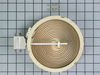
Burner did not heat up
Access to burner nothing like on-line videos:
1) Remove 4 screws under front control panel. (Oven door needs to be open.)
2) Remove 2 flat head screws on sides of control panel. This will loosen control panel. Capture control panel to keep from hanging from wires/connectors. I used hooks made from a wire hanger.
3) Remove 2 screws to remove two steel panels on either side of stove.
4) Remove rear screw of the 2 front screws now exposed and 2 rear screws near top of stove.
5) Carefully flip over glass top being careful not to pull on the wires.
6) Identify burner to be replaced. Note 2 numbers where two clamps are attached to burner.
7) Using 3/8” nut driver, remove screws to allow removal of burner. Remove wires per included instructions. Remove burner.
8) Place new burner under clamps and align to the holes by the two numbers noted in step 6 above.
9) Connect wires to new burner as per included instructions.
10) Reverse removal steps.
1) Remove 4 screws under front control panel. (Oven door needs to be open.)
2) Remove 2 flat head screws on sides of control panel. This will loosen control panel. Capture control panel to keep from hanging from wires/connectors. I used hooks made from a wire hanger.
3) Remove 2 screws to remove two steel panels on either side of stove.
4) Remove rear screw of the 2 front screws now exposed and 2 rear screws near top of stove.
5) Carefully flip over glass top being careful not to pull on the wires.
6) Identify burner to be replaced. Note 2 numbers where two clamps are attached to burner.
7) Using 3/8” nut driver, remove screws to allow removal of burner. Remove wires per included instructions. Remove burner.
8) Place new burner under clamps and align to the holes by the two numbers noted in step 6 above.
9) Connect wires to new burner as per included instructions.
10) Reverse removal steps.
Parts Used:
-
Sergio from JENSEN BEACH, FL
-
Difficulty Level:Easy
-
Total Repair Time:30 - 60 mins
-
Tools:Nutdriver, Pliers, Screw drivers
1 person
found this instruction helpful.
Was this instruction helpful to you?
Thank you for voting!
The oven was over heating because it wasn’t reading the temperature
Pulled the stove out, unscrewed the back and plugged the new thermostat in. Screwed the back back on
Parts Used:

-
LAURIE from BILTMORE LAKE, NC
-
Difficulty Level:Really Easy
-
Total Repair Time:30 - 60 mins
-
Tools:Screw drivers
2 of 4 people
found this instruction helpful.
Was this instruction helpful to you?
Thank you for voting!
The element had burned up.
Unplugged old element unit and plugged in new element. Took two needle nose pliers and a flexible body. Took about 5 minutes. Works fine. Anybody can do it. Make sure power is off at the box.
Parts Used:

-
Kenyon from CALHOUN, GA
-
Difficulty Level:Really Easy
-
Total Repair Time:30 - 60 mins
-
Tools:Pliers
1 person
found this instruction helpful.
Was this instruction helpful to you?
Thank you for voting!
burned out light

-
Charles from WEST END, NC
-
Difficulty Level:Very Easy
-
Total Repair Time:30 - 60 mins
1 of 2 people
found this instruction helpful.
Was this instruction helpful to you?
Thank you for voting!
I snapped a bolt on the main power terminal block when connecting the pigtail.
Removed the small metal panel covering the main power terminal in back of the electric range. Removed the nuts holding the red, white and black electrical wires from the range using the appropriate socket (there will be two nuts on each bolt end). Removed the two screws holding the main power terminal block with appropriate screw driver. Connect the new main power terminal block to the range using the two screws. Reconnect the red, black and white electrical wires coming from the range using one nut for each wire. IMPORTANT: do no over tighten the nuts because the bolts could snap. Reconnect the pigtail and secure the small metal panel covering the main power panel.
Parts Used:

-
Frank from Palm Coast, FL
-
Difficulty Level:Easy
-
Total Repair Time:15 - 30 mins
-
Tools:Screw drivers, Socket set
3 of 8 people
found this instruction helpful.
Was this instruction helpful to you?
Thank you for voting!
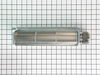
Bearing on cooling fan.
Removed old fan by removing all screws except the back two lower screws - here I cut the flange on the old fan to remove. Drilled the back two bottom holes so as to fit over existing screws then replaced the top 3 and bottom 2 screws as well as power leads. Offset screwdriver is a must.
Parts Used:
-
Mary R. from Thornton, NH
-
Difficulty Level:A Bit Difficult
-
Total Repair Time:30 - 60 mins
-
Tools:Nutdriver, Screw drivers
1 of 2 people
found this instruction helpful.
Was this instruction helpful to you?
Thank you for voting!
wire came loose and shorted out
Ordering the part online was easy. It arrived in a timely manner. I found a terrific video online showing how to install the terminal. It was so easy. Thank you for the great instructional video.
Parts Used:
-
Elizabeth from HOUSTON, TX
-
Difficulty Level:Really Easy
-
Total Repair Time:30 - 60 mins
-
Tools:Pliers, Screw drivers
1 of 2 people
found this instruction helpful.
Was this instruction helpful to you?
Thank you for voting!
Both outside door handles turned very beige
Everything worked perfectly---thanks to the suggestion of your call center agent. She suggested that since the replacement door handles were no longer available, I should consider repainting them--it worked like a charm. Please tell her she was a life saver. We rent that house in Fl and my returning tenants had complained about the discoloring refer handles. Thank you
Parts Used:
-
Howard from Boynton Beach, FL
-
Difficulty Level:Easy
-
Total Repair Time:30 - 60 mins
-
Tools:Nutdriver
23 of 69 people
found this instruction helpful.
Was this instruction helpful to you?
Thank you for voting!
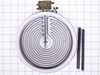
the burner didn't work and digital part too
I used the digital multimeter for measure the voltage in the burner and in the digital part,I saw the electric cables
Parts Used:
-
Eduardo from Lenexa, KS
-
Difficulty Level:Easy
-
Total Repair Time:30 - 60 mins
-
Tools:Wrench set
8 of 24 people
found this instruction helpful.
Was this instruction helpful to you?
Thank you for voting!
Block broke
Unplug power cord, remove wires from block. take 2 screws out. replace with new block about 15 mins. Done
Parts Used:
-
Edward from Crimora, VA
-
Difficulty Level:Really Easy
-
Total Repair Time:15 - 30 mins
-
Tools:Screw drivers, Socket set
1 of 4 people
found this instruction helpful.
Was this instruction helpful to you?
Thank you for voting!
Missing Retainer and screw
Simple - Removed oven door attached retainer with screw.Re attached door.
Whirlpool wanted three time the cost of the same parts The only shipping option was Fedex Overnight which was very costly.
Your prices are great "Parts Select".
Jan
Whirlpool wanted three time the cost of the same parts The only shipping option was Fedex Overnight which was very costly.
Your prices are great "Parts Select".
Jan
Parts Used:
-
Jan from Edmond, OK
-
Difficulty Level:Really Easy
-
Total Repair Time:Less than 15 mins
-
Tools:Screw drivers
4 of 13 people
found this instruction helpful.
Was this instruction helpful to you?
Thank you for voting!
circuit breaker blew
I went to the source of power on the stove and noticed one of the terminals had come loose from the terminal block and had shorted out against the cover of the terminal junction. After prying the loose terminal off cover I ordered new terminal block and received it the 2nd day. I removed the old terminal block and replaced the part in about 10 minutes..Thank you Parts Select for your easy to find diagrams and quick delivery.
Parts Used:
-
Richard from Sarasota, FL
-
Difficulty Level:Easy
-
Total Repair Time:Less than 15 mins
-
Tools:Pliers, Screw drivers
Was this instruction helpful to you?
Thank you for voting!
Oven locked and heated up, we then shut of the breaker. After resetting the breaker the oven would not turn on.
Unscrewed the old thermostat took off the conectors then replaced with new one, and screwed it back on.
Parts Used:
-
Dale from SPOKANE, WA
-
Difficulty Level:Really Easy
-
Total Repair Time:Less than 15 mins
-
Tools:Screw drivers
Was this instruction helpful to you?
Thank you for voting!
Oven was not getting hot, neither on Bake or Broil.
I followed the step-by-step instructions from Steve on the part select videos posted on Youtube.
Parts Used:
-
Julia M from Bronson, FL
-
Difficulty Level:Really Easy
-
Total Repair Time:15 - 30 mins
-
Tools:Pliers, Screw drivers
Was this instruction helpful to you?
Thank you for voting!
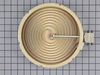
Large element not heating. Open heating filament on element
Remove power from appliance, verify power is off. loosen two side screws that hold cook top to counter top. Gently push appliance up from bottom, everything from now on is done gently !. every component is very fragile. hope you have enough room to move cook top to side, if not, have help to hold it for you. #2 screwdriver, remove screws on all sides, two front, 3 sides, 3 in back. Note placement of connected wires in the affected element. # 2 screwdriver remove one screw on bar holding set of elements, lift and loosen metal spring and remove element, ply wires off with pliers. ( I suggest you clean inside cook top if needed) Note place of springs(Numbers) and remove to place on new element. reverse order to complete.
Parts Used:
-
Pedro from Jacksonville, NC
-
Difficulty Level:Really Easy
-
Total Repair Time:15 - 30 mins
-
Tools:Pliers, Screw drivers
Was this instruction helpful to you?
Thank you for voting!