















GSS22IBPCCC General Electric Refrigerator - Instructions
Keep searches simple. Use keywords, e.g. "leaking", "pump", "broken" or "fit".
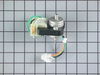
Condenser Fan Motor stopped turning
1. Unplugged the fridge. 2. unplugged the fan connection and removed the wire holding clip. 3. removed the 2 screws holding the motor bracket in place and removed the bracket. 4. Pulled gently back on the motor so that the fan pressed against the front bracket until the fan slid off the motor shaft. 5. Pulled the rubber motor mounts off of the old motor and placed on the new motor. 6. Slide the new motor in place pressed the fan all the way onto the shaft. 7. Placed the rear motor bracket in place and started the screws by hand making sure the ground wire was attached to the furthest away screw. 8. tightened the screws down. 9. Pushed in the wire holding clip into the clip hole. 10. Plugged back in the fan. 11. Plugged back in the fridge. 12. Turned down the temp on the fridge to kick on the compressor and checked to assure the fan was operating and then set the temp back to normal. 13. Vacuumed the condenser coils to get them all clean and ready for more years of service!
Parts Used:
-
Arthur from Alamosa, CO
-
Difficulty Level:Really Easy
-
Total Repair Time:Less than 15 mins
-
Tools:Socket set
14 of 15 people
found this instruction helpful.
Was this instruction helpful to you?
Thank you for voting!
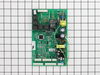
"Moaning Myrtle" syndrome. Refrigerator makes a whooing sound for hours at a time
Checked the internet for reports of similar problems and concluded that it was probably the main control board. Not being particularly handy, I would never have attempted to change the board myself if I had not read the comments and instructions from people on this site. Thanks.
The job was as straight forward as others have described. The only time I had a problem was pushing in the white tab to be able to pull the old board out. That was a bit of a fiddle.
The only thing I found different was the grounding wire. On the original board, this wire was at the bottom of the board and hooked into a wire that ran into the refrigerator. On the new board, the wire was at the top of the board and had a metal loop on it. If I understand it correctly, with the new grounding system the wire is pushed into the space above the board. Then when the back plate is reattached the metal loop makes contact with it , thus grounding the refrigerator.
I chose to run the grounding wire through the original wire into the refrigerator. That meant cutting off the metal loop, slicing in an extra piece of wire to connect the grounding wire on the board to the grounding wire into the refrigerator.
I also now use a surge suppressor for the refrigerator. The “Moaning Myrtle” syndrome started after Hurricane Ike. I suspect the surge when the power was restored damaged the control board. And as so many people seem to have this “Moaning Myrtle” problem, I suspect the control board has little or no surge protection.
The job was as straight forward as others have described. The only time I had a problem was pushing in the white tab to be able to pull the old board out. That was a bit of a fiddle.
The only thing I found different was the grounding wire. On the original board, this wire was at the bottom of the board and hooked into a wire that ran into the refrigerator. On the new board, the wire was at the top of the board and had a metal loop on it. If I understand it correctly, with the new grounding system the wire is pushed into the space above the board. Then when the back plate is reattached the metal loop makes contact with it , thus grounding the refrigerator.
I chose to run the grounding wire through the original wire into the refrigerator. That meant cutting off the metal loop, slicing in an extra piece of wire to connect the grounding wire on the board to the grounding wire into the refrigerator.
I also now use a surge suppressor for the refrigerator. The “Moaning Myrtle” syndrome started after Hurricane Ike. I suspect the surge when the power was restored damaged the control board. And as so many people seem to have this “Moaning Myrtle” problem, I suspect the control board has little or no surge protection.
Parts Used:
-
Stephen from Spring, TX
-
Difficulty Level:Easy
-
Total Repair Time:Less than 15 mins
-
Tools:Nutdriver
13 of 15 people
found this instruction helpful.
Was this instruction helpful to you?
Thank you for voting!
fridge wouldn't cool, frozen food thawed
First my wife and i took the panel off the back, unscrewed the old mainboard, unplugged all the switches from it and prayed that the new one would work. We were without a fridge for 2 weeks beginning 2 days before Christmas!!!!! Gingerly, we put the new board in place, screwed it into the fridge, connected the switches, attached the ground wire, and held our breath as we plugged it back in. Within seconds, the familiar sound of water filling the icemaker was hear and there were cheers all around!!!
Parts Used:
-
John from Milford, UT
-
Difficulty Level:Easy
-
Total Repair Time:30 - 60 mins
15 of 21 people
found this instruction helpful.
Was this instruction helpful to you?
Thank you for voting!
Switch failed on which kept the refrigerator warm due to heat generatered by light bulbs.
While the switch did last for 9 years, the design is poor due to the failure mode. The failure should be to fail off or not able to turn on the lights which would be inconvenient but would not warm the refrigerator contents. Arcing at the contacts eventually caused the switch to "weld" closed. It is not obvious that this is occurring so it took some time to recognize why the temp inside the ref was high while the freezer was OK. Replacing the switch was easy once it was recognized as the problem. All that was required to replace the switch was to remove the screws holding a fiber cover and then pulling off the aluminum cap which covered the switches. Unplug the switch an squeeze the keeper on the switch to release it and pull down. Pop the replacement switch in place and plug the wires harness back in. All in all it took much less time to replace than it has to write this up. T Pope
Parts Used:

-
Terry from Simi Valley, CA
-
Difficulty Level:Really Easy
-
Total Repair Time:Less than 15 mins
-
Tools:Pliers, Screw drivers
19 of 33 people
found this instruction helpful.
Was this instruction helpful to you?
Thank you for voting!
my condensor fan made squeeking noise
took one screw that held the whole fan housing on, its a tight fit to try and pull it out cause of the copper lines in the back so I just turned it enough to where I could get to the 2 screws on the fan bracket, took the old fan and the rubber grommets out and replaced them! Put everything back together and works like new! Nice and quite! Plus I saved about $200-300 if a tech. would have came and fixed it!
A. Gustafson
Colorado
A. Gustafson
Colorado
Parts Used:
-
Andrew from Johnstown, CO
-
Difficulty Level:Easy
-
Total Repair Time:15 - 30 mins
-
Tools:Nutdriver, Screw drivers
16 of 25 people
found this instruction helpful.
Was this instruction helpful to you?
Thank you for voting!
support clip broken.
After figuring out how to remove the old broken clip, replacement was easy. Had to use a small putty knife to open the release on the bottom underside of the clip(between the clip & the refrig) . By looking at the replacement piece it was easy to figure out.
Parts Used:
-
Arturo from Killeen, TX
-
Difficulty Level:Easy
-
Total Repair Time:Less than 15 mins
-
Tools:Screw drivers
16 of 25 people
found this instruction helpful.
Was this instruction helpful to you?
Thank you for voting!
Existing light switch was hard to remove.
The existing light switch was very hard to remove. I ended up having to grab it with a pair of pliers and pull it out. Once it was out, it was very easy to put in the replacement and it seems to be working fine.
Parts Used:
-
Stephen from Jupiter, FL
-
Difficulty Level:A Bit Difficult
-
Total Repair Time:Less than 15 mins
-
Tools:Screw drivers
14 of 19 people
found this instruction helpful.
Was this instruction helpful to you?
Thank you for voting!
Interior light needed replaced
Unplugged the appliance for safety. Removed two 1/4" screws that held the assembly in place. Carefully removed the wire guard that retains the glass shield. Unscrewed old light bulb and replaced with new part. Reversed the steps after cleaning glass cover.
Parts Used:

-
Leo from TWIN FALLS, ID
-
Difficulty Level:Really Easy
-
Total Repair Time:Less than 15 mins
-
Tools:Nutdriver
22 of 43 people
found this instruction helpful.
Was this instruction helpful to you?
Thank you for voting!
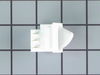
Broken freezer light switch
Part arrived very fast as ordered..need to pry old switch out from top..use care to push the retainer down..after old switch was 1/2 out, I used a putty knife for better leveridge.Remove wire connector...after plugging in the wire connector to the replacement switch, make sure the switch is properly positioned so the switch will depress when door shuts.
Parts Used:
-
James from Goshen, KY
-
Difficulty Level:Really Easy
-
Total Repair Time:15 - 30 mins
-
Tools:Screw drivers
14 of 20 people
found this instruction helpful.
Was this instruction helpful to you?
Thank you for voting!
freezer and fridg would not hold the temp correctly. Getting too warm
I had Sears comre and check it out. They wanted $188. for the part and wanted $211 to put it in. They had the part in the truck. The fridg is a GE Profile and only 2 years old. Told them to forget it. Took me literally less than 10 minutes. They did a diagnostics, cost me $77. they told me the problem. I ordered the part here. It came in 3 days and the directions included were awesome. straight forward. Nice to know there is a place to go to avoid getting the shaft from appliance giants. Thank You !
The details: removed the 3 screws, took a picture of the board, didn't need it, unplugged the 6 plugs. pushed 3 clipds holding the board, unscrewed the ground, removed the board, lined up the 3 clips and snapped the new board in place, replugged the plugs and screwed in the ground. Plug the fridg in, done. Literally that easy.
The details: removed the 3 screws, took a picture of the board, didn't need it, unplugged the 6 plugs. pushed 3 clipds holding the board, unscrewed the ground, removed the board, lined up the 3 clips and snapped the new board in place, replugged the plugs and screwed in the ground. Plug the fridg in, done. Literally that easy.
Parts Used:
-
Paul from Troy, NY
-
Difficulty Level:Really Easy
-
Total Repair Time:Less than 15 mins
-
Tools:Screw drivers
11 of 11 people
found this instruction helpful.
Was this instruction helpful to you?
Thank you for voting!
Freezer thawing then re-freezing
The refrigerator was staying in defrost too long allowing the temperature to rise to the point that part of the ice (probably some of the food too) to melt then re-freeze. I first changed out the temp sensor and thermostat because I wanted to try the cheap stuff first but that didn't fix it, I should have gone with the mainboard first as it was the most likely cause. After putting in the new mainboard in the thing has worked perfectly since. The board was extremely easy to change, take the metal cover off with a nut driver. Carefully unplug the wires from old board and remove the board. The board is mounted on some plastic standoffs that expand after passing through the board, some of these came out while i was disconnecting the wires but some were there to stay until I figured out that I needed to squeeze the top of them to release the board. After getting the old board out just put the new one on the standoffs and connect the wires. Put the cover back on and DONE!
NOTES: The new board had some extra connectors that my old one did not, but the correct connectors were still in the old locations. The instructions that came with the board did talk about making some modifications to the refrigerator wiring on certain models, but that didn't apply to me. If I remember right the models requiring modification were all bottom freezer type. But even if you do have to do this the instrucions looked easy, just cut a couple of wires, no splicing or anything.
NOTES: The new board had some extra connectors that my old one did not, but the correct connectors were still in the old locations. The instructions that came with the board did talk about making some modifications to the refrigerator wiring on certain models, but that didn't apply to me. If I remember right the models requiring modification were all bottom freezer type. But even if you do have to do this the instrucions looked easy, just cut a couple of wires, no splicing or anything.
Parts Used:
-
Luther from Navarre, FL
-
Difficulty Level:Really Easy
-
Total Repair Time:Less than 15 mins
-
Tools:Nutdriver, Pliers
12 of 15 people
found this instruction helpful.
Was this instruction helpful to you?
Thank you for voting!
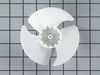
High pitch noise
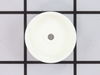
My GE refrigerator emitted high pitch noise a short while ago. I tried different dampening methods that helped but not eliminating the problem. I finally replaced the fan, motor, and associated parts and solved the problem. The total cost was about $50.
Parts Used:
-
Bert from Audubon, PA
-
Difficulty Level:Easy
-
Total Repair Time:30 - 60 mins
-
Tools:Nutdriver
15 of 24 people
found this instruction helpful.
Was this instruction helpful to you?
Thank you for voting!
Motherboard burned out
I ordered the part on Sunday and had it by Tuesday. It only took a few minutes to install. Basically, I unplugged the unit and removed the cover over the motherboard with a nutdriver. The wires were easy to unplug and reinstall. There was no way to incorrectly install since they could only fit in the correct position. I reinstalled the panel pluged it back in and now the fridge is working great.
Parts Used:
-
Joe from Redlands, CA
-
Difficulty Level:Really Easy
-
Total Repair Time:15 - 30 mins
-
Tools:Nutdriver
11 of 13 people
found this instruction helpful.
Was this instruction helpful to you?
Thank you for voting!
It would freeze up and then it would not cool.
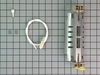
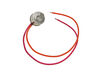
First I unplugged the refrigerator, then I had to open up the back of the freezer, use the hair dryer to defrost the ice that had built up in it. Then I unscrewed the screws on both ends of the existing heater unplugged the old heater and plugged in the new one. Then with the sensor, I cut and stripped the 2 wires attached to the old sensor 1 inch away from the sensor. Then I spliced it with the wires on the new sensor, applied wire nut and black tape tightly. Then I put it all back together.
Parts Used:
-
Ronnie from Scottsville, KY
-
Difficulty Level:Easy
-
Total Repair Time:15 - 30 mins
-
Tools:Screw drivers
12 of 16 people
found this instruction helpful.
Was this instruction helpful to you?
Thank you for voting!
Freezer would have ice blockage and eventually both sides would quit cooling. Starting with the refriidgerator side then the freezer side temp would eventually begin to rise all over the course of 2 to 3 days.
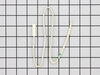
Unplugged the refrigerator and removed inside back panel from the freezer compartment and left doors open to allow all ice to thaw. I chose not to use a hair dryer and speed up the process as this could possibly cause more damage if not done with caution. After all ice was melted i took both screws from heat element assembly and followed the simple instructions that came with the new part. Since meters an i dont really work well together and since defrost thermostat and temp sensor were so inexpensive. I opted to purchase those as well in my initial order. They were as simple to replace as a lightbulb. Unscrew the wire nuts from existing sensors and screw wire nuts back on to the new sensors. Buy purchasing all three items at once i felt it just ensured the fiz was complete and the unit has been operating for 7 days like new. One thing i would pass on. If it is the heating element that is burned out, the glass tuve on mine was very black and charred looking. Also when you take it out of the assembly the element was actually in two pieces. Did something cause the element to stay on until it burned out or just old age i dont know. Again, for less than 20 bucks i purchased the additional parts that would seem most obvious to replace and i would recommebd the same. Part select saved us a lot of money not only in parts but in allowing someone with no considerable knowledge in this areato make repairs without hiring an expensive repairman.
Parts Used:
-
Russ from Bella Vista, AR
-
Difficulty Level:Really Easy
-
Total Repair Time:Less than 15 mins
-
Tools:Nutdriver, Pliers, Screw drivers
11 of 13 people
found this instruction helpful.
Was this instruction helpful to you?
Thank you for voting!