















GSC308PJQ3 Whirlpool Microwave Oven Combo - Instructions
Keep searches simple. Use keywords, e.g. "leaking", "pump", "broken" or "fit".
The lower door of my double oven would not stay closed. The light was always on, and I had spent a year doing embarassing things like trying to tape or velcro it shut.
Several professional appliance repair people told me I had to get a new oven (double, no less!) because "they don't make that hinge anymore." That would have been a $4-5K investment to replace two ovens that both work fine. I'm not generally a DIY person, but was inspired by a FB page I follow called "Handy Women." I got the model number out of my oven, googled "replacement hinge for ____," and found it on this site right away. $120 and about 1 week later I had my hinges. I found this video in the comments on this website that shows (without narration) exactly how to change the hinges.
https://www.youtube.com/watch?v=XzQuU2gZYhk
The only mistake I made that cost me some time had to do with the little pins you have to put into the hinge to remove and replace the oven door. They were missing from the old hinges, and it didn't occur to me to use the ones that were in the new hinges (hadn't unboxed when I started.) I used threaded bolts that were the right diameter and length. They slid right in, but then when I went to take them out, it was an ordeal with WD-40 and an Allen wrench. Then it still didn't occur to me to look at the new ones, so I went to the hardware store and bought two more things the right size without threads. Of course when I took the new hinges out of the boxes they already had the little pins in them. Annoying and time consuming rookie mistake, but my oven door now closes just fine, and I'm getting a ridiculous amount of satisfaction from my little repair job!
https://www.youtube.com/watch?v=XzQuU2gZYhk
The only mistake I made that cost me some time had to do with the little pins you have to put into the hinge to remove and replace the oven door. They were missing from the old hinges, and it didn't occur to me to use the ones that were in the new hinges (hadn't unboxed when I started.) I used threaded bolts that were the right diameter and length. They slid right in, but then when I went to take them out, it was an ordeal with WD-40 and an Allen wrench. Then it still didn't occur to me to look at the new ones, so I went to the hardware store and bought two more things the right size without threads. Of course when I took the new hinges out of the boxes they already had the little pins in them. Annoying and time consuming rookie mistake, but my oven door now closes just fine, and I'm getting a ridiculous amount of satisfaction from my little repair job!
Parts Used:

-
Sharon from DALLAS, TX
-
Difficulty Level:Easy
-
Total Repair Time:1- 2 hours
-
Tools:Screw drivers
1 person
found this instruction helpful.
Was this instruction helpful to you?
Thank you for voting!
The oven was over heating because it wasn’t reading the temperature
Pulled the stove out, unscrewed the back and plugged the new thermostat in. Screwed the back back on
Parts Used:

-
LAURIE from BILTMORE LAKE, NC
-
Difficulty Level:Really Easy
-
Total Repair Time:30 - 60 mins
-
Tools:Screw drivers
2 of 4 people
found this instruction helpful.
Was this instruction helpful to you?
Thank you for voting!
The element had burned up.
Unplugged old element unit and plugged in new element. Took two needle nose pliers and a flexible body. Took about 5 minutes. Works fine. Anybody can do it. Make sure power is off at the box.
Parts Used:

-
Kenyon from CALHOUN, GA
-
Difficulty Level:Really Easy
-
Total Repair Time:30 - 60 mins
-
Tools:Pliers
1 person
found this instruction helpful.
Was this instruction helpful to you?
Thank you for voting!
The video gave me the confidence to order the part
The tech said he used No 2 Phillip's. Once I took the door off and removed the racks I quickly learned a Phillips was not going to work. I am now the proud owner of a Kobslt star and square ratchet screwdriver.
Parts Used:
-
Leroy from SUWANEE, GA
-
Difficulty Level:Really Easy
-
Total Repair Time:30 - 60 mins
-
Tools:Screw drivers
1 person
found this instruction helpful.
Was this instruction helpful to you?
Thank you for voting!
The element connector broke on the element
I shut the power off first as this is 240v. Then removed all the screws that hold the element on. The old one had 5 screws. For this part you will need to buy new or reuse the old screws. I reused the old ones. Once loose the element pulled forward and exposed the connectors. I used pliers to pull the broken one out as it did not come out with the old element. It will only pull out a few inches, but that is enough to unplug the connectors. After unplugged the element can be taken to recycling. The new one can be set in the oven with the connectors near the wires and plug the two sides into the connectors. Have a screw ready and slide the rear of the element back into rear which will support it while you insert one of the screws into the front support to hold the element in place. Then move the element and support as needed to install the remaining screws. Once it is all tight, turn on the power and make sure it works.
Parts Used:

-
Joe from Bloomington, IN
-
Difficulty Level:A Bit Difficult
-
Total Repair Time:30 - 60 mins
-
Tools:Pliers, Screw drivers
1 person
found this instruction helpful.
Was this instruction helpful to you?
Thank you for voting!
Oven door would not close tight against the gasket
Removed the door from oven removed screws from door and replaced the old hinges with new ones perfect match
Parts Used:
-
Ben from IRON STATION, NC
-
Difficulty Level:Really Easy
-
Total Repair Time:30 - 60 mins
-
Tools:Screw drivers
1 person
found this instruction helpful.
Was this instruction helpful to you?
Thank you for voting!
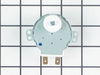
Turntable did not work
Ordered a new motor. Removed the outside trim of the oven-microwave combo. 2 screws at the bottom of the trim. Removed the screws that held the combination micro and oven unit in place. Removed the top and bottom black plastic grill of the microwave. 3 screws each. Pulled the entire unit out about 1 inch exposing the screws at each side of the microwave that hold it in place.
Snapped off the top control panel which exposed the wiring connecting the control panel.
Unplugged a couple of wire harness units to free the control panel.
Be sure to label the units to know which goes where during reassembly.
Remove the microwave unit from the housing and place it on its side.
Remove the metal plate that houses the motor. 4 screws hold the motor in place. Disconnect the 2 wires from the old motor and you are ready to install the new motor. Be sure to TURN OFF THE POWER to the unit at the breaker box and remove the turntable from inside the microwave.
Snapped off the top control panel which exposed the wiring connecting the control panel.
Unplugged a couple of wire harness units to free the control panel.
Be sure to label the units to know which goes where during reassembly.
Remove the microwave unit from the housing and place it on its side.
Remove the metal plate that houses the motor. 4 screws hold the motor in place. Disconnect the 2 wires from the old motor and you are ready to install the new motor. Be sure to TURN OFF THE POWER to the unit at the breaker box and remove the turntable from inside the microwave.
Parts Used:
-
Eldon from ORANGE, CA
-
Difficulty Level:Easy
-
Total Repair Time:30 - 60 mins
-
Tools:Screw drivers
1 of 2 people
found this instruction helpful.
Was this instruction helpful to you?
Thank you for voting!
Right side Door Spring broke.
Removed door to see what happened to the spring, ordered new spring and door frame on line and replaced parts. Had to replace door frame as it broke while removing it.
Parts Used:
-
Joseph R from East Falmouth, MA
-
Difficulty Level:Easy
-
Total Repair Time:30 - 60 mins
-
Tools:Screw drivers
2 of 5 people
found this instruction helpful.
Was this instruction helpful to you?
Thank you for voting!
Inner glass dooe cracked due to thermal stress
I removed the Oven door, unscrew 10 screws, open up the dor case, clean all glass levels, replace inner glass, reassembled the door, reinstalled the door to the appliance.
Parts Used:

-
ariel from tarzana, CA
-
Difficulty Level:Easy
-
Total Repair Time:30 - 60 mins
-
Tools:Screw drivers
2 of 5 people
found this instruction helpful.
Was this instruction helpful to you?
Thank you for voting!
The light in our microwave was out.
We had to remove screws from the vent covers above and below the microwave, then there were 2 screws (one on each side) that attached the microwave to the oven. Once all of the screws were removed we had to pull the microwave out. Then we pulled the light cord out, removed the burnt out light and installed the new one. Then reversed the steps.
Parts Used:
-
Michael from Ladson, SC
-
Difficulty Level:Difficult
-
Total Repair Time:More than 2 hours
-
Tools:Screw drivers
1 of 2 people
found this instruction helpful.
Was this instruction helpful to you?
Thank you for voting!
glass on oven door was broken
removed door from oven, took all screws off door to remove glass, put new glass in place, put oven door back together, put oven door back onto the oven
Parts Used:
-
nancy from edison, NJ
-
Difficulty Level:Difficult
-
Total Repair Time:More than 2 hours
-
Tools:Screw drivers
2 of 5 people
found this instruction helpful.
Was this instruction helpful to you?
Thank you for voting!
wire came loose and shorted out
Ordering the part online was easy. It arrived in a timely manner. I found a terrific video online showing how to install the terminal. It was so easy. Thank you for the great instructional video.
Parts Used:

-
Elizabeth from HOUSTON, TX
-
Difficulty Level:Really Easy
-
Total Repair Time:30 - 60 mins
-
Tools:Pliers, Screw drivers
1 of 2 people
found this instruction helpful.
Was this instruction helpful to you?
Thank you for voting!
Cracked in oven door glass
Read the instructions in installation manual to remove door. Kept removing screws. Was surprised to find two panes of glass between the inner glass and the outer glass. Cleaned all the glass (4) and the inside of the door. Looks brand new. Be careful with the insulation; be sure it is pushed back or it will show from the outside.
Parts Used:
-
Alan from Prairieville, LA
-
Difficulty Level:Easy
-
Total Repair Time:30 - 60 mins
-
Tools:Nutdriver, Screw drivers
2 of 5 people
found this instruction helpful.
Was this instruction helpful to you?
Thank you for voting!
broken inside glass
unscrewed the oven door, took off the entire door, pulled apart the glass pieces and replaced
Parts Used:
-
Rene from Keller, TX
-
Difficulty Level:Easy
-
Total Repair Time:15 - 30 mins
-
Tools:Screw drivers
1 of 2 people
found this instruction helpful.
Was this instruction helpful to you?
Thank you for voting!
I snapped a bolt on the main power terminal block when connecting the pigtail.
Removed the small metal panel covering the main power terminal in back of the electric range. Removed the nuts holding the red, white and black electrical wires from the range using the appropriate socket (there will be two nuts on each bolt end). Removed the two screws holding the main power terminal block with appropriate screw driver. Connect the new main power terminal block to the range using the two screws. Reconnect the red, black and white electrical wires coming from the range using one nut for each wire. IMPORTANT: do no over tighten the nuts because the bolts could snap. Reconnect the pigtail and secure the small metal panel covering the main power panel.
Parts Used:
-
Frank from Palm Coast, FL
-
Difficulty Level:Easy
-
Total Repair Time:15 - 30 mins
-
Tools:Screw drivers, Socket set
3 of 8 people
found this instruction helpful.
Was this instruction helpful to you?
Thank you for voting!