















GS22X8A (DR17A) Admiral Refrigerator - Instructions
Keep searches simple. Use keywords, e.g. "leaking", "pump", "broken" or "fit".
unit would not freeze
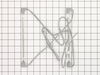
I removed all covers then removed screws from element and disconnected wires and removed it.
when installing the new heater I payed close attention to the routing of thw wires to insure that the terminals were connected properly. I then replaced all covers and turned the frig on and in a couple of hour it was working great again
when installing the new heater I payed close attention to the routing of thw wires to insure that the terminals were connected properly. I then replaced all covers and turned the frig on and in a couple of hour it was working great again
Parts Used:
-
Johnnie from Saginaw, MI
-
Difficulty Level:A Bit Difficult
-
Total Repair Time:15 - 30 mins
-
Tools:Nutdriver, Screw drivers
1 of 2 people
found this instruction helpful.
Was this instruction helpful to you?
Thank you for voting!
Motor noise while running and clicking when shutting off
The instruction sheet supplied with the new motor described the steps to take very good. Replaced the rubber grommets for the three motor mounts also. A flashlight or light source was needed or was very helpful.
Parts Used:

-
Curtis from Sedona, AZ
-
Difficulty Level:Easy
-
Total Repair Time:15 - 30 mins
-
Tools:Nutdriver, Pliers
1 of 2 people
found this instruction helpful.
Was this instruction helpful to you?
Thank you for voting!
freezer and food section too warm
removed lower back cover. diconnected fan ass'y electrical connection, removed fan housing (3 screws). removed fan motor from housing. cut old connector from fan and installed on new fan with wire nuts included. re-installed new fan to housing and re-installed housing to frame.
Parts Used:
-
William from Milford, MA
-
Difficulty Level:Easy
-
Total Repair Time:30 - 60 mins
-
Tools:Socket set
1 of 2 people
found this instruction helpful.
Was this instruction helpful to you?
Thank you for voting!
Condenser Fan Failure
Partition between Freezer and Fridge was running very hot. (Warm is normal). Oiling fan did not work. The only problems encountered in the replacement were getting fan out and in through coolant lines, cut plug off to accomodate generic fan wiring, getting the screws back in without cooking your hand on a hot compressor. Unit works great!
Parts Used:
-
Al from Tonka Bay, MN
-
Difficulty Level:Easy
-
Total Repair Time:30 - 60 mins
-
Tools:Socket set
2 of 5 people
found this instruction helpful.
Was this instruction helpful to you?
Thank you for voting!
light did not work on the refrigerator side
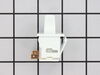
bulbs were not burnt out. received the new switch in a few days. watch the short video, was good to see how it comes out. used a putty knife to release the defective switch, removed wires put them on the new one and posed the new switch back in. Not bad Part cost $11.00 7 dollars shipping so for 17 bucks it works great. nice to see what is inside the refer!
Parts Used:
-
David from GROVESPRING, MO
-
Difficulty Level:Easy
-
Total Repair Time:Less than 15 mins
1 of 2 people
found this instruction helpful.
Was this instruction helpful to you?
Thank you for voting!
Rocker on switch broke off
Eased the putty knife under the edge of the switch housing and pried it off. Pulled two wires off the old terminals and hooked them onto the new one and reinstalled into the refrigerator body.
Parts Used:
-
David Barnes from ROSWELL, NM
-
Difficulty Level:Very Easy
-
Total Repair Time:Less than 15 mins
1 of 2 people
found this instruction helpful.
Was this instruction helpful to you?
Thank you for voting!
The ice stripper cracked from freezing.
There was three screws to remove to unmout the ice maker, and unplug the wire harness,then two to remove to slip in new stripper. All took about 20 mins.
Parts Used:

-
David from Discovery Bay, CA
-
Difficulty Level:Really Easy
-
Total Repair Time:15 - 30 mins
-
Tools:Nutdriver
3 of 8 people
found this instruction helpful.
Was this instruction helpful to you?
Thank you for voting!
Light switch broke off
We looked up the problem online with the model number of the refrigerator. We ordered the part and followed the video installation that was sent with the order and was found online prior to purchasing
Parts Used:
-
Kathy from TEMECULA, CA
-
Difficulty Level:Very Easy
-
Total Repair Time:Less than 15 mins
-
Tools:Pliers
1 of 2 people
found this instruction helpful.
Was this instruction helpful to you?
Thank you for voting!
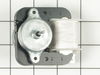
motor wore out making loud noise
unplug the refrigator, remove everything from
frezer compartment. remove ice maker three screws and un plug. remove rear panel 4 screws
remove motor bracket from rear panel 4 screws
unplug motor . replace motor and reasemble in
reverse order. the new motor is very quiet.
frezer compartment. remove ice maker three screws and un plug. remove rear panel 4 screws
remove motor bracket from rear panel 4 screws
unplug motor . replace motor and reasemble in
reverse order. the new motor is very quiet.
Parts Used:
-
James from Bel Air, MD
-
Difficulty Level:Easy
-
Total Repair Time:30 - 60 mins
-
Tools:Nutdriver, Pliers, Screw drivers
5 of 14 people
found this instruction helpful.
Was this instruction helpful to you?
Thank you for voting!
fan motor had gone bad
I removed the nuts that held the motor mount, then removed fan blade, cut the wires, and slid the motor pass the mounts and the coil shroud, Installed motor in reverse order. worked out ok.
Parts Used:
-
william from whitwell, TN
-
Difficulty Level:Easy
-
Total Repair Time:30 - 60 mins
-
Tools:Screw drivers, Socket set, Wrench set
1 of 2 people
found this instruction helpful.
Was this instruction helpful to you?
Thank you for voting!
cooling fan quit
Ordered new fan motor on line took out old motor and replaced with new one
Parts Used:
-
George from Belhaven, NC
-
Difficulty Level:Easy
-
Total Repair Time:30 - 60 mins
-
Tools:Nutdriver
1 of 2 people
found this instruction helpful.
Was this instruction helpful to you?
Thank you for voting!
Freezer and Frig was not cooling down. The freezer side was all froze up on the coils.
Unplug the Frig and left the freezer side total defrost. Mine was so frozen up, it took about 6 hours with the door open. I had a towel in the botton to catch all the water and ice that fell.
Removed all the shelving units. There are 3 screws that hold the ice maker in place. Loosen the 2 screws above the ice maker about 3 or so turns. Then remove the screw under the ice maker completely. Then lift the ice maker off of the 2 screws that you just loosened. Then with a small flat blade screwdriver, push the plastic clip that holds the connector of wires that plug into the ice maker.
Then remove the screws that hold the back plastic cover that conseals the coil.
Now you should see the coils. There is one heater unit in the middle and one at the botton. There is a screw on each side of the heater unit that you need to take out. They are screwed into a metal bracket that is part of the coil system. Once the screws are removed, you simply remove the heater units. They are plugged in at the top of the coil system on a circuit board. Unplug them from there, (one of the spades connector was slightly bigger then the other, so I new where to plug them back in). Fish all the wire and heater untis out and you are ready to re-oinstall the new units.
Getting the wires back up through the coils was tricky, but I was able to do it.
The hardest thing was working inside the freezer unit. It is not very wide and was sometimes hard to get both hand inside to work.
Removed all the shelving units. There are 3 screws that hold the ice maker in place. Loosen the 2 screws above the ice maker about 3 or so turns. Then remove the screw under the ice maker completely. Then lift the ice maker off of the 2 screws that you just loosened. Then with a small flat blade screwdriver, push the plastic clip that holds the connector of wires that plug into the ice maker.
Then remove the screws that hold the back plastic cover that conseals the coil.
Now you should see the coils. There is one heater unit in the middle and one at the botton. There is a screw on each side of the heater unit that you need to take out. They are screwed into a metal bracket that is part of the coil system. Once the screws are removed, you simply remove the heater units. They are plugged in at the top of the coil system on a circuit board. Unplug them from there, (one of the spades connector was slightly bigger then the other, so I new where to plug them back in). Fish all the wire and heater untis out and you are ready to re-oinstall the new units.
Getting the wires back up through the coils was tricky, but I was able to do it.
The hardest thing was working inside the freezer unit. It is not very wide and was sometimes hard to get both hand inside to work.
Parts Used:
-
David from Kalamazoo, MI
-
Difficulty Level:A Bit Difficult
-
Total Repair Time:30 - 60 mins
-
Tools:Screw drivers
1 of 3 people
found this instruction helpful.
Was this instruction helpful to you?
Thank you for voting!
missing clips
I had to find a couple screws that would match the clips and kickplate. I screwed on the clips. The kickplate snapped on perfectly.
Parts Used:
-
Gaylon from Auburndale, FL
-
Difficulty Level:Really Easy
-
Total Repair Time:Less than 15 mins
-
Tools:Screw drivers
2 of 6 people
found this instruction helpful.
Was this instruction helpful to you?
Thank you for voting!
Light in my refrigerator didn't work.
At first I went to a local part supplier and they didn't have it in stock but could order it for me for $55.00 plus $10.00 to ship it. I told them I would have to think about it. I went home and got on the computer and found your web site and was I shocked when I saw the same part listed for $6.98 and $7.00 to ship it. You guys saved me $50.00. The part arrived in two day and took 5 min. to install. I now have light in my refrigerator. Thank you.
Parts Used:
-
Joseph from Byron Center, MI
-
Difficulty Level:Really Easy
-
Total Repair Time:Less than 15 mins
-
Tools:Screw drivers
1 of 3 people
found this instruction helpful.
Was this instruction helpful to you?
Thank you for voting!
The door gasket was very hot which is caused by an overheated expansion line that runs along the area of the door gasket. This was caused by a failed cooling fan motor.
Pulled out the refrigerator and removed the two panels from the rear of the refrigerator. Removed the fan held in by four screws and unplugged the connector. Soldered on the original connector, installed the fan to the motor and re-installed the unit into the refrigerator. Then blew out and vaccumed the condenser coils.
Parts Used:
-
James from Howell, MI
-
Difficulty Level:Easy
-
Total Repair Time:30 - 60 mins
-
Tools:Nutdriver
2 of 6 people
found this instruction helpful.
Was this instruction helpful to you?
Thank you for voting!