















GH9115XEB0 - Instructions
Keep searches simple. Use keywords, e.g. "leaking", "pump", "broken" or "fit".
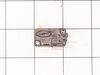
Oven would not start when closing door.
Removed some cosmetic panels. Removed the assembly with micro switches. Examined the faulty switch by checking the clicking action of switch. Two others were ok by this method. Replaced the switch with new one. Works fine so far. Thanks to web site and YouTube videos.
Parts Used:
-
Raymond from DEPEW, NY
-
Difficulty Level:Easy
-
Total Repair Time:Less than 15 mins
-
Tools:Screw drivers
4 of 8 people
found this instruction helpful.
Was this instruction helpful to you?
Thank you for voting!
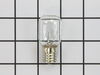
Burned out bulb
-
Theresa from OVERLAND PARK, KS
-
Difficulty Level:Very Easy
-
Total Repair Time:Less than 15 mins
-
Tools:Screw drivers
2 of 2 people
found this instruction helpful.
Was this instruction helpful to you?
Thank you for voting!
Items were not getting heated up in the microwave,
I went to LG website enter model number and was given a list of parts that need to be replaced with a percentage of which part fails the most. I order micro switch PS3522738 which arrived and PS3529293 was backordered. I installed the one that arrived. The microwave worked briefly. I reordered and waited for both switches to arrive and installed both. The microwave still doesn't work.
Parts Used:
-
Kenneth from CRYSTAL LAKE, IL
-
Difficulty Level:Really Easy
-
Total Repair Time:15 - 30 mins
-
Tools:Screw drivers
2 of 2 people
found this instruction helpful.
Was this instruction helpful to you?
Thank you for voting!
Burned out light in microwave
Spouse just screwed in the new bulb and reinstalled the light cover plate with the two screws. Took under a minute. Works great.
Parts Used:
-
DANNY from SAINT JOHNS, FL
-
Difficulty Level:Very Easy
-
Total Repair Time:Less than 15 mins
-
Tools:Screw drivers
4 of 8 people
found this instruction helpful.
Was this instruction helpful to you?
Thank you for voting!
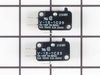
Would not start
Watched a you tube video prior to installing new switch. Followed the video which gave me confidence i was up to the task. After removing the touch pad I found my design was not exactly like the you tube model but I found the defective switch, replaced it and put the microwave back together. Works great. Again watch the videos
Parts Used:
-
LENNARD from BURNSVILLE, MN
-
Difficulty Level:Easy
-
Total Repair Time:30 - 60 mins
-
Tools:Pliers, Screw drivers
2 of 3 people
found this instruction helpful.
Was this instruction helpful to you?
Thank you for voting!
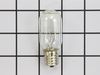
No problem
-
Janet from PITTSFORD, NY
-
Difficulty Level:Really Easy
-
Total Repair Time:Less than 15 mins
-
Tools:Pliers
2 of 3 people
found this instruction helpful.
Was this instruction helpful to you?
Thank you for voting!
Door switch malfunction
Take cover off microwave. Check door switches to determine which one was faulty.Remove and replace faulty switch.
Parts Used:
-
Sherry from PINELAND, SC
-
Difficulty Level:Very Easy
-
Total Repair Time:Less than 15 mins
-
Tools:Nutdriver, Screw drivers
2 of 3 people
found this instruction helpful.
Was this instruction helpful to you?
Thank you for voting!
Light over range burned out
Philips screwdriver
Removed screw (1)
Removed light bulb
Put in new light bulb
Closed door to bulb compartment
Returned screw.
Pro tip! Check how many bulbs you need before ordering. Mine only needed two. I got two. I suspect I’ll buy a new microwave before new bulb burns out again. Ordering/delivery was fast. No need to have spare on hand.
Removed screw (1)
Removed light bulb
Put in new light bulb
Closed door to bulb compartment
Returned screw.
Pro tip! Check how many bulbs you need before ordering. Mine only needed two. I got two. I suspect I’ll buy a new microwave before new bulb burns out again. Ordering/delivery was fast. No need to have spare on hand.
Parts Used:
-
Vincent from CHICAGO, IL
-
Difficulty Level:Very Easy
-
Total Repair Time:Less than 15 mins
-
Tools:Screw drivers
3 of 6 people
found this instruction helpful.
Was this instruction helpful to you?
Thank you for voting!
Microwave fan would come on when door open. Timer and unit would not switch on.
I looked up my problem on the internet and found a very helpful video. Microwave on video was different brand but the internals and methods were very much the same. The video made it simple and easy to fix. Found the replacement switch on the LG parts site and ordered. Two different switch types. One with red switch, the other green. Part was $7.28. Saved a bundle in service costs. Here is the repair video.
https://www.youtube.com/watch?reload=9&v=_AglBJoHgDs
https://www.youtube.com/watch?reload=9&v=_AglBJoHgDs
Parts Used:

-
Dick from SANDY, UT
-
Difficulty Level:Really Easy
-
Total Repair Time:30 - 60 mins
-
Tools:Screw drivers
1 person
found this instruction helpful.
Was this instruction helpful to you?
Thank you for voting!
suddenly stopped working while in use
i unplugged the unit,unscrewed the outer shell so that all the wiring and internal components were visible.starting at the first of three micro switches i removed the slip on terminals installed the alligator clips too the wires so the switch would now be bypassed.i made sure the wires and clips were not touching anything plugged unit in and it worked.i then installed the new switch and closed up the outer shell
Parts Used:
-
Kevin from Colonia, NJ
-
Difficulty Level:Easy
-
Total Repair Time:Less than 15 mins
-
Tools:Pliers, Screw drivers
2 of 4 people
found this instruction helpful.
Was this instruction helpful to you?
Thank you for voting!
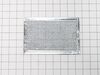
Air Filter Replacement
Originally called it "grease filter" until I found very small print "air filter" on damaged original. Part #PS3527528
Slipped into place with ease -- right bottom of microwave
Slipped into place with ease -- right bottom of microwave
Parts Used:
-
Claude from PARK CITY, UT
-
Difficulty Level:Very Easy
-
Total Repair Time:Less than 15 mins
1 person
found this instruction helpful.
Was this instruction helpful to you?
Thank you for voting!
Leek
-
Krzysztof from NEW BRITAIN, CT
-
Difficulty Level:Easy
-
Total Repair Time:30 - 60 mins
1 person
found this instruction helpful.
Was this instruction helpful to you?
Thank you for voting!
Microwave failed to head and light, fan, and turntable failed to come on.
Problem was due to a faulty door switch. Replaced with a new switch and the microwave now works fine! Only thing that was tricky was that LG uses the hex screws with a peg in the middle to keep the microwave cover on. Had to use a small screwdriver and pliers (on the screwdriver) to unscrew the screws.
Parts Used:
-
Robert from Cedar Park, TX
-
Difficulty Level:A Bit Difficult
-
Total Repair Time:30 - 60 mins
-
Tools:Nutdriver, Screw drivers
1 of 2 people
found this instruction helpful.
Was this instruction helpful to you?
Thank you for voting!
Items were not getting heated up in the microwave,
-
Kenneth from CRYSTAL LAKE, IL
-
Difficulty Level:Really Easy
-
Total Repair Time:15 - 30 mins
-
Tools:Screw drivers
1 of 2 people
found this instruction helpful.
Was this instruction helpful to you?
Thank you for voting!
Burned out light bulb which lit the surface of the range.
Unscrewed glass panel, removed old bulb, cleaned glass panel and installed new bulb. Screwed panel back into place.
Parts Used:
-
Michael J from LORAIN, OH
-
Difficulty Level:Very Easy
-
Total Repair Time:Less than 15 mins
-
Tools:Screw drivers
1 of 2 people
found this instruction helpful.
Was this instruction helpful to you?
Thank you for voting!