















EED251MMGR1 Whirlpool Refrigerator - Instructions
Keep searches simple. Use keywords, e.g. "leaking", "pump", "broken" or "fit".
Lights inside refrigerator not working
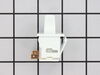
I used a flat-head screwdriver to pop out the old light rocker switch. Then, I unplugged the wires, plugged them into the new light rocker switch, and then popped the new switch into the hole. That's it! Lights began working again.
Parts Used:
-
Clint from Rayville, MO
-
Difficulty Level:Really Easy
-
Total Repair Time:Less than 15 mins
-
Tools:Screw drivers
136 of 250 people
found this instruction helpful.
Was this instruction helpful to you?
Thank you for voting!
Defrost timer was faulty. Required a mild tap to restart
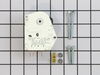
Trouble shot the electrical circuit per the electrical schematic and zeroed in when I noted the Defrost Timer circuit was open. When I tapped on the bottom of the timer it began functioning normally (for a few days). Ordered a new Defrost Timer Kit and along with the installation instruction, I watched the on-line video. It was very helpful!!
After installation was complete, I plugged the Refrigerator into the electrical outlet and.......nothing happened! Hmmm!
Removed the Defrost Time Kit and inspected it for any damage and found none. Then I placed a flathead screwdriver to the manual advance knob and slightly rotate the gear mechanism. I heard a distance "click”. I believe the Timer was in the ‘defrost’ mode when received.
I reinstalled the timer, verified the wiring connections and this time plugged the Refrigerator into the electrical outlet and ….. it worked!!!
I unplugged the refrigerator, finished the installation per the instructions, plugged the unit in and monitored it for a few hours (just in case). That was a week ago and the Refrigerator is working like new.
The instructions were written in a manner which required re-reading a few times as they could be a bit vague. The video was what really helped and I appreciate PartSelect adding it to the instructions.
After installation was complete, I plugged the Refrigerator into the electrical outlet and.......nothing happened! Hmmm!
Removed the Defrost Time Kit and inspected it for any damage and found none. Then I placed a flathead screwdriver to the manual advance knob and slightly rotate the gear mechanism. I heard a distance "click”. I believe the Timer was in the ‘defrost’ mode when received.
I reinstalled the timer, verified the wiring connections and this time plugged the Refrigerator into the electrical outlet and ….. it worked!!!
I unplugged the refrigerator, finished the installation per the instructions, plugged the unit in and monitored it for a few hours (just in case). That was a week ago and the Refrigerator is working like new.
The instructions were written in a manner which required re-reading a few times as they could be a bit vague. The video was what really helped and I appreciate PartSelect adding it to the instructions.
Parts Used:
-
LES from MADERA, CA
-
Difficulty Level:Really Easy
-
Total Repair Time:30 - 60 mins
-
Tools:Nutdriver, Screw drivers
69 of 76 people
found this instruction helpful.
Was this instruction helpful to you?
Thank you for voting!
Outlet valve housing was cracked and leaking water
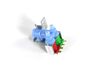
Removed panel in back of fridge. Disconnected water line. Removed outlet valve housing and disconnected wiring. New part is a retro-fit and was modifiable to fit into same space as old part. Reconnected wiring and water line. Turned water back on to test. Checked water dispenser in front door panel. All good. Replaced panel and wheeled back into place.
Parts Used:
-
Thomas from North Attleboro, MA
-
Difficulty Level:A Bit Difficult
-
Total Repair Time:30 - 60 mins
-
Tools:Screw drivers, Socket set, Wrench (Adjustable)
65 of 71 people
found this instruction helpful.
Was this instruction helpful to you?
Thank you for voting!
Freezer Iced up, dripping water into refrigerator below
De-iced the refrigerator. Removed two screws from the thermostat panel on the upper refrigerator section. Tilted it down, removed two speed nuts holding the timer, unplugged the timer plug. Determined from the instruction sheet (easy to follow) what time delay function is used, based on wire colors, placed the jumper on the correct terminal on the new timer. Plugged it in, replaced the speed nuts and screws. The timer fit perfect, works just like it is supposed to, quick easy job.
Parts Used:
-
Robert from Bradenton, FL
-
Difficulty Level:Really Easy
-
Total Repair Time:Less than 15 mins
-
Tools:Pliers, Screw drivers
63 of 75 people
found this instruction helpful.
Was this instruction helpful to you?
Thank you for voting!
Timer "clicking", indicating worn gears
1. Unplug refrigerator to remove power!
2. The timer is inside the control housing located at the top of the refrigerator compartment.
3. Remove two control knobs (the pull off).
4. Remove the front panel escutcheon. The panel is not held in place with screws, but can be gently pried off.
5. Remove two screws from the back that hold the housing in place.
6. Remove screws from the front that hold the housing in place.
7. Drop housing down (still attached by wires - do not detach). Timer is inside housing, located on right.
8. Follow the instructions provided to identify your particular wiring setup. You'll find the wiring diagram (on my model) at the bottom of the refrigerator, alongside the defrost catch pan, behind the airflow grille.
9. Remove connector from timer terminals (4).
10. Remove two screws/nuts that hold the timer in place.
11. Install replacement timer following included directions. Read and follow ALL instructions applicable to your particular model and wiring setup.
12. Reassemble by reversing the steps above.
13. Note: You may need to "jog" the replacement timer when you first plug the refrigerator back in, if the timer happens to be in a "defrost cycle" (the compressor won't start). This can be done by inserting a wide bladed screwdriver into the hole below the timer, aligning it with the timer shaft, and slightly turning the shaft CW. Don't force it, and don't turn it very far.
2. The timer is inside the control housing located at the top of the refrigerator compartment.
3. Remove two control knobs (the pull off).
4. Remove the front panel escutcheon. The panel is not held in place with screws, but can be gently pried off.
5. Remove two screws from the back that hold the housing in place.
6. Remove screws from the front that hold the housing in place.
7. Drop housing down (still attached by wires - do not detach). Timer is inside housing, located on right.
8. Follow the instructions provided to identify your particular wiring setup. You'll find the wiring diagram (on my model) at the bottom of the refrigerator, alongside the defrost catch pan, behind the airflow grille.
9. Remove connector from timer terminals (4).
10. Remove two screws/nuts that hold the timer in place.
11. Install replacement timer following included directions. Read and follow ALL instructions applicable to your particular model and wiring setup.
12. Reassemble by reversing the steps above.
13. Note: You may need to "jog" the replacement timer when you first plug the refrigerator back in, if the timer happens to be in a "defrost cycle" (the compressor won't start). This can be done by inserting a wide bladed screwdriver into the hole below the timer, aligning it with the timer shaft, and slightly turning the shaft CW. Don't force it, and don't turn it very far.
Parts Used:
-
John from Plano, TX
-
Difficulty Level:Easy
-
Total Repair Time:15 - 30 mins
-
Tools:Nutdriver, Pliers, Screw drivers
38 of 43 people
found this instruction helpful.
Was this instruction helpful to you?
Thank you for voting!
Light Switch broke
An easy job for smaller hands. Removed the two bolts holding the light cover. Removed two electrical connections from the old switch by pinching the retaining clip,removed the switch, snapped in the new one and re-attached the connectors. Your online illustrations helped me to know that the plastic housing for the light switch would only swing down so far and was not intended to be removed. Saved me from breaking that plastic cover's tabs. This home repair saved me more than 5 times the cost of hiring a professional to do it. Very happy homeowner.
Parts Used:
-
James Richard from St. Cloud, MN
-
Difficulty Level:Easy
-
Total Repair Time:Less than 15 mins
-
Tools:Socket set
48 of 76 people
found this instruction helpful.
Was this instruction helpful to you?
Thank you for voting!
fan motor was loud,sqeal,would not get cold
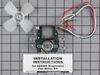
Very easy, hardest part was taking panels out of way. 20 min. to finish. After repair it works like new.About 20 years old.
Parts Used:
-
Thomas from Monsey, NY
-
Difficulty Level:Easy
-
Total Repair Time:15 - 30 mins
-
Tools:Pliers, Screw drivers
35 of 42 people
found this instruction helpful.
Was this instruction helpful to you?
Thank you for voting!
Defrost timer was faulty. It would not restart on it's own.
Just removed the old timer and attached the wires to the new one and replaced the old. That simple!
Parts Used:
-
Ed from Frankfort, IN
-
Difficulty Level:Really Easy
-
Total Repair Time:15 - 30 mins
-
Tools:Screw drivers
33 of 47 people
found this instruction helpful.
Was this instruction helpful to you?
Thank you for voting!
The light switch on the refridgerator broke - no light.
Once I saw the replacement part I understood how to pry out the switch with a small screwdriver. Then just unplug the old one, plug in the new one and pop it into place.
The PartSelect site made it easy to correctly identify the correct part, it was inexpensive, and the shipping was fast.
I'm very pleased!
The PartSelect site made it easy to correctly identify the correct part, it was inexpensive, and the shipping was fast.
I'm very pleased!
Parts Used:
-
David from Albany, OR
-
Difficulty Level:Really Easy
-
Total Repair Time:Less than 15 mins
-
Tools:Screw drivers
36 of 56 people
found this instruction helpful.
Was this instruction helpful to you?
Thank you for voting!
Just a trickle of water to icemaker and water dispenser
Turned refrig off, pulled it out for access to the valve, unplugged refrig and turned off water supply to the outlet valve. I made the installation a bit more difficult by over tightening the supply line connection which ruined the brass compression washer. I replaced it with a plastic compression washer which is probably better since the supply line is plastic. The electrical connections were very simple. I was just guessing the old outlet valve was bad since I had checked the filter. After replacing the valve, the ice maker and water dispenser work like new on a 17 year old refrigeration. Also, I was very pleased with fast processing and delivery of the order.
Parts Used:
-
Bill from Hot Springs Village, AR
-
Difficulty Level:Easy
-
Total Repair Time:15 - 30 mins
-
Tools:Nutdriver, Pliers, Wrench set
22 of 24 people
found this instruction helpful.
Was this instruction helpful to you?
Thank you for voting!
refrigerator would not keep running.I had to tap the cold control with the blunt end of a knife
first I unpluged the refrigerator, then removed the nob for the cold control thermostat. then I removed the plastic cover, and removed the lightbulb. this revealed the metal plate that holds the cold control. four screws held this in place.once theplate was loose I unpluged the three wires that plug into the cold control, and removed the two srews that held it in place. then I remved the cold control thermostat, replaced it with the new one hooked up the wires, replaced the metal plate and lightbulb,and the plastic cover. plugged the refrigerator back in, and turned it back on works great now. I hope this will help others to make their repairs easier thanks, gary
Parts Used:

-
gary from fort bragg, CA
-
Difficulty Level:Really Easy
-
Total Repair Time:Less than 15 mins
-
Tools:Nutdriver
23 of 28 people
found this instruction helpful.
Was this instruction helpful to you?
Thank you for voting!
Ice maker water outlet freezes and prevents flow
Get refrigerator out away from the wall. Disconnect from power. Loosen 3 and remove 3 or 4 screws to uncover fan, compressor and water inlet valve (WIV). By hand remove plastic hoses that feed the water dispenser and ice maker feed. Unscrew 2 screws that hold WIV her you need the Spring U Joint (SUJ) or equivalent. Pull wires and make mental note or picture the way they fit. They retain the memory the way they came out. With adjustable or wrench remove tube that comes from the filter. Remover black rubber protector from WIV. Install the last hose you removed. Tighten by hand and finish with the wrench used to remove it. Don't over tighten. Maybe 3/4 turn or less after hand tight will do. The difficult part is to re-install the screws that hold the WIV in place, again you need the SUJ. The alternative would be to empty the shelves from anything that will spill or break and have someone tilt the refrigerator and access from below. I used the 1st method as I didn't have the extra help. Install the water dispenser hose (by hand), blow compressed air to the ice dispenser hose to clear the ice. There is another plastic hose just above and behind the dispenser which must be removed to clear the ice that is being blown. After the ice is clear re-install the one in the freezer. That one is just pressure held be careful not to break when replacing it. Re-install by hand the ice dispenser hose to the WIV. Replace the cardboard cover that was 1st removed to access the components. Power the refrigerator and you are ready to make fresh ice. My ice maker lever was stuck at 1st. I released pressure from the metal wire lever and wiggled up and down several times to loosen up.
Parts Used:
-
Alexander from Miami, FL
-
Difficulty Level:A Bit Difficult
-
Total Repair Time:30 - 60 mins
-
Tools:Nutdriver, Socket set, Wrench (Adjustable), Wrench set
20 of 26 people
found this instruction helpful.
Was this instruction helpful to you?
Thank you for voting!
light inside fridge was flickering and clicking
tested bulb good ,replaced door switch first(least expensive)then ordered light socket and circuitboard.If clicking sound is heard replace circuitboard first to save on return shipping because the switch and socket where ok
Parts Used:
-
bill from escondido, CA
-
Difficulty Level:Easy
-
Total Repair Time:15 - 30 mins
-
Tools:Nutdriver
20 of 35 people
found this instruction helpful.
Was this instruction helpful to you?
Thank you for voting!
I had frost build-up in the freezer.
I took the cover off the control settings and found the timer. Removed two screws and replaced the defective one with the new one. Had to pay attention to directions since the timer is used in different ways and to make sure the loose wire was installed correctly (not the same way as the original ground was connected).
Parts Used:
-
David from Arnold, ME
-
Difficulty Level:Easy
-
Total Repair Time:Less than 15 mins
-
Tools:Nutdriver, Screw drivers
15 of 21 people
found this instruction helpful.
Was this instruction helpful to you?
Thank you for voting!
Refrigerator quit refrigerating
Removed 2 control panel knobs and face plate that is snaped in place using a knife to prey it causing to snape lose.
Removed 4 cover screws that gave me acess to Defrost Timer. Remove two fastining screws on timer unit. Remove electrical color coded 4 prong connector plug. Have to make sure black jumper wire on the new timer kit is connected to the correct one of the 4 prongs as to instruction sheet for my model refrigerator. Reassemble in reverse order. Bingo! Fixed.
Removed 4 cover screws that gave me acess to Defrost Timer. Remove two fastining screws on timer unit. Remove electrical color coded 4 prong connector plug. Have to make sure black jumper wire on the new timer kit is connected to the correct one of the 4 prongs as to instruction sheet for my model refrigerator. Reassemble in reverse order. Bingo! Fixed.
Parts Used:
-
William from Hudson, FL
-
Difficulty Level:A Bit Difficult
-
Total Repair Time:1- 2 hours
-
Tools:Nutdriver, Screw drivers
15 of 21 people
found this instruction helpful.
Was this instruction helpful to you?
Thank you for voting!