















DE271JDW1 Westinghouse Dryer - Instructions
Keep searches simple. Use keywords, e.g. "leaking", "pump", "broken" or "fit".
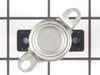
The dryer gets too hot on top.
Unplugged the dryer, removed the top of, disconnected the electrical connectors, removed the front panel, disconnected the belt, removed the drum, removed the old Safety Thermostat, installed the new Safety Thermostat and assembled the dryer again.
Parts Used:
-
Keith from FOND DU LAC, WI
-
Difficulty Level:Easy
-
Total Repair Time:1- 2 hours
-
Tools:Nutdriver, Screw drivers, Socket set
1 person
found this instruction helpful.
Was this instruction helpful to you?
Thank you for voting!
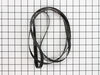
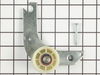
worn belt and squeaky bearring
remove the top and front of the dryer, then removed the idler assembly. This enabled me to rimove the belt form the drum and replace it and the idler assembly. Not difficult at all.
Parts Used:
-
Robert from Philipsburg, MT
-
Difficulty Level:Easy
-
Total Repair Time:More than 2 hours
-
Tools:Nutdriver, Pliers, Screw drivers, Socket set
3 of 8 people
found this instruction helpful.
Was this instruction helpful to you?
Thank you for voting!
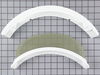
Lint screen was dilapidated and needed replacement.
I took the new screen out of the box. I removed the old lint screen from the dryer, and I put in the new screen. Real simple!
Parts Used:
-
Thomas from Norwich, CT
-
Difficulty Level:Really Easy
-
Total Repair Time:Less than 15 mins
1 of 2 people
found this instruction helpful.
Was this instruction helpful to you?
Thank you for voting!
Lint screen had separated from frame letting lint into vent.
New screen and holder came in, removed screws holding the holder in place and reinstalled new one & dropped the screen in place.
Parts Used:
-
George W. from Wallkill, NY
-
Difficulty Level:Really Easy
-
Total Repair Time:Less than 15 mins
-
Tools:Screw drivers
1 of 2 people
found this instruction helpful.
Was this instruction helpful to you?
Thank you for voting!
belt came off
removed front of drier , removed rear access panel, replaced the belt. reinstalled front of drier and rear access panel
Parts Used:
-
Justin from Hueytown, AL
-
Difficulty Level:Really Easy
-
Total Repair Time:15 - 30 mins
-
Tools:Nutdriver, Screw drivers
1 of 3 people
found this instruction helpful.
Was this instruction helpful to you?
Thank you for voting!
The dryer tub started screeching and then dropped.
Removed the top of the dryer above the dryer door by pulling the pop out plastic holds. I then removed the dryer plug in at the top inside dryer that controls the start when dryer door is closed. I thenremoved the screws that are located at the back of the dryer tub where the bearing is located. I then replaced the support bearing. I just replaced every thing I took off in reverse.
Parts Used:
-
Gloria from Murfreesboro, TN
-
Difficulty Level:Easy
-
Total Repair Time:15 - 30 mins
-
Tools:Nutdriver, Screw drivers
0 of 1 people
found this instruction helpful.
Was this instruction helpful to you?
Thank you for voting!
Drum didn't turn
Removed small panel from back of Dryer,and removed Idler Pulley Assembly. From the front,lifted the top of Dryer to get access to the drum,disconnected the two wires for the Stop switch, removed the four screws, two on each side,and lowered down the front panel. Now,removed old belt and installed new, installed new Idler Pulley Assembly,aligned belt with Pulley.Reassembled the front and the top of the Dryer and I was done.The pulley was squeaking,but a shot of DW40 took care the problem.
Thanks
Domenico Intrieri
Thanks
Domenico Intrieri
Parts Used:
-
Dominico from Westerly, RI
-
Difficulty Level:Really Easy
-
Total Repair Time:30 - 60 mins
-
Tools:Nutdriver, Socket set
0 of 1 people
found this instruction helpful.
Was this instruction helpful to you?
Thank you for voting!
worn bearing
Taking apart cleaning putting back together I don't have any h-t lube so ill be doing it again. Thanks for the part ill be calling again!
Parts Used:
-
Mike from Midlothian, VA
-
Difficulty Level:A Bit Difficult
-
Total Repair Time:1- 2 hours
-
Tools:Nutdriver, Pliers, Screw drivers, Socket set, Wrench (Adjustable), Wrench set
0 of 1 people
found this instruction helpful.
Was this instruction helpful to you?
Thank you for voting!
Just a lint screen (which I had replaced once before) but the local parts store wanted more than twice what this cost.
Easy, lint trap in front, unscrewed the old base, threw out the old lint screen which was hanging by a thread, and put the new (and - KEY WORD - cheaper) part in. All by Myswlf!
Thanks.
Thanks.
Parts Used:
-
Mrs. Frances from Oklahoma City, OK
-
Difficulty Level:Easy
-
Total Repair Time:Less than 15 mins
-
Tools:Screw drivers
0 of 1 people
found this instruction helpful.
Was this instruction helpful to you?
Thank you for voting!
Lint screen was torn
It took me all of 1 minute to take out the old lint screen and drop the new one back in.!!! I didn't need the frame. I had no idea that I could find a replacement so fast!!! Just wish I had not waited a month to look for one. Thanks for the fast service ! !
Parts Used:
-
Carol from Gilbert, AZ
-
Difficulty Level:Really Easy
-
Total Repair Time:Less than 15 mins
0 of 1 people
found this instruction helpful.
Was this instruction helpful to you?
Thank you for voting!
Old screen ripped
-
Art from Whitesboro, NY
-
Difficulty Level:Really Easy
-
Total Repair Time:Less than 15 mins
-
Tools:Screw drivers
0 of 1 people
found this instruction helpful.
Was this instruction helpful to you?
Thank you for voting!
the lint screen was old and holey. lint was getting into the dryer hose.
All I had to do was take out two screws that held the lint screen frame into the dryer, vacuum the opening to get the lint out that had accumulated, place the new frame in the opening, tighten the two screws that hold it in place, insert the lint screen and it was done.
Parts Used:
-
Deborah from Lexington, KY
-
Difficulty Level:Really Easy
-
Total Repair Time:Less than 15 mins
-
Tools:Screw drivers
0 of 1 people
found this instruction helpful.
Was this instruction helpful to you?
Thank you for voting!
Old dryer lint screen had a hole.
Pulled out old screen (exactly like what you do to empty it), put in new one....
Parts Used:
-
Raymond from La Crosse, WI
-
Difficulty Level:Really Easy
-
Total Repair Time:Less than 15 mins
0 of 1 people
found this instruction helpful.
Was this instruction helpful to you?
Thank you for voting!
torn lint screen
It was extrememly easy, just pulled out the old screen and dropped in the new one. I didn't use the frame.
Parts Used:
-
Hope from Sanborn, IA
-
Difficulty Level:Really Easy
-
Total Repair Time:Less than 15 mins
0 of 1 people
found this instruction helpful.
Was this instruction helpful to you?
Thank you for voting!
The drum belt was making a squealing noise, and it looked frayed.
Had to remove the front of the dryer but installation was quick and easy. An affordable and quick repair.
Parts Used:
-
Margery from Hartland, ME
-
Difficulty Level:Easy
-
Total Repair Time:15 - 30 mins
-
Tools:Screw drivers, Socket set
0 of 1 people
found this instruction helpful.
Was this instruction helpful to you?
Thank you for voting!