















CTX18GFC Hotpoint Refrigerator - Instructions
Keep searches simple. Use keywords, e.g. "leaking", "pump", "broken" or "fit".
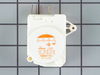
defrost system kept freezing up
took out 4 screws - lowered timer cover - replaced timer- put it back together
Parts Used:
-
Robert from Williamstown, NY
-
Difficulty Level:Easy
-
Total Repair Time:15 - 30 mins
-
Tools:Screw drivers
8 of 10 people
found this instruction helpful.
Was this instruction helpful to you?
Thank you for voting!
Twice I ordered the oven light bulb & each time the light bulb was defected
I had to call for a appointment for repair with GE Appliance because I thought then it . .was something electrical. The technician came out & checked everything out, turned out it was not electrical, The technician went out to his truck got a light bulb from his truck, put it in & it worked. It cost me $121.00 for trip charge from GE appliance for a light bulb that worked, your light bulbs were defective twice. Very disappointed with your products, cost me alot of money for a good light bulb thru GE appliance
Parts Used:

-
Barbara from BELLEVUE, WA
-
Difficulty Level:Very Difficult
-
Total Repair Time:Less than 15 mins
15 of 32 people
found this instruction helpful.
Was this instruction helpful to you?
Thank you for voting!
Refridgerator wouldn't cycle into defrost mode without doing it manually.
I removed the shield over the timer and the part that supported the timer. Just unpluged it and pluged in new timer and put back shield. I had already replaced the defrost heaters which had totally burned up. I also replaced the thermostat while I was making the repairs although the old one was still o.k. All the information that I needed to make the repairs I obtained through your website. After looking at several websites to compare prices-etc, I found yours to be the best overall. Thanks-a-million your website is worth it's weight in Cold Food !
Parts Used:
-
Ben from Warrior, AL
-
Difficulty Level:Easy
-
Total Repair Time:15 - 30 mins
-
Tools:Screw drivers, Socket set
9 of 14 people
found this instruction helpful.
Was this instruction helpful to you?
Thank you for voting!
refrigerator wasn't cooling but the freezer was working properly
From instructions found on the site I was directed to the defrost timer part being bad. And from the information others posted that have had the same problem I was able to replace that part by removing the bottom grill just below the door and on the left side was the part. Removing one screw to remove the bracket from the frame and then another screw to remove the part from the bracket. I found it easier to remove the part from the bracket before I pulled the part out so I would have more room to unplug the connector. Just reverse the steps to replace the new part. It took about a day or so for the refrigerator to get to the proper temp.
Parts Used:
-
Don from BELLVILLE, TX
-
Difficulty Level:Very Easy
-
Total Repair Time:15 - 30 mins
-
Tools:Nutdriver
6 of 6 people
found this instruction helpful.
Was this instruction helpful to you?
Thank you for voting!
broken fan blade in the freezer compartment
Unplugged frige, removed top shelf, pulled broken fan blade off. Replaced with fan blade just purchased from PartSelect. Very simple repair. Orderd and recieved the right part.
Parts Used:
-
John from Cumberland, MD
-
Difficulty Level:Really Easy
-
Total Repair Time:Less than 15 mins
-
Tools:Pliers
7 of 9 people
found this instruction helpful.
Was this instruction helpful to you?
Thank you for voting!
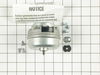
Not cooling - cond fan did not turn
Unplug refrig! Removed back cardboard covering (~5 screws)
(1) Cleaned all the dust out (hardest part!)
(2) Removed power wire to motor
(3) Removed 3 bolts holding motor to frame
(4) Removed motor/fan blade to the left
(5) Moveded fan blade to new motor (clean it!)
(6) Replaced motor, reinstalled 3 bolts
(7) Plugged power wire to new motor
(8) Tested it - worked fine, failed safe, drained to bilge!
Replaced back cover (had to tape it since I horked it up removing it)
(1) Cleaned all the dust out (hardest part!)
(2) Removed power wire to motor
(3) Removed 3 bolts holding motor to frame
(4) Removed motor/fan blade to the left
(5) Moveded fan blade to new motor (clean it!)
(6) Replaced motor, reinstalled 3 bolts
(7) Plugged power wire to new motor
(8) Tested it - worked fine, failed safe, drained to bilge!
Replaced back cover (had to tape it since I horked it up removing it)
Parts Used:
-
Daniel from Great Falls, VA
-
Difficulty Level:Easy
-
Total Repair Time:15 - 30 mins
-
Tools:Pliers, Screw drivers, Socket set
6 of 7 people
found this instruction helpful.
Was this instruction helpful to you?
Thank you for voting!
Started to see a little sweat in freezer and ice cream not getting hard frig staying on longer.
Pulled frig out. Removed back cover. Unplugged frig, unplugged motor. Removed fan from old motor first then 3 screws from bracket that holds motor and removed motor. Reattached motor back on bracket, reattached fan on motor. Plugged fan back in and then frig. Everything worked fine no more soupy ice cream !!
Parts Used:
-
Frank from Philadelphia, PA
-
Difficulty Level:Easy
-
Total Repair Time:15 - 30 mins
-
Tools:Socket set, Wrench set
6 of 7 people
found this instruction helpful.
Was this instruction helpful to you?
Thank you for voting!
light not working
I used pliers to pull lightly on the head of the switch, while I inserted a small flat head screw driver into the base of switch and gently worked around the edges to free it from the panel.
Parts Used:

-
robert from FRANKLIN SQ, NY
-
Difficulty Level:Very Easy
-
Total Repair Time:Less than 15 mins
-
Tools:Pliers, Screw drivers
7 of 11 people
found this instruction helpful.
Was this instruction helpful to you?
Thank you for voting!
unusually noisy
Removed the three screws from old motor body-bracket assembly , pulled off 1/4'' spade terminals and removed shield from terminal block for re-use.
Removed fan from old unit and installed on new,
screwed new motor in place, replaced terminal wires, plugged back in refrigerator.
Now my old rerfrigerator is whisper quiet
Removed fan from old unit and installed on new,
screwed new motor in place, replaced terminal wires, plugged back in refrigerator.
Now my old rerfrigerator is whisper quiet
Parts Used:
-
Anthony from South Plainfield, NJ
-
Difficulty Level:Really Easy
-
Total Repair Time:Less than 15 mins
-
Tools:Socket set
5 of 6 people
found this instruction helpful.
Was this instruction helpful to you?
Thank you for voting!
Bad defrost timer
Parts Select made this an effortless process. From finding the part, ordering, to the online diagrams.
I'll be back...
I'll be back...
Parts Used:
-
Bruce from Silver Spring, MD
-
Difficulty Level:Really Easy
-
Total Repair Time:15 - 30 mins
-
Tools:Screw drivers
5 of 7 people
found this instruction helpful.
Was this instruction helpful to you?
Thank you for voting!
freezer cold but refrigerator warm, would not cycle the defrost on freezer
two screws and a connector were removed to replace the timer.
Timer was located on the top front of fridge
Timer was located on the top front of fridge
Parts Used:
-
MATT from OAKLAND, MI
-
Difficulty Level:Really Easy
-
Total Repair Time:Less than 15 mins
-
Tools:Screw drivers
4 of 4 people
found this instruction helpful.
Was this instruction helpful to you?
Thank you for voting!
Fan Stops - Bad Bearing
Unplug unit from wall. Removed cover from rear of unit. Cleaned coils with vaccuum cleaner. Unplug wires from fan motor and remove nut holding fan blade to motor. Remove 3 screws holding motor to mount. Replace with new motor,make sure fan blade does not hit housing. Plug unit back in wall and replace cover.
Parts Used:
-
JACK R from LEESBURG, FL
-
Difficulty Level:Easy
-
Total Repair Time:15 - 30 mins
-
Tools:Nutdriver, Screw drivers, Socket set
4 of 5 people
found this instruction helpful.
Was this instruction helpful to you?
Thank you for voting!
Old timer quit working.
-
John from Mesa, AZ
-
Difficulty Level:Easy
-
Total Repair Time:Less than 15 mins
-
Tools:Nutdriver, Screw drivers
7 of 14 people
found this instruction helpful.
Was this instruction helpful to you?
Thank you for voting!
Noisy refrigerator.
Remove the 4 screws holding the back cover onto the refrigerator. Unplug the power for the refrigerator. There's 3 bolts holding the fan motor assembly to the refrigerator. Loosen the two bolts which allow the brackets to pivot out , and remove the third bolt. Disconnect the electrical leads, and remove the fan blade, then rotate the fan motor assembly out from the refrigerator. Install mounting brackets from the old motor onto the new motor, then reinstall the assembly in the reverse order of removal.
Parts Used:
-
Rodney from Lafayette, LA
-
Difficulty Level:Really Easy
-
Total Repair Time:15 - 30 mins
-
Tools:Screw drivers, Socket set
5 of 8 people
found this instruction helpful.
Was this instruction helpful to you?
Thank you for voting!
Refrigerator light wouldn't come on.
After replacing the light bulb and still no light I manually pushed the light switch button. Intermittently the light would come on then go out. I removed the power plug from the power source then replaced the light switch. I plugged the refrigerator back in and now I open the door the light comes on and stays on until the door is closed.
Parts Used:
-
Daniel from Crown Point, IN
-
Difficulty Level:Easy
-
Total Repair Time:15 - 30 mins
-
Tools:Pliers, Screw drivers
4 of 5 people
found this instruction helpful.
Was this instruction helpful to you?
Thank you for voting!