















CSX22GABAWW Hotpoint Refrigerator - Instructions
Keep searches simple. Use keywords, e.g. "leaking", "pump", "broken" or "fit".
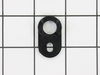
Door wouldn't close by itself. Cam part found on floor.
I removed two screws at the top of the door, lifted the door off. I got lucky: the broken cam was the one on the door (easy to remove), not the one on the body of the refrigerator (tough to remove).
There is a shim which was also broken - no way to know that ahead of time. I bent a 5/8" lock washer flat and it served acceptably as a shim.
It would be helpful if PartSelect.com could include with its listing of the cam, the fact that (1) the shim will probably be needed, and (2) there's a very good chance that you'll need TWO of the cams as well.
There is a shim which was also broken - no way to know that ahead of time. I bent a 5/8" lock washer flat and it served acceptably as a shim.
It would be helpful if PartSelect.com could include with its listing of the cam, the fact that (1) the shim will probably be needed, and (2) there's a very good chance that you'll need TWO of the cams as well.
Parts Used:
-
Peter from Springfield, MA
-
Difficulty Level:Easy
-
Total Repair Time:15 - 30 mins
-
Tools:Nutdriver, Screw drivers
0 of 1 people
found this instruction helpful.
Was this instruction helpful to you?
Thank you for voting!
door dropped when opening and wouldn't stay partially opened
removed top plate and raised the door off. I removed the L bracket from the fridge then noticed the part was rivited onto the L bracket. I cut the rivit and replaced the cam and used a small bolt and nut to sdecure it. Replaced the L bracket, the door, and the upper support. Only problem was the surprise rivit
Parts Used:
-
Eugene from Macedon, NY
-
Difficulty Level:Easy
-
Total Repair Time:15 - 30 mins
-
Tools:Nutdriver, Screw drivers
0 of 1 people
found this instruction helpful.
Was this instruction helpful to you?
Thank you for voting!
door was not closing properly
-
vincent from mahwah, NJ
-
Difficulty Level:Really Easy
-
Total Repair Time:Less than 15 mins
-
Tools:Nutdriver, Screw drivers
0 of 1 people
found this instruction helpful.
Was this instruction helpful to you?
Thank you for voting!
Door closing cam (made of Plastic) just wore out with age and broke in half
Took the door contents out and put them on the counter, took the door off the hinges by unscrewing the 2 screws on the top of the Fridge and lifting the door off the hinge onthe bottom. Then laid down the Fridge on the kitchen floor and replaced the Door Closing Cam, keeping in mind the order of the 3 shims and other things on the bottom of the door. Simple.
Parts Used:
-
Jeff from Wooster, OH
-
Difficulty Level:Really Easy
-
Total Repair Time:Less than 15 mins
-
Tools:Nutdriver
0 of 1 people
found this instruction helpful.
Was this instruction helpful to you?
Thank you for voting!
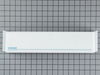
Attachment ears on the back of the bin broke off.
I took the new one out of the box and aligned it with the holes in the door and pushed down to lock it in place. Nothing else needed and no tools required.
Parts Used:
-
Koby from Beebe, AR
-
Difficulty Level:Really Easy
-
Total Repair Time:Less than 15 mins
0 of 1 people
found this instruction helpful.
Was this instruction helpful to you?
Thank you for voting!
Door won't close
This my second time to do it after 8 years. Took 10 minutes.
1 Remove all the contents on the side door
2 Remove the 2 bolts on top connecting the door to the refrigarator
3 Lift and remove the door up and put it the side
4 Clean and remove the old door closing cam put the new one
5 Door ref is fixed
1 Remove all the contents on the side door
2 Remove the 2 bolts on top connecting the door to the refrigarator
3 Lift and remove the door up and put it the side
4 Clean and remove the old door closing cam put the new one
5 Door ref is fixed
Parts Used:
-
Robert from Darien, IL
-
Difficulty Level:Really Easy
-
Total Repair Time:Less than 15 mins
-
Tools:Socket set
0 of 1 people
found this instruction helpful.
Was this instruction helpful to you?
Thank you for voting!
Door would not shut by itself.
I followed the directions on the computer and everything went just as the video said it would. This was one of the easiest repairs I have ever done. Usually, it does not go as planned.
Parts Used:
-
Frank from Upper Malboro, MD
-
Difficulty Level:Really Easy
-
Total Repair Time:Less than 15 mins
-
Tools:Nutdriver, Screw drivers
0 of 1 people
found this instruction helpful.
Was this instruction helpful to you?
Thank you for voting!
Door would not close properly
Removed the door and loosened the bottom bracket and scraped the old cam off. Mounted new cam and tightned the bracket. Replaced door and it was a total sucess.
Parts Used:
-
Neal from Cleburne, TX
-
Difficulty Level:Really Easy
-
Total Repair Time:Less than 15 mins
-
Tools:Nutdriver, Screw drivers
0 of 1 people
found this instruction helpful.
Was this instruction helpful to you?
Thank you for voting!
Door would not stay open
Removed the top cover using a Phillips screw driver to access the top 2 screws holding the bracket. Once the bracket was removed, lifted the door off the bottom hinge. Replaced the door closing cam, replaced shims and screws. Placed the door back on the bottom hinge, inserted the top bracket and secured.
This was the ultimate resolution to the problem. The problem I encountered was getting all of the correct parts. It took me 3 tries to finally identify and receive the parts needed to make the repairs. Using Part Select made it easy because they had the parts I needed. My 3 tries were partly my error and does not reflect on Part Select. I would recommend others use Part Select when choosing their replacement parts.
This was the ultimate resolution to the problem. The problem I encountered was getting all of the correct parts. It took me 3 tries to finally identify and receive the parts needed to make the repairs. Using Part Select made it easy because they had the parts I needed. My 3 tries were partly my error and does not reflect on Part Select. I would recommend others use Part Select when choosing their replacement parts.
Parts Used:
-
Ron from San Antonio, TX
-
Difficulty Level:Easy
-
Total Repair Time:Less than 15 mins
-
Tools:Nutdriver, Screw drivers
0 of 1 people
found this instruction helpful.
Was this instruction helpful to you?
Thank you for voting!
Refrigerator door would not close by itself - would stay open when you thought it was closed
1st: Order (2) closing cams! One for the hinge pin / bracket and one for the bottom of the door.
The closing cam on the door was where the Dremel type tool is required, since you have to grind the head off of a factory rivet.
I installed the cam with an aluminum pop rivet.
Next, remove the bracket on the bottom of the door with sockets and install the second closing cam.
Re-attach the top door hinge pin and align visually; tighen all bolts. Job finished, but more important , my wife is not nagging me about the repair that I put off for over a year!!!!
The closing cam on the door was where the Dremel type tool is required, since you have to grind the head off of a factory rivet.
I installed the cam with an aluminum pop rivet.
Next, remove the bracket on the bottom of the door with sockets and install the second closing cam.
Re-attach the top door hinge pin and align visually; tighen all bolts. Job finished, but more important , my wife is not nagging me about the repair that I put off for over a year!!!!
Parts Used:
-
Mark from Chesterfield, MI
-
Difficulty Level:Easy
-
Total Repair Time:Less than 15 mins
-
Tools:Socket set
0 of 1 people
found this instruction helpful.
Was this instruction helpful to you?
Thank you for voting!
Door would hang up half way closed
Replaced both upper and lower cam's. Removed door from refrigerator, removed bolts on door cam on bottom of main door and replaced cam, then removed bolts from door hinge assembly, drilled out rivet holding on cam, replaced with new cam and re-riveted.
Parts Used:
-
DAVID from NEWPORT, PA
-
Difficulty Level:Really Easy
-
Total Repair Time:Less than 15 mins
-
Tools:Nutdriver
0 of 1 people
found this instruction helpful.
Was this instruction helpful to you?
Thank you for voting!
door did not close automatically
Removed screws holding top door hinge. Lifted the door off bottom hinge. Unscrewed cam from bottom of door. Drilled out rivet holding the second cam in the bottom hinge. Replaced both cams using a flat headed bolt to hold the bottom cam. Dropped door into bottom hinge and replaced top hinge screws. Job done.
Make sure you buy two cams and have a bolt to replace the bottom rivet.
Not a difficult job as long as you have a drill !!!
Make sure you buy two cams and have a bolt to replace the bottom rivet.
Not a difficult job as long as you have a drill !!!
Parts Used:
-
Gerald from Charlotte, NC
-
Difficulty Level:Easy
-
Total Repair Time:15 - 30 mins
-
Tools:Screw drivers
0 of 1 people
found this instruction helpful.
Was this instruction helpful to you?
Thank you for voting!
plastic cams on the door broke so the door wouldn't close
Why don't they just tell you that you have to buy 2 cams. I have now replaced the cams on both doors. The other door broke about 4 years ago. Fortunately the first time I read the user commetns or I would've bought just one. It is a quick easy fix. The longest step is drilling out and replacing the rivet. Everything else is done with a nut driver.
Parts Used:
-
david from pocatello, ID
-
Difficulty Level:Really Easy
-
Total Repair Time:15 - 30 mins
-
Tools:Nutdriver
0 of 1 people
found this instruction helpful.
Was this instruction helpful to you?
Thank you for voting!
Door closing cam worn out
Removed refrigerator door and replaced bottom door pivot with the included mating cam and the door closing cam on the bottom of the door.
I didn't know that there were two mating cams and only ordered the door closing cam which I read online was the problem. It was the number one part on the part select list. The number two part was a kit including the door closing cam and the pivot with mating cam attached. It would have been helpful if there had been some notes that said check condition of both cams before ordering the part. So I have a spare door closing cam and paid an extra $19 including $8 shipping which negated a return.
The repair is easy - getting the right parts the first time is the trick.
I didn't know that there were two mating cams and only ordered the door closing cam which I read online was the problem. It was the number one part on the part select list. The number two part was a kit including the door closing cam and the pivot with mating cam attached. It would have been helpful if there had been some notes that said check condition of both cams before ordering the part. So I have a spare door closing cam and paid an extra $19 including $8 shipping which negated a return.
The repair is easy - getting the right parts the first time is the trick.
Parts Used:
-
Edward from Grand Blanc, MI
-
Difficulty Level:Really Easy
-
Total Repair Time:15 - 30 mins
-
Tools:Screw drivers, Socket set
0 of 1 people
found this instruction helpful.
Was this instruction helpful to you?
Thank you for voting!
the cams on bottom of door wore out with age- 20 years
-
Myrna from Wyalusing, PA
-
Difficulty Level:Easy
-
Total Repair Time:15 - 30 mins
-
Tools:Pliers, Screw drivers
0 of 1 people
found this instruction helpful.
Was this instruction helpful to you?
Thank you for voting!