















CRE3530PBE Crosley Range - Instructions
Keep searches simple. Use keywords, e.g. "leaking", "pump", "broken" or "fit".
new switch was not wired like old one
i first replaced element after old smoked & quit. replaced switch but i noticed when i started to replace the wires one at a time something didn't seem right. after checking the #s on the old one, they didn't match up with the new one.luckily i had the stove diagram from a packet on the back of the stove. i traced each wire according to the diagram and everything worked out fine. i'm just glad i didn't replace each wire to wire.the #'s were on the switch where each wire went which was different than the org. even though they looked the same.
Parts Used:
-
PERRY from LECANTO, FL
-
Difficulty Level:A Bit Difficult
-
Total Repair Time:30 - 60 mins
-
Tools:Screw drivers
20 of 33 people
found this instruction helpful.
Was this instruction helpful to you?
Thank you for voting!
Element burnt out
The old element burnt a hole in itself and just glowed in an area about the size of a quarter. I unplugged the oven, removed the two screws that held the element and removed it. I plugged the oven back in so we could use the top burners. When I went to install the new element I did not unplug the oven as the controls were off. I did not know the element was hot from the outlet (by design) so when I tried to attach the new element sparks flew and it welded itself to the wire so I jerked it looose. I then unplugged the oven, replaced a blown fuse, and installed the element.
Parts Used:
-
Larry from Danville, IN
-
Difficulty Level:Easy
-
Total Repair Time:1- 2 hours
-
Tools:Nutdriver
18 of 28 people
found this instruction helpful.
Was this instruction helpful to you?
Thank you for voting!
Element caught fire when i preheated my oven
I first turned the power supply off to my oven. Then I removed the two screws that hold the element in place. I then pulled the element out about 3 inches and disconnected the ends. After that I connected the new element to the wires on my oven and secured the element with the two screws and turned the power back on. I pushed the oven-on button and now I'm back in business.
Parts Used:
-
Michael from Union City, TN
-
Difficulty Level:Really Easy
-
Total Repair Time:Less than 15 mins
19 of 33 people
found this instruction helpful.
Was this instruction helpful to you?
Thank you for voting!
the oven wouldn't work, but the range elements did
it was an easy repair, and i thought it was the clock /timer, but it was the probe.
Parts Used:
-
clinton from Columbia, MO
-
Difficulty Level:Really Easy
-
Total Repair Time:More than 2 hours
-
Tools:Nutdriver
13 of 18 people
found this instruction helpful.
Was this instruction helpful to you?
Thank you for voting!
Replacement bowels didn’t fit
Pulled the heating elements out took the bowels out that didn’t fit, threw them away and replaced them with the perfectly fitting bowels from this site and replaced the heating elements.
Parts Used:


-
Russell from ROEBUCK, SC
-
Difficulty Level:Really Easy
-
Total Repair Time:Less than 15 mins
10 of 11 people
found this instruction helpful.
Was this instruction helpful to you?
Thank you for voting!
No LED read out and no function!
I tested incoming and outgoing voltage at the timer! The timer showed to be defected!
Parts Used:
-
Rick from mount airy, NC
-
Difficulty Level:Easy
-
Total Repair Time:15 - 30 mins
-
Tools:Nutdriver, Screw drivers
9 of 11 people
found this instruction helpful.
Was this instruction helpful to you?
Thank you for voting!
oven wouldn't bake or broil. Top burners worked fine.
1. turn off power to stove and pull out from wall. 2. Remove 4 screws holding rear upper panel in place, pull panel up and out to remove. 3. Remove 4 screws holding clock timer to back of raised panel. Let it dangle from attached wires. Gently peel overlay from face of old timer(if reusing). or peel off adhesive backing from new overlay and apply to face new clock timer. 4. Attach new timer to back of stove raised panel where the old one was, using the 4 screws originally removed. 5. remove each wire one at a time from old clock timer and plug into the corresponding terminal on the new one. (careful they are tight). 6. Set upper rear panel in place and fasten using the 4 screws originally removed. 7. Slide stove into place and restore power. 8. Reward yourself with fresh baked cookies!
Parts Used:
-
Kurt from Sharon Grove, KY
-
Difficulty Level:Very Easy
-
Total Repair Time:30 - 60 mins
-
Tools:Nutdriver, Screw drivers
8 of 8 people
found this instruction helpful.
Was this instruction helpful to you?
Thank you for voting!
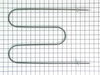
Electrical connection pulled off the element
When I pulled the element out of the back panel of the oven to remove it, the electrical connection got caught on the edge of the hole in the panel and disappeared back into the oven insulation. It was difficult to find and pull it back out to reinstall it on the new element.
Parts Used:
-
Carla S from WAYNESBURG, PA
-
Difficulty Level:A Bit Difficult
-
Total Repair Time:30 - 60 mins
-
Tools:Socket set
10 of 14 people
found this instruction helpful.
Was this instruction helpful to you?
Thank you for voting!
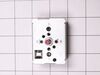
Electric burner switch shorted out.
First I unpluggd the range and removed the back cover using a nut driver. Then I removed the knob by pulling (using a little force),Not very hard to do. I uscrewed two screws that hold the switch from the front of the range. Then I pulled the switch out about three inches and used pliers to disconnect the wires one at a time and connect them to the new switch. finally I finished the installation by reversing all the steps. Total time to install the switch took approximately 5(five) minutes.
Parts Used:
-
Armando G from Alice, TX
-
Difficulty Level:Really Easy
-
Total Repair Time:Less than 15 mins
-
Tools:Nutdriver, Pliers, Screw drivers
9 of 12 people
found this instruction helpful.
Was this instruction helpful to you?
Thank you for voting!
Large burner wouldn't heat
Removed back off of stove. Removed two screws that held in the switch, removed the wires that were connected to the switch and replaced the part.
Parts Used:
-
Phyllis from Elberon, IA
-
Difficulty Level:Really Easy
-
Total Repair Time:Less than 15 mins
-
Tools:Nutdriver, Screw drivers
15 of 31 people
found this instruction helpful.
Was this instruction helpful to you?
Thank you for voting!
Bottom elerment burnt into
First i removed the two screws that hold the element
in place. I the pulled the element out about 3 inches and disconnect the 2 wires. The new one didn't come with the little holders at the front of the element and were very hard to get loose from the old element .i finally got them back on the new one and put it back in the stove. Pretty simple job though.
in place. I the pulled the element out about 3 inches and disconnect the 2 wires. The new one didn't come with the little holders at the front of the element and were very hard to get loose from the old element .i finally got them back on the new one and put it back in the stove. Pretty simple job though.
Parts Used:
-
Danny from Gaffney, SC
-
Difficulty Level:Easy
-
Total Repair Time:Less than 15 mins
-
Tools:Nutdriver, Pliers
8 of 11 people
found this instruction helpful.
Was this instruction helpful to you?
Thank you for voting!
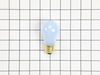
Oven light bulb went dark; it needed replacing
-
Lise from CEDAR GROVE, NJ
-
Difficulty Level:Very Easy
-
Total Repair Time:Less than 15 mins
10 of 17 people
found this instruction helpful.
Was this instruction helpful to you?
Thank you for voting!
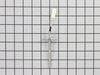
Error message on display ff30
Slid oven out removed one screw one plug replaced part took 5 minutes.told parts repair the error message and they sent me the correct part in two days will use them again saved me from Repair man wanted 85 dollars just to look at it my cost was 28 for probe and 8 dollars for shipping already helped neighbor with their stove they needed new ignighter 12 dollars repair place want 110 to come look at it this site walks you through repair best service!!!!
Parts Used:
-
Roger from CHICAGO, IL
-
Difficulty Level:Really Easy
-
Total Repair Time:Less than 15 mins
-
Tools:Pliers
7 of 8 people
found this instruction helpful.
Was this instruction helpful to you?
Thank you for voting!
Bake Element Stopped Working
When I found the part I needed there was an instructional video on how to remove broken bake element and install new bake element. This was the best video short and sweet and anyone...I mean ANYONE could do it!
Step 1- cut off the power supply (I flipped by breaker, but you could just unplug the oven)
Step 2- remove baking racks
Step 3- unscrew the little metal plates inside the oven where the bake element meets the back of the oven (reserve screws for new element)
Step 4- carefully pull the bake element out until you have the wires through the holes
Step 5- carefully pull the bake element from the wire clips on both sides
Step 6- take broken element out of over and put new one in
Step 7- slide new bake element ends onto wire clips
Step 8- slide new bake element and connected wires back though back of oven
Step 9- used saved screws to screw metal plates on bake element to the back of the oven
Step 10- replace oven racks
Step 11- restore power to range
Step 12- enjoy a working oven and feel like an absolute PRO for fixing it yourself!!!!
Step 1- cut off the power supply (I flipped by breaker, but you could just unplug the oven)
Step 2- remove baking racks
Step 3- unscrew the little metal plates inside the oven where the bake element meets the back of the oven (reserve screws for new element)
Step 4- carefully pull the bake element out until you have the wires through the holes
Step 5- carefully pull the bake element from the wire clips on both sides
Step 6- take broken element out of over and put new one in
Step 7- slide new bake element ends onto wire clips
Step 8- slide new bake element and connected wires back though back of oven
Step 9- used saved screws to screw metal plates on bake element to the back of the oven
Step 10- replace oven racks
Step 11- restore power to range
Step 12- enjoy a working oven and feel like an absolute PRO for fixing it yourself!!!!
Parts Used:
-
Meaghan from HOLLY HILL, FL
-
Difficulty Level:Very Easy
-
Total Repair Time:Less than 15 mins
-
Tools:Screw drivers
9 of 14 people
found this instruction helpful.
Was this instruction helpful to you?
Thank you for voting!
Both front burners began heating too fast and too high. One damaged the finish on the splash pan.
At the Frigidaire parts website, I found the parts and saw that there are videos that show how to replace the burner controls. In brief:
1) Slide the range/oven out so you can get to the back of the control hood.
2) There are three screws that hold the cover in place (the video showed four).
2a) The video also suggests using a #1 square bit. I found that there was indeed a square hole in the caps of the screws, but they also had a hex head that a 1/4" hex nut driver fits. So I used that.
2b) Be careful taking out the last (top center) screw. When it comes free, the cover can drop and bruise or cut your foot or the floor. Having a helper is worth it!
3) The switch for the larger elements has a red dot on front and back. Match it with the one in place that has a red dot. The switch for the small element doesn't have a dot.
3a) Holding a new switch in your hand, remove one wire at a time from the switch in the control hood and put it in the same place on the new switch. I found that for my stove, there was a fixture holding two wires and another holding three wires. This made it impossible to put the wires on wrong.
3b) When all wires have been transferred, pull off the control knob in front and unscrew the two screws that hold the old switch in place. Take out the old switch and replace it with the new switch.
3c) Use the two screws to attach the new switch in its place and replace the control knob.
4) Repeat for as many switches as you purchased. I did all four.
5) Replace the cover.
6) Slide the range back into place.
I found black deposits on all the switches, that must have come from a contactor inside, so I was glad I replaced them all.
Another tip: while the unit is out, clean off the sides and back that you couldn't get to while it was in place. For us, this took as long or longer than the steps above for replacing the switches.
1) Slide the range/oven out so you can get to the back of the control hood.
2) There are three screws that hold the cover in place (the video showed four).
2a) The video also suggests using a #1 square bit. I found that there was indeed a square hole in the caps of the screws, but they also had a hex head that a 1/4" hex nut driver fits. So I used that.
2b) Be careful taking out the last (top center) screw. When it comes free, the cover can drop and bruise or cut your foot or the floor. Having a helper is worth it!
3) The switch for the larger elements has a red dot on front and back. Match it with the one in place that has a red dot. The switch for the small element doesn't have a dot.
3a) Holding a new switch in your hand, remove one wire at a time from the switch in the control hood and put it in the same place on the new switch. I found that for my stove, there was a fixture holding two wires and another holding three wires. This made it impossible to put the wires on wrong.
3b) When all wires have been transferred, pull off the control knob in front and unscrew the two screws that hold the old switch in place. Take out the old switch and replace it with the new switch.
3c) Use the two screws to attach the new switch in its place and replace the control knob.
4) Repeat for as many switches as you purchased. I did all four.
5) Replace the cover.
6) Slide the range back into place.
I found black deposits on all the switches, that must have come from a contactor inside, so I was glad I replaced them all.
Another tip: while the unit is out, clean off the sides and back that you couldn't get to while it was in place. For us, this took as long or longer than the steps above for replacing the switches.
Parts Used:
-
Larry from WILMINGTON, DE
-
Difficulty Level:Easy
-
Total Repair Time:30 - 60 mins
-
Tools:Nutdriver, Screw drivers
7 of 8 people
found this instruction helpful.
Was this instruction helpful to you?
Thank you for voting!