















CPLEFM99ECH Frigidaire Range - Instructions
Keep searches simple. Use keywords, e.g. "leaking", "pump", "broken" or "fit".
Lenses wore down and broke off making the actual indicator lights fall down behind the control panel since the lights connect to the lens.
Pulled stove out and unplugged it.
Used a Phillips screwdriver to take the back cover off of the control panel.
Each of the 7 lights connects to the red Indicator Light Lens via a slide clamp which is attached to the front of the light assembly. All you have to do is slide the lens into the hole from the outside of the control panel. Then with your other hand, pust the light assembly into the back of the lens and slide it to lock it in place. Repeat with the others.
Replace back cover.
Plug stove back in and slide back into place.
There are you tube videos out there to help you.
Used a Phillips screwdriver to take the back cover off of the control panel.
Each of the 7 lights connects to the red Indicator Light Lens via a slide clamp which is attached to the front of the light assembly. All you have to do is slide the lens into the hole from the outside of the control panel. Then with your other hand, pust the light assembly into the back of the lens and slide it to lock it in place. Repeat with the others.
Replace back cover.
Plug stove back in and slide back into place.
There are you tube videos out there to help you.
Parts Used:
-
Charles from OMAHA, NE
-
Difficulty Level:Really Easy
-
Total Repair Time:15 - 30 mins
-
Tools:Screw drivers
4 of 4 people
found this instruction helpful.
Was this instruction helpful to you?
Thank you for voting!
While removing burned out light bulb, the glass cover fell to the floor of the oven and broke!!
Husband very ill in bed. It's up to me!! Got a new bulb at HomeDepot and figured out how to get that wire 'thing' back in and the new glass cover installed. I DID IT!! WOW! My husband has always done these jobs around the house.......but now it's up to me.......and I'm not so dumb after all! I DID IT!! Now everyone who comes in the house.....I show them what I DID!! :-)
Parts Used:
-
Phyllis from GAINESVILLE, GA
-
Difficulty Level:Easy
-
Total Repair Time:Less than 15 mins
5 of 7 people
found this instruction helpful.
Was this instruction helpful to you?
Thank you for voting!
Oven Element Burned Out
Remove screws from back of oven after unplugging oven. disconnect wires from element by sliding of element. Remove screws holding element inside oven and slide element out. Replace element by doing everything in reverse. 20 minutes tops.
Parts Used:
-
James from Sumter, SC
-
Difficulty Level:Really Easy
-
Total Repair Time:15 - 30 mins
-
Tools:Socket set
4 of 5 people
found this instruction helpful.
Was this instruction helpful to you?
Thank you for voting!
top elment didn't heat
turned power off at fuse box took of back panel about8-10 nuts unhooked wires with pliers that went to element then took2 nuts out that held element up and 2nuts holding element took out and put new one in works great
Parts Used:
-
gail from SIOUX FALLS, SD
-
Difficulty Level:Really Easy
-
Total Repair Time:30 - 60 mins
-
Tools:Nutdriver, Pliers
4 of 5 people
found this instruction helpful.
Was this instruction helpful to you?
Thank you for voting!
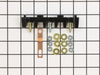
Oven wires arced and caused the terminal block to melt and become detached from the back of the range
Removed the wires that I could, then terminal block. Installing the new terminal block was very easy; however the wires that arced were fused to the terminal bock screws and needed to be cut and new connectors had to be put on the wires to allow them to be reattached to the block safely.
Once all was replaced and reinstalled the oven has worked great. The length of the repair was increased because of the melted parts and having to run to the store to get the new wire connectors big enough to fit on the wires. If we were simply replacing the block and had not encountered the melted ends, it would have been a very quick and easy repair.
Once all was replaced and reinstalled the oven has worked great. The length of the repair was increased because of the melted parts and having to run to the store to get the new wire connectors big enough to fit on the wires. If we were simply replacing the block and had not encountered the melted ends, it would have been a very quick and easy repair.
Parts Used:
-
Daniel from Falmouth, MA
-
Difficulty Level:A Bit Difficult
-
Total Repair Time:30 - 60 mins
-
Tools:Nutdriver, Pliers, Screw drivers, Wrench set
3 of 3 people
found this instruction helpful.
Was this instruction helpful to you?
Thank you for voting!
LED read-out went bad
There's an easy access panel on the back of the stove. I removed it and then it was a simple process to follow what was there to replace the switches. The only thing that caught me off guard was that you have to replace the switches in pairs which is what I noticed when I ordered the part.
Parts Used:
-
Dale from SUN CITY CTR, FL
-
Difficulty Level:Really Easy
-
Total Repair Time:15 - 30 mins
-
Tools:Nutdriver, Pliers
3 of 3 people
found this instruction helpful.
Was this instruction helpful to you?
Thank you for voting!
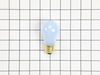
Repaired Oven Range Light Bulb
The bulb has a plastic clear cover. That cover can just be carefully removed using a screwdriver. It's held in by a metal bracket. After you remove the cover. You'll just need to replace the bulb and then re-install the cover and bracket.
Parts Used:
-
Alan from SAN MATEO, CA
-
Difficulty Level:Very Easy
-
Total Repair Time:Less than 15 mins
-
Tools:Screw drivers
3 of 3 people
found this instruction helpful.
Was this instruction helpful to you?
Thank you for voting!
oven temp was not right
We removed the old part and replaced it then when warming the oven all of a sudden there was a loud noise and something went and so we called a repair man which I guess we should of done in the first place. Now he has ordered a part that cost 170 soo that is my story don't try to repair if you don't have experience.
Parts Used:
-
Kathy from Greentown, PA
-
Difficulty Level:Really Easy
-
Total Repair Time:Less than 15 mins
-
Tools:Screw drivers
8 of 18 people
found this instruction helpful.
Was this instruction helpful to you?
Thank you for voting!
Lens cover for the oven light
-
Larry from COZAD, NE
-
Difficulty Level:Really Easy
-
Total Repair Time:30 - 60 mins
3 of 4 people
found this instruction helpful.
Was this instruction helpful to you?
Thank you for voting!
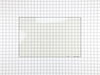
Crack in inner door glass
Removed two screws that are attached to handle then removed four screws from bottom edge of oven door. I was then able to remove the outer door glass,this gave me access to the three inner glasses. After removing the retainer for the glass assembly,I was able to remove all three and replace the inner one.I reversed this proceedure to reassemble.
Parts Used:
-
Robert from Richmond, IN
-
Difficulty Level:Really Easy
-
Total Repair Time:1- 2 hours
-
Tools:Screw drivers
4 of 7 people
found this instruction helpful.
Was this instruction helpful to you?
Thank you for voting!
Change on e of the inside glass
removed the screws holding the front part of the door and from there worked my way, untill the third glass.
It took a couple hours, my first time,. Overall easy,
It took a couple hours, my first time,. Overall easy,
Parts Used:
-
Ronald from Ozone Park, NY
-
Difficulty Level:Easy
-
Total Repair Time:1- 2 hours
-
Tools:Screw drivers
4 of 7 people
found this instruction helpful.
Was this instruction helpful to you?
Thank you for voting!
Stove was dropped and had broken, bent frame and adjuster feet
New ones fit perfectly. Take a minute to bend the frame straight. Then and I used oversize screws on the replacement parts as the drop had stripped out the screw holes of the frame.
Parts Used:

-
Paul from PORT ORANGE, FL
-
Difficulty Level:Really Easy
-
Total Repair Time:15 - 30 mins
-
Tools:Screw drivers
2 of 2 people
found this instruction helpful.
Was this instruction helpful to you?
Thank you for voting!
lens was broken
after pulling away from wall and unplugging remove 5 screws in upper back panel lift off being careful of sharp edges if part of lens is still in hole push it out towards the front insert lens from front of unit slide light assy over pin on back of lens replace back panel plug in range push back against wall check for level you're done
Parts Used:
-
Kenneth from Coeur d'Alene, ID
-
Difficulty Level:Really Easy
-
Total Repair Time:Less than 15 mins
2 of 3 people
found this instruction helpful.
Was this instruction helpful to you?
Thank you for voting!
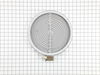
There was no instructions. The wires don't match up old vs new. I read the reviews and this helped.
However the 1a 1b etc. Are very hard to see thus the need to magnify. Then it was easy.
I must say the guy I talked to was very nice.
I must say the guy I talked to was very nice.
Parts Used:
-
Lisa from APACHE JCT, AZ
-
Difficulty Level:A Bit Difficult
-
Total Repair Time:15 - 30 mins
-
Tools:Pliers, Screw drivers
2 of 3 people
found this instruction helpful.
Was this instruction helpful to you?
Thank you for voting!
Replace oven element
-
Connie from BARTLESVILLE, OK
-
Difficulty Level:Really Easy
-
Total Repair Time:15 - 30 mins
-
Tools:Nutdriver
1 person
found this instruction helpful.
Was this instruction helpful to you?
Thank you for voting!