















BES322ES3 Crosley Range - Instructions
Keep searches simple. Use keywords, e.g. "leaking", "pump", "broken" or "fit".
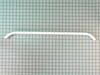
Broken hoven door handle
-
Mayola from RIO RICO, AZ
-
Difficulty Level:Really Easy
-
Total Repair Time:Less than 15 mins
-
Tools:Screw drivers, Wrench (Adjustable)
3 of 4 people
found this instruction helpful.
Was this instruction helpful to you?
Thank you for voting!
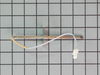
oven not reheating after initial heat up
unscrew the sensor inside the oven; took off the back of range to access harness of sensor; the replacement part harness did not match up to the original, so we stripped the clip from the end of the part and also the end of the harness in should clip into. after joining the wires together with ceramic wire nuts we tested the oven to make sure all worked AND IT DID!
Parts Used:
-
christine from addison, PA
-
Difficulty Level:Easy
-
Total Repair Time:15 - 30 mins
-
Tools:Screw drivers
3 of 4 people
found this instruction helpful.
Was this instruction helpful to you?
Thank you for voting!
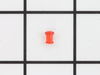
lens was broken
after pulling away from wall and unplugging remove 5 screws in upper back panel lift off being careful of sharp edges if part of lens is still in hole push it out towards the front insert lens from front of unit slide light assy over pin on back of lens replace back panel plug in range push back against wall check for level you're done
Parts Used:
-
Kenneth from Coeur d'Alene, ID
-
Difficulty Level:Really Easy
-
Total Repair Time:Less than 15 mins
2 of 3 people
found this instruction helpful.
Was this instruction helpful to you?
Thank you for voting!
F10 Error. Temp sensor at 1189 room temp ohms
1. Loosened 2 sensor mounting screws and removed them. 2. Tripped range circuit breaker to off. 3. Pulled out the range but left gas connected. 4. Loosened the 4 screws on RH side of the top back panel and carefully pried that side of the panel open. 5. Using fingers, threaded the sensor's wiring harness through insulation and into the oven. 6. Unplugged old probe. 7. plugged in new probe. 8. tugged wiring harness back through insulation behind the oven. 9. Using 2 screws removed in 1 above, mounted new sensor. 10. Repositioned top back panel and fastened it in place. 11. Shoved range back in. 12. Tripped range circuit breaker to on. 13. Reset clock. 14. Set oven to 450 for test tun. 15.
Parts Used:
-
Oscar from Scranton, KS
-
Difficulty Level:Easy
-
Total Repair Time:Less than 15 mins
-
Tools:Screw drivers
2 of 3 people
found this instruction helpful.
Was this instruction helpful to you?
Thank you for voting!
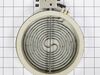
Element not working
Open range door remove 2 screws on bottom of stove top remove top
Parts Used:
-
Ryan from MORGANTON, NC
-
Difficulty Level:Really Easy
-
Total Repair Time:15 - 30 mins
-
Tools:Screw drivers
1 person
found this instruction helpful.
Was this instruction helpful to you?
Thank you for voting!
wrong part
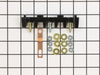
my original part arrived and it did not fit. When I called to explain the problem I was told it was the wrong part. The big problem is... Frigidaire calls the receptacle a terminal block kit as well as a terminal block kit which is a totally different part. I tried to explain that to several different folks I spoke to at your company as well as Frigidaire but I'm not sure if I got that point across. Take a look at part # 530 393 5058 and part # 530 440 9888 and you will see that they both mention terminal block kit. Hopefully the part I am getting from Frigidaire is an OEM part and will fit.
Parts Used:
-
Barbara from WICKENBURG, AZ
-
Difficulty Level:Very Difficult
-
Total Repair Time:30 - 60 mins
2 of 4 people
found this instruction helpful.
Was this instruction helpful to you?
Thank you for voting!
light bilb went out
-
Denise from Landover, MD
-
Difficulty Level:Really Easy
-
Total Repair Time:Less than 15 mins
2 of 6 people
found this instruction helpful.
Was this instruction helpful to you?
Thank you for voting!
No Power to the Oven
Watching the video showed an easy, unscrew and screw back on process while connecting the wires back. It was really that simple. Once it was complete (not even 10mins), plugged it back in, and its been working great since.
Parts Used:
-
Tony from Hartford, CT
-
Difficulty Level:Really Easy
-
Total Repair Time:Less than 15 mins
-
Tools:Screw drivers
1 of 3 people
found this instruction helpful.
Was this instruction helpful to you?
Thank you for voting!
had no instructions on how to remove old door hinge recepticle..
After trying to unscrew a plate on the side, I found that would NOT work at all, the side panel of the stove was behind it. I found a tab that cut-out on 3 sides just above the location of the recepticle, and simply bent that tab out, pulled out the old recepticle, slid in the new recipticle, and put in the screws and then bent back the tab. It was sooo easy once I found that. I repeated in on the other side.
Parts Used:
-
Douglas from Colrain, MA
-
Difficulty Level:Difficult
-
Total Repair Time:1- 2 hours
-
Tools:Screw drivers
0 of 1 people
found this instruction helpful.
Was this instruction helpful to you?
Thank you for voting!
Control will not work - only clock blinks
Took 3 panels off to get to the electric block. Replaced electrical block and put it back together. Still no change.
Parts Used:
-
Sue from Lampasas, TX
-
Difficulty Level:Really Easy
-
Total Repair Time:15 - 30 mins
-
Tools:Nutdriver, Pliers, Screw drivers
0 of 4 people
found this instruction helpful.
Was this instruction helpful to you?
Thank you for voting!
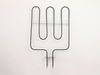
broiler element burned out
-
Richard from Oro Valley, AZ
-
Difficulty Level:Really Easy
-
Total Repair Time:15 - 30 mins
-
Tools:Pliers, Screw drivers
Was this instruction helpful to you?
Thank you for voting!
inner glass uncleanable
Took door apart, went online to partselect, ordered new glass, and put it back together. Oven looks like new. Makes sense to order the isolation as well when you do the repair
Parts Used:
-
Krista from Newtown, CT
-
Difficulty Level:Easy
-
Total Repair Time:15 - 30 mins
-
Tools:Screw drivers
Was this instruction helpful to you?
Thank you for voting!
Broken oven door glass
I followed directions for replacement of the glass from the web. Replacement was simple and easy.
Parts Used:
-
Joseph from Cranberry township, PA
-
Difficulty Level:Easy
-
Total Repair Time:30 - 60 mins
-
Tools:Nutdriver, Screw drivers
Was this instruction helpful to you?
Thank you for voting!
broken inner glass
Removed oven door. Removed screws from bottom of door as well as handle screws. Remove inner panel to expose glass. Replaced glass panel and reverse steps. Very easy.
Parts Used:
-
Neal from Warsaw, IN
-
Difficulty Level:Easy
-
Total Repair Time:30 - 60 mins
-
Tools:Screw drivers
Was this instruction helpful to you?
Thank you for voting!
Cracked inside glass
I actually watched Youtube while I was changing it. This video was not actually the same make up of my oven, even though the I typed in the model number. I manage to figure it any with the steps anyway. It was harder then I expected but not horrible. I think I did pretty well for a women. Patti
Parts Used:
-
patti from Greer, SC
-
Difficulty Level:A Bit Difficult
-
Total Repair Time:1- 2 hours
-
Tools:Screw drivers
Was this instruction helpful to you?
Thank you for voting!