















7289-80C Frigidaire Dryer - Instructions
Keep searches simple. Use keywords, e.g. "leaking", "pump", "broken" or "fit".
Dryer would not turn on, no power. Since i already have replaced thermal limiter switch, i knew exactly what to do and also how to shorten installation
Remove 2 screws from back of unit, remove top by lifting and pulling up, set aside. Using pliers,needle-nose, remove the 2 wires from switch, then using a magitized philips screw driver, remove 2 screws holding switch to back of unit, replace switch, reassemble everything. 20 minutes, boom, ur done, dry some clothes now
Parts Used:

-
Daniel from SAN ANTONIO, TX
-
Difficulty Level:Very Easy
-
Total Repair Time:15 - 30 mins
-
Tools:Pliers, Screw drivers
2 of 2 people
found this instruction helpful.
Was this instruction helpful to you?
Thank you for voting!
Door catch broken
Popped in the new door catch! Tightened the hinge screws( which work loose and allow the door to droop. The reason the catch broke!) Also put red Loctite on the screws in an attempt to keep them from backing out again! Working great so far!!!
Parts Used:

-
TJ from SCOTT DEPOT, WV
-
Difficulty Level:Very Easy
-
Total Repair Time:Less than 15 mins
2 of 2 people
found this instruction helpful.
Was this instruction helpful to you?
Thank you for voting!
Lound noise inside dryer
1. unplug the dryer, remove the aluminum vent and move it to an area that has a lot of elbow room.
2. remove the top lid with a flat screwdriver. It seems that the top lid was being held by 2 metal clips on each end.
3. on the right hand side removed the 2 wires from the front face of the dryer. this is the switch for the open door sensor. remember which wire goes where.
4. the on the left and right side will be one screw and one metal clip, unscrew and pop the front panel with a flat screwdriver.
5. in front of the drum remove the plastic clip that is used as a guide for the drum to be in place.
6. look in the drum and there is 3 screws that form a triangle shape. remove the screws.
7. remove the belt from the drum. inspect the belt. replace if necessary.
8. lift up and pull out the drum.
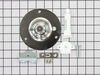
9. remove the rear drum assembly and replace it with the new parts.
10. repeat in reverse and your done.
It took me 40 minutes the first time i replaced the rear drum assembly then i forgot to hook the belt up correctly and i unassemble the unit in 5 minutes fix the belt and assemble the unit in 5 more minutes. Now the wife is happy.
2. remove the top lid with a flat screwdriver. It seems that the top lid was being held by 2 metal clips on each end.
3. on the right hand side removed the 2 wires from the front face of the dryer. this is the switch for the open door sensor. remember which wire goes where.
4. the on the left and right side will be one screw and one metal clip, unscrew and pop the front panel with a flat screwdriver.
5. in front of the drum remove the plastic clip that is used as a guide for the drum to be in place.
6. look in the drum and there is 3 screws that form a triangle shape. remove the screws.
7. remove the belt from the drum. inspect the belt. replace if necessary.
8. lift up and pull out the drum.
9. remove the rear drum assembly and replace it with the new parts.
10. repeat in reverse and your done.
It took me 40 minutes the first time i replaced the rear drum assembly then i forgot to hook the belt up correctly and i unassemble the unit in 5 minutes fix the belt and assemble the unit in 5 more minutes. Now the wife is happy.
Parts Used:
-
Joseph from little Egg Harbour, NJ
-
Difficulty Level:Easy
-
Total Repair Time:1- 2 hours
-
Tools:Screw drivers
3 of 5 people
found this instruction helpful.
Was this instruction helpful to you?
Thank you for voting!
No Heat, Dryer Runs, But Right Side Of Timer Would Not Advance, Left Timer Would
I used the percentage scale on this website to try and determine the likely cause. After reading several sites, I couldn't make sense of the timer not working on just one type cycle. When I got the dryer drum off, I could plainly see that one of the heater coils was broken. They get heat stressed and break down over time and a hard shake probably finished this off. This unit is 5 plus years old. It was Saturday and I had no heater, so I actually found it at a local parts supplier. Also replaced the drum bearing and the bearing cup in the rear along with the heater. BTW, a new heater comes with a HIGH thermal switch attached to it so don't buy it extra. The bearing cone also comes with a new bushing in the pack. I DID use the Thermal Limiter that I order from the site because I was already in there. Everything works great now. I may have gotten most off my parts elsewhere but this site was the biggest help of them all. I will definitely be back here again.
Parts Used:
-
STEPHEN from Nashville, TN
-
Difficulty Level:Easy
-
Total Repair Time:1- 2 hours
-
Tools:Nutdriver, Pliers, Screw drivers
2 of 2 people
found this instruction helpful.
Was this instruction helpful to you?
Thank you for voting!
Very noisy
Replaced rear drum bearing, drum support bearing & drum belt. Still very noisy. Will order new motor & see if that does the trick.
Parts Used:

-
Cherry from WATERVLIET, NY
-
Difficulty Level:Easy
-
Total Repair Time:30 - 60 mins
-
Tools:Nutdriver, Pliers, Screw drivers
2 of 2 people
found this instruction helpful.
Was this instruction helpful to you?
Thank you for voting!
replaced broken belt
Romoved front from dryer . Then loosened tub , slid belt on , reached in back and put belt on pulley , turned tub till belt went into place and reassembled dryer all with the help of a 3 year old and an8 year old,so in my oppinion it was one of the easiest fixes i've ever done!
Parts Used:
-
Shelia from Elizabethtown, IL
-
Difficulty Level:Easy
-
Total Repair Time:30 - 60 mins
-
Tools:Wrench set
2 of 2 people
found this instruction helpful.
Was this instruction helpful to you?
Thank you for voting!
bearing bad and shaft broken
replaced bearing and shaft new belt and everything works just fine
Parts Used:
-
Randall from New Roads, LA
-
Difficulty Level:Easy
-
Total Repair Time:30 - 60 mins
-
Tools:Screw drivers
3 of 6 people
found this instruction helpful.
Was this instruction helpful to you?
Thank you for voting!
Dryer making horrible squeaking sound when running
I am a "do-it-yourselfer" despite my husbands opposition. I followed instructions from one of the posts on the site and took apart the dryer. I found the location of the rear bearing and took it out and replaced it with the new one. Easy as that. Made sure the parts looked the same. Made sure I saw how everything went together. I used a magnet to hold the ball bearing in place on the rear mount and taped the metal bracket on the outside of the dryer. Screwed it right in. Reassembled in reverse and works like a charm. To all the women out there who don't think they can do this. It's easy. Give it a try.
Parts Used:
-
SHARON from SUMMERVILLE, SC
-
Difficulty Level:Easy
-
Total Repair Time:1- 2 hours
-
Tools:Screw drivers, Socket set, Wrench set
2 of 3 people
found this instruction helpful.
Was this instruction helpful to you?
Thank you for voting!
Our door catch got lost inside the dryer after the door was slammed to hard
I took the new door catch out of the packaging and just snapped it in place it was easy peasy and took less time than opening the package
Parts Used:
-
Joyce from PORTAL, GA
-
Difficulty Level:Very Easy
-
Total Repair Time:Less than 15 mins
2 of 3 people
found this instruction helpful.
Was this instruction helpful to you?
Thank you for voting!
Latch on dryer no longer worked
So easy! I ordered the part on the website. Received it 24 hours later. And popped it in place. Good as new.
Parts Used:
-
chris from dallas, TX
-
Difficulty Level:Really Easy
-
Total Repair Time:Less than 15 mins
2 of 3 people
found this instruction helpful.
Was this instruction helpful to you?
Thank you for voting!
loud squeeling noise
After changing the drum support bearing, and the front felt ring, the noise continued. It turned out to be the tensioner pully. The harmonic vibration travels throughout the dryer box like an instrument so you can't tell where the sound is comming from. Before you do anything, spray a little wd40 between the bushing and the shaft on the belt tenioner pully. If the squeel goes away, you have found your smoking gun.
Parts Used:
-
Lewis from Thornton, CO
-
Difficulty Level:Really Easy
-
Total Repair Time:Less than 15 mins
-
Tools:Nutdriver, Pliers, Screw drivers
2 of 3 people
found this instruction helpful.
Was this instruction helpful to you?
Thank you for voting!
Drum was not revolving
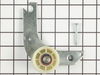
Open the back plate. Broken pulley was already out of place. Put the spring on the pulley and placed it. It took me less than 10 min
Parts Used:
-
khalid from HILLSBOROUGH, NJ
-
Difficulty Level:Very Easy
-
Total Repair Time:Less than 15 mins
-
Tools:Pliers, Screw drivers
1 person
found this instruction helpful.
Was this instruction helpful to you?
Thank you for voting!
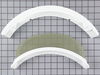
Worn out lint screen
-
Vince from Grayslake, IL
-
Difficulty Level:Really Easy
-
Total Repair Time:Less than 15 mins
-
Tools:Screw drivers
1 person
found this instruction helpful.
Was this instruction helpful to you?
Thank you for voting!
Broken lint screen
Lifted broken screen out and replaced it with a new one. Extremely simple.
Parts Used:
-
Mark from Elizabethtown, PA
-
Difficulty Level:Really Easy
-
Total Repair Time:Less than 15 mins
1 person
found this instruction helpful.
Was this instruction helpful to you?
Thank you for voting!
lint screen was torn to No repair!
/removed the lint screen & tossed in the trash, removed one screw from each side of the frame with a screw driver. Placed the New frame in place
& secured it with the screws that I removed from the old frame, placed the screen in place & that was all there was to it. The total amount of time to remove the old & replace with the new probably took 10-15 min. @ the most. I am so happy to have found the part & was able to replace it. You all are wonderful. Received it in 3 days, WOW!!
& secured it with the screws that I removed from the old frame, placed the screen in place & that was all there was to it. The total amount of time to remove the old & replace with the new probably took 10-15 min. @ the most. I am so happy to have found the part & was able to replace it. You all are wonderful. Received it in 3 days, WOW!!
Parts Used:
-
Ellsie from Rio Chiquito, NM
-
Difficulty Level:Really Easy
-
Total Repair Time:Less than 15 mins
-
Tools:Screw drivers
1 person
found this instruction helpful.
Was this instruction helpful to you?
Thank you for voting!