















1069700 Kenmore - Instructions
Keep searches simple. Use keywords, e.g. "leaking", "pump", "broken" or "fit".
Ice buildup on the bottom of the freezer, water dripping into the refrigerator
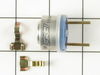
After unplugging the refrigerator, I used a hairdryer to melt the ice sufficiently to be able to remove the freezer rear panel with a nutdriver. I also removed the ice-maker for easier access to the components behind the panel, using a nutdriver. Once the panel was removed I melted more ice at the bottom of the evaporator housing. After partially melting the ice in the drain tube, I poured hot water down the drain tube until it cleared, signaled by the sound of the water dripping into the drain pan. I next removed the clip-on Bimetal thermostat from the copper line going into the evaporator and snipped the two wires to remove it. I installed the replacement thermostat with crimp-style connectors and pull-tested them. I also replaced the timer board that is located below the freezer, below the top shelf, using a nutdriver. I replaced the circuit board as a precaution that the thermostat may not have caused the problem. I didn't change the heater inside the freezer as it checked out to have the same resistance as a new one. I tested the removed thermostat using a glass of ice water but it remained in the open condition, using an ohmmeter. (I later checked that thermostat after the freezer was running and it did close, and returned it to the open position by heating it under the hot water faucet. I suspect that it didn't work properly, or the timer control board was faulty). After re-installing the back panel and ice-maker and plugging the refrigerator into the power receptacle, it worked very well, and has done so since the repair.
Parts Used:

-
Craig from Rockledge, FL
-
Difficulty Level:Easy
-
Total Repair Time:More than 2 hours
-
Tools:Nutdriver
8 of 9 people
found this instruction helpful.
Was this instruction helpful to you?
Thank you for voting!
replacing thermostat did not help
Icecubes came out half-way, and refrooze. I figured out, that the melter does not work (HEATER in the icemaker) Voltage measured 105V no load. Studied the Internet, and folloved an advice: shorted the back wire and the blackwire with white stripes.these go to relay contacts. It seems, that the relay contacts are no good on Infrared receiver boaed. I turn off manually the icemaker, when needed
Parts Used:
-
John from Rocky River, OH
-
Difficulty Level:Difficult
-
Total Repair Time:More than 2 hours
-
Tools:Pliers, Screw drivers, Socket set
10 of 15 people
found this instruction helpful.
Was this instruction helpful to you?
Thank you for voting!
Refridgerator do not get cold
Disconnect the power, removed the back panel, plastic cover and the relays. Replaced new parts, reattached the back panel and reconnected the power. The hardest part was to remove the plastic cover, it was locked on so tight,I had to use a putty knife to separate the cover from the compressor.
Parts Used:

-
Victor from Colton, CA
-
Difficulty Level:Easy
-
Total Repair Time:15 - 30 mins
-
Tools:Nutdriver, Screw drivers
12 of 21 people
found this instruction helpful.
Was this instruction helpful to you?
Thank you for voting!
The Freezer defrosted and everything on the top and the bottom spoiled
i had used your web site before and i read several problems that your readers had. i went to the back of the unit, removed the bottom cover and right there the i found the run capacitor and i chaged it. since i had only ordered this part to save money i went back and ordered the Start Device which when i took it off it was completely burned. the replacement part came labeled with 2 different compressor #, so i picked the one that i had and unpluged each wire. the part may differ from the one that it's in the unit but it worked when i pluged everything back on. it also helps to take a picture of everything before removing the wires in case you have to leave it and come back later. i hope to use this refrigerator another 10 years. thank you all for your help.
Parts Used:

-
Jorge from Miami, FL
-
Difficulty Level:Easy
-
Total Repair Time:15 - 30 mins
-
Tools:Nutdriver
10 of 16 people
found this instruction helpful.
Was this instruction helpful to you?
Thank you for voting!
Ice getting stuck, and water flowing over everything
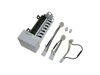
The on-line video and the hard-copy instructions with the replacement part made it very easy. Just loosened the 2 upper screws and took out the bottom one. Eased the ice maker out a bit and disconnected the plug at the back (power was off). Checked the replacement part had exactly the same wiring harness - it did. Fitted the bail arm from the old one. So simply did the same process in reverse. So 15-20 minutes after I started, the job was compelete. It takes a while for ice to start coming, but it did, and after 24 hours I threw out the ice and started again to make sure the ice came from fresh water.
Parts Used:
-
Randal from Wakefield, RI
-
Difficulty Level:Really Easy
-
Total Repair Time:15 - 30 mins
-
Tools:Nutdriver, Screw drivers
7 of 7 people
found this instruction helpful.
Was this instruction helpful to you?
Thank you for voting!
Ice maker leaked into ice reservoir
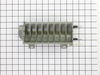
The ice mold has a coating on it. Over time the coating deteriorates. If your ice maker leaks water into the ice reservoir inspect the mold to see if the coating is compromised. If so, replace with new.
Remove the ice maker assembly. 3 small hex screws. Unplug power cord. Disassemble ice maker assembly. Remove ice mold/heater. Replace with new. Reassemble.
Remove the ice maker assembly. 3 small hex screws. Unplug power cord. Disassemble ice maker assembly. Remove ice mold/heater. Replace with new. Reassemble.
Parts Used:
-
joe from hilliard, OH
-
Difficulty Level:Really Easy
-
Total Repair Time:15 - 30 mins
-
Tools:Nutdriver
7 of 7 people
found this instruction helpful.
Was this instruction helpful to you?
Thank you for voting!
Mold Ice Heating Element Broken
Looking at the ice maker it is pretty cut & dried as to how to remove the unit. I took out the ice tray and just started removing all the mounting screws. The same for the mold ice tray & heating element. I was just sad that you did not have just the heating element separate from the mold ice tray.
Parts Used:
-
timothy from indio, CA
-
Difficulty Level:Easy
-
Total Repair Time:1- 2 hours
-
Tools:Nutdriver, Screw drivers, Socket set
7 of 7 people
found this instruction helpful.
Was this instruction helpful to you?
Thank you for voting!
35 year old water tube became brittle and cracked; leaking water
Unscrewed clamp holding water tube to refrigerator ice maker. Pulled water tube from ice maker and water valve inlet. Cut the new tubing to the exact same length and inserted one end to the water valve inlet and the other end to the ice maker then screwed clamp holding water tube back to the refrigerator ice maker.
Parts Used:
-
Melvin from OPELIKA, AL
-
Difficulty Level:Very Easy
-
Total Repair Time:Less than 15 mins
-
Tools:Screw drivers
8 of 10 people
found this instruction helpful.
Was this instruction helpful to you?
Thank you for voting!
water pump for ice maker would not shut off
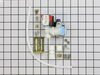
First I removed the two screws that hold the element in place. I then pulled the element out about 3 inches and disconnected the two wires...) Then I put the new valve in, put the cover back on the refridgerator and was done. total time 15 minutes. My wife says I'm the man.
Parts Used:
-
Lawrence from Clio, MI
-
Difficulty Level:Really Easy
-
Total Repair Time:Less than 15 mins
-
Tools:Screw drivers, Wrench (Adjustable)
7 of 8 people
found this instruction helpful.
Was this instruction helpful to you?
Thank you for voting!
Broken Piece

-
anthony from georgetown, IL
-
Difficulty Level:A Bit Difficult
-
Total Repair Time:30 - 60 mins
-
Tools:Screw drivers
7 of 8 people
found this instruction helpful.
Was this instruction helpful to you?
Thank you for voting!
Black flecks in ice
The lining of the ice mold (Whirlpool) started flecking off (black flecks in the ice cubes), so I decided to replace the mold.
Loosen the two 1/4 inch upper nuts and remove the lower nut to remove the ice maker from the freezer. The hardest part was getting it unplugged. I used a small blade screwdriver to release the catch on the connector and pull it out.
Remove the ice maker front cover. If you have a skinny enough phillips screw driver, there are two deep set screws through two holes on the lower portion of the control module (otherwise, remove the three screws on the controller, unlatch the shut-off arm from the control module, and separate the controller to access the mold screws). Unhook the shut-off wire from the end of the tray. Unscrew the two screws holding the mold and remove the mold.
Remove the plastic hardware from the old mold and install on the new mold.
Attach the new mold on to the control module.
WARNING WARNING WARNING!!! The mold I bought already had the alumilastic on it for the contact point to the thermostat. When I installed it and tightened the screws, the alumilastic was dried out, didn't squash down, and dented the bi-metal thermostat on the controller, ruining it. I had to buy a new thermostat. Be sure to check that the alumilastic is pliable. If not, take it off and buy some fresh to put on there.
Re-install the ice maker. It took a while to get the first batch of ice because the ice maker was at room temperature and I had the freezer door open for several minutes. So the freezer had to get cold and the ice maker had to chill down. Once everything got cold, it started making ice again.
Loosen the two 1/4 inch upper nuts and remove the lower nut to remove the ice maker from the freezer. The hardest part was getting it unplugged. I used a small blade screwdriver to release the catch on the connector and pull it out.
Remove the ice maker front cover. If you have a skinny enough phillips screw driver, there are two deep set screws through two holes on the lower portion of the control module (otherwise, remove the three screws on the controller, unlatch the shut-off arm from the control module, and separate the controller to access the mold screws). Unhook the shut-off wire from the end of the tray. Unscrew the two screws holding the mold and remove the mold.
Remove the plastic hardware from the old mold and install on the new mold.
Attach the new mold on to the control module.
WARNING WARNING WARNING!!! The mold I bought already had the alumilastic on it for the contact point to the thermostat. When I installed it and tightened the screws, the alumilastic was dried out, didn't squash down, and dented the bi-metal thermostat on the controller, ruining it. I had to buy a new thermostat. Be sure to check that the alumilastic is pliable. If not, take it off and buy some fresh to put on there.
Re-install the ice maker. It took a while to get the first batch of ice because the ice maker was at room temperature and I had the freezer door open for several minutes. So the freezer had to get cold and the ice maker had to chill down. Once everything got cold, it started making ice again.
Parts Used:
-
Anthony from Billings, MT
-
Difficulty Level:A Bit Difficult
-
Total Repair Time:More than 2 hours
-
Tools:Nutdriver, Screw drivers
6 of 6 people
found this instruction helpful.
Was this instruction helpful to you?
Thank you for voting!
fan made lots of noise
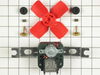
unplugged refrig.
removed screws on back panel of freezer compartment
removed fan motor cover
removed fan
broke ends off support bracket in accordance with directions
had to pull more of old ground wire out of back of refrigerator to get it to reach ground clip on new fan
plugged all 3 wires into fan motor
replaced covers
every thing works fine now.
part was delivered quite promptly
refrigerator was over 30 years old and a sears model but mfg by whirlpool
removed screws on back panel of freezer compartment
removed fan motor cover
removed fan
broke ends off support bracket in accordance with directions
had to pull more of old ground wire out of back of refrigerator to get it to reach ground clip on new fan
plugged all 3 wires into fan motor
replaced covers
every thing works fine now.
part was delivered quite promptly
refrigerator was over 30 years old and a sears model but mfg by whirlpool
Parts Used:
-
jim from bedford, KY
-
Difficulty Level:Really Easy
-
Total Repair Time:30 - 60 mins
-
Tools:Nutdriver, Screw drivers
7 of 9 people
found this instruction helpful.
Was this instruction helpful to you?
Thank you for voting!
no power to the ice maker
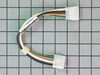
The wiring harness was a straightfoward plug in replacement after depressing the securing tabs, and did provide power to the icemaker. However, the icemaker would continually cycle, with the mold heater on at all times. I suspect this is what caused the thermal fuse to blow in the first place. Rather than spend more time replacing individual components, I eneded up replacing the full ice maker assy. The new ice maker works properly.
Parts Used:
-
Thomas from Indianapolis, IN
-
Difficulty Level:Really Easy
-
Total Repair Time:Less than 15 mins
-
Tools:Nutdriver
11 of 21 people
found this instruction helpful.
Was this instruction helpful to you?
Thank you for voting!
fan not working
unpluged unit, removed 2 panel screws, removed 4 fan screws, disconnected wires, reassembled
Parts Used:
-
Gary from Erving, MA
-
Difficulty Level:Really Easy
-
Total Repair Time:Less than 15 mins
-
Tools:Nutdriver, Screw drivers
7 of 9 people
found this instruction helpful.
Was this instruction helpful to you?
Thank you for voting!
freezer will not freeze or cool the ice box
I have replaced the circuit board, the condenser fan motor but the unit still will not feeze correctly. The bottom of the unit freezes but just barely cools the rest of the freezer and ice box. Have you got any other advice that might help. This is a side by side unit. What else could be the problem. It seems that the fan is not working correctly or it is stuck in defrost mode. The coils where the fan is seem to be icing up but it will not let the fan work. THanks for your help, David Wilson
Parts Used:

-
David from Choctaw, OK
-
Difficulty Level:Easy
-
Total Repair Time:30 - 60 mins
-
Tools:Socket set
8 of 13 people
found this instruction helpful.
Was this instruction helpful to you?
Thank you for voting!