















1069651781 Kenmore Refrigerator - Instructions
Keep searches simple. Use keywords, e.g. "leaking", "pump", "broken" or "fit".
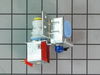
Leaking water inlet valve
This would have been a less-than-5-minute repair except for one item. The water intake nossle was 180 degrees from the original part. As a result, the copper water inlet tube would not fit in the old space and still allow me to reattach the valve to the freezer chassie. I ended up leaving the valve hanging loose under the freezer. I spent most of my time trying to fit the valve into the old space.
Unplug freezer. Disconnect electrical connections (pull apart). Remove one screw holding the valve to the chassie. disconnect water inlet pipe and water outlet pipe from old valve.
Reconnect electrical connection to new valve. Reconnect in and out water hoses. Reconnect valve to chassie. Plug freezer back in. Finished
Everything works just fine !
Unplug freezer. Disconnect electrical connections (pull apart). Remove one screw holding the valve to the chassie. disconnect water inlet pipe and water outlet pipe from old valve.
Reconnect electrical connection to new valve. Reconnect in and out water hoses. Reconnect valve to chassie. Plug freezer back in. Finished
Everything works just fine !
Parts Used:
-
Steven S. from Kerrville, TX
-
Difficulty Level:A Bit Difficult
-
Total Repair Time:15 - 30 mins
-
Tools:Nutdriver, Wrench (Adjustable)
14 of 19 people
found this instruction helpful.
Was this instruction helpful to you?
Thank you for voting!
water was leaking down from freezer section to bottom part of unit
First, unplugged the refrigerator. Then removed bottom plastic liner of the freezer, 2 screws with 5/16 nut driver. At this point the ice maker had to be removed 3 screws, two on the upper part and the other under the ice maker. Now the back wall of the freezer section was removed by unscrewing 2 screws with the nut driver. This gave me access to remove the defective clip-on Bimetal defrost thermostat. It was located in the upper right corner on the back wall of the freezer. Cut off the 2 wires from the bad part( one pink the other brown)then used wire nut to replace with the new part and matched wires from freezer to new part( pink to pink and brown to brown) and clipped the part in one section of the coil. ( where the bad part was located) Put all back in place. And so far no more water leak inside the fridge.
Parts Used:

-
Eric from miami, FL
-
Difficulty Level:Easy
-
Total Repair Time:15 - 30 mins
-
Tools:Nutdriver, Pliers, Screw drivers
13 of 16 people
found this instruction helpful.
Was this instruction helpful to you?
Thank you for voting!
Freezer compartment iced over, food thawing,
I deenergized the refigerator, removed the storage tray, three screws that hold the ice maker, two screws that hold the lower portion of the freezer, two screws tjhat hold the back portion of the freezer. Removed the ice maker and disconnected the wire connector and ground, Removed lower portion of the freezer which allowed the back portion to be lifted out. Once the back was out the bimetal defrost thermostat was located in the upper right corner clipped to a copper line. Using an ohm meter, I found the bimetal defrost thermostat to be electrically open, ordered part from information found on part, Once part arrived I deenergized the refrigerator and replaced bimetal thermostat by cutting the old thermostat wires (pink and brown), stripping the wires back about 5/8 inch and wire nutting the replacement parts like colored wires, clipped the bimetal part on the copper tube, replaced the covers in reverse order, and reenergized the refrigerator. Testing and replacing the part took about 15 minutes, waiting for the ice build up to thaw took considerably longer.
Parts Used:
-
Lawrence from New Bern, NC
-
Difficulty Level:Easy
-
Total Repair Time:Less than 15 mins
-
Tools:Nutdriver
12 of 13 people
found this instruction helpful.
Was this instruction helpful to you?
Thank you for voting!
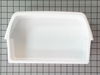
cracked bins
Two bins were cracked. I simply unhooked the broken bins and put the new ones in their place.
Parts Used:
-
David from Media, PA
-
Difficulty Level:Really Easy
-
Total Repair Time:Less than 15 mins
12 of 13 people
found this instruction helpful.
Was this instruction helpful to you?
Thank you for voting!
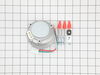
Suspected fan failure
I pulled the refer from the wall, disconnected the power and removed the cardboard cover at the base. Using a vacuum and compressed air, I cleaned it thoroughly.
I used a screwdriver to lift the locking tab on the 3-wire connector and removed it. The best way to get the three bolts off was with a 1/4" drive ratchet and go to the std nutdriver handle when they were loose. The fan came out carefully with the blade. I removed the blade nut with flat nosed pliers, cleaned it and placed it on the new motor. I replaced the motor and installed the screws. On a do-over I would install onew screw in each hole at least halfway to get the threads started/ threaded. After that the connector slipped in and I spun the blade to check for interference. The blades can be slightly bent, but use of nut tension can also slightly adjust fan alignment as it's tight to the housing.
That's it
I used a screwdriver to lift the locking tab on the 3-wire connector and removed it. The best way to get the three bolts off was with a 1/4" drive ratchet and go to the std nutdriver handle when they were loose. The fan came out carefully with the blade. I removed the blade nut with flat nosed pliers, cleaned it and placed it on the new motor. I replaced the motor and installed the screws. On a do-over I would install onew screw in each hole at least halfway to get the threads started/ threaded. After that the connector slipped in and I spun the blade to check for interference. The blades can be slightly bent, but use of nut tension can also slightly adjust fan alignment as it's tight to the housing.
That's it
Parts Used:
-
Don from Oregon City, OR
-
Difficulty Level:Really Easy
-
Total Repair Time:Less than 15 mins
-
Tools:Nutdriver, Screw drivers
12 of 14 people
found this instruction helpful.
Was this instruction helpful to you?
Thank you for voting!
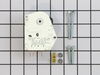
Noise coming from defrost timer
First I unplugged appliance then I remove two screws from the thermostat/light cover. I then remove two defrost timer mounting screws and all electrical connectors. Then utilizing instructions recieved with new defrost timer I ascertained which wires should go where. When I was sure I had the wires ready I connected them to the others in the appliance and plugged the appliance in to ensure that the noise was no longer heard and made sure timer was working. Everything seemed fine so I unplugged appliance and secured two defrost timer mounting screws and thermostat/light cover mounting screws and that was that.
Parts Used:
-
Thomas from Pottstown, PA
-
Difficulty Level:Really Easy
-
Total Repair Time:15 - 30 mins
-
Tools:Nutdriver
12 of 14 people
found this instruction helpful.
Was this instruction helpful to you?
Thank you for voting!
The fan wouldn't run as needed. The top of the refrigerator was really hot.
My husband took the old motor out by taking the screws out. Then, he unplugged the fan. We searched your site for the part. With the pictures on the site, we were able to match the motor exactly. The delivery was really fast. When we received the part, he installed the fan and plugged in the power connector. We have replaced refrigerator fans before but anyone can do this with no experience. Just follow the instructions and you're all set.
Parts Used:
-
Teresa from Moneta, VA
-
Difficulty Level:Really Easy
-
Total Repair Time:Less than 15 mins
-
Tools:Nutdriver, Screw drivers
12 of 15 people
found this instruction helpful.
Was this instruction helpful to you?
Thank you for voting!
My refrigerator ran constantly and never got cold!
On a whim I looked into what it would take to fix my garage older 2nd fridge. I was thinking I needed a new seal, but when I checked the website there was a great troubleshooter. I would have never guessed that the defrost timer was what would cause it not to ever get cold. After a fairly simple repair the freezer is colder than ever and I actually had to turn it down. The only complication was the fridge was stuck in a defrost cycle so I had to reset the timer to get the refrigerator running. Thanks so much for a super helpful site for a do-it-yourselfer like me.
Parts Used:
-
Brandon from Fort Wayne, IN
-
Difficulty Level:Easy
-
Total Repair Time:30 - 60 mins
-
Tools:Nutdriver, Screw drivers
11 of 12 people
found this instruction helpful.
Was this instruction helpful to you?
Thank you for voting!
Replaced Freezer Door and Refrigerator Door Gaskets
!st removed the doors from the unit, then laid them on the floor. Next, on a long side of the door, cut through the gasket so I could pull it off the door in one piece without separating the door liner from the outer door. Then, starting at a corner, started pushing the stiff black part of the replacement gasket between the liner and outer door, making sure to push it completely under as I went. Used a thick flat bladed screwdriver to carefully help push the final corner section in. Repeated on both doors, rehung, plugged in and done!
Parts Used:
-
Robin from VENICE, FL
-
Difficulty Level:Really Easy
-
Total Repair Time:15 - 30 mins
-
Tools:Screw drivers
11 of 13 people
found this instruction helpful.
Was this instruction helpful to you?
Thank you for voting!
installed ice maker
From the time I started to finish I worked 3 hours, this included installing the new ice maker, cutting into the cold water line in the basement and installing a t with a 6inch piece of pipe with a compression valve to connect to the small cooper tube, this is worth your time to do it this way, its a lot better connection than the small pierce valves that come with the kit, they will leak over time. I installed the filter in the waterline in the basement for easy access
Parts Used:
-
Dennis from Spring Valley, MN
-
Difficulty Level:Easy
-
Total Repair Time:15 - 30 mins
-
Tools:Nutdriver, Pliers, Screw drivers, Wrench set
13 of 19 people
found this instruction helpful.
Was this instruction helpful to you?
Thank you for voting!
would not cycle
removed the defrost timer and replaced with new unit now i have a refrigerator again
Parts Used:
-
Maxine from Birmingham, AL
-
Difficulty Level:Really Easy
-
Total Repair Time:15 - 30 mins
-
Tools:Nutdriver
12 of 16 people
found this instruction helpful.
Was this instruction helpful to you?
Thank you for voting!
Wrong electrical connector.
I bought a new Whirlpool Refrigerator that didn't have an ice maker.
I wanted to install an ice maker. I searched your web site and found the model ice maker model it said I needed. WPW10715709. This one was a 4 wire 8 terminal. I needed a 4 wire flat connector. WPW10715708. You approved the return. It cost me $50 to return it. I believe you should refund me the cost of this postage. Your web site gave me the wrong model number.
Thank you
I wanted to install an ice maker. I searched your web site and found the model ice maker model it said I needed. WPW10715709. This one was a 4 wire 8 terminal. I needed a 4 wire flat connector. WPW10715708. You approved the return. It cost me $50 to return it. I believe you should refund me the cost of this postage. Your web site gave me the wrong model number.
Thank you
Parts Used:
-
ROBERT from BUENA PARK, CA
-
Difficulty Level:Very Difficult
-
Total Repair Time:More than 2 hours
11 of 14 people
found this instruction helpful.
Was this instruction helpful to you?
Thank you for voting!
socket melted with bulb in it.
-
martin l. from JACKSONVILLE,, IL
-
Difficulty Level:Really Easy
-
Total Repair Time:Less than 15 mins
12 of 18 people
found this instruction helpful.
Was this instruction helpful to you?
Thank you for voting!
There was no light on in refrig area
Just replaced the switch, but unfortunately that was not the problem; nor was it the bulb....so I am back to square one.
But Parts Select is a great place to order from. Thank you.
But Parts Select is a great place to order from. Thank you.
Parts Used:
-
Lori from Chuluota, FL
-
Difficulty Level:Easy
-
Total Repair Time:Less than 15 mins
-
Tools:Screw drivers
12 of 19 people
found this instruction helpful.
Was this instruction helpful to you?
Thank you for voting!
Ice maker motor would run continuously but the blades would not turn and no ice came out.
I wasn't sure what the problem was, but the ice maker seemed simple and on-line resources suggested the control and motor assemblty was at fault. I searched the internet and Partsource had great diagrams which I could match to the part in hand. The price was right (way less than the local stores) so I ordered it.
I unplugged the unit from the power in the freezer, but unplugging the entire refrigerator works too. I pried off the white cover on the front of the ice maker, which snaps in place top and bottom. There are three screws holding the contoller (the entire front piece), remove them, pull off the controller and push the new one in place. You may have to turn the blade shaft to line up the notch on the shaft to the motor. Then reinstall the three screws, The screws go into plastic so it is easy to cross thread them, so be careful, I actually think I did with no ill effects. Snap on the cover and repower the unit. Done. Simple and quick.
I unplugged the unit from the power in the freezer, but unplugging the entire refrigerator works too. I pried off the white cover on the front of the ice maker, which snaps in place top and bottom. There are three screws holding the contoller (the entire front piece), remove them, pull off the controller and push the new one in place. You may have to turn the blade shaft to line up the notch on the shaft to the motor. Then reinstall the three screws, The screws go into plastic so it is easy to cross thread them, so be careful, I actually think I did with no ill effects. Snap on the cover and repower the unit. Done. Simple and quick.
Parts Used:
-
Gary from Medway, MA
-
Difficulty Level:Really Easy
-
Total Repair Time:Less than 15 mins
-
Tools:Screw drivers
9 of 11 people
found this instruction helpful.
Was this instruction helpful to you?
Thank you for voting!