















1068778413 Kenmore Refrigerator - Instructions
Keep searches simple. Use keywords, e.g. "leaking", "pump", "broken" or "fit".
Ice Maker Stopped Making Ice
I had a technician called out to the house to look at repairing several appliances that all have broken parts after just 3 yrs of use. Hood, Microwave, Oven, Fridge all in need of minor repairs..
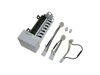
Anyway - the estimate was $240 to replace the ice maker. I ordered PS358591 for $104. and it came in a couple days.. I took out one screw - slid out the icemaker, unplugged it - plugged in new one and slid it in the slot - and done !! Took about 20 mins.. didnt need any of the wiring harnesses in the box from partselect. Was way to easy to do !!
Thank you !
Anyway - the estimate was $240 to replace the ice maker. I ordered PS358591 for $104. and it came in a couple days.. I took out one screw - slid out the icemaker, unplugged it - plugged in new one and slid it in the slot - and done !! Took about 20 mins.. didnt need any of the wiring harnesses in the box from partselect. Was way to easy to do !!
Thank you !
Parts Used:
-
robert from kennesaw, GA
-
Difficulty Level:Really Easy
-
Total Repair Time:15 - 30 mins
-
Tools:Socket set
43 of 51 people
found this instruction helpful.
Was this instruction helpful to you?
Thank you for voting!
Icemaker would not stop putting out water, then would not make ice
First, I unplugged the power to the entire fridge, and then removed the ice tray and ice door. Next, I unplugged the flat plug in the very back left behind the icemaker. Then I removed the 1/4" hex head sheet metal screws (2) and the phillips head screw (1) that hold the icemaker to the left side of the freezer wall. New icemaker came with a different style trip arm, so I used it. Plugged new icemaker in before reattaching it with the same (3) screws. Replaced ice tray and door, plugged in fridge, and waited....Dumped its first batch of ice maybe a couple of hours later. Not much trouble-shooting is needed when the entire icemaker is as easy and relatively inexpensive to replace as this. Twenty minutes, max.
Parts Used:
-
Phil from Felton, DE
-
Difficulty Level:Easy
-
Total Repair Time:15 - 30 mins
-
Tools:Nutdriver, Screw drivers
44 of 56 people
found this instruction helpful.
Was this instruction helpful to you?
Thank you for voting!
Timer "clicking", indicating worn gears
1. Unplug refrigerator to remove power!
2. The timer is inside the control housing located at the top of the refrigerator compartment.
3. Remove two control knobs (the pull off).
4. Remove the front panel escutcheon. The panel is not held in place with screws, but can be gently pried off.
5. Remove two screws from the back that hold the housing in place.
6. Remove screws from the front that hold the housing in place.
7. Drop housing down (still attached by wires - do not detach). Timer is inside housing, located on right.
8. Follow the instructions provided to identify your particular wiring setup. You'll find the wiring diagram (on my model) at the bottom of the refrigerator, alongside the defrost catch pan, behind the airflow grille.
9. Remove connector from timer terminals (4).
10. Remove two screws/nuts that hold the timer in place.
11. Install replacement timer following included directions. Read and follow ALL instructions applicable to your particular model and wiring setup.
12. Reassemble by reversing the steps above.
13. Note: You may need to "jog" the replacement timer when you first plug the refrigerator back in, if the timer happens to be in a "defrost cycle" (the compressor won't start). This can be done by inserting a wide bladed screwdriver into the hole below the timer, aligning it with the timer shaft, and slightly turning the shaft CW. Don't force it, and don't turn it very far.
2. The timer is inside the control housing located at the top of the refrigerator compartment.
3. Remove two control knobs (the pull off).
4. Remove the front panel escutcheon. The panel is not held in place with screws, but can be gently pried off.
5. Remove two screws from the back that hold the housing in place.
6. Remove screws from the front that hold the housing in place.
7. Drop housing down (still attached by wires - do not detach). Timer is inside housing, located on right.
8. Follow the instructions provided to identify your particular wiring setup. You'll find the wiring diagram (on my model) at the bottom of the refrigerator, alongside the defrost catch pan, behind the airflow grille.
9. Remove connector from timer terminals (4).
10. Remove two screws/nuts that hold the timer in place.
11. Install replacement timer following included directions. Read and follow ALL instructions applicable to your particular model and wiring setup.
12. Reassemble by reversing the steps above.
13. Note: You may need to "jog" the replacement timer when you first plug the refrigerator back in, if the timer happens to be in a "defrost cycle" (the compressor won't start). This can be done by inserting a wide bladed screwdriver into the hole below the timer, aligning it with the timer shaft, and slightly turning the shaft CW. Don't force it, and don't turn it very far.
Parts Used:
-
John from Plano, TX
-
Difficulty Level:Easy
-
Total Repair Time:15 - 30 mins
-
Tools:Nutdriver, Pliers, Screw drivers
38 of 43 people
found this instruction helpful.
Was this instruction helpful to you?
Thank you for voting!
Light Switch broke
An easy job for smaller hands. Removed the two bolts holding the light cover. Removed two electrical connections from the old switch by pinching the retaining clip,removed the switch, snapped in the new one and re-attached the connectors. Your online illustrations helped me to know that the plastic housing for the light switch would only swing down so far and was not intended to be removed. Saved me from breaking that plastic cover's tabs. This home repair saved me more than 5 times the cost of hiring a professional to do it. Very happy homeowner.
Parts Used:
-
James Richard from St. Cloud, MN
-
Difficulty Level:Easy
-
Total Repair Time:Less than 15 mins
-
Tools:Socket set
48 of 76 people
found this instruction helpful.
Was this instruction helpful to you?
Thank you for voting!
Water valve failed, flooded kitchen
Turned off water supply and unplugged appliance. Removed lower panel on back of refrigerator with 1/4 " nutdriver. Then removed supply line, and line to icemaker. removed valve from back panel and replaced with new valve. wrapped water connections with teflon tape, turned on supply line, checked for leaks, everything o.k..Replaced back panel and in 45 minutes had first drop of ice. Job requires moderate mechanical ability and minimum tools. Saved a PANT load of money by doing it myself. VERY satisfied with Partselect.com
Parts Used:
-
James R from Valley Springs, CA
-
Difficulty Level:Easy
-
Total Repair Time:15 - 30 mins
-
Tools:Nutdriver, Wrench (Adjustable)
28 of 29 people
found this instruction helpful.
Was this instruction helpful to you?
Thank you for voting!
The light switch on the refridgerator broke - no light.
Once I saw the replacement part I understood how to pry out the switch with a small screwdriver. Then just unplug the old one, plug in the new one and pop it into place.
The PartSelect site made it easy to correctly identify the correct part, it was inexpensive, and the shipping was fast.
I'm very pleased!
The PartSelect site made it easy to correctly identify the correct part, it was inexpensive, and the shipping was fast.
I'm very pleased!
Parts Used:
-
David from Albany, OR
-
Difficulty Level:Really Easy
-
Total Repair Time:Less than 15 mins
-
Tools:Screw drivers
36 of 56 people
found this instruction helpful.
Was this instruction helpful to you?
Thank you for voting!
Defrost timer was faulty. It would not restart on it's own.
Just removed the old timer and attached the wires to the new one and replaced the old. That simple!
Parts Used:
-
Ed from Frankfort, IN
-
Difficulty Level:Really Easy
-
Total Repair Time:15 - 30 mins
-
Tools:Screw drivers
33 of 47 people
found this instruction helpful.
Was this instruction helpful to you?
Thank you for voting!
Evaporator Fan had quit running
After unplugging the fridge, I removed all the phillips head screws from the evaporator fan housing as well as the back cover and the bottom of the freezer compartment (7) in all. After first removing the bottom cover - then the back cover I could access the evaporator fan unit. This was held in place with two hex-head screws that were easily removed with a nut driver. Then after unplugging the Red, White, and Green wires from the fan I removed it and replaced it with the new one. I did have to break off the two ends of the mounting bracket as described in the instruction sheet since it was too wide. Repeating the above steps in reverse, I had the job done and refridgerator up and running as quiet as could be in less than 15 minutes.
Parts Used:
-
Duane from Piper City, IL
-
Difficulty Level:Really Easy
-
Total Repair Time:Less than 15 mins
-
Tools:Nutdriver, Screw drivers
25 of 28 people
found this instruction helpful.
Was this instruction helpful to you?
Thank you for voting!
Needed to replace refrigerator door gasket
My refrigerator is 17 years old. The gasket seal around the door finally needed to be replaced. I ordered the part from Partselect.com. They had the cheapest price, including shipping. The part alone was still expensive, though, (almost $60!) for just being a piece of rubber.
There are little screws all around the inside of the refrigerator door, under which part of the gasket rests. A socket-set was needed to determine which one would fit the screws. The first step is to remove the old gasket. I discovered (the hard way!) that it makes sense to unscrew them a few at a time to remove the old gasket, and screw them back in, until you are ready to install the new one. My refrigerator door was not one "solid" piece. It is two pieces screwed together (with those little screws), and has insulation in the middle of the two pieces. If you unscrew too many at one time, the two pieces of the door will come apart, so don't do that.
When it was time to put the new gasket on, again, it made sense to do a few at a time. I started at the top of the door. Along with the screws, there is a metal rod that holds the gasket in place. Once you unscrew the screws, you place the back flap of the gasket underneath the metal rod. The gasket itself has holes that should line up with the holes for the screws. The rest of the gasket goes on top of the metal rod and screws. Then put the screws back in, using your socket wrench, and begin the next section (ie one side of the door). Work your way around the door, doing one side at a time. The bottom was the most difficult part to get to. Be careful not to run your fingers along the metal rod to push the gasket. I did cut my finger a bit. (Use something other than your finger to do the job.) The whole thing took me a while, but I got it done, while my HUSBAND sat and watched tv.
There are little screws all around the inside of the refrigerator door, under which part of the gasket rests. A socket-set was needed to determine which one would fit the screws. The first step is to remove the old gasket. I discovered (the hard way!) that it makes sense to unscrew them a few at a time to remove the old gasket, and screw them back in, until you are ready to install the new one. My refrigerator door was not one "solid" piece. It is two pieces screwed together (with those little screws), and has insulation in the middle of the two pieces. If you unscrew too many at one time, the two pieces of the door will come apart, so don't do that.
When it was time to put the new gasket on, again, it made sense to do a few at a time. I started at the top of the door. Along with the screws, there is a metal rod that holds the gasket in place. Once you unscrew the screws, you place the back flap of the gasket underneath the metal rod. The gasket itself has holes that should line up with the holes for the screws. The rest of the gasket goes on top of the metal rod and screws. Then put the screws back in, using your socket wrench, and begin the next section (ie one side of the door). Work your way around the door, doing one side at a time. The bottom was the most difficult part to get to. Be careful not to run your fingers along the metal rod to push the gasket. I did cut my finger a bit. (Use something other than your finger to do the job.) The whole thing took me a while, but I got it done, while my HUSBAND sat and watched tv.
Parts Used:
-
Denise from Philadelphia, PA
-
Difficulty Level:A Bit Difficult
-
Total Repair Time:1- 2 hours
-
Tools:Socket set
21 of 24 people
found this instruction helpful.
Was this instruction helpful to you?
Thank you for voting!
Refrigerator stop working
First I removed the relay and over load and exam. Saw that the relay was burnt. Before I order the part I check to see if the compressor was still working by jumping the common start and run terminals.It did. I also checked the start capacitor with a capacitor tester it was good. I than order the part which came the very next day.Installed the part
Parts Used:
-
SAL from UPLAND, CA
-
Difficulty Level:Really Easy
-
Total Repair Time:Less than 15 mins
-
Tools:Nutdriver, Screw drivers
23 of 33 people
found this instruction helpful.
Was this instruction helpful to you?
Thank you for voting!
Over flowing Icemaker
Ice Maker would seem like it was the valve was leaking and Ice would build up at the rear of tray.
After listening to it cycle, (drop ice and fill) valve would open up again about 20 minutes later.
Over flowed and iceberg would form at rear.
Replaced icemaker unit and works fine now.
After listening to it cycle, (drop ice and fill) valve would open up again about 20 minutes later.
Over flowed and iceberg would form at rear.
Replaced icemaker unit and works fine now.
Parts Used:
-
Thomas from Flower Mound, TX
-
Difficulty Level:Really Easy
-
Total Repair Time:Less than 15 mins
-
Tools:Nutdriver
21 of 29 people
found this instruction helpful.
Was this instruction helpful to you?
Thank you for voting!
Water began to leak under the refrigerator. Source looked like it was coming from control valve suppling water to ice maker and water dispenser.
Followed instructions supplied. It was relatively easy and the parts fit exactly right. Sears wanted twice as much for the part and service would have charged me another $100 to come to my home. I saved over $100 doing the project myself.
Parts Used:

-
jesse from hacienda heights, CA
-
Difficulty Level:Really Easy
-
Total Repair Time:30 - 60 mins
-
Tools:Nutdriver, Pliers, Screw drivers
21 of 31 people
found this instruction helpful.
Was this instruction helpful to you?
Thank you for voting!
compressor didnt turn on

-
gerardo from el monte, CA
-
Difficulty Level:Really Easy
-
Total Repair Time:Less than 15 mins
-
Tools:Screw drivers
24 of 41 people
found this instruction helpful.
Was this instruction helpful to you?
Thank you for voting!
freezer making a squealing sound
First I Removed the racks. Next 3 hex bolts that secured the ice maker. Undid the ponytail wiring. 3 Phillips screws to remove the metal back. unplugged the Evaporator Fan Motor. Replaced the new one. reassembled.
Parts Used:
-
PAUL from Boiling Springs, SC
-
Difficulty Level:Easy
-
Total Repair Time:15 - 30 mins
-
Tools:Nutdriver, Screw drivers
17 of 20 people
found this instruction helpful.
Was this instruction helpful to you?
Thank you for voting!
paint on bottom of ice maker was flaking into ice
1. shutoff water
2. removed 3 screws holding old ice maker. A small nut or screw driver is needed to get into a somewhat tight area
3. detached electrical connector
4. cut indicated area for water inlet to lie in
4. attached new electrical connector (no splicing needed)
5. attached new ice maker with 3 screws
6. put on water
2. removed 3 screws holding old ice maker. A small nut or screw driver is needed to get into a somewhat tight area
3. detached electrical connector
4. cut indicated area for water inlet to lie in
4. attached new electrical connector (no splicing needed)
5. attached new ice maker with 3 screws
6. put on water
Parts Used:
-
Richard from Newburgh, IN
-
Difficulty Level:Easy
-
Total Repair Time:15 - 30 mins
-
Tools:Nutdriver, Screw drivers
17 of 21 people
found this instruction helpful.
Was this instruction helpful to you?
Thank you for voting!