Your coupon for will be reflected when you check out!
✖
Your coupon for
✖
Hello!
You're visiting the PartSelect site in U.S.
Would you like to shop on the Canadian site?
Stay on this site
Go to Canadian site
✖
Model Number Locations
1Select Category Type
Select Category Type
2Select Product Type
Select Product Type
3Select {MODEL} Type
Select {MODEL} Type
Sample Model Number Tags
Model numbers can be made up of numbers (1005400, for example) or a combination of letters and numbers (LAT1000AAE). The model number will most likely appear on either a paper sticker or a metal plate. Your appliance's model number tag may look similar to the sample model number tags shown here (model number highlighted in yellow):
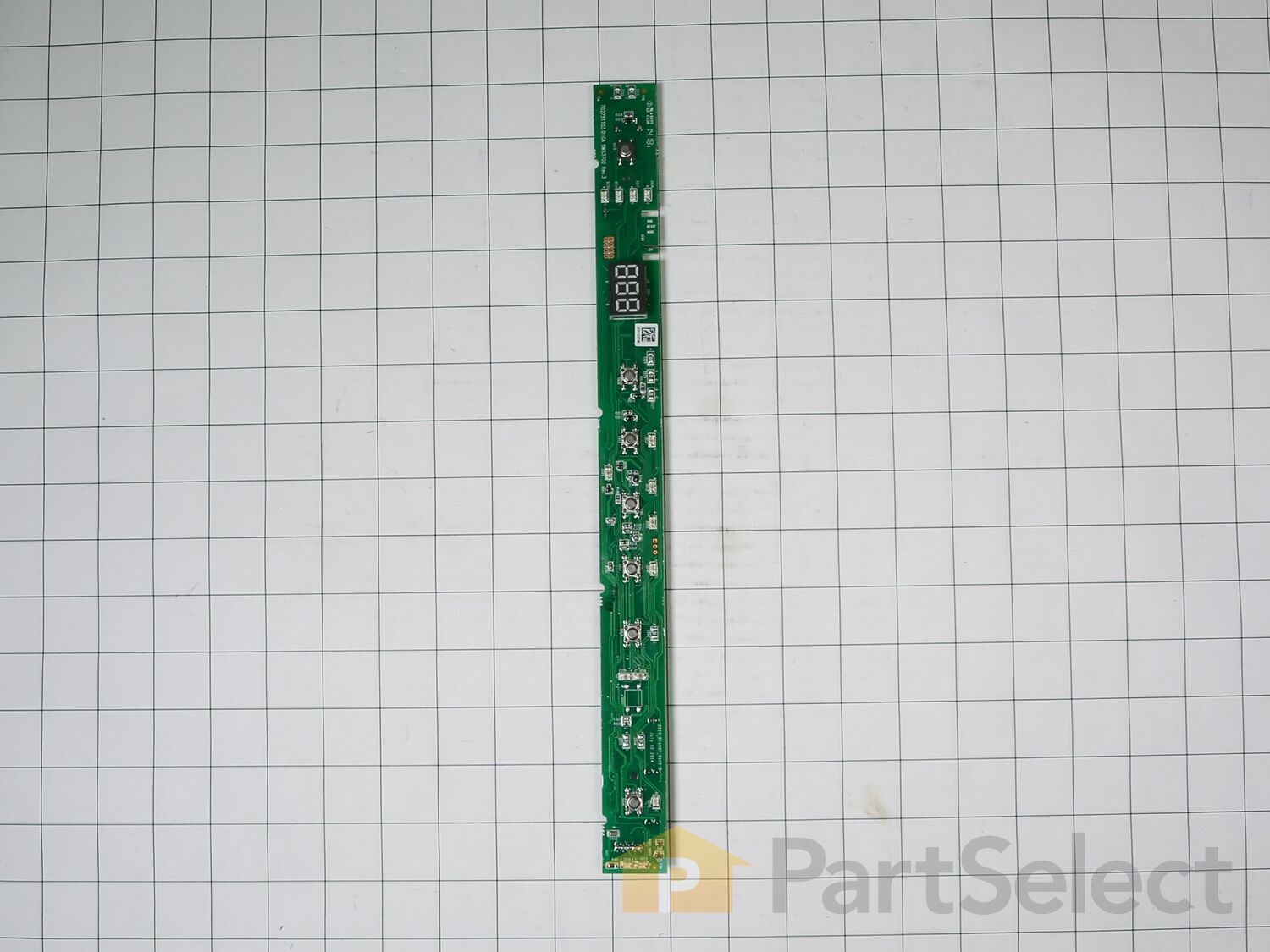
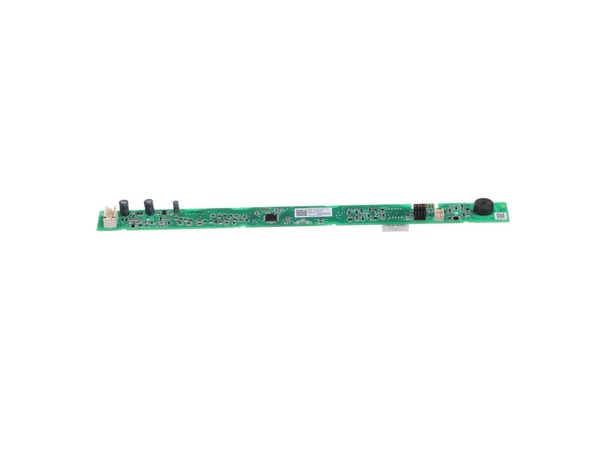
The user interface displays the dishwasher settings and lets you select the cycle.
How Buying OEM Parts Can Save You Time and Money
Why buy the real thing?
OEM stands for Original Equipment Manufacturer. Simply put, this means that the company who made your appliance is also supplying the replacement part for it.
WD21X10499, WD21X10502, WD21X10503, WD21X10513, WD21X10522, WD21X10535, WD21X10536, WD21X10538, WD21X10546, WD21X21919, WD21X22215, WD21X22238, WD21X22239, WD21X22368, WD21X22806, WD21X23003, WD21X23097, WD21X23461, WD21X23701, WD21X23705
...
Show more, WD21X32004, WD35X20290, WD35X20291 Show less
Customer Reviews
Average Rating:
★★★★★
★★★★★
7 Reviews
4.9
Filter By Rating:
5 Stars
6
4 Stars
1
3 Stars
0
2 Stars
0
1 Star
0
Sort by:
< Prev
1
Next >
Search filter:
Clear Filter
Your search term must have 3 or more characters.
Keep searches simple. Use keywords, e.g. "leaking", "pump", "broken" or "fit".
Sorry, we couldn't find any existing reviews that matched. Try using some different or simpler keywords.
★★★★★
★★★★★
Scott F - April 26, 2023
Verified Purchase
Very pleased so far
I ordered the control board for my GE dishwasher after watching a “how to” verify it was this part that had gone out. Then the “how to” replace it to ensure it was within my ability. The board took about 5 business days to receive, and was packaged in an ESD sleeve in a box, nice and secure. Price was appropriate. It took about 2 hours to access, remove and install the new board - this is a multi configurable board with jumpers and instructions on changing the jumper config for your model. Once installed and reassembled I plugged in and tested it, and it worked exactly as advertised. I’ve used Partselect before and will likely use them again.
★★★★★
★★★★★
Christopher E - June 3, 2022
Verified Purchase
Great parts fast service
I have had very good luck getting parts from partselect.com they are very reliable and have very fast service.
★★★★★
★★★★★
Mike M - August 4, 2022
Verified Purchase
Easy DIY project
Fits perfectly, pay attention to the jumper settings and worked perfectly.
★★★★★
★★★★★
Mehdi A - December 30, 2022
Verified Purchase
Perfect ??
The part I ordered was finally the part that was broken in my dishwasher. Everything is back to normal. Thank you.
★★★★★
★★★★★
Howard P - October 9, 2022
Verified Purchase
First appliance repair
I received a new part, got It days faster then thought I would. Only thing different was the new part had jumpers that needed to be set. Easy to replace and back up and running better that ever.
★★★★★
★★★★★
Tim H - December 17, 2019
Verified Purchase
Easy repair
Part was packaged well, came in just in time to make customer happy
★★★★★
★★★★★
Stanley Y - November 13, 2023
Verified Purchase
easy repair
the part was easy to install and fit perfect
< Prev
1
Next >
Installation Instructions
Average Repair Rating: 3.1 / 5.0, 4 reviews.
What's this?
Sort by:
< Prev
1
Next >
Search filter:
Clear Filter
Your search term must have 3 or more characters.
Keep searches simple. Use keywords, e.g. "leaking", "pump", "broken" or "fit".
Sorry, we couldn't find any existing installation instruction that matched.
We were not getting power to the control panel
The repair made it necessary to remove the door of the dishwasher. Removing the door seemed to be a daunting task, but after watching a YouTube video I made myself aware of the necessary steps to complete the task.
- After turning off the power to the dishwasher, I removed the kickplate panel, this gave access the wiring going
... Read more to the defective board, which I unplugged. - Removed the screws securing the dishwasher to the counter, these are located at the top of the machine and are accessible by opening the dishwasher door. - Pull the dishwasher forward a few inches. - On each side of the door is a spring loaded device that holds the door from falling open when not latched. They can be identified as white plastic items with a cable connected to them. Once removed take care to not allow the door to fall open, instead, when opened slightly raise the door off the unit. - Lay the door on the floor. - There are three sheetmetal screws on each side of the door, using your nut driver remove these screws. They secure outside of the door to the inner door. - Stand the door up on the floor and raise the outer door panel, there are several plastic clips on each side the slide into slots on the inner door panel. I found it a little difficult to separate the panels, but with gentle persuasion they came apart. - Lay the inner panel on the floor with the exposed electrical components facing up. - At the top of the inner panel is a black plastic cover protecting the electronic components, this where the control panel lives. - Remove the sheetmetal screws that secures this plastic cover. - There are two wiring harnesses, remove them. - The defective component can be lifted out. - Install the new control panel. - Reassemble.
Read less
Bill from Magnolia, TX
Difficulty Level:
Easy
Total Repair Time:
30 - 60 mins
Tools:
Nutdriver, Pliers, Screw drivers
1 personfound this instruction helpful.
Was this instruction helpful to you?
Thank you for voting!
Buttons unresponsive/UI replacement needed
I was very confident that the problem with my GE Adora DDT595SSJ5SS was that it needed a new UI board. It had been beeping randomly for a couple of months, requiring a circuit breaker reset every so often, until finally it stopped working entirely. When I looked at the main board underneath, the LED was flashing too fast for me to count t
... Read morehe blinks. These were the signature signs of the UI board going out -- and this did indeed turn out to be the problem. I've run the dishwasher several times since replacing the board, and there have been no issues.
The only real issue I had with the repair job was removing the dishwasher door. This was because the door of my model was held in place by a pair of tension cables (bottom left and bottom right of the unit), rather than hinges, and the cable method of attachment is less documented online. I had to get hold of a user manual for my unit to even discover this fact about it, since I had purchased my home with this dishwasher already present and did not see it being installed originally.
What I had to do was to pull the unit out about five inches, exposing the attachments for these cables (they are on the outside of the unit), so I could hook my heavy wire hook under them and detach them. If your dishwasher has these cables on the door, you really do need a hook tool of some sort to remove them. If you have strong wire, you can make one yourself as I did. Anyway, removing the cables allowed me to remove the door. After that it was straightforward to unscrew and unbolt the various panels, set the jumpers on the new UI board, and screw everything back together.
I should note that the cables were not tricky in any way, just that all of these Adora units seem to be a bit different and I happened to have one with a method of attaching the door that is not very well documented. I hope that this helps someone with this type of unit. If you see those videos online referring to detaching the door from hinges, and you can't find anything on yours that looks or feels like that, consider that you might have cables instead on the outside of the unit.
Read less
Erin from FALLS CHURCH, VA
Difficulty Level:
A Bit Difficult
Total Repair Time:
30 - 60 mins
Tools:
Screw drivers, Socket set, Wrench (Adjustable)
2 of 2 peoplefound this instruction helpful.
Was this instruction helpful to you?
Thank you for voting!
Dishwasher would not turn on.
Watched YouTube video on how to diagnose problems. Once part was identified ordered from Partselect.com and replaced the user interface circuit board. Dishwasher is now working.
Dennis from FORT SMITH, AR
Difficulty Level:
Really Easy
Total Repair Time:
1- 2 hours
Tools:
Nutdriver, Screw drivers
4 of 6 peoplefound this instruction helpful.
Was this instruction helpful to you?
Thank you for voting!
Most of the lights on the control panel had stopped working. There was no way to change the settings of the dishwasher.
When the part arrived, I was pretty sure it was the wrong part. The replacement part had an LED on it -- a box that stuck up about an inch above the circuit board. My dishwasher did not have an LED readout and I was pretty sure the LED would not fit in the space that was available. I was reluctant to take the dishwasher apart until I had
... Read morethe right part. The people at Part Select were helpful and together we looked at the schematic which did, indeed, seem to show a box sticking up from the circuit board. A YouTube video showed me how to take the door off its hinges, unscrew 4 screws and slide the inside of the door upwards. The circuit board went in fairly easily. There was space for the LED (even though it still doesn't show through the top) and now the lights work.
Read less
DONALD from GOSHEN, IN
Difficulty Level:
Easy
Total Repair Time:
30 - 60 mins
Tools:
Nutdriver, Pliers, Screw drivers, Socket set
11 of 15 peoplefound this instruction helpful.
Was this instruction helpful to you?
Thank you for voting!
< Prev
1
Next >
Questions and Answers
Ask our experts a question about this part and we'll get back to you as soon as possible!
4 questions answered by our experts.
Sort by:
< Prev
1
Next >
Search filter:
Clear Filter
Your search term must have 3 or more characters.
Keep searches simple. Use keywords, e.g. "leaking", "pump", "broken" or "fit".
Sorry, we couldn't find any existing answers that matched.Try using some different or simpler keywords, or submit your new question by using the "Ask a Question" button above!
Walter
March 25, 2023
Model ddt595gj 5ww. How long does it take to replace the IU in the top of the door in this model the number is wd21x31910
For model number Ddt595jg 5ww
Hello Walter, Thank you for your inquiry. It depends on how comfortable you are with doing the repair. This will involve taking the door apart to change the board. You would need to disconnect the power to the dishwasher and turn off the water supply. Use a Philips screwdriver to take out the screws that hold the dishwasher to the cabinet or countertop and pull the dishwasher out by lifting up on the door and use it carefully to pull the dishwasher out a little bit, then grab the frame just far enough to have access to the door cables. Use a 5/16 inch nut driver to take out the screws to pull off the door access panel and disconnect the wiring harness by pressing on the locking clip, pulling the harness off and pull out the wire holders. Now close the door, and disconnect the door cables by pulling on the cable just enough to release the tension and unhook them from the hinge. Now remove the door by opening it up a little bit and lifting it off the hinges. Now place the door on a flat surface with a towel underneath of it to prevent it from getting scratched. Remove the silverware basket (if it is one of the ones that attaches to the door) and remove the vent cover with a flat head screwdriver by pressing in the little tab and tapping it, then once it is loose just unscrew it. Now remove the 4 screws that hold the inner and outer door together with a 1/4 inch nut driver, and remove the hinges by pulling them now and lifting them out, you just want to make sure that the little bent pieces are kind of pushed down below the liner itself. Now, holding onto the outer door, push the inner door up to separate it and lift it off. Now you should be able to access the board and disconnect the wiring harness by pressing the locking tab and use a nut driver to remove the screws holding the housing and release the 4 locking tabs on the side to remove the board completely using a small flat head screwdriver and lifting up just enough with a putting knife to hold them so they don't snap back into place. Remove the button assembly, and before removing the wiring harness completely from the board, make a note or take a picture of the jumper wires. Install the new board and line the button assembly and snap it back on. Reverse the rest of the process to put the door back together and put it back on the dishwasher. Good luck with your repair.
1 person found this helpful.
Did this question help you?
Thank you for voting!
Rick
February 23, 2024
I changed out the control panel WD21X31910. I set the personality according to the directions, Personality 14, put the dishwasher back together and the control panel doesn’t work correctly.
For model number DDT595SMJ2ES
Hello Rick, thank you for getting in touch. Make sure that you have installed the user interface control board correctly. If this is not the issue, then we would recommend checking the electronic control board, part number PS12730509, to solve the problem. Glad to be of assistance!
I need to change out the UI board and can’t afford to order the part but have found a dishwasher GDT550HSD1SS with a good board and also just a board WD21X26185. The either of the boards work for my dishwasher?
For model number GDT655SMJ2ES
Hello Robert, thank you for your inquiry. None of the boards will fit your model. We would recommend using the model compatible parts. As the parts specifications vary from model to model. The compatible user interface board for your model is part number PS16762500. If you need help placing an order, customer service is open 7 days a week!
Hi, my dishwasher display does not turn ON. I checked the control board connector which goes to display board, and also measured voltage on that connector pin 2 and 5. And I measured 14 v dc. (I found that on YouTube video). Should I replaced display board or should I check any other parts? Please reply. I appreciated in advance.
For model number DDT595SGJ2BB
Hi Andy,
Thank you for your question. If the display is not working, you will need to replace the user control and display board, part number FIX16762508. We hope this helps!
Did this question help you?
Thank you for voting!
< Prev
1
Next >
✖
Ask a Question
Ask our experts a question on this part and we'll respond as soon as we can.
Item is in stock and is estimated to be delivered in 2-3 business days via Standard Shipping.
On Order
Item is not in stock and usually ships 3-5 business days from the time you place your order.
Special Order
Item is not in stock and usually ships 10-15 business days from the time you place your order.
NLA - No Longer Available
This item is no longer being made by the manufacturer, and cannot be added to your shopping cart.
[{"position":0,"name":"Home","title":"Home","url":"/"},{"position":1,"name":"Dishwasher","title":"Dishwasher","url":"/Dishwasher-Parts.htm"},{"position":2,"name":"Circuit Board or Touch Pad","title":"Circuit Board or Touch Pad","url":"/Dishwasher-Circuit-Boards-and-Touch-Pads.htm"},{"position":3,"name":"WD21X31910","title":"WD21X31910","url":""}]
You added 1 item to your cart
✖
% OFF
$
$
Qty:
Total item(s) in cart:
Order Subtotal
$
*Taxes and shipping will be applied during checkout