Your coupon for will be reflected when you check out!
✖
Your coupon for
✖
Hello!
You're visiting the PartSelect site in U.S.
Would you like to shop on the Canadian site?
Stay on this site
Go to Canadian site
✖
Model Number Locations
1Select Category Type
Select Category Type
2Select Product Type
Select Product Type
3Select {MODEL} Type
Select {MODEL} Type
Sample Model Number Tags
Model numbers can be made up of numbers (1005400, for example) or a combination of letters and numbers (LAT1000AAE). The model number will most likely appear on either a paper sticker or a metal plate. Your appliance's model number tag may look similar to the sample model number tags shown here (model number highlighted in yellow):
Facing troubles with your dryer? Look at this sturdy OEM door assembly approved by Frigidaire. Crafted meticulously, it's ideal for chosen models of Frigidaire, Electrolux, White Westinghouse, and Tappan dryers. This door isn't just a door, but a combination of several key elements, promising a flawless fit for your appliance. Here's a pro tip for you: ensure you unplug your dryer before you start the installation process to avoid any electric mishaps and elongate your device's life. Using work gloves during the installation can also offer protection, along with simplifying the process. Before you get ready to order this OEM door assembly, take an extra minute to confirm the precise part number for your particular dryer model. Similar parts can be deceiving, as they might slightly differ in size or shape. By choosing this door assembly, you?re taking a step towards regaining your dryer?s full efficiency and restoring its functionalities - it's like giving your good old dryer a new lease of life. Trust us, it's always worth it!
How Buying OEM Parts Can Save You Time and Money
Why buy the real thing?
OEM stands for Original Equipment Manufacturer. Simply put, this means that the company who made your appliance is also supplying the replacement part for it.
Keep searches simple. Use keywords, e.g. "leaking", "pump", "broken" or "fit".
Sorry, we couldn't find any existing reviews that matched. Try using some different or simpler keywords.
★★★★★
★★★★★
Peter C - December 18, 2019
Verified Purchase
Just what I needed
The part was just as described and arrived in a short time. My microwave is now back to new. Thanks!
★★★★★
★★★★★
Michael A - April 11, 2018
Verified Purchase
Easy Repair, but took some time to settle down.
The instructions were, for the most part, straightforward and accurate. After laying the control panel on a towel the instructions said to remove PC plug to the display and then remove the PC board. That's backwards. You can't get at the PC plug until you remove the PC board. Also, I didn't notice a rubber insulator. Installation was easy, but it took a while for the display to settle down. I wasn't expecting that. A side benefit of this installation was that I was able to access the bulb socket and replace a burned out bulb. The instructions which came with the bulb were for a different model, as were all the instructions on You Tube and other sources. You should link the instructions to both parts.
< Prev
1
Next >
Installation Instructions
Average Repair Rating: 3.3 / 5.0, 3 reviews.
What's this?
Sort by:
< Prev
1
Next >
Search filter:
Clear Filter
Your search term must have 3 or more characters.
Keep searches simple. Use keywords, e.g. "leaking", "pump", "broken" or "fit".
Sorry, we couldn't find any existing installation instruction that matched.
Blank LCD screen
.Shut breaker to microwave . Remove two screws on each side of microwave cabinet frame holding it to the wood frame . Get assistance in pulling microwave out of cabinet .unplug power cable before pulling microwave completely out of cabinet . Microwave has two separate panels top and sides removed all screws around
... Read moreframe along the door and sides . Remove top steel panel . Remove sides . Locate screws around the electrical board screen just behind the front cover . Use small flat head screwdriver to move plastic fasteners on each side of the electrical to release the board. . Identify the LCD screen board and remove two screws on each side unplug the wire harness from the board. . Lift LCD board off the two set pins . Replace board . Replace screws . Plug harness back into board . Reassemble electrical board back into display panel. Pay attention to re-engage the two plastic clips before replacing screws. . Once panel is completely replaced. . Resemble all panels in reverse order . Test microwave before installing unit back into cabinet.
Read less
Ezequiel from Lithia, FL
Difficulty Level:
Easy
Total Repair Time:
30 - 60 mins
Tools:
Screw drivers
1 personfound this instruction helpful.
Was this instruction helpful to you?
Thank you for voting!
Display did not lightup but the microwave oven functioned.
I did not have to replace the part. I turn the fuse off and waited 5 minutes and turned it back on. The display came back on. I saw this recommendation on your web site after I ordered the part. You should do this before you order the part.
JAMES T from PEWAUKEE, WI
Difficulty Level:
Really Easy
Total Repair Time:
30 - 60 mins
4 of 5 peoplefound this instruction helpful.
Was this instruction helpful to you?
Thank you for voting!
Flashing display
Replace Advantium 120 flashing display.
Step one: Disconnect the power to the Advantium 120. Unplug unit, trip the breaker, whatever. Your responsibility to make sure the electrical power is removed.
For cabinet mounted units remove four screws from front side flange holding the microwave to cabinet
On th
... Read moree cabinet mounted model access three screws along the top front edge of case behind the display then one screw on each side of display and two hidden screws accessed through the top of the case via access holes. (use a magnetic see driver for these screws)
Work the display panel off and support it until the connectors are removed.
There are three small color coded plugs on the left side to the PC board and five larger colored plugs on the right side. Note plug locations.
Lay the removed control panel upside down on a towel at the corner of the sink so the selector knob is not resting on the counter.
Remove PC plug to the display and remove four screws on the PC board. Shift the PC board to release the tabs. Then remove two screws holding the PC display board. Note two guide pins also align the PC board.
Remove the rubber insulator from the old board and put it at the same location on the new board. There is usually enough stickiness on this insulator to put it back on the new board.
Installation is reverse. Reconnect power. Try it out after completion by boiling water in a microwave safe container. My new display was much brighter than the replaced display. No flashing.
Read less
William from EAGLE, ID
Difficulty Level:
A Bit Difficult
Total Repair Time:
30 - 60 mins
Tools:
Screw drivers
9 of 11 peoplefound this instruction helpful.
Was this instruction helpful to you?
Thank you for voting!
< Prev
1
Next >
Questions and Answers
We're sorry, but our Q&A experts are temporarily unavailable.
Please check back later if you still haven't found the answer you need.
11 questions answered by our experts.
Sort by:
< Prev
1
2
Next >
Search filter:
Clear Filter
Your search term must have 3 or more characters.
Keep searches simple. Use keywords, e.g. "leaking", "pump", "broken" or "fit".
Sorry, we couldn't find any existing answers that matched.Try using some different or simpler keywords, or submit your new question by using the "Ask a Question" button above!
TIM
January 12, 2018
My display will not work
For model number PSB1001NSS01
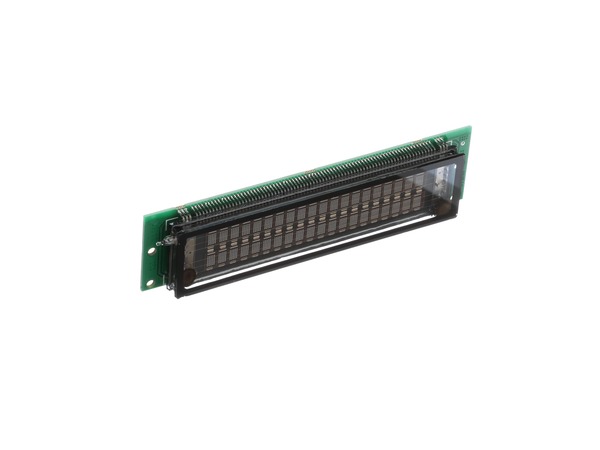
Hello Tim, Thank you for your inquiry. We would recommend checking the following parts to fix your issue: the digitron, the relay board, and the control board. Also try unplugging the microwave for 15 minutes then plug it back in to see if the display resets itself. Hope this helps!
4 people found this helpful.
Did this question help you?
Thank you for voting!
Michael
January 10, 2020
Hi there, Thank you for answer my question for the possible parts to fix the microwave/oven
I was suggested to purchase the line fuse which I did and replace it in the safe matter and didn’t work what will be the next parts that will probably work? Thank you
For model number SCB1001MSS 01
Hi Michael. At this point it is likely the digitron. Thank you for your question and good luck with your repair!
2 people found this helpful.
Did this question help you?
Thank you for voting!
Sammy
February 18, 2019
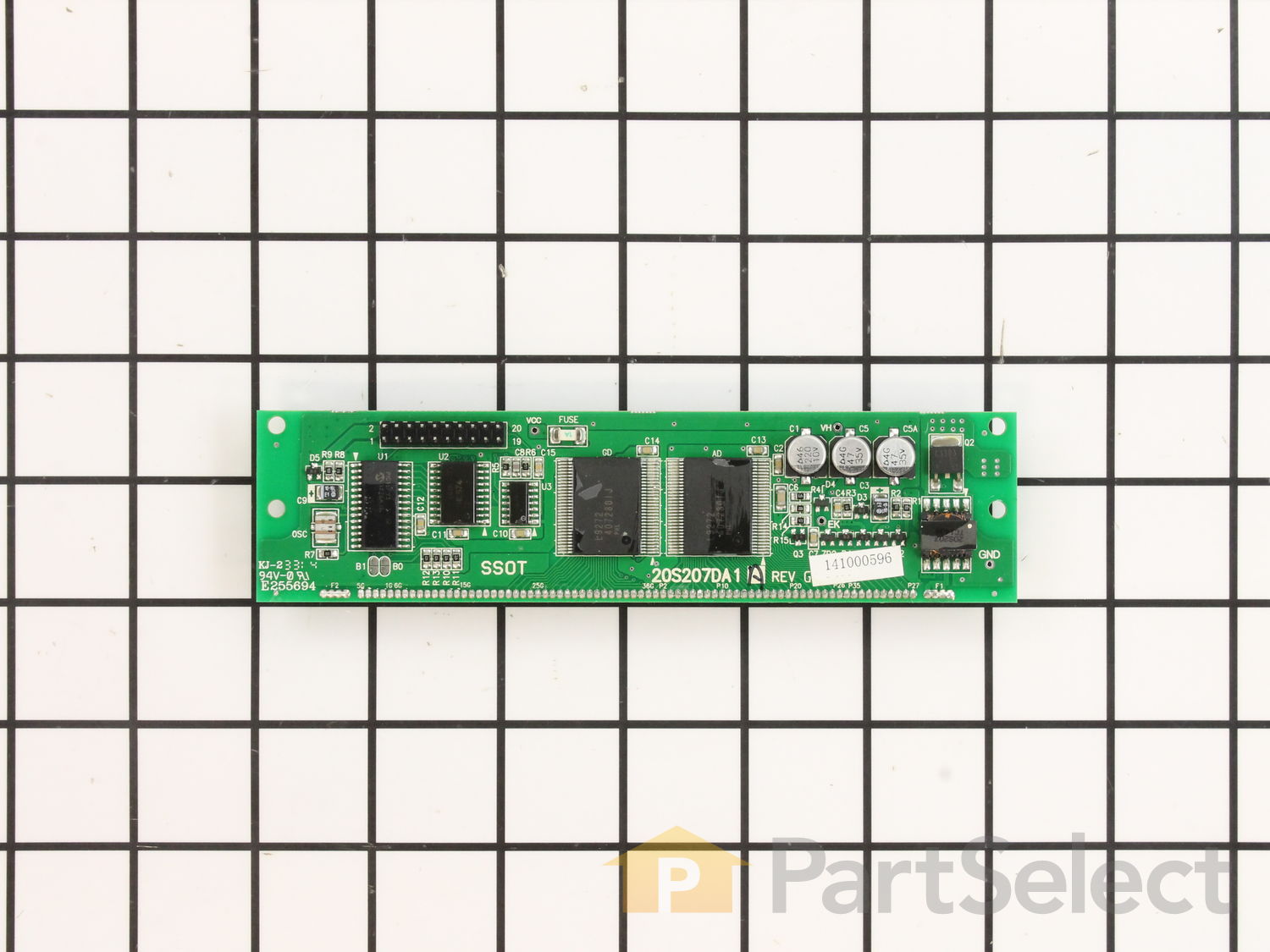
I am confuse the two board to use, digitron(1657)or display control board(2002),the problem display light not bright enough and running around, can not stop even i push any push buttons which board should i replace (1657) or (2002)
For model number ZSC1001KSS01
Hello Sammy, Thank you for contacting us. You can test the parts with a multimeter. If you are unfamiliar with how a multimeter functions, we have videos available to assist you.
1 person found this helpful.
Did this question help you?
Thank you for voting!
Luther
July 24, 2019
GE advantium microwave/convection oven will not come on. Have been told parts are expensive to buy & labor high. Parts on your website very reasonable. This is a $2400.00 machine & i believe it can be repaired for a reasonable price. Do you have any recommendations or suggestions ? Repairman coming this friday the 26th to diagnose. Any help you can give will be most appreciated. Thank you.
For model number ZSC1001KSS01
Hello Luther, thank you for inquiring. You will want to consider as possible causes either the Line Fuse part number PS239525, the Terminal Micro-Switch part number PS236997, or the Oven Cavity Temperature Cut-Out part number PS235672 for your model. We hope this helps!
1 person found this helpful.
Did this question help you?
Thank you for voting!
Leon
December 10, 2019
Will part GE wb27x10856 serve as a replacement part for wb 27x10431 which is no longer available?
For model number scb2001css-03 GE
Hello Leon and thanks for writing.
The part you are requesting is discontinued for your model and is no longer available. We have no known replacement information in our system. We recommend you contact the manufacturer of the part to see if they have recently released a new substitute. Part #PS 1018741may fit with your unit; however, as this part does not show as being compatible with your model number, we can not guarantee that it will fit. We would suggest contacting the manufacturer directly. We hope this helps. Please contact us anytime. GE US 800-626-2005
1 person found this helpful.
Did this question help you?
Thank you for voting!
Michael
January 7, 2020
I can use some help
I have a GE profile advantium 120 microwave/oven the display panel it flashes but i can’t control it
Thank you
For model number SCB1001MSS 01
Hello Michael and thank you for writing.
There are a few different reasons why this might happen; it could be as simple as a fuse, have you checked the fuse box of the house for the circuit the unit is on? It could be internal fuses PS239525 or the digitron PS1018741 itself. You should check for signs of damage, and replace it if necessary. We hope this helps. Please contact us anytime if you require further assistance.
What part do you think I need based on the following faults which are occurring at random every day?
Resetting by pulling the breaker restores operation until the next fault occurs:
• Display goes blank but you can run the 30 second option
• When running the display starts flashing off and on but continues the preset cycle
• During a program the display goes blank, and the unit will not stop running until you open the door and will start nonstop when you shut the door until you pull the power
• Display goes blank or flashing and cannot enter a program
For model number PSB1000NWW01
Hi Dennis, thank you for the question. Based on our understanding, we would suggest checking the digitron, part number PS1018741. You may need to replace it to fix the issue. We hope this solves your problem!
1 person found this helpful.
Did this question help you?
Thank you for voting!
Eugene
July 28, 2025
My problems started with display becoming blank despite being operational. Turning off/on the power did the trick but now other issues showed up. Sometimes the top line on the display does not show show up (just the timer), sometimes during the cycle the letters/numbers are deformed or pixels are jumping. Worse is that the screen sometimes turns on by itself as if I touched the button despite no one being around. Finally, today, I could not press cancel and turntable was rotating when I was closing the door. Is digitron what I need or is it something else?
For model number PSB1201NSS01
Hi Eugene, thank you for reaching out. Yes, the issue is most probably because of the fault in the display control board, part number PS1018741. You may need to replace it to fix the issue. We hope this solves your problem!
1 person found this helpful.
Did this question help you?
Thank you for voting!
Philippe
March 9, 2024
Hello, the display keeps flashing and it is not the digitron nor the control board.
For model number SCB1001KSS01
Hi Philippe, thank you for reaching out. Based on our research, you either have a display board or control board that is shorting out. We would recommend resetting the unit by powering it off and turn it on back after 60 seconds. If this does not solve it, you may try to lock the control by pressing and holding the lock control buttons for 5 seconds. If the issue persists, then probably you have an issue with the display control board, part number PS1022528. You may need to replace it to fix the issue. We hope this solves your problem!
My problem is the display keep on flashing and running around even if push the stop or any other button,is this possible cause of malfunction the board 1657
For model number ZSC1001KSS01
Hello Samson, Thank you for the question. The Digitron could be a cause. In most cases it gives a Error code 120. It can also be the Display Control Board, Part Number: PS1022528. Hope this helps, good luck with this repair!