















XCF300PM1WW General Electric Range - Instructions
Keep searches simple. Use keywords, e.g. "leaking", "pump", "broken" or "fit".
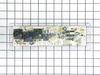
No clock, oven control buttons don't work, stove top work ok, tested power was ok to the control board.
Removed back panel screws, removed back panel, removed screws of the control board, remove control board, heated glue and tore off plastic face plate, placed face plate on new control board, installed new control board, moved wires from old control board to new control board, test out oven, reinstalled back panel
Parts Used:
-
David from SANTA CLARA, CA
-
Difficulty Level:Really Easy
-
Total Repair Time:15 - 30 mins
-
Tools:Nutdriver, Pliers
9 of 10 people
found this instruction helpful.
Was this instruction helpful to you?
Thank you for voting!
Cooktop oil fire melted plastic parts; control defaced
Some of the original TO-9 switches were fused by the heat. I made them functional again with a cutter on a rotary tool, but to make the repair properly, I ordered the new control unit and the faceplate graphics. Note the guide tabs at the bottom and right edges when replacing the graphics. Don't plan on reusing your old graphics (unless you are a wizard at removing the very strong adhesive).
To gain access to the part, remove the 2 screws (part 715) in the bottom of the control assembly with a stubby screwdriver. Using a nut driver, remove the two screws (part 1000) on the back at the corners, being careful not to drop them behind the oven. Pull out at the bottom, then move the whole unit toward you. Note the position of the wires. A digital photo can help here. Remove the wiring and 4 screws holding the clear plastic TO-9. Put the screws in the new unit in the same holes and rewire. Put the assembly in place top-first and align the screw holes. Finding the same thread placement for the lower screws can be tricky, so start them gently.
To gain access to the part, remove the 2 screws (part 715) in the bottom of the control assembly with a stubby screwdriver. Using a nut driver, remove the two screws (part 1000) on the back at the corners, being careful not to drop them behind the oven. Pull out at the bottom, then move the whole unit toward you. Note the position of the wires. A digital photo can help here. Remove the wiring and 4 screws holding the clear plastic TO-9. Put the screws in the new unit in the same holes and rewire. Put the assembly in place top-first and align the screw holes. Finding the same thread placement for the lower screws can be tricky, so start them gently.
Parts Used:
-
John from Gaston, OR
-
Difficulty Level:Easy
-
Total Repair Time:15 - 30 mins
-
Tools:Nutdriver, Screw drivers
12 of 22 people
found this instruction helpful.
Was this instruction helpful to you?
Thank you for voting!
Twice I ordered the oven light bulb & each time the light bulb was defected
I had to call for a appointment for repair with GE Appliance because I thought then it . .was something electrical. The technician came out & checked everything out, turned out it was not electrical, The technician went out to his truck got a light bulb from his truck, put it in & it worked. It cost me $121.00 for trip charge from GE appliance for a light bulb that worked, your light bulbs were defective twice. Very disappointed with your products, cost me alot of money for a good light bulb thru GE appliance
Parts Used:

-
Barbara from BELLEVUE, WA
-
Difficulty Level:Very Difficult
-
Total Repair Time:Less than 15 mins
15 of 32 people
found this instruction helpful.
Was this instruction helpful to you?
Thank you for voting!
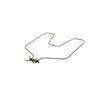
The oven was not getting very hot because the bake element had stopped working (broiler element was fine).
I turned off the breaker to the stove, took the oven racks out, used my pliers to remove the nuts that hold the bake element in place, then used the pliers to disconnect the old element from the wires in the back of the stove. Connected the new element, screwed the nuts back in, flipped the breaker back on, and turned on the oven. Ten minutes, tops.
Parts Used:
-
Linda from Bella Vista, AR
-
Difficulty Level:Really Easy
-
Total Repair Time:Less than 15 mins
-
Tools:Pliers
6 of 7 people
found this instruction helpful.
Was this instruction helpful to you?
Thank you for voting!
the bake element broke
First I removed the 2 screws and removed the bake element, replaced the new one
Parts Used:
-
Daniel from Apex, NC
-
Difficulty Level:Really Easy
-
Total Repair Time:15 - 30 mins
-
Tools:Screw drivers
5 of 5 people
found this instruction helpful.
Was this instruction helpful to you?
Thank you for voting!
I needed new drip pans
I lifted out the burners and took out the old drip pans ans then replaced the burners. However the 8 inch pans were bigger than the old ones and they do not fit properly. They are sitting on top of the stove and not inserted like they should be. I will have to look elsewhere to find ones that fit.
Parts Used:
-
Carol from Brookfield, WI
-
Difficulty Level:Really Easy
-
Total Repair Time:Less than 15 mins
5 of 5 people
found this instruction helpful.
Was this instruction helpful to you?
Thank you for voting!
We had been searching for burner bowls for our GE range (10+ years old) and could not find replacements for them. I found the burner bowls we needed on partselect.com . I was able to easily place the order and the burner bowls were delivered to me the next day.
No repair necessary, but the service was excellent!
Parts Used:
-
Marlene from Rancho Murieta, CA
-
Difficulty Level:Really Easy
-
Total Repair Time:Less than 15 mins
7 of 11 people
found this instruction helpful.
Was this instruction helpful to you?
Thank you for voting!
I needed another oven rack. It came with two. Now I have three.
I cut the box open with a utility knife and removed the grill. I then opened the oven door and rearranged the two existing racks so that the third one would go in so they all have the same distance between each of them. I slid the new rack into position. It didn't go in smoothly though as I had to push it in and out several times so that it would line up perfectly. Finally in went in all the way. Then I closed the oven door and went and sat down to think about the wonderful job I just did.
Parts Used:
-
Frank from N ROYALTON, OH
-
Difficulty Level:Really Easy
-
Total Repair Time:Less than 15 mins
6 of 9 people
found this instruction helpful.
Was this instruction helpful to you?
Thank you for voting!
Oven control panel shorted while remove a broken lightbulb from the oven
I removed the new control panel from its packaging and noticed that the button overlay was not included. I grabbed a putty knife and carefully loosened the adhesive on the old panel and was able to apply it to the new control panel. After installing it I looked up the number of my old panel on the included paperwork and simply entered the “profile” number after powering up the new one and It worked perfectly. I was very relieved to not have to buy a new range!
Parts Used:
-
Terry from SEATTLE, WA
-
Difficulty Level:Very Easy
-
Total Repair Time:30 - 60 mins
-
Tools:Nutdriver, Pliers
4 of 4 people
found this instruction helpful.
Was this instruction helpful to you?
Thank you for voting!
old one did not fit right
took the old one out and dropped the new one in, replaced the electric burner and done
thw worse part was paying as much for s&h as i did for the part itself
thw worse part was paying as much for s&h as i did for the part itself
Parts Used:
-
Pat from PALM BAY, FL
-
Difficulty Level:Really Easy
-
Total Repair Time:30 - 60 mins
4 of 4 people
found this instruction helpful.
Was this instruction helpful to you?
Thank you for voting!
Oven Wouldn't Heat
-
Russell from Yuma, AZ
-
Difficulty Level:Really Easy
-
Total Repair Time:30 - 60 mins
-
Tools:Pliers, Screw drivers, Socket set
7 of 13 people
found this instruction helpful.
Was this instruction helpful to you?
Thank you for voting!
oven would not heat
I removed the 4 hex head screws holding the control panel , then the other 4 slotted screws. Disconnected all wires being careful to keep track of the color coding. Had a little trouble with the adhesive holding the face plate( I don't know why they even used it). Put the new panel in and reconnected it. Re set circuit breaker and tried the oven. It still wouldn't heat. it wasn't the control panel, but a burned out wire connecting the element in the back of the oven. Well, anyway I learned how to do the job and the the new panel activates better, so all was not lost.
Parts Used:
-
Jim from Williamsburg, VA
-
Difficulty Level:Easy
-
Total Repair Time:1- 2 hours
-
Tools:Nutdriver, Pliers, Screw drivers
5 of 8 people
found this instruction helpful.
Was this instruction helpful to you?
Thank you for voting!
The element split open and burned out
I unscrewed two screws inside the over over the element. Then I slowly pulled the element out and unplugged the two wires attached. Afterward I pushed the element back in place and screwed it back in and was done. Sure saved $550 I thought I might have to spend on a new oven,
Parts Used:
-
Thomas from Houston, TX
-
Difficulty Level:Easy
-
Total Repair Time:Less than 15 mins
-
Tools:Socket set
4 of 5 people
found this instruction helpful.
Was this instruction helpful to you?
Thank you for voting!
The bake element quit working.
First I removed the two screws that hold the element in place. I then pulled the element out about 3 inches and disconnected the two wires. I then connected the wires to the new element and reinstalled the two screws. A brief test showed the element worked and that was it.
Parts Used:
-
Wiley from Port Orchard, WA
-
Difficulty Level:Really Easy
-
Total Repair Time:Less than 15 mins
-
Tools:Nutdriver
5 of 8 people
found this instruction helpful.
Was this instruction helpful to you?
Thank you for voting!
every thing went great
-
CLYDE from SAINT PETERSBURG, FL
-
Difficulty Level:Really Easy
-
Total Repair Time:Less than 15 mins
-
Tools:Socket set
5 of 8 people
found this instruction helpful.
Was this instruction helpful to you?
Thank you for voting!