















XBS360DM2BB General Electric Range - Instructions
Keep searches simple. Use keywords, e.g. "leaking", "pump", "broken" or "fit".
Surface burner stopped working & light indicator remained on
It took my son very little time to install control switch. Using a screw driver he removed the back panel directly behind burner units & replaced the control switch. Very easy.
Parts Used:
-
Cynthia from BALDWINSVILLE, NY
-
Difficulty Level:Very Easy
-
Total Repair Time:15 - 30 mins
-
Tools:Screw drivers
2 of 2 people
found this instruction helpful.
Was this instruction helpful to you?
Thank you for voting!
Just didn't work no pwr to it
Killed braker first, removed four screws from back, then unplugged all the wiring, then removed four screw that hold the unit on stove, pealed off the face decal, put that on the new on and just reversed the take off press.
Parts Used:
-
Jerry from HOPEWELL, VA
-
Difficulty Level:Really Easy
-
Total Repair Time:15 - 30 mins
-
Tools:Nutdriver, Screw drivers
2 of 2 people
found this instruction helpful.
Was this instruction helpful to you?
Thank you for voting!
Oven would shut down while baking. Stove top would work.
Replaced Electronic Control Board. Very easy to do with a nut driver and a screw driver to remove the old one. You may need a pair of needle nose pliers to remove Connector TB100 and TB101. Just squeeze the bottom of tabs to release connector. I also found that in the process of removing the Control Board label that it may rip in certain areas even while using a razor blade, so be prepared to purchase a craft paint brush and craft white paint to touch up the back of the label. It took 2 coats but looks like new..
The replacement Control Board works as advertised and I now have my oven working again. Save yourself the cost of a Service Company coming into your home just be prepared to do a bit of painting on the old label because it is really glued down and the new control board does not come with a new label.
The replacement Control Board works as advertised and I now have my oven working again. Save yourself the cost of a Service Company coming into your home just be prepared to do a bit of painting on the old label because it is really glued down and the new control board does not come with a new label.
Parts Used:
-
Tom from ELIZABETHTON, TN
-
Difficulty Level:Really Easy
-
Total Repair Time:30 - 60 mins
-
Tools:Nutdriver, Pliers, Screw drivers
2 of 2 people
found this instruction helpful.
Was this instruction helpful to you?
Thank you for voting!
Oven would not get come up to temperature
I knew I had a bad control board. Using the repair videos, replacing this part was very easy to do. While I was at it, I replaced my oven temperature sensor. as well, and even though it wasn't bad, I replaced my oven heating element so that I could get some more mileage out of my 14-year-old range. The issue: after completing my repair actions, my oven element still would not heat. I double-checked my connections and I discovered I hadn't ensured one of the wires on the control board was properly seated. This was one of the wires that go to the heating element. After ensuring proper connection, everything worked perfectly!
Parts Used:
-
Arthur from INDIANAPOLIS, IN
-
Difficulty Level:Really Easy
-
Total Repair Time:30 - 60 mins
-
Tools:Pliers, Screw drivers, Socket set
2 of 2 people
found this instruction helpful.
Was this instruction helpful to you?
Thank you for voting!
Stove overheated with an F2 error
Removed screws holding temp sensor, pulled wire out from behind wall until found connector, disconnected old sensor.
Measured resistance of old sensor and compared with new sensor, they measured nearly the same. Installed the new sensor and tested the stove. Came up to temp ok. No problem since, about 2 weeks.
Measured resistance of old sensor and compared with new sensor, they measured nearly the same. Installed the new sensor and tested the stove. Came up to temp ok. No problem since, about 2 weeks.
Parts Used:

-
Richard from PHOENIX, AZ
-
Difficulty Level:Easy
-
Total Repair Time:15 - 30 mins
-
Tools:Nutdriver
2 of 2 people
found this instruction helpful.
Was this instruction helpful to you?
Thank you for voting!
Oven could not be turned off once settings were turned on except by unplugging hookup.
Took back cover panel off (upper) and removed the 4 1/4 inch nut screws. Used nut driver and removed the 4 screws holding control panel in place. Put new panel in place and unhooked electrical connections and installed on new panel. Plugged stove back in and checked operation. All OK, so then put back cover on and everybody is happy.
Parts Used:
-
Charles from BENNETTSVILLE, SC
-
Difficulty Level:Really Easy
-
Total Repair Time:30 - 60 mins
-
Tools:Nutdriver
2 of 2 people
found this instruction helpful.
Was this instruction helpful to you?
Thank you for voting!
mice got into the insulation
Removed insulation, took stove apart, power washed all parts, repaired wires, re assembled with rock-wool insulation. The insulation I purchased here seemed too light, about what would be expected for a dishwasher, it was also much too small, only covered a little over half the oven.
Parts Used:
-
Dave from SAULT S MARIE, MI
-
Difficulty Level:Really Easy
-
Total Repair Time:More than 2 hours
2 of 2 people
found this instruction helpful.
Was this instruction helpful to you?
Thank you for voting!
Terminal block connectors worn out wasn’t making a good connection with the stove top burner
Cut 4 inch’s off the new terminal block wires then using my wire strippers stripped 1/2 inch off the ends , the old terminal block wires I stripped 1/2 inch at the ends using a wire nuts on both wires and electrical tape connected the terminal block to the stove plugged the new burner in and the burner worked 100%.
Parts Used:
-
Lance from HAHIRA, GA
-
Difficulty Level:Really Easy
-
Total Repair Time:30 - 60 mins
-
Tools:Nutdriver
2 of 2 people
found this instruction helpful.
Was this instruction helpful to you?
Thank you for voting!
Was burned out
-
BRINDIA from DOVER, TN
-
Difficulty Level:Really Easy
-
Total Repair Time:30 - 60 mins
-
Tools:Screw drivers, Socket set
2 of 2 people
found this instruction helpful.
Was this instruction helpful to you?
Thank you for voting!
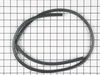
Rubber around the oven door cracked and fell down.
Ordered the part and put it on. My husband hasn't relized that i took care of it yet. One day he might remember to ask if we ever got the part. Very quick delivery.
Parts Used:
-
Pearl from MIDLAND, OH
-
Difficulty Level:Very Easy
-
Total Repair Time:Less than 15 mins
2 of 3 people
found this instruction helpful.
Was this instruction helpful to you?
Thank you for voting!
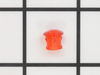
lens snapped off on the inside-plug was left loose
popped out the remainder of old lens, then pushed in new ones and slipped on plugs.
Parts Used:
-
RICKEY from MONTROSE, NY
-
Difficulty Level:Easy
-
Total Repair Time:Less than 15 mins
-
Tools:Screw drivers
3 of 6 people
found this instruction helpful.
Was this instruction helpful to you?
Thank you for voting!
My electronic control board went out so I could not use my oven. My oven light blew as well.
I started with changing the bulb. I removed the small bracket that holds the glass cover over the bulb unscrewed the bulb and reversed to replace the bulb. To replace the control board I removed the top plate on the back of my stove took the small screw's out of the control panel and unplugged the wire's. Plugged the wire's into the right spots on the new control board and put it back together.
Parts Used:

-
Stella from PADUCAH, KY
-
Difficulty Level:Really Easy
-
Total Repair Time:Less than 15 mins
-
Tools:Pliers, Socket set
2 of 3 people
found this instruction helpful.
Was this instruction helpful to you?
Thank you for voting!
Bad Line fault displayed on range clock
1. Unplug the range power cord from the outlet.
2. Moved range away from the wall and countertop.
3.Using a nut driver removed the 2 screws on each side of the removable panel on the back side of the control knobs and clock.
4. Using a phillips head screwdriver remove 2 screws on top side of the back side panel.
5. Using a nut driver remove 4 screws that secure the main control board in place.
6. Take photo of the wiring on the main control board if not color coded.
7. My control board, and the replacement board were both color coded with the color with the wire placement on the rear of the board.
8. Remove wires with needle nose pliers.
9. Using a hair dryer, heat the plastic control panel face plate that fits onto the front of the old control board.
10.With a putty knife carefully pry the face plate from the old control board.
11. Install the control board face plate onto the new control board.
12. Install the color coded wiring in place on the back side of the control board.
13. Replace the control board into the range, and install screws, and rear panel of the range.
14. Plug cord into outlet and test range for proper operation.
2. Moved range away from the wall and countertop.
3.Using a nut driver removed the 2 screws on each side of the removable panel on the back side of the control knobs and clock.
4. Using a phillips head screwdriver remove 2 screws on top side of the back side panel.
5. Using a nut driver remove 4 screws that secure the main control board in place.
6. Take photo of the wiring on the main control board if not color coded.
7. My control board, and the replacement board were both color coded with the color with the wire placement on the rear of the board.
8. Remove wires with needle nose pliers.
9. Using a hair dryer, heat the plastic control panel face plate that fits onto the front of the old control board.
10.With a putty knife carefully pry the face plate from the old control board.
11. Install the control board face plate onto the new control board.
12. Install the color coded wiring in place on the back side of the control board.
13. Replace the control board into the range, and install screws, and rear panel of the range.
14. Plug cord into outlet and test range for proper operation.
Parts Used:
-
Vincent J Paola, from GREENWEL SPGS, LA
-
Difficulty Level:Very Easy
-
Total Repair Time:Less than 15 mins
-
Tools:Nutdriver, Screw drivers
1 person
found this instruction helpful.
Was this instruction helpful to you?
Thank you for voting!
Not Reaching Temperature above 300 Degrees
Take off 6 screws of back cover of the range, unplug the white wire. Go to the inside of oven, pull out racks. At the top of the oven is your Broiler element, in the center you will see a rod sticking out with one screw holding it in place. Take out screw and pull temperature sensor out toward you. Reverse steps to put it back together.
Parts Used:
-
Ron from SAN TAN VLY, AZ
-
Difficulty Level:Very Easy
-
Total Repair Time:Less than 15 mins
-
Tools:Nutdriver
1 person
found this instruction helpful.
Was this instruction helpful to you?
Thank you for voting!
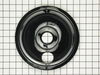
Old burner bowl needed to be replaced
-
bonnie from N KINGSTOWN, RI
-
Difficulty Level:Very Easy
-
Total Repair Time:Less than 15 mins
2 of 4 people
found this instruction helpful.
Was this instruction helpful to you?
Thank you for voting!