Your coupon for will be reflected when you check out!
✖
Your coupon for
✖
Hello!
You're visiting the PartSelect site in U.S.
Would you like to shop on the Canadian site?
Stay on this site
Go to Canadian site
✖
Model Number Locations
1Select Category Type
Select Category Type
2Select Product Type
Select Product Type
3Select {MODEL} Type
Select {MODEL} Type
Sample Model Number Tags
Model numbers can be made up of numbers (1005400, for example) or a combination of letters and numbers (LAT1000AAE). The model number will most likely appear on either a paper sticker or a metal plate. Your appliance's model number tag may look similar to the sample model number tags shown here (model number highlighted in yellow):
Model has been saved to My Models. If you're not signed in, your lists are available on this device and will expire within 30 days.
Model has been saved to My Models.
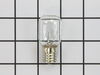
This 40w light bulb is a replacement bulb constructed of glass and metal. It is an easy-to-install electrical part which produces 40w of light. If the bulb won't light up then it may be broken and sho...
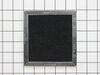
This Charcoal Filter traps grease from your oven's exhaust to help prevent it from entering the vent, which could cause damage over time. If the exhaust fan on your microwave is not working, you may n...
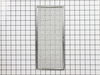
This Grease Filter is constructed of Acrylonitrile Butadiene Styrene and is used to trap grease and help eliminate odors from the exhaust air while cooking. It attaches onto the exhaust and is rated ...
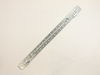
This mounting plate is sourced directly from the original manufacturer for use with microwaves. It is a metal plate designed to support a microwave by attaching the microwave to the wall studs. If the...
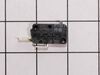
This three-terminal switch fits your microwave door. This part is mostly black in color and is about 1.5 inches with metal terminals. You might need to replace this part if your microwave is not heati...
This door interlock switch is a genuine replacement part designed for use in microwaves. It serves a critical safety function by preventing the microwave from operating when the door is open. Because ...
This diode, or high voltage diode, is used in microwaves. It is an electrical current control device that ensures power flows in one direction and not the other way. If your microwave produces no heat...
If your microwave is not turning on it could be due to your fuse needing to be replaced. This part protects the microwave by shutting it off if there is an electrical surge. This fuse is just over an ...
The light socket in your microwave houses the light bulb and connects it to the power source. The light bulb will screw into it, so the light bulb will be held in place. Be very careful when installin...
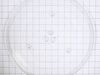
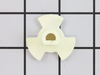
This glass tray drive coupling, also known as a tray support, is a genuine OEM replacement part. It can help solve the issue of your microwave tray not turning properly. This motor couple connects the...
$9.62
In Stock
Order now and your part arrives by May 10
Questions And Answers for WMH53520CS6
Ask our experts a question about this model and we'll get back to you as soon as possible!
4 questions answered by our experts.
Sort by:
< Prev
1
Next >
Search filter:
Clear Filter
Your search term must have 3 or more characters.
Keep searches simple. Use keywords, e.g. "leaking", "pump", "broken" or "fit".
Sorry, we couldn't find any existing answers that matched.Try using some different or simpler keywords, or submit your new question by using the "Ask a Question" button above!
Adrian
November 28, 2022
All at once it stop working there was a code that came on just before it stop working I don't recall the number. I check the plug and it is working is there a reset button?
Thank you,
Adrian
For model number WMH53520CS6
Hello Adrian, thank you for the question. To reset the microwave, switch off the electric socket and get hold of your microwave’s plug. Pull the plug out and wait for five minutes. Re-plug your microwave and switch on the socket. The microwave will reset once you power it up. If that does not take care of the issue, we would recommend checking the Fuse, part number PS1960938. If you require assistance placing an order, please contact customer service. We hope that helps!
I have to continually reset filter to get it to work. Checked filter & it is clean
For model number WMH53520CS6
Hello Donna, Thank you for your inquiry. Researching your model, we show that it has two filters, the grease filter and the charcoal filter. If it is the charcoal filter behind the vent grill, you may have an issue with the exhaust fan, which you can test with a multimeter. If you are unfamiliar with how a multimeter functions, we have videos available to assist you. For safety reasons, since the microwave capacitor can still store electricity even when the microwave is unplugged, it is usually advised that you discharge the capacitor before any attempt at repair. We have included a link on how to do so. We hope this helps and if you need help placing an order for a part, customer service is open 7 days a week. Please feel free to give us a call. We look forward to hearing from you!
Hello James,
Thank you for your question. To replace the lower door switch in your microwave oven, you would first unplug the power cord to make sure there is no power running to your microwave. Start by using a phillips head screwdriver to remove the screws securing the grille. Proceed to pull the grill forward from the top and remove it. Next, remove the mounting screw holding the control panel in place and lift the control panel up to detach it from the microwave. Take a moment to memorize or write down how the wire are connected for later. Proceed to free the hinge tab from the control panel and remove the screw and washer holding the grounding wire, so you may move the control panel assembly aside. After that, remove the screws mounting the control panel backing and detach he control board wires from the channel. Release the senor wire and set the backing aside for now. You'll want to use a t-10 torx screwdriver to remove the screw holding together the interlock support. From here, proceed to use a small flat head screwdriver to depress the cam plate then push the support down and detach it from the front panel, then remove the tension spring and gently detach the switch from the support and then push the locking tabs down to release the wires from the switch. To install the new switch after going through the above to remove the old one, first start by connecting the wires to the terminals and then snapping the new switch into place on the support. Replace the tension spring by inserting the l-shaped end into the cam-plate and the hooked end into the support, then reposition the interlock support on the front panel then snap it into position, proceed to secure the screw. After that, reattach the sensor wire to the control panel backing. Align the wiring to their respective channels then reset the backing and put the screws back in to secure it. Now to reinstall the control panel by first securing the grounding wire, using the screw and washer, insert the hinge tab into the front panel and reconnect the remaining wires to all of the appropriate terminals on the control board. Insert the control panel tabs into the front panel slots and then proceed to push the panel downwards. Replace the mounting screw to lock. Realign the grill and snap it into place then rethread the screws to hold in position. Now you are safe to plug it back it back in and you should be ready to use your microwave. We hope this helps you.
need part #of door clips inside door cabinet where door clips latch into. price me.
For model number WMH53520CS6
Hello Agapito, Thank you for writing. The Door Latch Clips on the Door are listed as PartSelect #: PS11722531 and are sold individually. Thank you for the inquiry, good luck with the repair!
The nightmare was that this microwave is installed under the cabinet....in order to get to the light bulb I had to pull out my stove then squeeze into the space between the stove and counter....my old microwave light bult was much easier to change.....Shame on Whirlpool for making this so difficult.....must be a better way to cover the li
... Read moreght bulb so that we do not need a screwdriver to remove the door to get to the light bulb
Ordered top & bottom micro-switches and mounting plate parts. Internet reviews could not find specifics if the issue was due to a top/bottom or combination of micro-switch or mounting plate failure. Pulled the plug. Removed the top vent assembly cover held in by 2 Phillips screws inside the vent. Removed the control panel held in by 1 P
... Read morehillip screw at the top vent assembly area. Lifted control panel upward to release the catch and moved it off to the side - didn't disconnect any leads. Used a Torx bit to remove the door switch mounting plates at the front and pulled the plates through the opening from the control panel. Documented the wire color code connections, the top plate uses 2 micro's with one using both the closed & open contact. Installed the respective micros on the mounting plates and worked backwards with the wiring and removal steps. Once completed, the open/close sensing has worked every time.