















W30400PR Jenn-Air Wall Oven - Instructions
Keep searches simple. Use keywords, e.g. "leaking", "pump", "broken" or "fit".
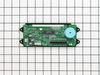
Clock faded while stove and oven still worked
Turned off the breaker. Removed the screws under the front panel and eight screws behind the burner controls (two each). I then slid out the panel and laid it flat on top of the stove. Removed the three connectors. Most difficult was the ribbon connector: Squeeze the clips at each end and slide the top half of the connector up. Then the ribbon slides out (practice on the new part). Only two screws held the assembly in. Reverse the process with the new assembly. Worked great!
Parts Used:
-
Paul from Newcastle, ME
-
Difficulty Level:Really Easy
-
Total Repair Time:15 - 30 mins
-
Tools:Nutdriver, Screw drivers
1 person
found this instruction helpful.
Was this instruction helpful to you?
Thank you for voting!
Clock light was out. Oven worked but it was a guess that I could not see the temp
Cut of electricity. Opened the oven door and removed some screw that were over the door that let a plate be removed. Then that let the part drop down that was holding the clock. I removed 2 screws that was holding the clock in place, unplugged the 3 connectors that feed the clock, attached the 2 screws back in that held the clock, put the part back up in place, added the plate and was done. Turned the power back on. I was delighted when I saw the clock light on. Easy to install.
Parts Used:
-
Ila from Carthage, NC
-
Difficulty Level:Really Easy
-
Total Repair Time:15 - 30 mins
-
Tools:Screw drivers, Socket set
1 person
found this instruction helpful.
Was this instruction helpful to you?
Thank you for voting!
Clock went out
Removed screws on face plate, disconnected wires, placed on counter, removed hex head screws. Removed one end of electric type circutry, replaced with new part and reassembled.
Parts Used:
-
Randy from Chula Vista, CA
-
Difficulty Level:Easy
-
Total Repair Time:15 - 30 mins
-
Tools:Nutdriver, Screw drivers
1 person
found this instruction helpful.
Was this instruction helpful to you?
Thank you for voting!
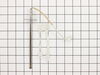
"F3" error message and no oven heat
Unplugged the range, removed screws holding the old sensor. When I pulled it out, the wire connecting to the sensor was completely broken through,therefore I could not just pull the wire to get to the connector. Unscrewed one side of back panel to access the connector. Pushed the connector and wire of the new sensor through the hole ( and behind the insulation), disconnected the old sensor and connected the new one. Re screwed the new connector in place plus rescrewed the back panel. Plugged the range in and - Viola! Everything now works like a charm and I have my oven back. Easy-Peasy. Oh - I am an older female with very limited DYI experience. I just saved myself $650.00!
Parts Used:
-
Pat from PAYSON, AZ
-
Difficulty Level:Very Easy
-
Total Repair Time:15 - 30 mins
-
Tools:Screw drivers
1 person
found this instruction helpful.
Was this instruction helpful to you?
Thank you for voting!
LED Display to dim to read
I first turned the breaker off. Then removed the screws under the display with the oven door open. Then removed the side screws. Then removed the trim kit for the microwave which exposed 3 more screws. The middle one with the Micro Door open. The complete display panel then was removable. I took a digital picture of the 2 wire and 1 ribbon connectiors (I know-anal). Then removed the 2 wire groups-struggled somewhat with the ribbon connector until I realized by trial & Error that the 2 little tabs on the sides only pull upward, releasing the ribbon. Removed 4 nutdriver screws to remove old display-installed new one in reverse fashion. Then I CLEANED everything I could reach it was so dirty! (I live in the desert,duh!) I just paid great attention to how it came apart and it was relatively easy. The best part is that I didn't have to remove the Oven/Microwave unit to do the repair.The new part works perfectly, thanks!
Parts Used:
-
Dennis from Scottsdale, AZ
-
Difficulty Level:Easy
-
Total Repair Time:30 - 60 mins
-
Tools:Nutdriver, Screw drivers
1 person
found this instruction helpful.
Was this instruction helpful to you?
Thank you for voting!
door of oven came apart when plastic screw holders broke
put back together with parts ordered. Parts arrived in 2 days!!!! and saved my large dinner party the following day from being ruined. Thank you so much for your parts inventory and for Jenn Air supplying only the part needed and not the entire door. It was a life saver!
Parts Used:
-
patricia from chipely, FL
-
Difficulty Level:Really Easy
-
Total Repair Time:15 - 30 mins
-
Tools:Screw drivers
1 of 2 people
found this instruction helpful.
Was this instruction helpful to you?
Thank you for voting!
very dim lights and numbers
Popped it in and now we have a well lighted control panel AND a night light for the kitchen. Just wish Jen air would design a longer lasting part!!!
Parts Used:
-
David from Valley Springs, CA
-
Difficulty Level:Really Easy
-
Total Repair Time:Less than 15 mins
-
Tools:Screw drivers, Wrench set
1 of 2 people
found this instruction helpful.
Was this instruction helpful to you?
Thank you for voting!
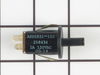
Self cleaning inoperable, display very dim/unreadable
First, DISCONNECT POWER or you can turn your panel into an arc welder. After that removed four screws that hold front panel in place and 2 screws that hold the display in place. disconnect ribbon cable and two other cables. Reverse operation for assembly.
For the self cleaning problem, replace door lock switch by pulling forward, use needle nose to remove & replace connector. Push into place. Very easy. Total 10 minutes for both jobs
For the self cleaning problem, replace door lock switch by pulling forward, use needle nose to remove & replace connector. Push into place. Very easy. Total 10 minutes for both jobs
Parts Used:
-
Matthew from Littleton, CO
-
Difficulty Level:Really Easy
-
Total Repair Time:Less than 15 mins
-
Tools:Nutdriver
1 of 2 people
found this instruction helpful.
Was this instruction helpful to you?
Thank you for voting!
After doing an oven self clean cycle, oven temp couldnt be set correctly, heat element was warm,not hot
After trying to set the bake temp after the self cleaning, it would not heat up. I Googled the model number,selected your link because it mentioned my symptom,and said usually it is the temp sensor in the oven that gets damaged by the high self cleaning heat. Your site had a place to enter my model number. You provided a great exploded view of the parts, showing me my sensor,then you provided the part number of the kit i needed,and filled out the order form with payment method. Less than a week later I got my part with instructions. Your video showed me the two screws I remove from the front ,and I pulled the old part out and uplugged it's connector. Replacement was easy, and oven was fixed! Thank you for a great site! You held my hand through it all!
Parts Used:
-
Philip from Winter Haven, FL
-
Difficulty Level:Really Easy
-
Total Repair Time:Less than 15 mins
-
Tools:Screw drivers
1 of 2 people
found this instruction helpful.
Was this instruction helpful to you?
Thank you for voting!
Oven would not heat
Flipped off breaker and removed oven door and pulled built in stove out so the back panel could be removed. Unplugged the sensor then removed the two screws securing the old sensor inside the oven and installed new sensor. Put stove back together and installed back into counter top, re-installed oven door, flipped on the breaker and oven works like new.
Parts Used:
-
Ralph from Nicholasville, KY
-
Difficulty Level:Easy
-
Total Repair Time:30 - 60 mins
-
Tools:Screw drivers
1 of 2 people
found this instruction helpful.
Was this instruction helpful to you?
Thank you for voting!
broken glass inside oven door;
My husband ( a superior handy man) very easily replaced the glass on the inside of the oven door and further replaced the hinges which had sprung yrs ago when I rested a 30+ lb turkey on the door. He removed the oven door and it was obvious to him how to repair the problem. The oven is back to heating correctly.
Parts Used:
-
Ken from Bozeman, MT
-
Difficulty Level:Easy
-
Total Repair Time:30 - 60 mins
-
Tools:Screw drivers
2 of 5 people
found this instruction helpful.
Was this instruction helpful to you?
Thank you for voting!
We had no clock, timer, temperature display.
Removed 8 screws and replaced the part (also did a good cleaning while we were in there)! Easy breezy!!!
Parts Used:
-
Marcee from Houston, TX
-
Difficulty Level:Really Easy
-
Total Repair Time:Less than 15 mins
-
Tools:Screw drivers
1 of 2 people
found this instruction helpful.
Was this instruction helpful to you?
Thank you for voting!
Top oven element works, but bottom element works only intermittently
Replaced the long Oven Sensor but have not resolved the root problem. Oven still will not reach required temperature. Bottom element becomes red hot, but turns off and will not start again.
Parts Used:
-
Bruce from Glencoe, MN
-
Difficulty Level:Really Easy
-
Total Repair Time:15 - 30 mins
-
Tools:Screw drivers
2 of 5 people
found this instruction helpful.
Was this instruction helpful to you?
Thank you for voting!
Oven not heating to desired temp
Had to remove oven from mounting cabinet to get to the back since the wire lenght to the conector was to short to come through the mounting hole.
Other than that the repair was straight forward. 4 screws to dismount the Oven from cabinet, 2 screws to remove Sensor and 3 srews to open the back of the oven once out in the open. New cable adapter that came with the new sensor was needed in my case.
Other than that the repair was straight forward. 4 screws to dismount the Oven from cabinet, 2 screws to remove Sensor and 3 srews to open the back of the oven once out in the open. New cable adapter that came with the new sensor was needed in my case.
Parts Used:
-
Raymond from Ridgecrest, CA
-
Difficulty Level:A Bit Difficult
-
Total Repair Time:1- 2 hours
-
Tools:Nutdriver, Screw drivers
2 of 5 people
found this instruction helpful.
Was this instruction helpful to you?
Thank you for voting!
The panel display was fading/dimming.
I shut down power at the circuit breaker, removed the stove knobs, unscrewed the underneath screws of the front panel, pulled off the panel, and the electronic board/panel was there.
I unhooked the wires (3 sets), and used the socket to remove the electronic board from the front panel. I put it all back together. Very easy-- less than 15 minutes!
I unhooked the wires (3 sets), and used the socket to remove the electronic board from the front panel. I put it all back together. Very easy-- less than 15 minutes!
Parts Used:
-
James from Clarksville, MD
-
Difficulty Level:Really Easy
-
Total Repair Time:Less than 15 mins
-
Tools:Screw drivers, Socket set
1 of 2 people
found this instruction helpful.
Was this instruction helpful to you?
Thank you for voting!